![Bonsai Tree [ACHIEVEMENT FRIENDLY]](https://files.mcmodshub.com/img/curseforge/65777.png)
Bonsai Tree [ACHIEVEMENT FRIENDLY]
Transform your Minecraft world with the Bonsai Tree Addon! This addon lets you grow miniature bonsai trees in special pots, each producing unique…
⬇ Download on CurseForge![Bonsai Tree [ACHIEVEMENT FRIENDLY] — screenshot 1](https://files.mcmodshub.com/img/curseforge/65777_s0.jpg)
![Bonsai Tree [ACHIEVEMENT FRIENDLY] — screenshot 2](https://files.mcmodshub.com/img/curseforge/65777_s1.jpg)
How to Use: Bonsai Tree Addon
1. Place a Bonsai Pot:
Craft or find a bonsai pot (a special block provided by the addon) and place it in your world.
2. Plant a Sapling:
Hold a supported sapling (Oak, Spruce, Birch, Jungle, Acacia, Dark Oak, Pale Oak, or Cherry).
• Right-click (or tap) the bonsai pot to plant the sapling. A bonsai tree will appear on the pot.
3. Collect Resources:
• The bonsai tree grows automatically and periodically drops resources unique to its type.
Place a Chest, Hopper, or Barrel directly below the pot to automatically collect the drops.
• If no storage block is below, resources will appear above the pot as items.
4. Retrieve the Sapling:
. To remove the bonsai tree, sneak (shift) and right-click (or tap) the pot with an empty hand.
• The original sapling will be returned to your inventory, and the tree will disappear.
5. Supported Saplings:
Oak, Spruce, Birch, Jungle, Acacia, Dark Oak, Pale Oak, and Cherry saplings.
V1.2.0
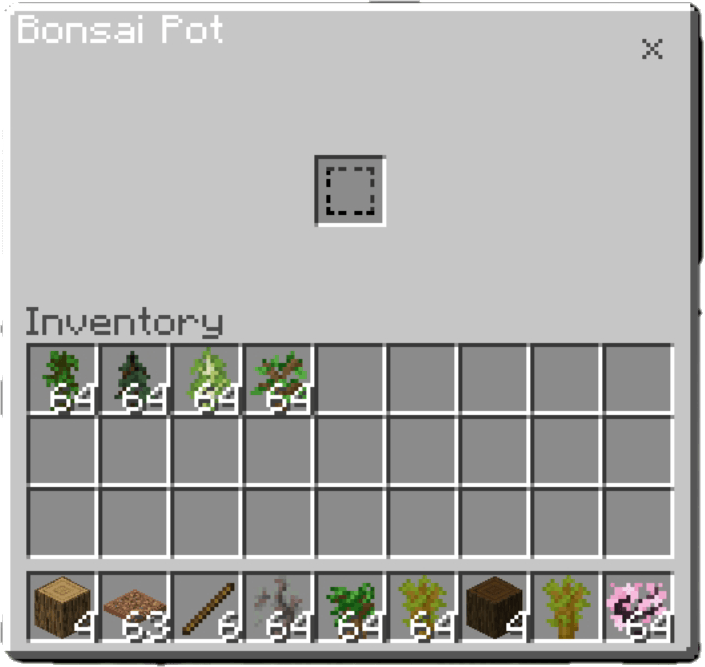
Add New Ui
- Edition: Minecraft Bedrock
- File type: .mcpack or .mcaddon
- Minecraft versions listed: 1.21.92, 1.21.120
- How to install: Download the .mcpack or .mcaddon file. → Open it — Minecraft imports it. → In your world: Behavior Packs → Available → Activate, then the same under Resource Packs.
- Where to get it: Opens on CurseForge — not every file is mirrored on our own servers.
Install steps are the general flow for this file type — How to install Minecraft Bedrock addons & mods walks through it step by step.
- Pack type: .mcaddon — behaviour and resource pack in one file
- Manifest requires Minecraft 1.21.60 or newer
- Complete pack — everything it depends on is inside the file
- Download size: 4.0 MB
- Download link checked 15 Sept 2026 — working
These come from our own check of the pack file, not from the source page.