Simple Boomerangs
Bedrock add-on listed for Minecraft 1.20–26.x (behavior + resource pack). File opened and checked on 23 Sep 2026; installs from the MC Bedrock Mods app on Android.
⬇ Download on CurseForge
Have you ever needed an item in your survival that could help to explore and fight? Well here I present you this Add-On that adds BOOMERANGS to the game, a simple and useful item that can you help you in both exploration and combat. Fully compatible with other Add-Ons and Multiplayer Friendly!
NEW! DUAL WIELDING
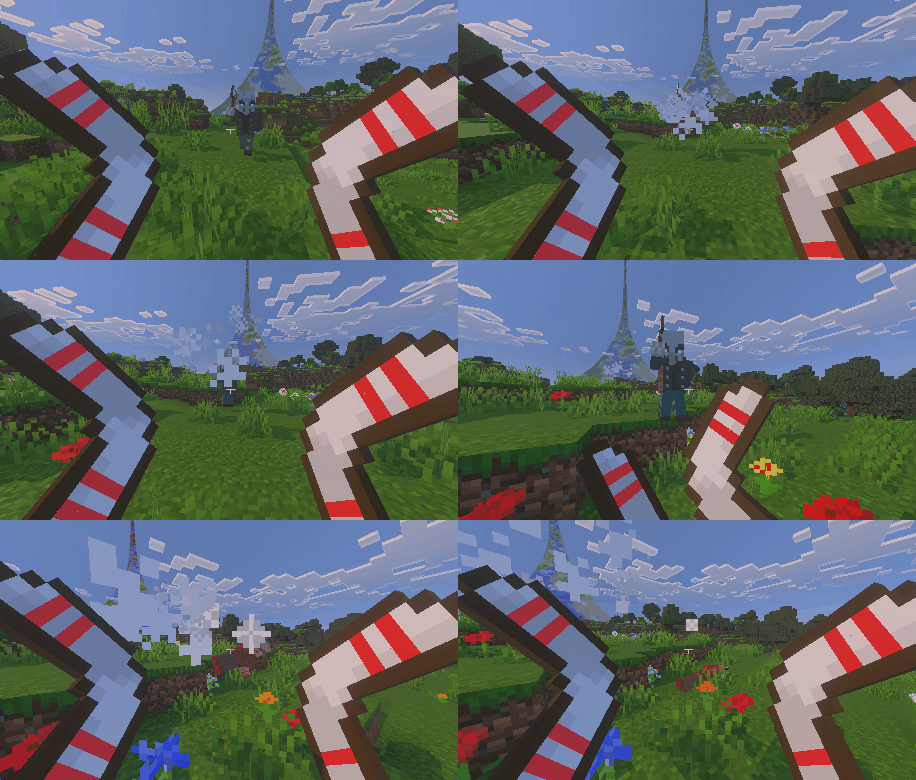
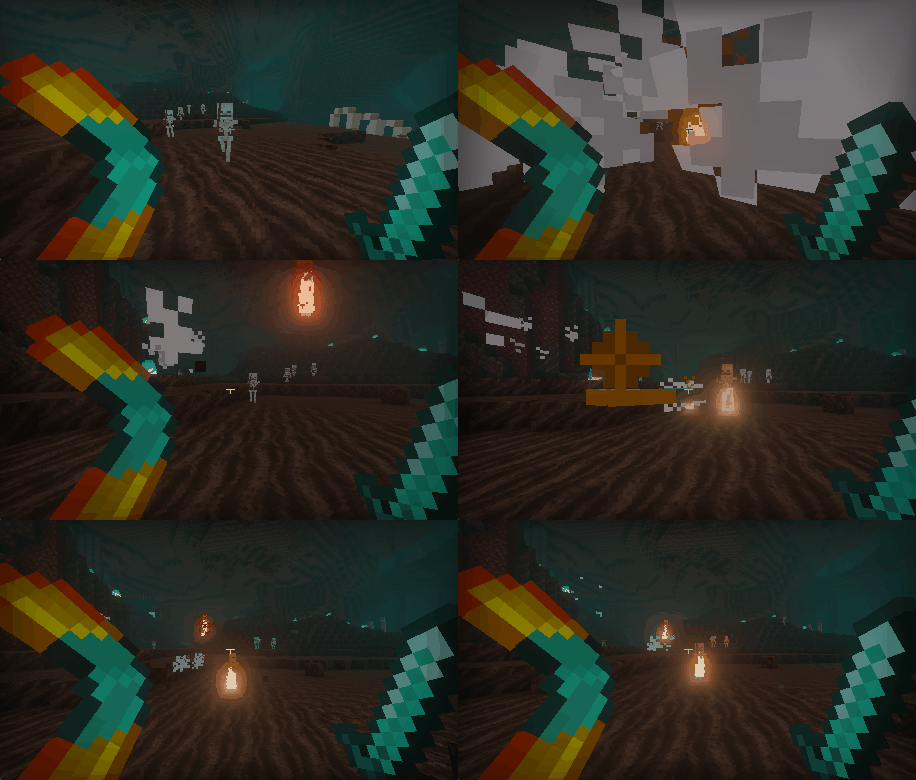
All weapons from this Add-On can now be used in the Off-Hand, which in turn makes it possible to fire two of them at the same time AND deal double damage!.

HOW TO USE
To use a boomerang in your offhand, you simply need to grab it in your inventory and put in the second hand slot, where you would put a shield.
To actually fire the boomerang all you need to do is interact like you would normally (right click/left trigger/holding your screen) in order to launch it. As simple as that
You can use any two boomerangs you want, you are not limited whatsover in this area. Feel free to try combinations at your will.
ACTUAL DAMAGE SYSTEM
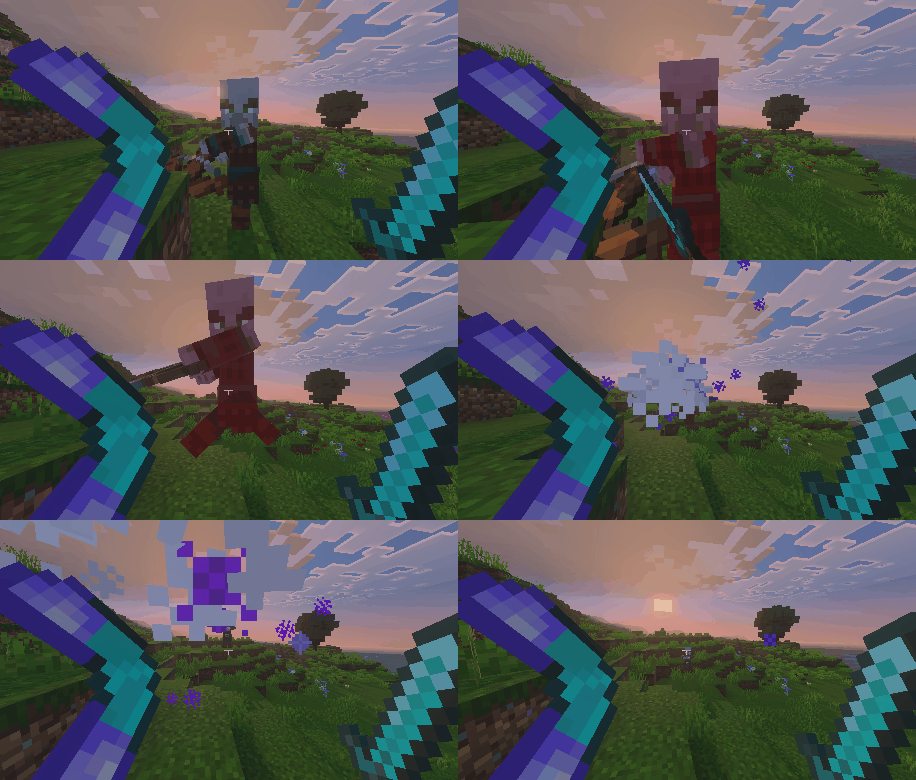
You might think, "but wait, Minecraft has a system that makes hurt mobs invincible for a couple of ticks, isn't this kind of pointless?" Well thanks to the brand new ACTUAL DAMAGE SYSTEM that is no longer a concern!
The ADS (Actual Damage System) allows for you to bombard an enemy with boomerang attacks as fast as you want and have them take all of the damage. This means if you use two boomerangs at the same time, you will effectivly deal double damage!
HOW DO THEY WORK?
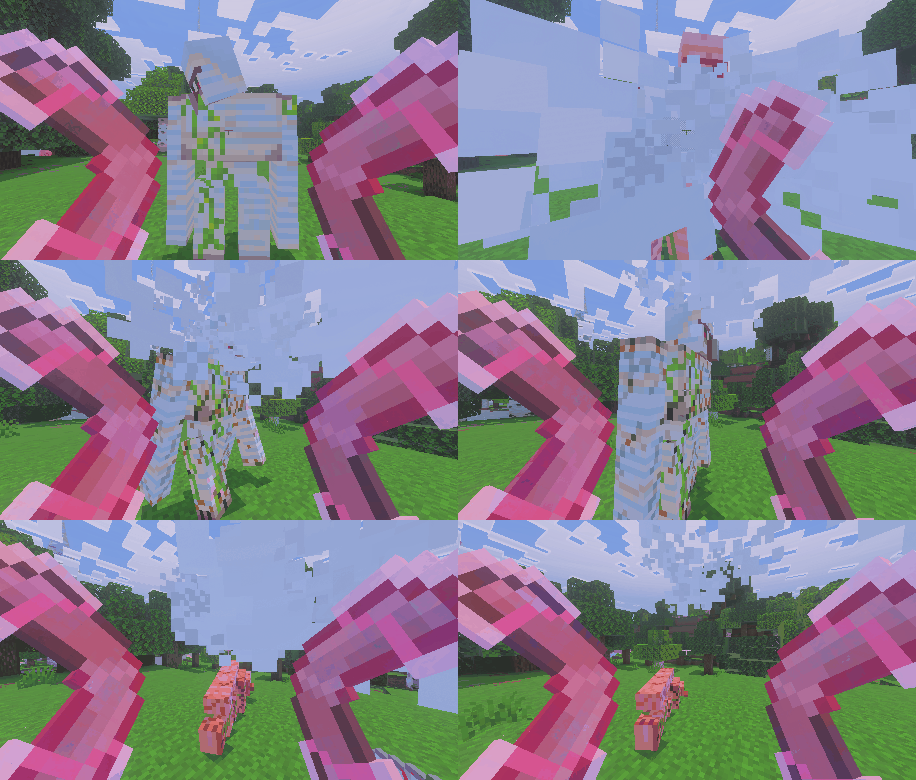
The usage of the boomerangs is very simple, when used, a boomerang will be launched, which will travel a distance and then come back to the player:
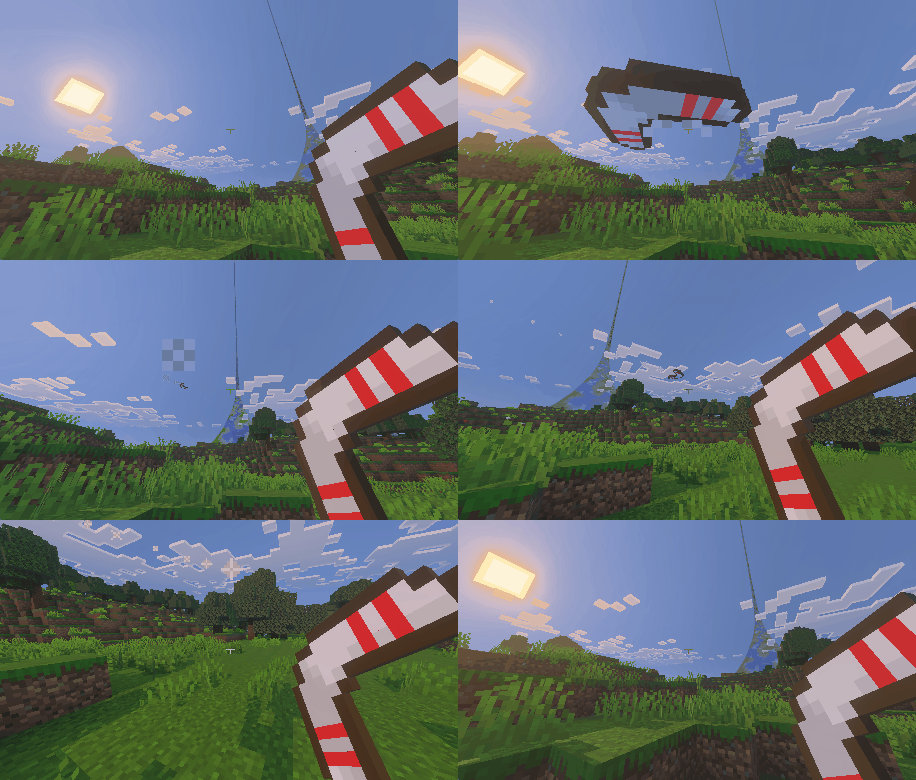
The launched boomerang can be used simply to hit and damage enemies from a safe distance, however, it also has an additional functionality, boomerangs can pick up items and bring them back to you! To do this all they need is for them to be thrown into an item or group of items, and if it hits it will bring them back to the player. This also works for XP orbs!
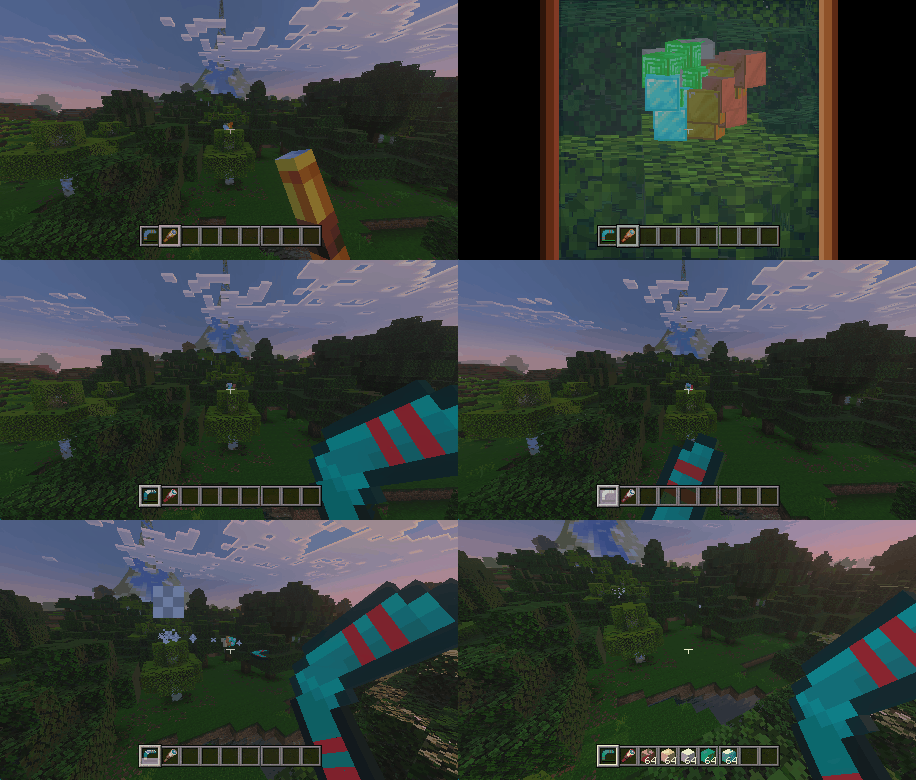
The boomerangs will have a cooldown between each use, meaning you can not spam it. This is the basic function of all boomerangs, however, depending on the material they are made of, their stats such as range, damage, or cooldown duration will change!
It is also worth noting that the boomerangs can be enchanted, but the only enchantments available are Unbreaking and Mending, and for the latter you will still need to use an anvil.
BOOMERANG TYPES

Wooden Boomerang
Range: Very Low
Cooldown:1.6
Damage (Ranged): 6
Damage (Melee): 3

Stone Boomerang
Range: Low
Cooldown: 1.45
Damage (Ranged): 7
Damage (Melee): 4
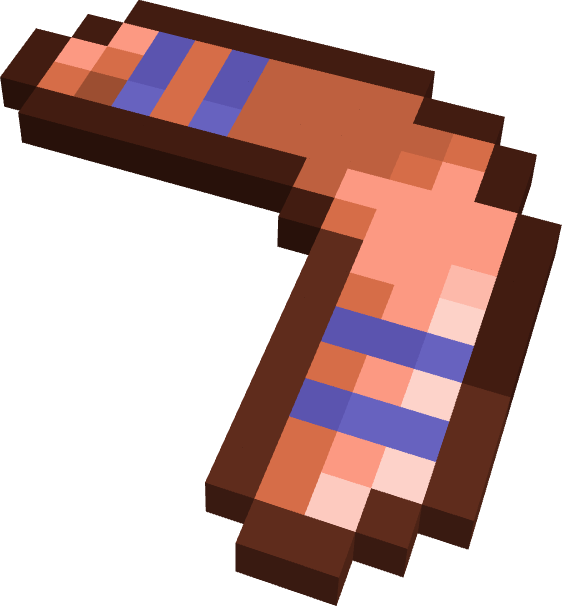
Copper Boomerang
Range: Medium
Cooldown: 1.45
Damage (Ranged): 7
Damage (Melee): 4

Iron Boomerang
Range: Medium
Cooldown: 1.3
Damage (Ranged):8
Damage (Melee): 5

Golden Boomerang
Range: Very High+
Cooldown: 0.8
Damage (Ranged):6
Damage (Melee): 4

Diamond Boomerang
Range: High
Cooldown: 1.2
Damage (Ranged): 9
Damage (Melee):6

Netherite Boomerang
Range: Very High
Cooldown: 1.0
Damage (Ranged): 10
Damage (Melee):7
BOOMERANG PERKS
If the player wants to, boomerangs can get one additional effect, for this, a boomerang must be combined with 3 different materials to create 3 different perks, but keep in mind, you can only put one in each boomerang, so choose wisely!
Sharp Boomerang
This is a perk made with iron ingots, this will plain and simply add +2 points of damage to the launched projectile, but in exchange, the item will have a reduced durability along with a slightly higher cooldown time, so you might want to reconsider.
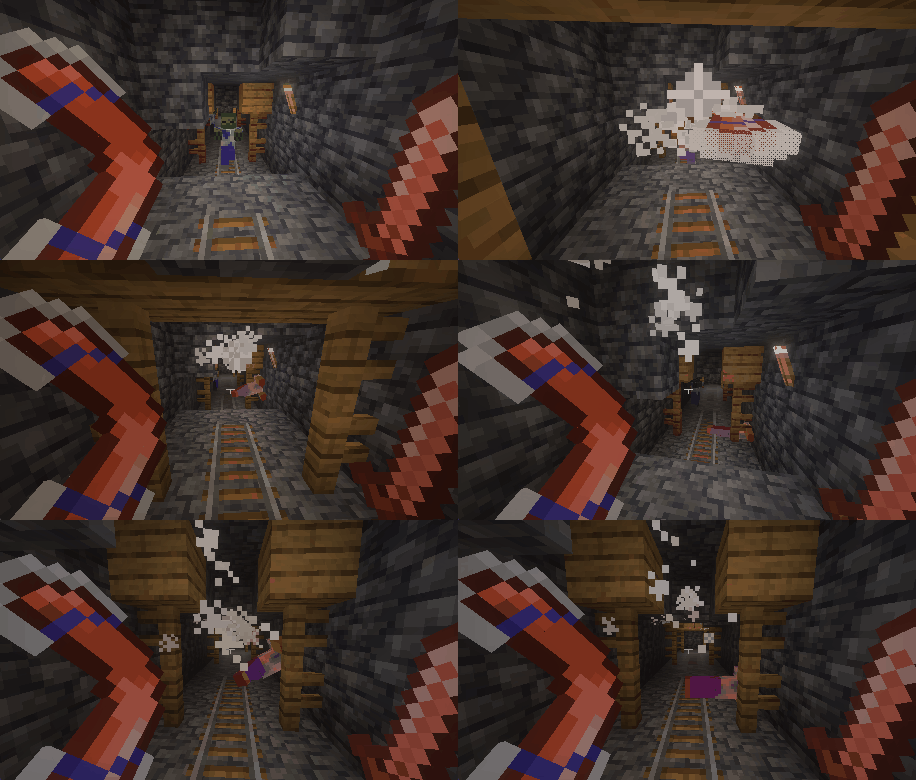
Striking Boomerang
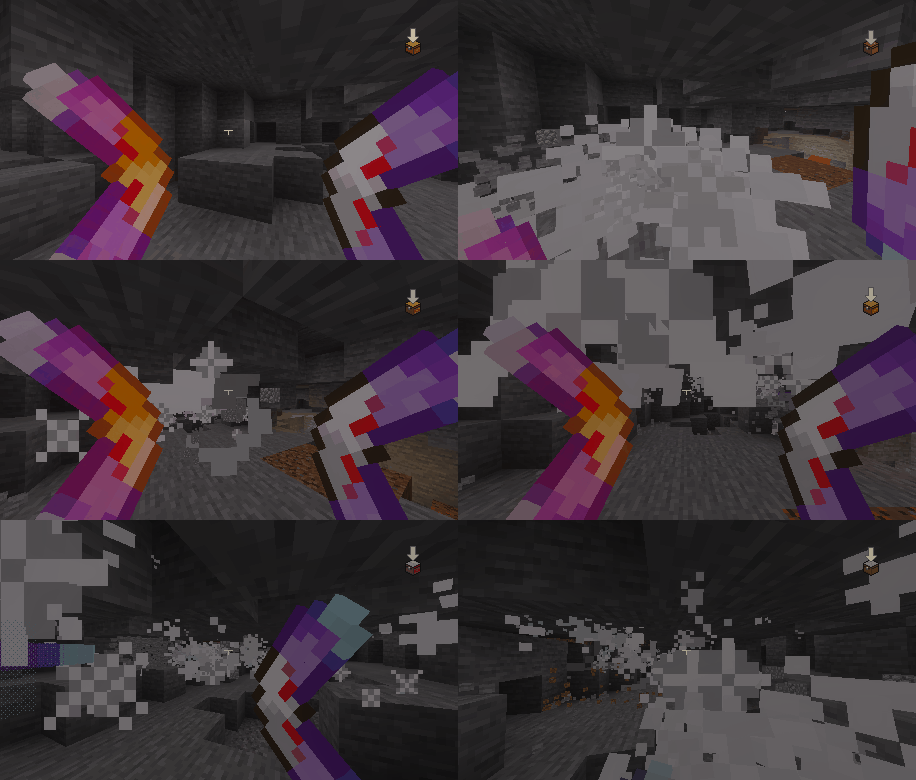
This perk is made with amethyst shards, it will reduce the ranged damage of the boomerang by - 1 , but it will give your boomerangs a big punch to them! When they hit something they will cause a knockback that will send nearby creatures flying into the horizon...
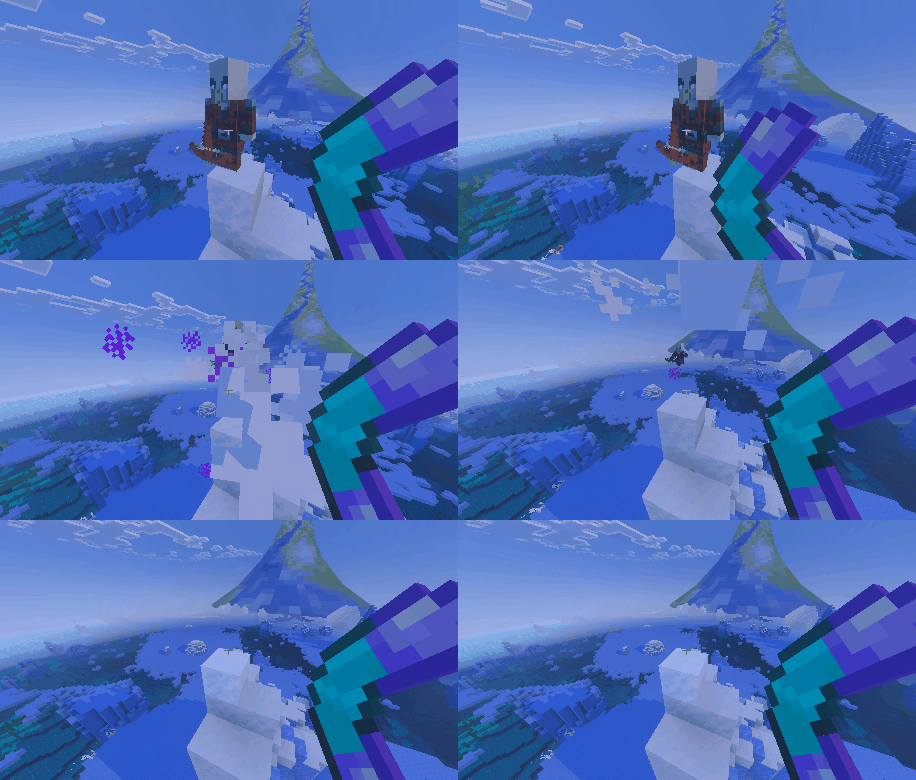
This knockback also affects the player who threw the boomerang if close enough, so use it carefully, you might knock yourself out, or maybe you can use it to get through certain situations?

Blazing Boomerang
This perk made with blaze powder will set your boomerang on fire! It will burn the enemies it hits and also leave a tiny fire in case you want to cause mischief, all of this along with an additional +1 ranged damage to the boomerang!
And as a new power of this boomerang perk, enemis will be sent into the air through the fire blaze, even ignoring the target's knockback resistance
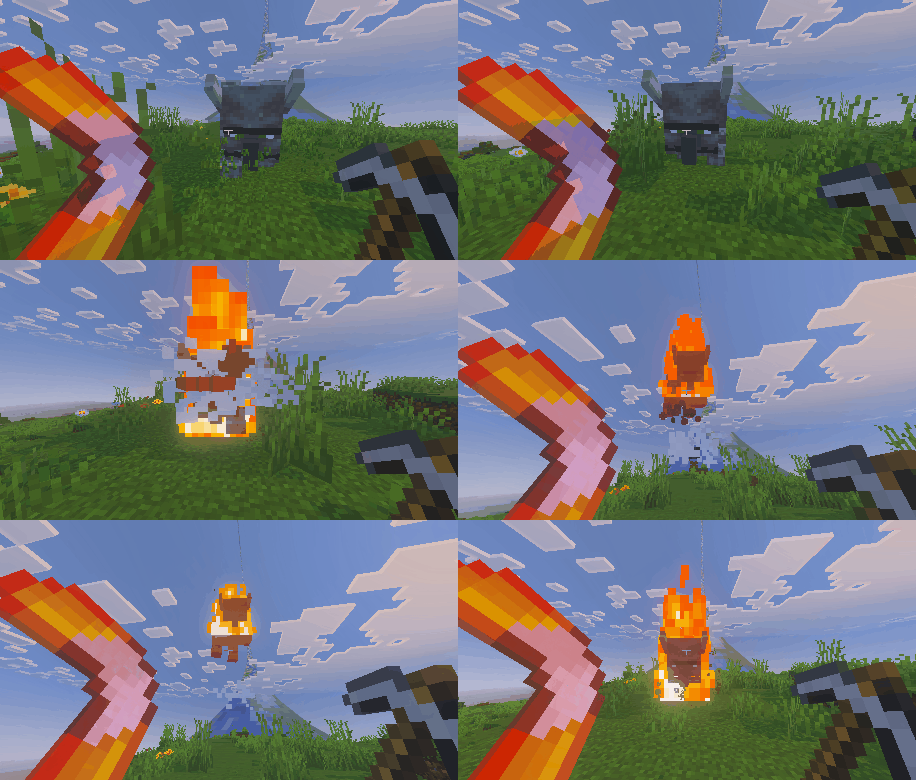
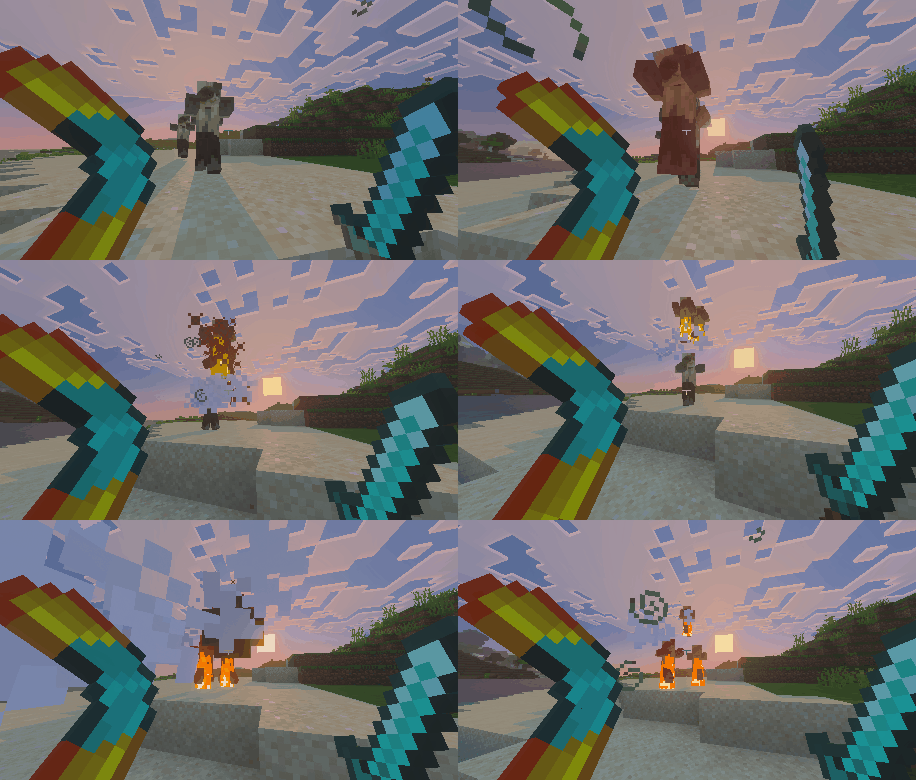
NEW! -> Sticky Boomerang
This perk is made with Slime Balls, and when you hit a mob with it, it'll be glued to the boomerang and return to you. And not only that, but because of the slime doing slimy things, the entity dragged by the boomerang will also get slowness and weakness for two seconds, so make those count.
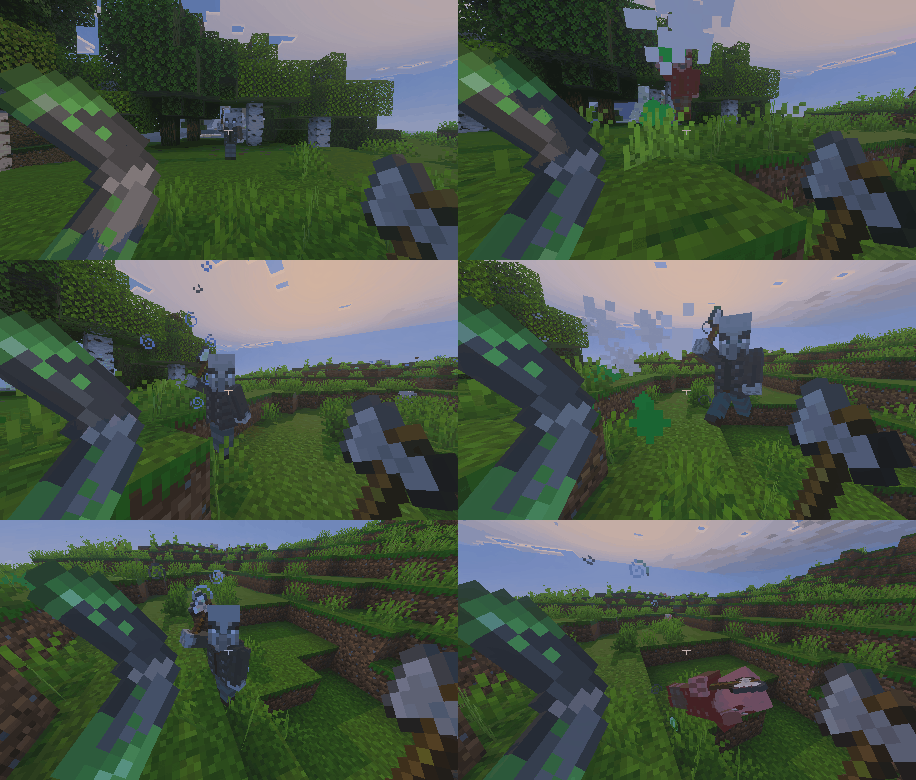
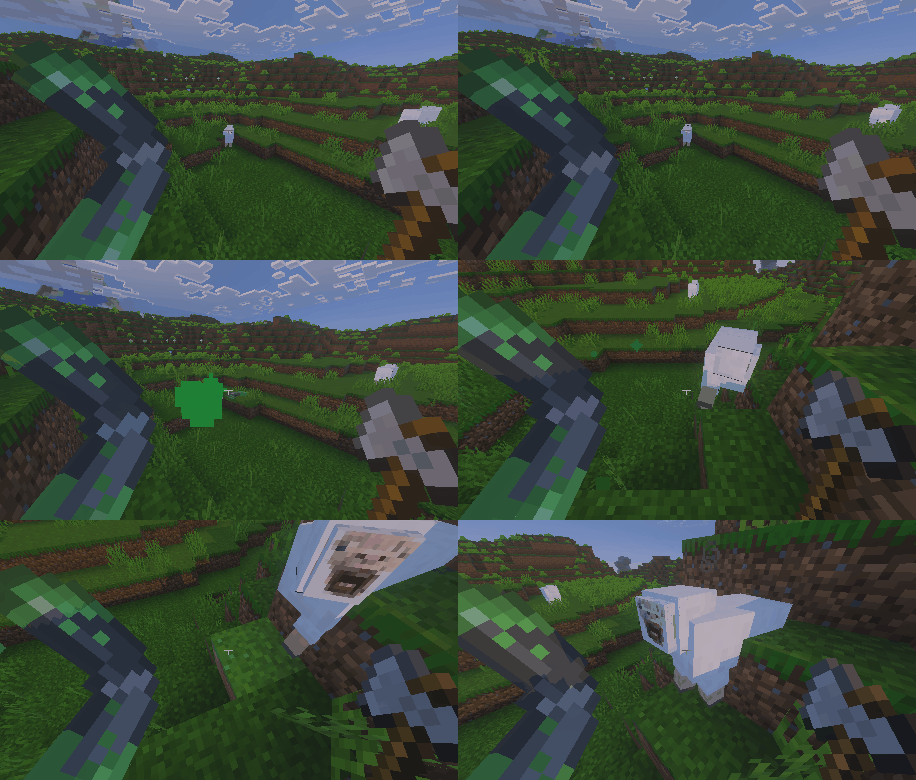
NEW! -> Shattering Boomerang
This perk can be made with Ghast Tears, and on impacting on a block it will break said block and some of the neighbouring blocks as well. This means it's a very good tool for mining, even better if you dual wield it with some enchantments.
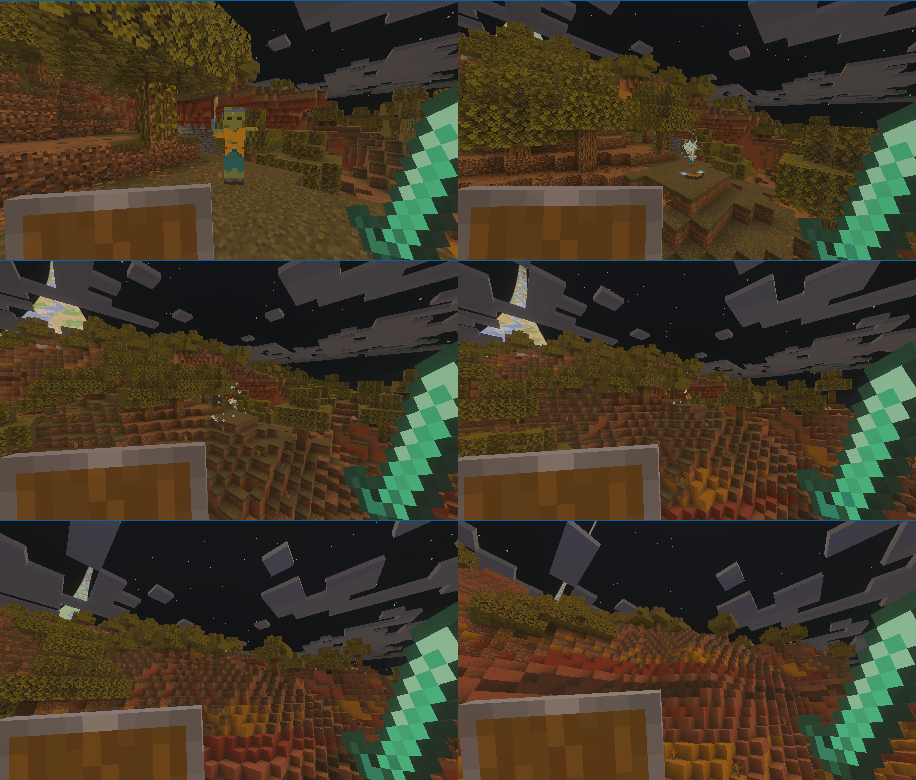
THE ARCHED
It's only fair that mobs get a chance to fight back with these. In retaliation they came up with the ARCHED, a zombie perfectly capable of attacking you will all sorts of boomerangs
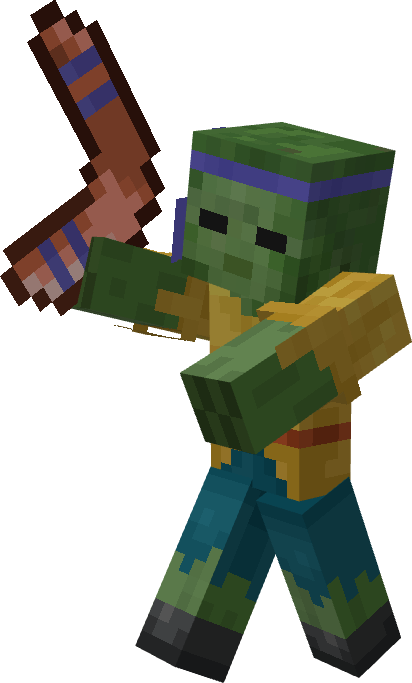
Health: 15 HP
Can Spawn With:
- Any boomerang tier except Netherite
- Any boomerang perk
ENCHANTMENTS
Boomerangs utilize crossbow enchantments, bringing new possibilities to their use. Although these enchantments don't work exactly as they do on a crossbow, they still grant unique abilities to the boomerang.

Multishot
Enchanting a boomerang with Multishot allows it to fire three boomerang projectiles simultaneously. Remember, Multishot is incompatible with Piercing!

Additionally, thanks to the new Actual Damage System and the Dual Wielding system, you can use this to deal the damage of essentially up to 6 boomerangs at once!
Quick Charge
Enchanting a boomerang with Quick Charge enables it to fire multiple boomerangs in quick succession after being used. To maximize this effect, hold down the use button (right-click, left trigger, holding the screen, etc.), and all available boomerangs will be fired. Each level of the enchantment allows one additional boomerang to be fired.

Piercing
The Piercing enchantment does not grant the usual piercing ability to boomerangs since they can already hit multiple enemies. Instead, it increases the damage dealt by the projectiles and the speed at which they are launched. Note that Piercing is incompatible with Multishot.

Additionally, all boomerangs are now fully compatible with the Unbreaking and Mending enchantments. However, it's worth noting that using crossbow-specific enchantments on a boomerang will increase its wear and tear, reducing its durability, especially with Quick Charge. Be mindful of how you use your boomerang to avoid breaking it too soon!
CRAFTING & PERKS
To make the base boomerangs is very simple it is the same for all of them except netherite, all you need to do is follow the following recipe:

Adding Perks
To add perks to your boomerang, you will need to use the new Boomerang Bench. From this table you will be able to give any boomerang a perk of your choosing
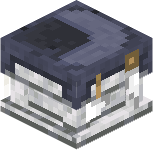

From this workstation, all you need to do is in either of the crafting slots put a boomerang, in the other put 4 or more of the desired perk material, and the boomerang will be done! The advantage of this system is that any enchantments or name tags your boomerang already has will remain intact. Additionally, you can change the perk of a boomerang even if it already has one applied.
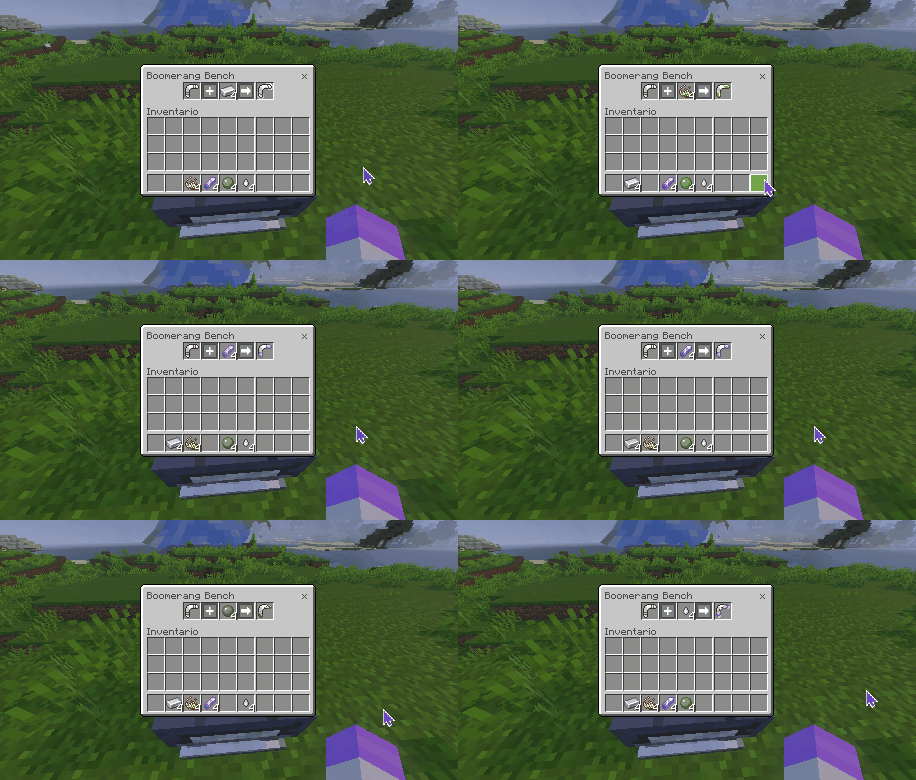
Now, to craft a netherite boomerang, you need to use a smithing table, just like any vanilla tool, using a Smithing Template and a Netherite Ingot. If you want to make a netherite boomerang with any of the 3 perks, you can both apply it to a diamond one and then upgrade to netherite, or otherwise make a netherite one and then apply the perk.

SETTINGS MENU
This third release of the Add-On includes a brand new menu, which allows the players to easily configure some aspects of the Add-On without leaving your world.
To access the settings menu simply type in chat: "/rev:boomerangmenu"
From this menu you will be able to access the following:
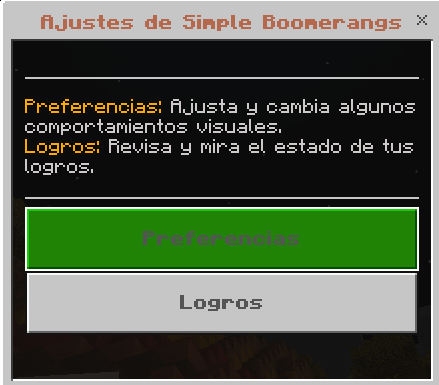
NOTE: The command works perfectly fine on survival, although for whatever reason it will not allow you to press TAB to autocomplete it
PREFERENCES
Within preferences, you can configure the following options:
- Enable Swing Animations: On using the boomerangs, the player will do a third person and first person animation. Disable this to remove it
- [!] Restrict offhand use while sneaking: While enabled, players will not activate boomerangs if they are sneaking, this as a way to better control the use of the weapons of the offhand. Disabling it will remove this restriction completely, which is not recommended.
- [!] Restrict offhand use with certain items: While enabled, players will not be able to use boomerangs from their offhand if the item in their offhand is a:
- Block
- Food
- Spear
- Shovel
- Hoe
- Disabling it will remove this restriction completely, which is not recommended.
ADVANCEMENTS
Finally, as a small bonus, this Add-On includes internal Advancements. These are simple goal posts that, when achieved, will grant the player with a certain amount of XP LEVELS:
- Common: Grants 2 XP LEVELS
- Rare: Grants 5 XP LEVELS
- Epic: Grants 7 XP LEVELS
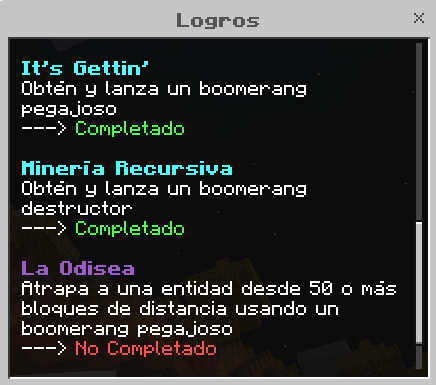
The full list of advancements can be seen in-game through the /rev:boomerangmenu command
NOTE: These are rewards in XP LEVELS, not raw XP, meaning you will always gain this amount of levels no matter how much XP you have at the moment.
ACHIEVEMENT COMPATIBILITY
As of Minecraft version 1.21.70, this Add-On can be used in a world without achievements being disabled, thanks to a change made in this version. However, this feature MIGHT get removed in future versions, although it is still uncertain.

NOTES:
- This was only tested on a Windows 10 computer, compatibility with other platforms is expected but NOT verified.
- CREDITS TO Vocktile, who made Enhanced Fog With Care, used in some of the screenshots of the game, you can find his work here: Enhanced Fog With Care | Minecraft PE Texture Packs (mcpedl.com)
- CREDITS TO Ewan Howell, who made the plugin for generating Minecraft style titles, used in the featured image. You can find the plugin and his socials here: Minecraft Title Generator - Ewan Howell
- CREDITS TO Pixelbiester, who made the Damage Indicators Add-On used on the showcase, you can find more about it here: DAMAGE INDICATORS
- A THANK YOU AND CREDIT TO Calceto64 who made most of the textures for this Add-On.
- CREDITS TO Vibrant Realism PBR (used in some screengrabs): Vibrant Realism PBR (LITE) - Minecraft Bedrock Texture Packs - CurseForge
- Edition: Minecraft Bedrock
- File type: .mcpack or .mcaddon
- Minecraft versions listed: 26.0.02, 26.0, 26.3
- How to install: Download the .mcpack or .mcaddon file. → Open it — Minecraft imports it. → In your world: Behavior Packs → Available → Activate, then the same under Resource Packs.
- Where to get it: Opens on CurseForge — not every file is mirrored on our own servers.
Install steps are the general flow for this file type — How to install Minecraft Bedrock addons & mods walks through it step by step.
- Pack type: .mcaddon — behaviour and resource pack in one file
- Manifest requires Minecraft 1.20.30 or newer
- Complete pack — everything it depends on is inside the file
- Download size: 1.3 MB
- Download link checked 5 Oct 2026 — working
These come from our own check of the pack file, not from the source page.