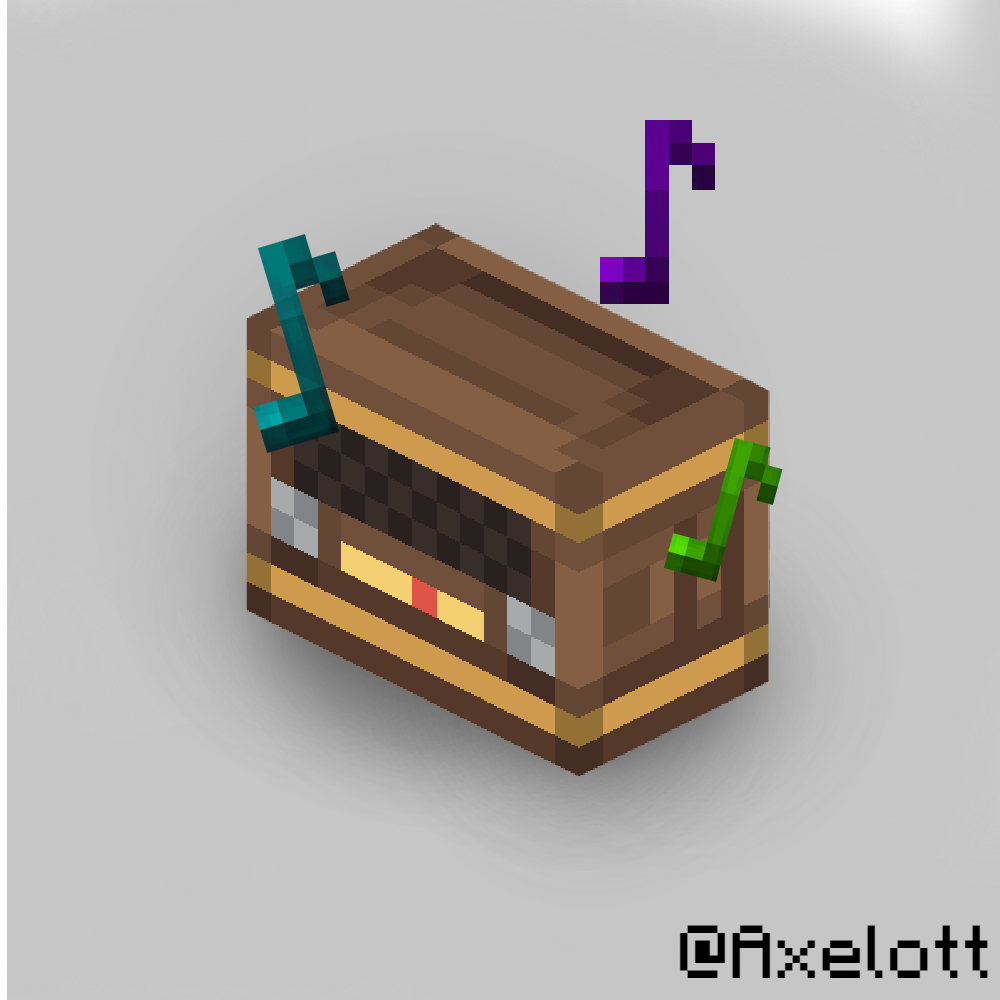
Chill in Minecraft is the best thing ever. But, you can improve that sentiment with this radio. You can enjoy music on your worlds! And you can do many things with it. You can, for example:Chill on fishingDo a partySimile a concertAnd more!
You can craft the radio like this:
<figure class="image">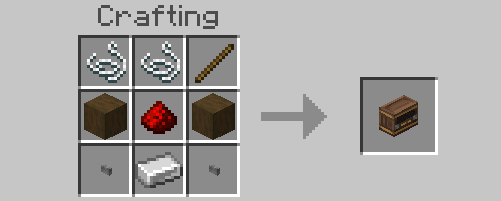 </figure>
And you will be able to place it wherever on your world.
⚠The type of wood used is stripped spruce wood ⚠
Doing a right click on it, you will switch between the On/Off mode. Turning on and off allows you to surf between channels, selecting the song that you prefer.
You can destroy it with the hand and the block will drop.
- Edition: Minecraft Bedrock
- File type: .mcpack or .mcaddon
- Minecraft versions listed: 1.21.30, 1.21.50, 1.21.20
- How to install: Download the .mcpack or .mcaddon file. → Open it — Minecraft imports it. → In your world: Behavior Packs → Available → Activate, then the same under Resource Packs.
- Where to get it: Opens on CurseForge — not every file is mirrored on our own servers.
Install steps are the general flow for this file type — How to install Minecraft Bedrock addons & mods walks through it step by step.
- Pack type: .mcaddon — behaviour and resource pack in one file
- Manifest requires Minecraft 1.20.80 or newer
- Complete pack — everything it depends on is inside the file
- Download size: 14.8 MB
- Download link checked 16 Sept 2026 — working
These come from our own check of the pack file, not from the source page.