Crafting:
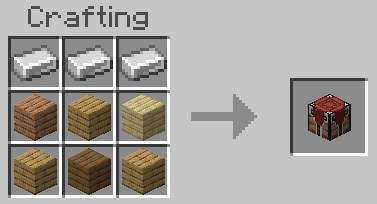
Any type of planks can be use for the recipe.
How to Use:
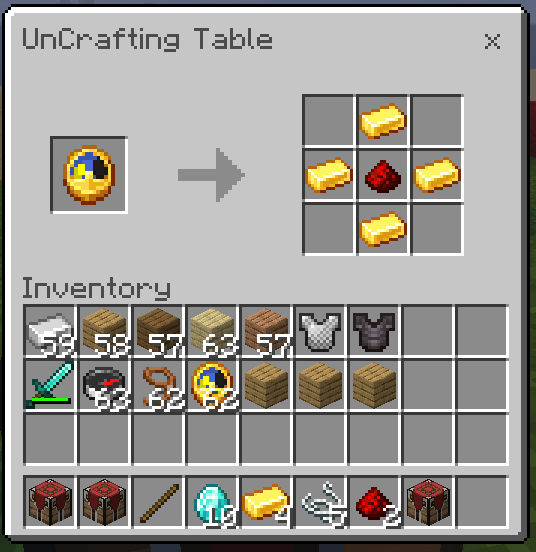
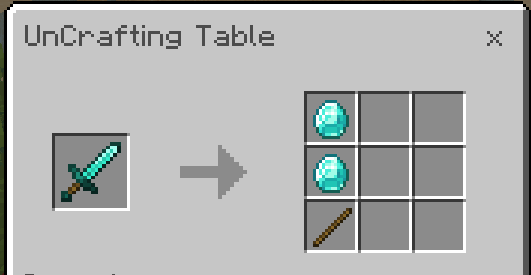
Put any item that you want to uncraft in the table then it would output the materials that was use to craft it.
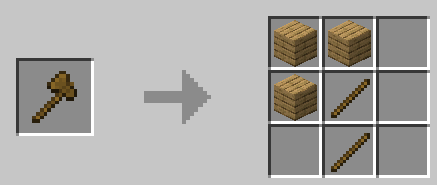
For some items like a wooden axe which has multiple recipes to craft. It would only output normals planks even if you crafted it with a different type of wood.
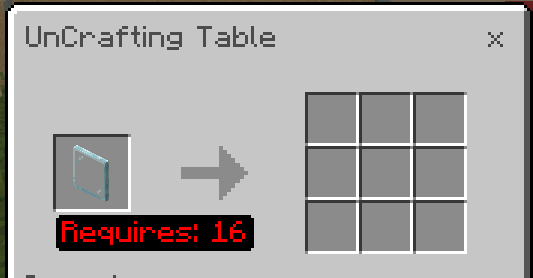
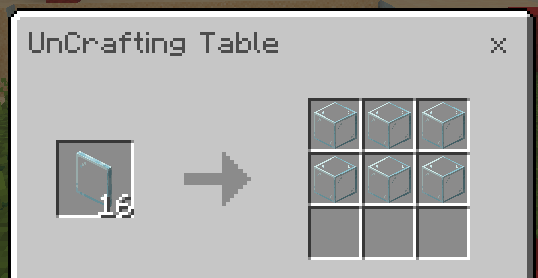
For some items like glass planes that gives multiple when crafted. You also need the same amount to uncraft.
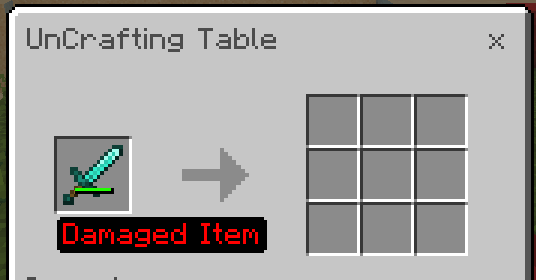
For equipments, the table doesn't accept equipments that are damaged.
Items that can't be uncrafted:
- Planks
- Dyes
- Banners
- Maps
- Stews
- Stripped Wood
- Cake
Demo Video:
Adding Your Own UnCrafting Recipes:
If you want to put your own recipes, visit this site
https://amon28.github.io/dewdimpple_web/html/uncrafting_recipe_gen.html
and download your generated recipe.js and replace the addon's recipe.js with yours.
Bugs or Suggestions:
If you encountered any problems or have suggestions. Visit my discord.
Quick facts
- Edition: Minecraft Bedrock
- File type: .mcpack or .mcaddon
- Minecraft version listed: 1.21.90
- How to install: Download the .mcpack or .mcaddon file. → Open it — Minecraft imports it. → In your world: Behavior Packs → Available → Activate, then the same under Resource Packs.
- Where to get it: Opens on CurseForge — not every file is mirrored on our own servers.
Install steps are the general flow for this file type — How to install Minecraft Bedrock addons & mods walks through it step by step.
Verified by MCModsHub
- Pack type: .mcaddon — behaviour and resource pack in one file
- Manifest requires Minecraft 1.21.0 or newer
- Complete pack — everything it depends on is inside the file
- Download size: 44 KB
- Download link checked 15 Sept 2026 — working
These come from our own check of the pack file, not from the source page.