Advanced Gravestone (Tombstone / Backpack / DeathChest)
Bedrock add-on listed for Minecraft 26.x (behavior + resource pack). File opened and checked on 17 Sep 2026; installs from the MC Bedrock Mods app on Android.
⬇ Download on CurseForge
Advanced Gravestone - Mikayil022
Never lose your items on death again. Advanced Gravestone automatically stores a player's inventory in a gravestone upon death, and provides every tool needed to recover it: distance tracking, teleportation, full customization, and a detailed configuration panel for server operators.
Grave System
When a player dies, their inventory is automatically stored inside a grave. Break the grave to collect the items directly into your inventory, or sneak while breaking it to drop the items on the ground.
The Obituary
The obituary item, given on death, shows the distance to your grave in the action bar and lets you teleport directly to it for an XP cost.
Dynamic Grave Models
Three grave appearances are available:
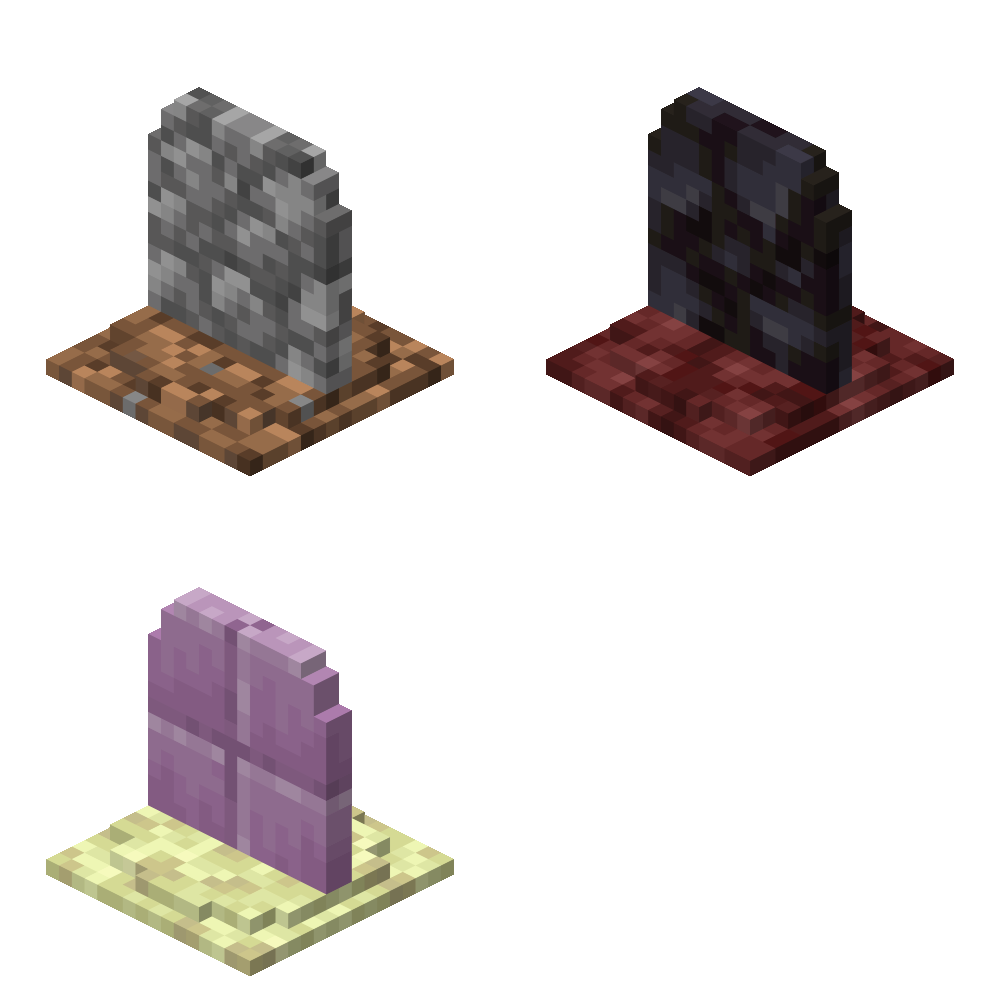
- Gravestone: the classic grave model that automatically uses different textures in the Overworld, Nether, and The End.
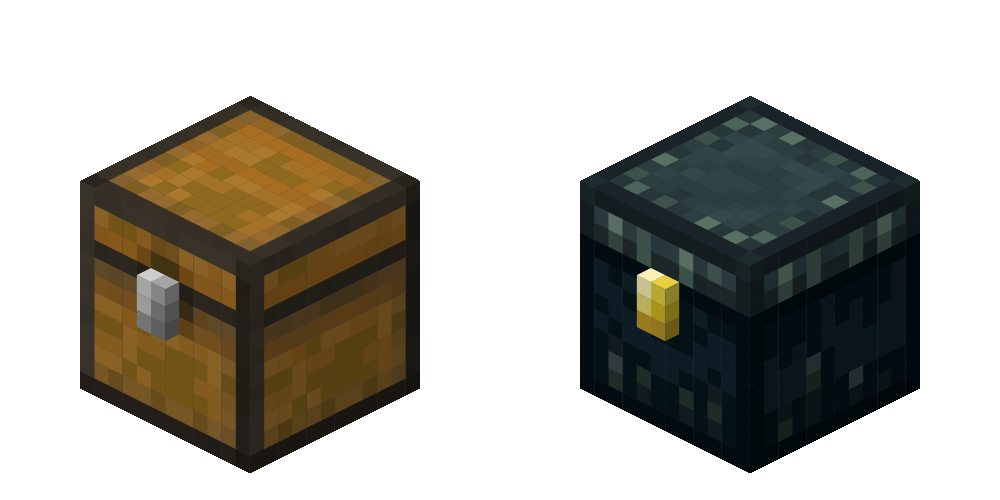
- MiniChest: a compact chest-style grave that automatically uses different textures in the Overworld and The End.
- Backpack: an improved backpack model with 14 color variants that automatically match the player's selected grave color.
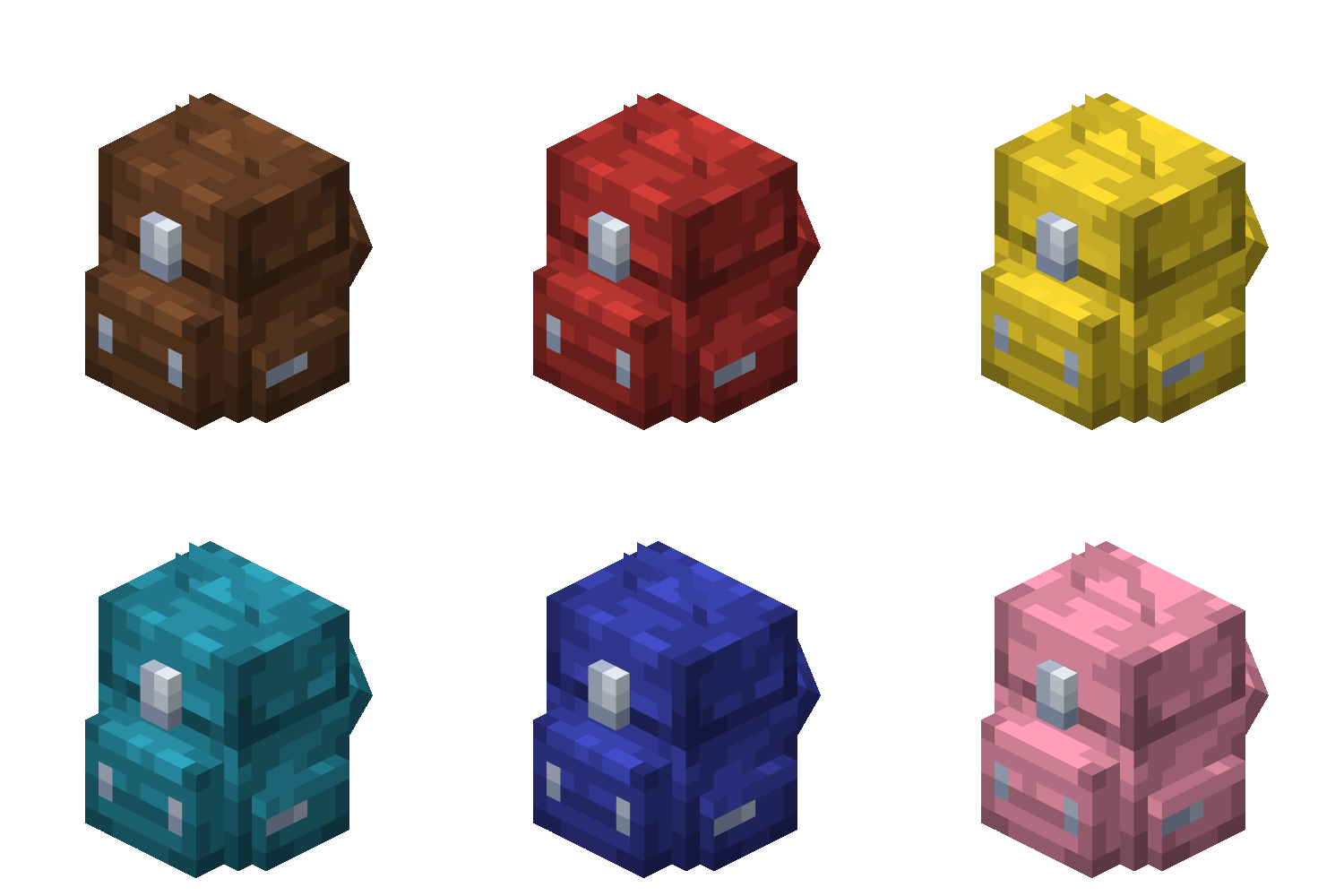
Grave Expiry
Graves expire after a duration set in the server configuration; depending on server preference, items are either deleted or dropped on the ground.
NBT-Protected Items
Items with Keep Inventory or an Item Lock are never stored inside a grave and remain safely in the player's inventory.
Commands
- /grave customize (per-player) - Customize personal grave settings
- /grave config (admin only) - Configure general addon settings
(Requires the ags:admin tag and operator permissions.)
Compatibility
- Supports Singleplayer, Multiplayer, Realms, and Bedrock Dedicated Server (BDS)
(This addon is not recommended for use on servers with a high player count.)
- Compatible with Minecraft Bedrock Edition 26.30 or newer.
- Supports all Minecraft Bedrock Edition languages.
Note: Translations were generated using AI and other translation tools, so some languages may contain minor errors or awkward wording. If you'd like to help improve the translations, feel free to contact me at realmikayil022@gmail.com.
- Edition: Minecraft Bedrock
- File type: .mcpack or .mcaddon
- Minecraft versions listed: 26.30, 26.40, 26.50
- How to install: Download the .mcpack or .mcaddon file. → Open it — Minecraft imports it. → In your world: Behavior Packs → Available → Activate, then the same under Resource Packs.
- Where to get it: Opens on CurseForge — not every file is mirrored on our own servers.
Install steps are the general flow for this file type — How to install Minecraft Bedrock addons & mods walks through it step by step.
- Pack type: .mcaddon — behaviour and resource pack in one file
- Manifest requires Minecraft 1.26.30 or newer
- Complete pack — everything it depends on is inside the file
- Download size: 292 KB
- Download link checked 5 Oct 2026 — working
These come from our own check of the pack file, not from the source page.