![Clear Lag Plus [ Achievements Friendly]](https://files.mcmodshub.com/img/curseforge/66123.png)
AddonsBedrock
Clear Lag Plus [ Achievements Friendly]
Automatically removes dropped items and unused mobs every few minutes to reduce lag and keep your game running smoothly.
I don't know my version
Open Minecraft and look at the bottom-left corner of the main screen — the version is printed there, like v1.26.30.
The game writes a 1. in front; the buttons above leave it off. v1.26.30 in the game is 26.30 here.
![Clear Lag Plus [ Achievements Friendly] — screenshot 1](https://files.mcmodshub.com/img/curseforge/66123_s316243.jpg)
Clear Lag Plus [ Achievements Friendly ]

Clear Lag Plus is a high-performance, lightweight utility designed for Minecraft Bedrock Edition (1.21.120+). Built with the latest Script API, this addon ensures your server or survival world stays lag-free by intelligently managing dropped items and excessive mob populations.
Core Features:
Automatically wipes dropped items from the world to maintain high FPS.
● Auto-Sweep: Runs every 5 minutes (Fully configurable).
● Warning System: Professional chat alerts sent 60s and 10s before cleanup.
● Safe Zone Protection: Items near players or inside the spawn radius are NEVER removed.
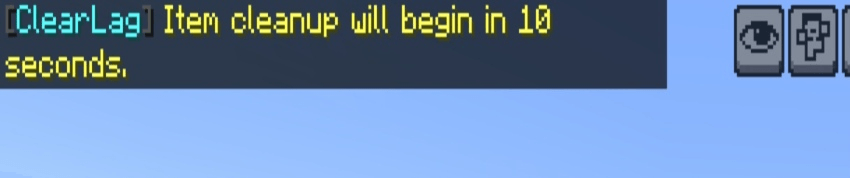
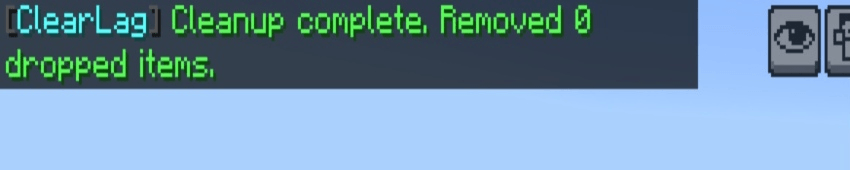
Entity Population Control:
Prevents "Mob Lag" by limiting the number of specific entities in your world.
● Per-Mob Limits: Set custom limits for Cows, Zombies, Villagers, and more.
● Smart Bypass: Any mob with a Name Tag or Tamed status (like Pets) is 100% safe.
Live Performance HUD:
A real-time display on your action bar keeps you informed about your world's status:
● Entity Counter: Total active entities in the dimension.
● Item Counter: Current number of dropped items on the ground.
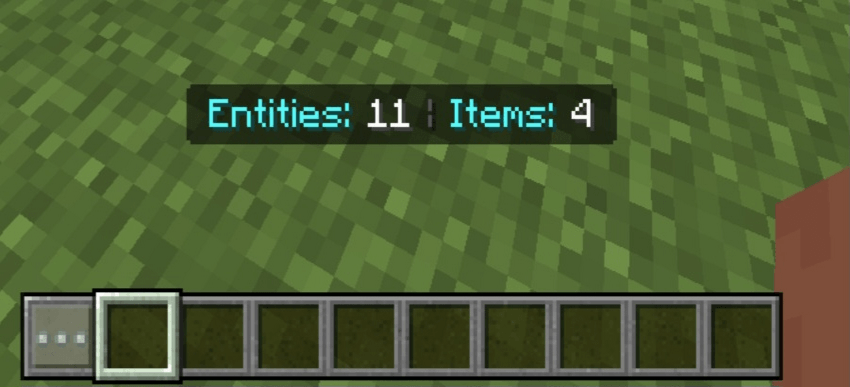
IMPORTANT: Setup Instructions
To ensure the Script API functions correctly, you MUST enable the following in your World Settings:
1) Active Behavior Pack ✅
📢 Support & Community
Have questions or need help with configuration? Join our official community for the latest updates, beta builds, and direct support!
🔹 Join our Discord: [CLICK HERE TO JOIN OUR DISCORD COMMUNITY ]
● Get instant alerts for new versions.
● Request new features for future updates.
● Report bugs directly to the developer.
Quick facts
- Edition: Minecraft Bedrock
- File type: .mcpack or .mcaddon
- Minecraft versions listed: 1.21.130, 1.21.131, 1.21.132
- How to install: Download the .mcpack or .mcaddon file. → Open it — Minecraft imports it. → In your world: Behavior Packs → Available → Activate, then the same under Resource Packs.
- Where to get it: Opens on CurseForge — not every file is mirrored on our own servers.
Install steps are the general flow for this file type — How to install Minecraft Bedrock addons & mods walks through it step by step.
Verified by MCModsHub
- Save it as Clear Lag Plus [ v1.2.0 ] [By BlockCraftAddons].mcaddon before opening — it downloads as .mcpack, but it is a .mcaddon pack
- Manifest requires Minecraft 1.21.100 or newer
- Complete pack — everything it depends on is inside the file
- Download size: 192 KB
- Download link checked 15 Sept 2026 — working
These come from our own check of the pack file, not from the source page.