VoltNetworks Skyblock gui
Bedrock add-on listed for Minecraft 1.21 (behavior + resource pack). File opened and checked on 3 Oct 2026; installs from the MC Bedrock Mods app on Android.
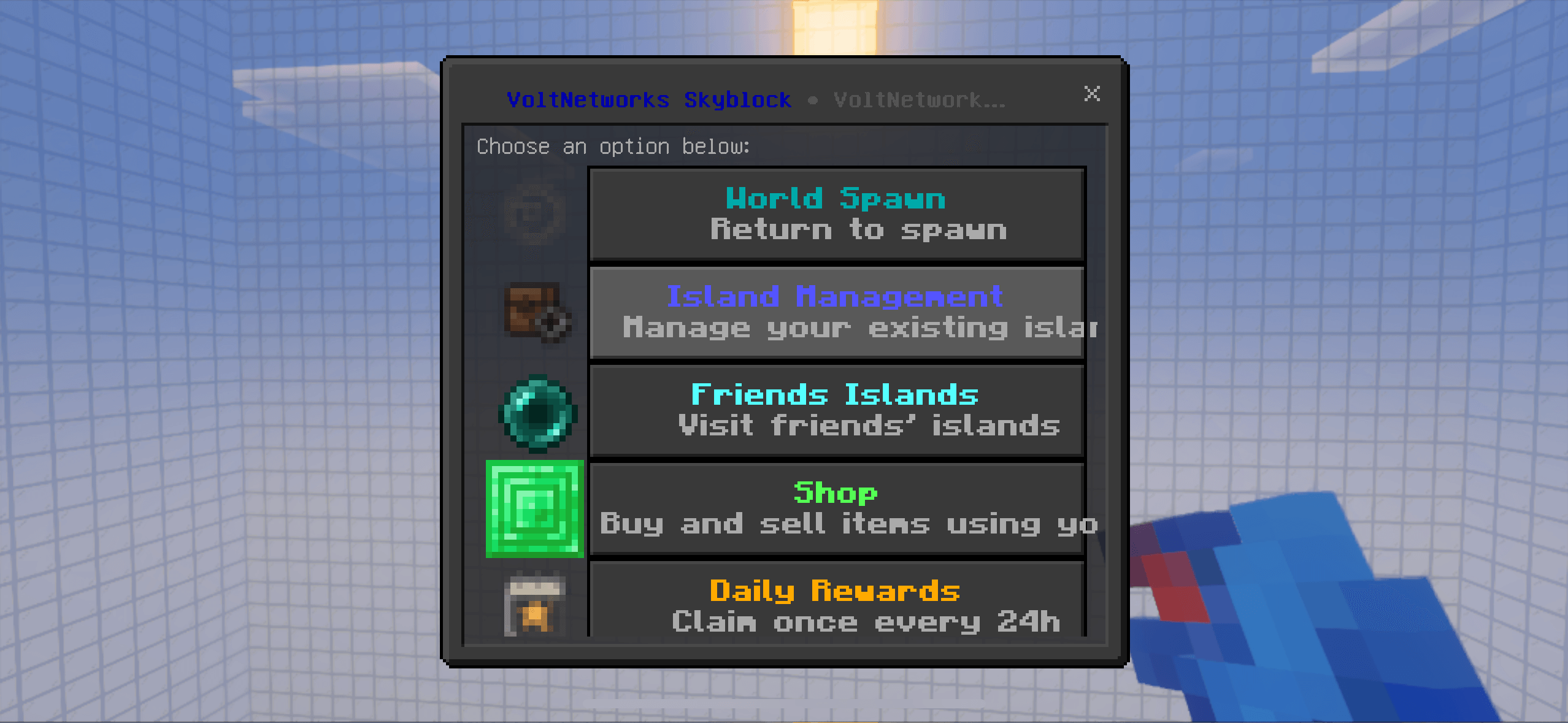
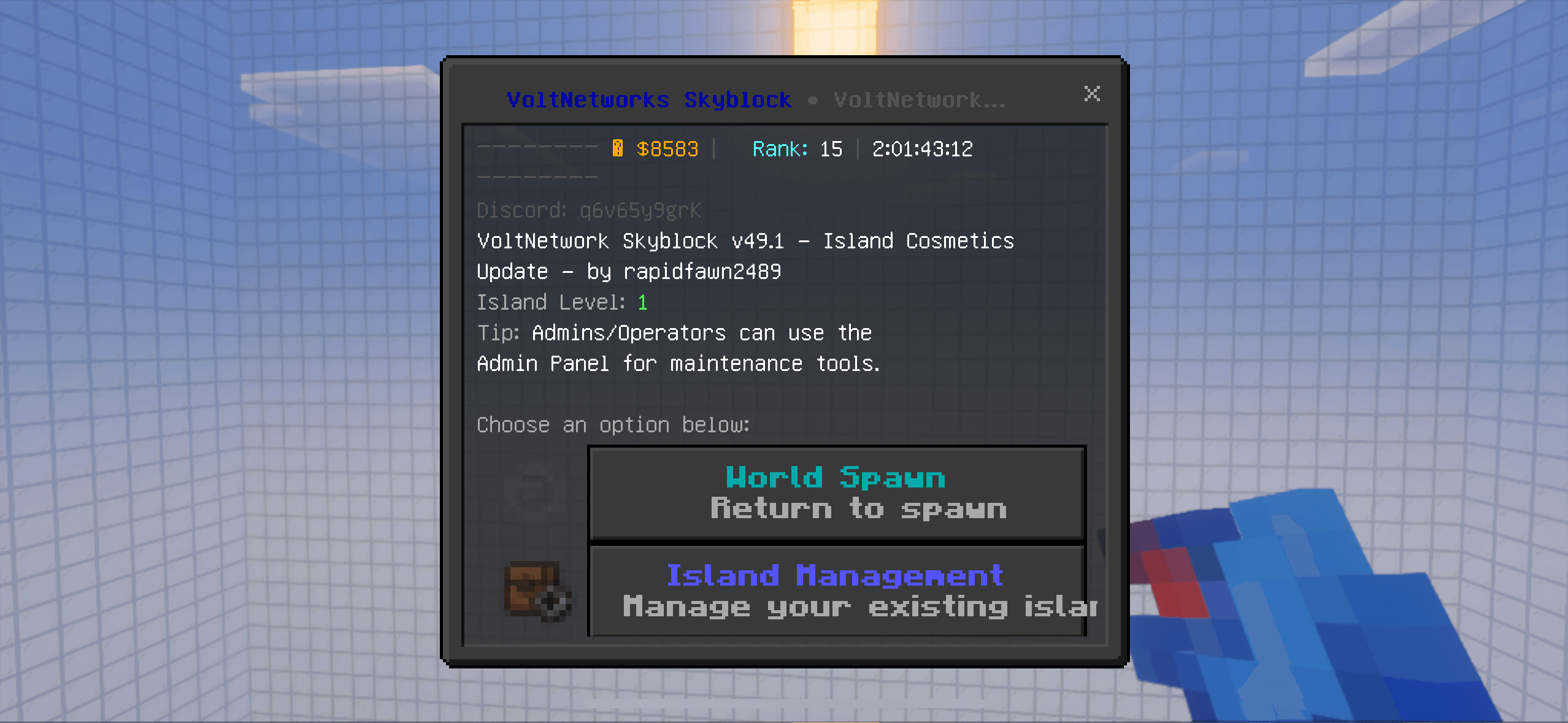
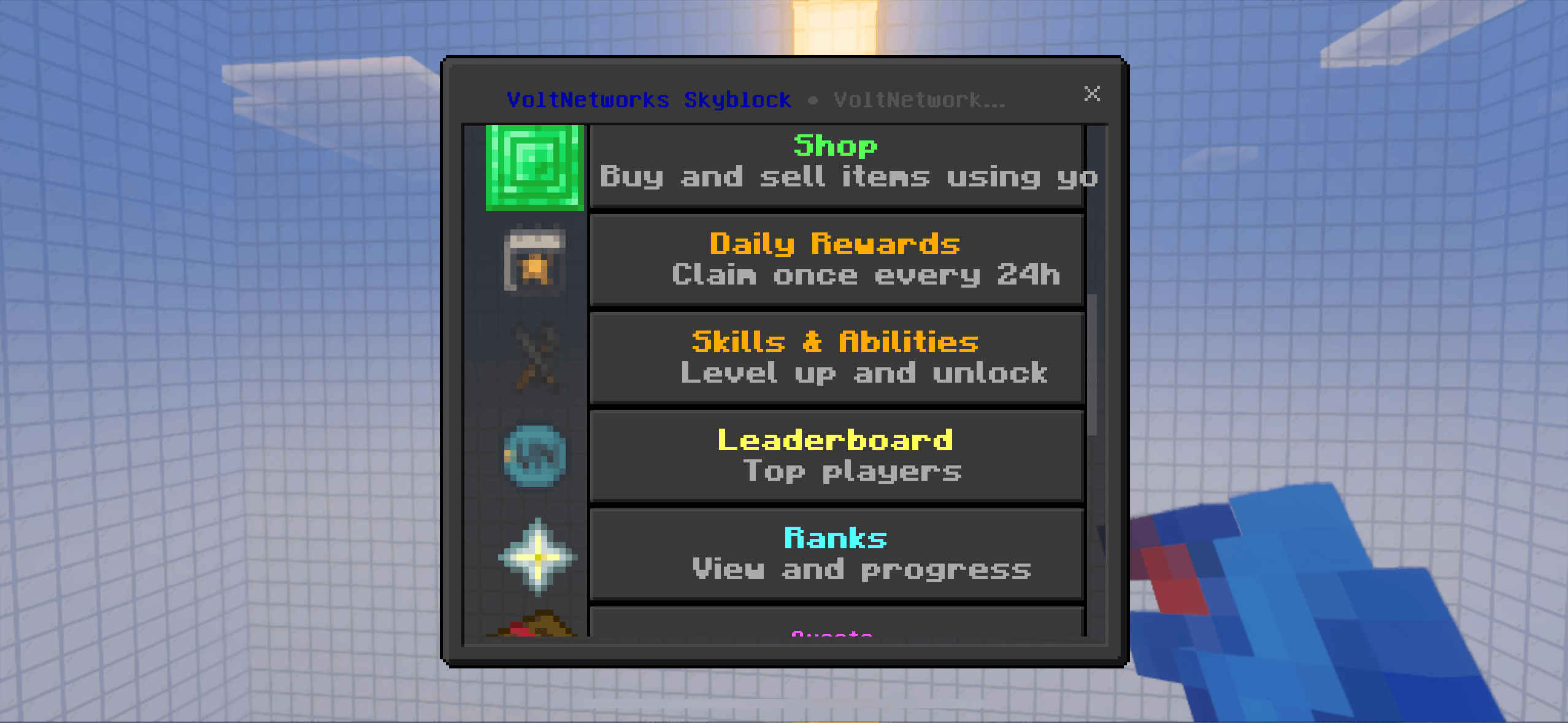
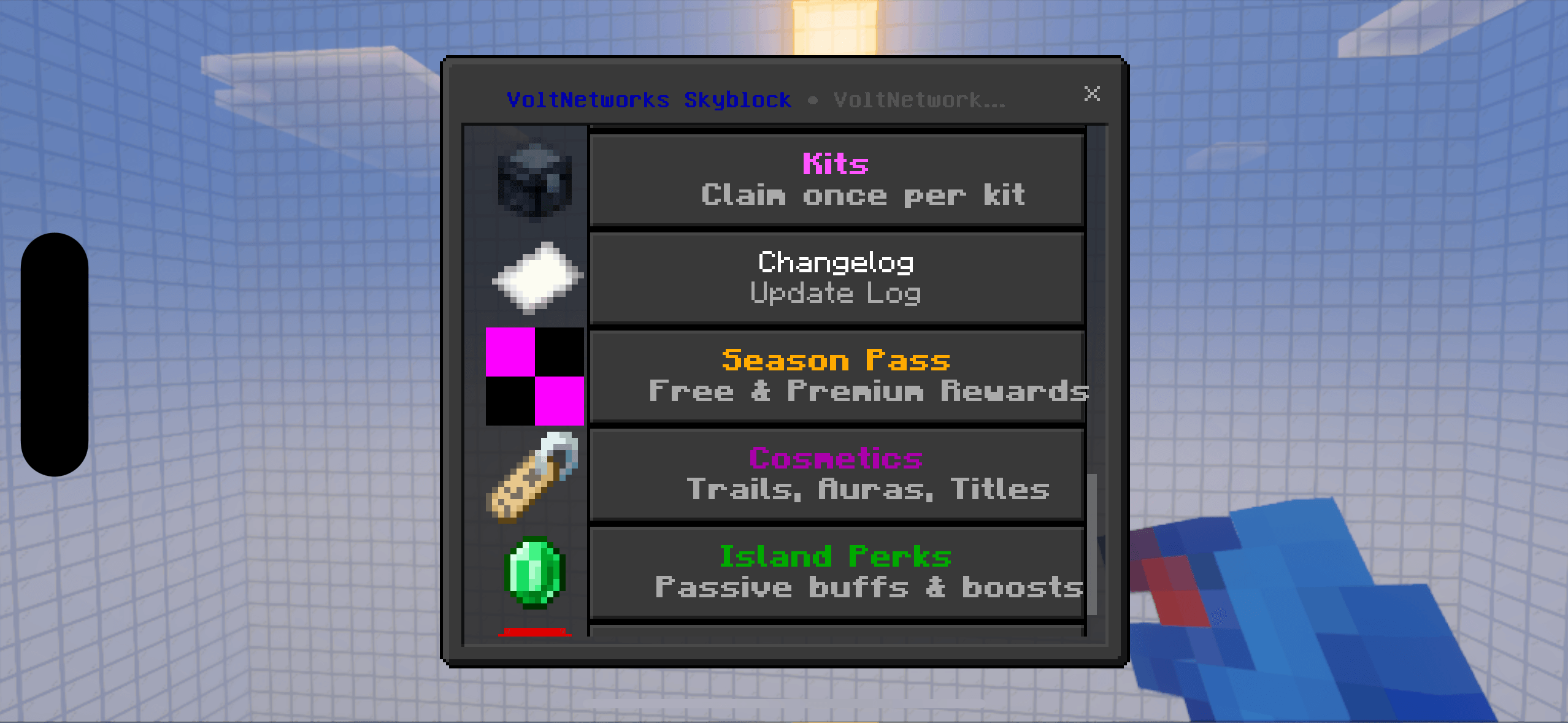
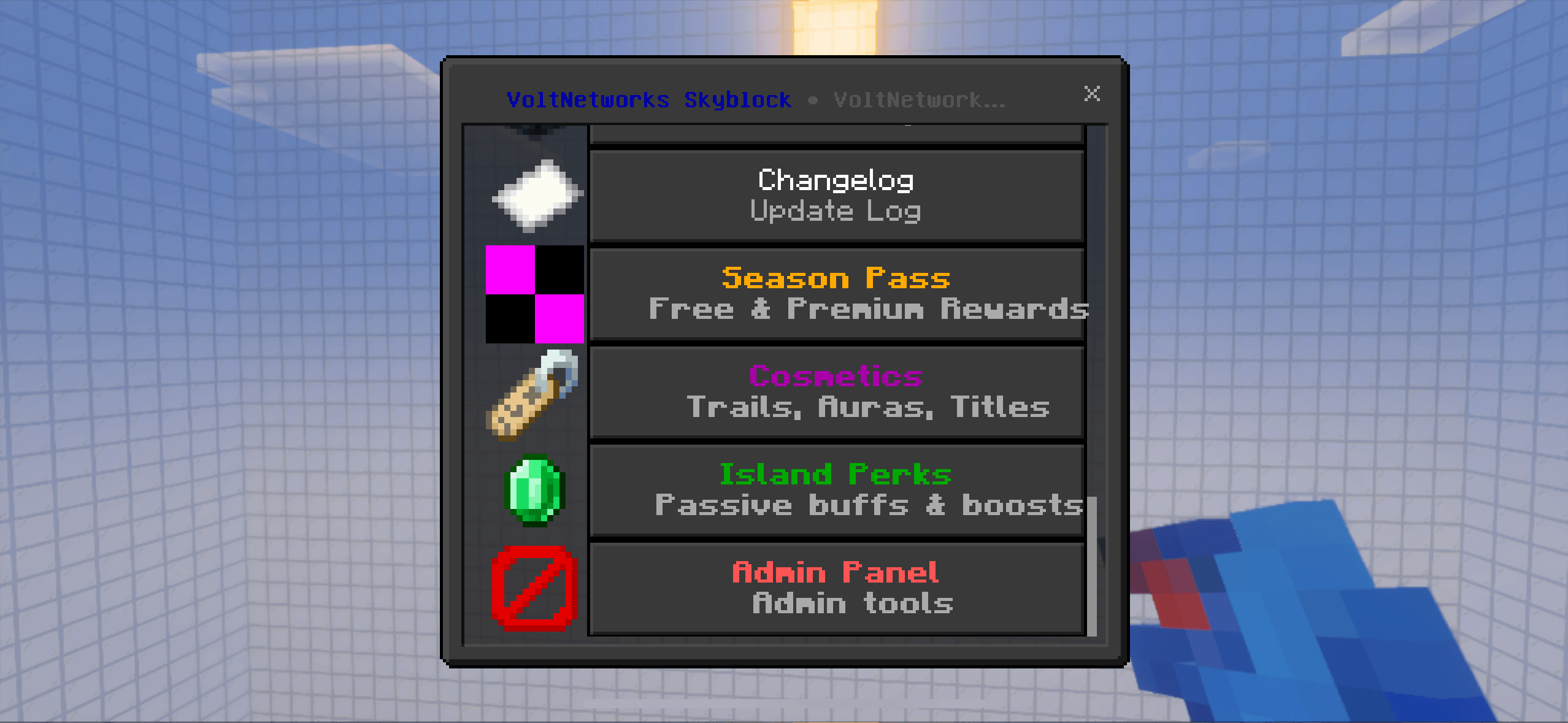
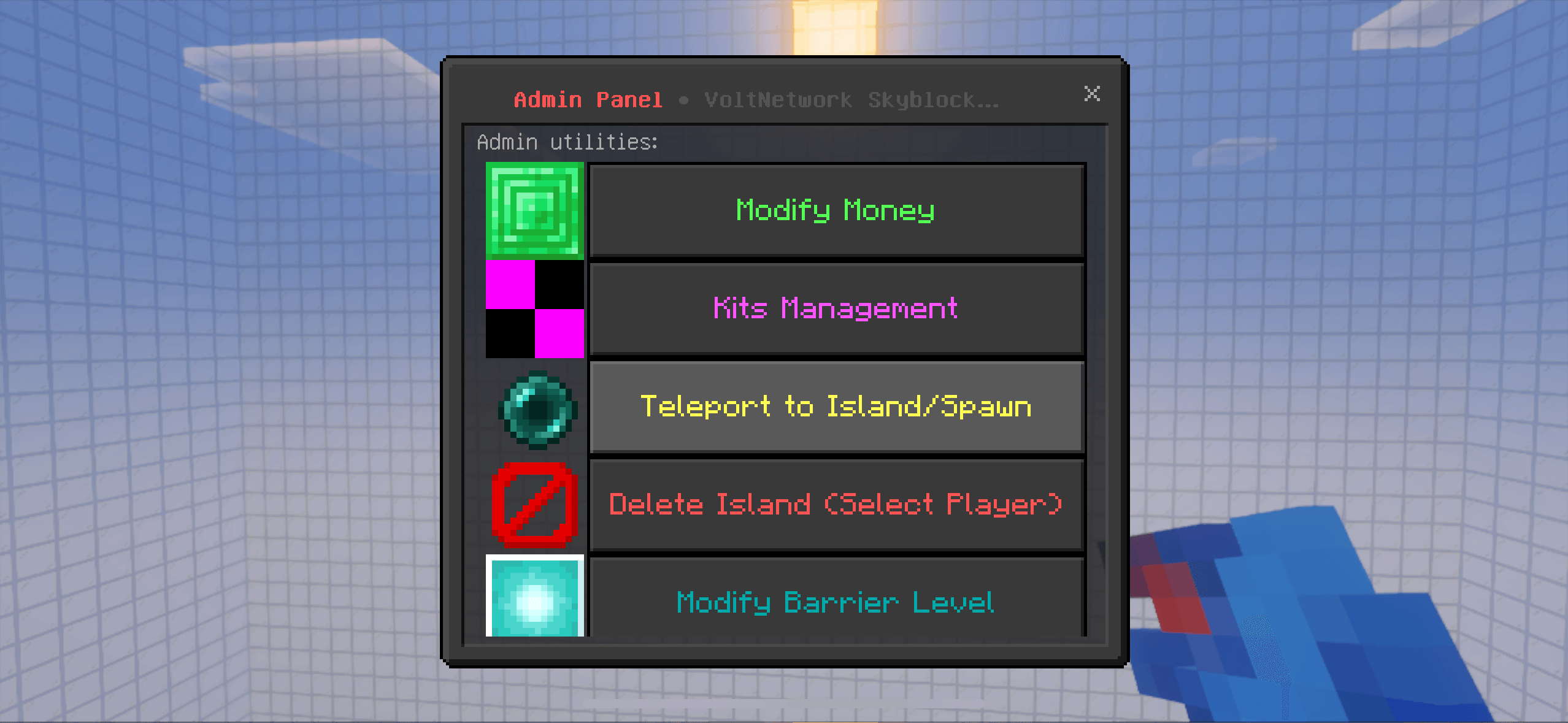
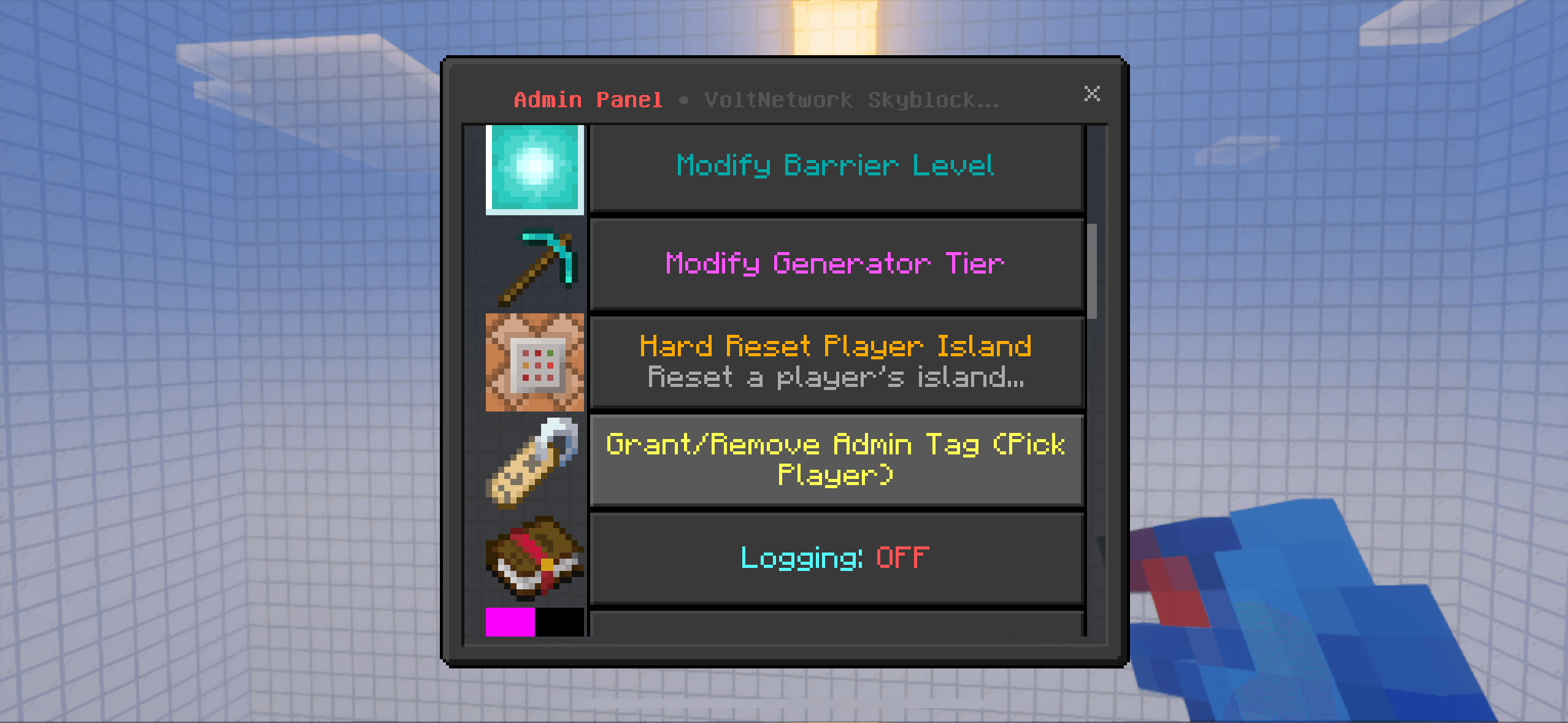
The Skyblock UI System is an interactive menu for managing islands, ranks, shops, and upgrades in Minecraft Bedrock. Access via a compass, navigate with…
I don't know my version
🏝️
THE NEW UPDATE IS LIVE V47.0
VIEW THE CHANGE LOG TO SEE YOU WHATS CHANGED..
JOIN MY DISCORD IF YOU HAVE FOUND ANY BUGS.
⬇️
- add in island ore generators and tiers, will give you a generator to spawn.
- recreate the island generator, to generate a island not a platform.
- optimise the addon to work on realms.
- re work the shop add more items tools and spawners.
- rework the n economy side of buying/selling.
About the Project
**this is actively worked on, some features may not be available until the next update of the addon.**
**addon version - v6.0**
VoltNetwork Skyblock is a next-generation Skyblock addon designed for Minecraft Bedrock Edition and Realms.
It transforms the classic Skyblock experience into a complete progression-based world with custom UI menus, automated island generation, player upgrades, and economy systems — all optimized for multiplayer play.
Built using command-based logic and Bedrock scripting, this addon runs lag-free, even with 100+ players online.
⚙️
Key Features
🪵 Island System
- Create a personal floating island (one per player).
- Islands auto-generate 500–1000 blocks apart to prevent overlap.
- Includes starter chest, barriers, and optional biome selection.
- Realm-safe architecture with data persistence and cleanup for inactive players.
💎 Custom UI Menus
- Beautiful icon-based UI (using in-game item textures).
- Access all systems via the Skyblock Compass or /function open_skyblock_ui.
- Fully interactive with buttons, progress bars, and particle/sound feedback.
🛒 Shop & Sell System
- Massive in-game shop with every block, item, and ore.
- Dynamic buy/sell system using the Money scoreboard.
- “Sell All” button automatically totals inventory value.
- Categorized menus for Blocks, Tools, Farming, Mobs, and Redstone.
📈 Island Upgrades
- Expand island size (50×50 → 300×300).
- Upgrade generator tiers (Stone → Diamond → Netherite).
- Add biome changes, decorations, and automation features (Auto Smelter, Crop Collector, etc.).
- Visual feedback with particles and sounds.
🎯 Quests & Challenges
- Daily and progression-based missions (mining, farming, mob kills, earning money).
- Rewards: XP, cash, and rare loot.
- Built-in progress tracking and reward claiming.
🏆 Ranks & Prestige
- Rank-up system from A–Z tied to player progress.
- Prestige resets with cosmetic rewards and global announcements.
- Fully integrated with scoreboard tracking.
👥 Island Members
- Invite and manage island members.
- Custom roles: Owner, Co-Owner, Member, Visitor.
- Toggle permissions for building, interaction, and containers.
📊 Leaderboards
- Live stats for Top Money, Island Level, Playtime, and Quests Completed.
- Automatically updated display boards.
⚙️ Settings Menu
- Control PVP, visitors, borders, time of day, and music.
- Customize your island environment easily.
⏰ Daily Rewards
- Claim daily bonuses like XP, blocks, and in-game money.
🔧
Performance & Realm Safety
- 100% Realm-friendly and optimized.
- Zero lag architecture using efficient commands and lightweight scripts.
- Automatic island spacing and cleanup system.
- Fully compatible with the latest Minecraft Bedrock version.
📦
Included
- Behavior & Resource Packs (.mcaddon)
- Function-based command system
- Custom UI assets (icons/textures)
- README.txt setup guide and command list
💬 Join the community: discord.gg/q6v65y9grK
- Edition: Minecraft Bedrock
- File type: .mcpack or .mcaddon
- Minecraft versions listed: 1.21.120, 1.21.122, 1.21.121
- How to install: Download the .mcpack or .mcaddon file. → Open it — Minecraft imports it. → In your world: Behavior Packs → Available → Activate, then the same under Resource Packs.
- Where to get it: Opens on CurseForge — not every file is mirrored on our own servers.
Install steps are the general flow for this file type — How to install Minecraft Bedrock addons & mods walks through it step by step.
- Pack type: .mcaddon — behaviour and resource pack in one file
- Manifest requires Minecraft 1.21.93 or newer
- Complete pack — everything it depends on is inside the file
- Download size: 118 KB
- Download link checked 6 Oct 2026 — working
These come from our own check of the pack file, not from the source page.