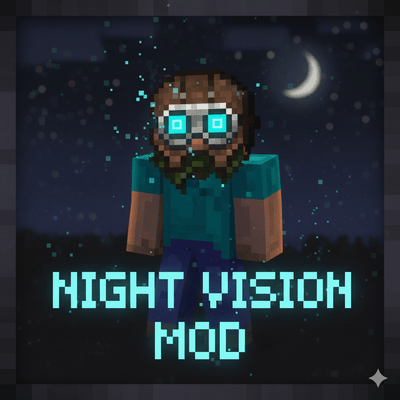
Night Vision Helmet
I don't know my version


👁️ Night Vision Helmets Addon
This addon adds three powerful helmets to Minecraft Bedrock Edition. Explore caves, survive the night, and detect nearby creatures with advanced helmet technology. Each helmet offers unique abilities to improve your survival experience.
You get three different helmets:
🧪 Night Vision Helmet

🐉 Dragon Night Vision Helmet

🌡️ Thermal Helmet

- 🔥 Advanced thermal scanning technology
- 👀 Detects nearby living entities within a 32-block radius
- 🧱 Scans through walls and blocks
- 🔴 Displays red thermal markers above detected entities

- 🌙 Also provides automatic Night Vision
- 🔧 Has its own unique crafting recipe
- 🎮 Perfect for cave exploration, mob hunting, and survival adventures
✨ Features
- 🌙 Automatic Night Vision
- 🌡️ Thermal Entity Detection
- 🔴 Red Thermal Markers
- 🧱 Through-Wall Detection
- 🪖 3D Custom Helmet Models
- 🧪 Three Unique Helmets
- 🛠️ Separate Crafting Recipes
- 🎮 Works in Survival & Creative
- ⚡ Lightweight & Optimized
- 📦 Easy to Use
🛠️ Crafting Recipes
🧪 Night Vision Helmet
📸 Crafting Recipe:
🐉 Dragon Night Vision Helmet
📸 Crafting Recipe:

🌡️ Thermal Helmet
📸 Crafting Recipe:

📖 How To Use
1️⃣ Craft any helmet.
2️⃣ 🪖 Equip it in the helmet slot.
3️⃣ 🌙 Night Vision activates automatically.
4️⃣ 🌡️ If wearing the Thermal Helmet, nearby living entities will be highlighted with thermal markers, even through walls.
5️⃣ ❌ Remove the helmet to disable all effects.
🎯 Perfect For
⛏️ Mining
🌌 Night Exploration
🕳️ Cave Adventure
👻 Horror Maps
🧭 Survival Worlds
🌑 Dark Areas
Enjoy exploring the darkness with Night Vision Helmets Addon 🚀
👤Creator
Author: Kareo Gamerz
📜 License
All Rights Reserved This addon was created by Kareo Gamerz.
You are not allowed to redistribute, modify, or reupload this addon on any other platform without the creator’s permission.
You may, however, make videos or showcase this addon on YouTube or social media — please provide credit and a link to the original CurseForge or MCPEDL page.
© 2025-2026Kareo Gamerz – All Rights Reserved.
- Edition: Minecraft Bedrock
- File type: .mcpack or .mcaddon
- Minecraft versions listed: 26.0.02, 26.0, 26.3
- How to install: Download the .mcpack or .mcaddon file. → Open it — Minecraft imports it. → In your world: Behavior Packs → Available → Activate, then the same under Resource Packs.
- Where to get it: Opens on CurseForge — not every file is mirrored on our own servers.
Install steps are the general flow for this file type — How to install Minecraft Bedrock addons & mods walks through it step by step.
- Pack type: .mcaddon — behaviour and resource pack in one file
- Needs Beta APIs switched on in the world settings
- Complete pack — everything it depends on is inside the file
- Download size: 78 KB
- Download link checked 17 Jul 2026 — working
These come from our own check of the pack file, not from the source page.
