![Sandbox [PvP Bots]](https://files.mcmodshub.com/img/curseforge/66232.png)
AddonsBedrock
Sandbox [PvP Bots]
Train against realistic practice bots and fake players. Custom scenarios, difficulty, and behavior. Similar to "THEOBALD'S PVP PRACTICE BOT", you are able…
⬇ Download on CurseForge



Requirements
- Beta API
- Java Combat (Blurry's, Sweep n Slash or Raiyon's)
(Make sure to put this addon above)
Recommendations
- Player.json (Custom bot skins)
Configuration Menu
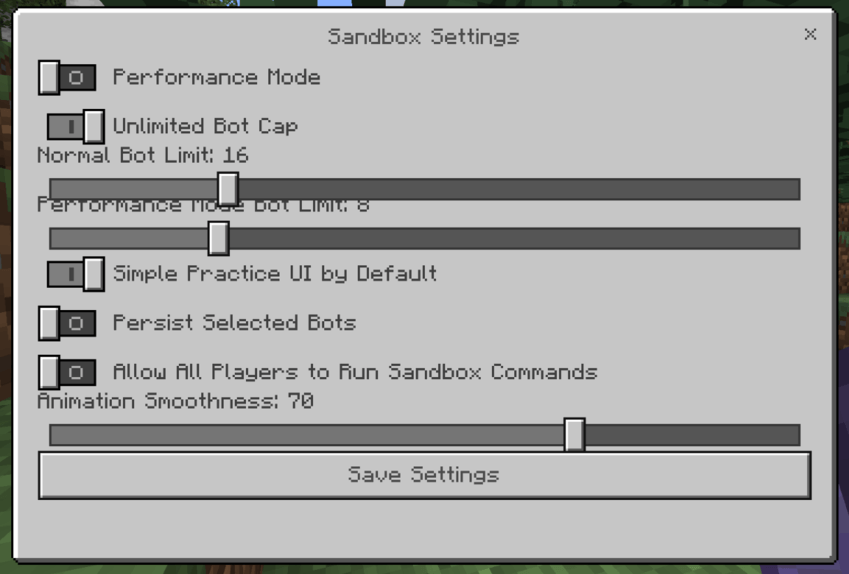
/sandbox:settings
Summoning Command
Use the command of whatever bot you want to summon directly, for example /mace or /sandbox:mace
Kits
In the addon by default, there is a bot for every major kit:
- Sword
- Axe
- UHC
- Mace
- Crystal
- Cart
- Pot
- Netherite OP
- SMP
On top of the pre-configured ones, you can create your own with /sandbox:custom
Practice
There are two practice bots avaliable:
- Totem
- Shield
Bot Inventory
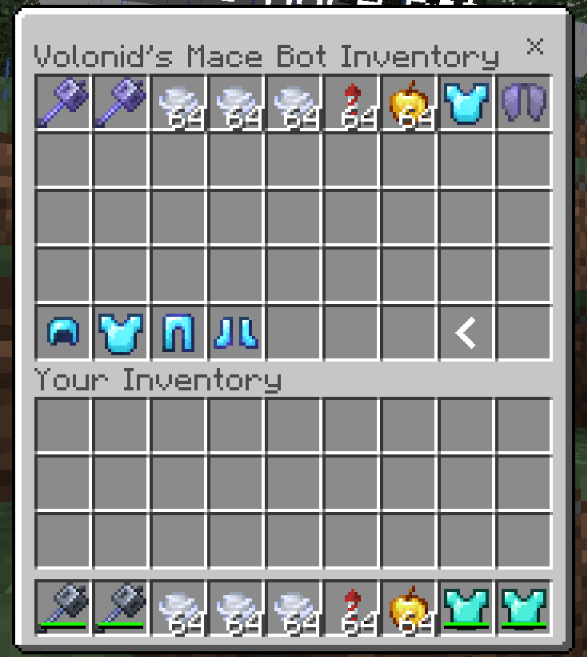
There is a built in bot inventory editor where you can change its items
Persona Skin Editor (Experimental)
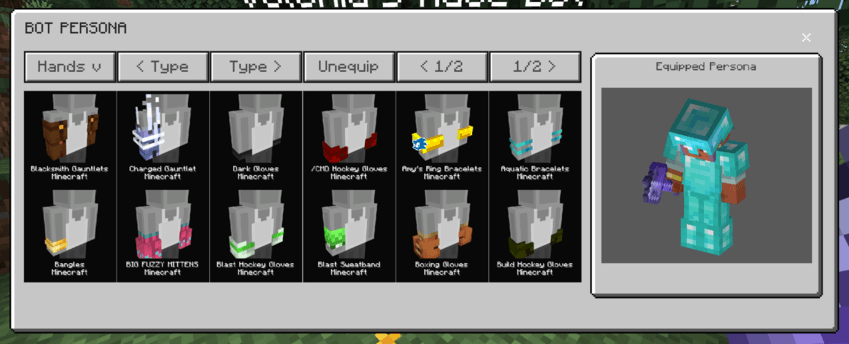
Bots can equip a few preset marketplace items. This feature is very very rough and may not always work
⚠️ This addon is currently in early access. Features are still being created / tested, and bugs or unexpected issues may / will occur. Some things may not behave consistently yet, and some may get reworked. Feedback is appreciated while things are being improved. ⚠️
Quick facts
- Edition: Minecraft Bedrock
- File type: .mcpack or .mcaddon
- Minecraft versions listed: 26.40, 26.30, 26.10
- How to install: Download the .mcpack or .mcaddon file. → Open it — Minecraft imports it. → In your world: Behavior Packs → Available → Activate, then the same under Resource Packs.
- Where to get it: Opens on CurseForge — not every file is mirrored on our own servers.
Install steps are the general flow for this file type — How to install Minecraft Bedrock addons & mods walks through it step by step.
Sandbox [PvP Bots] is a free Minecraft Bedrock addon. Compatible with Minecraft 26.40, 26.30, 26.10, 26.3. Downloaded 15,526 times (via CurseForge). Download it and open it directly in the game.