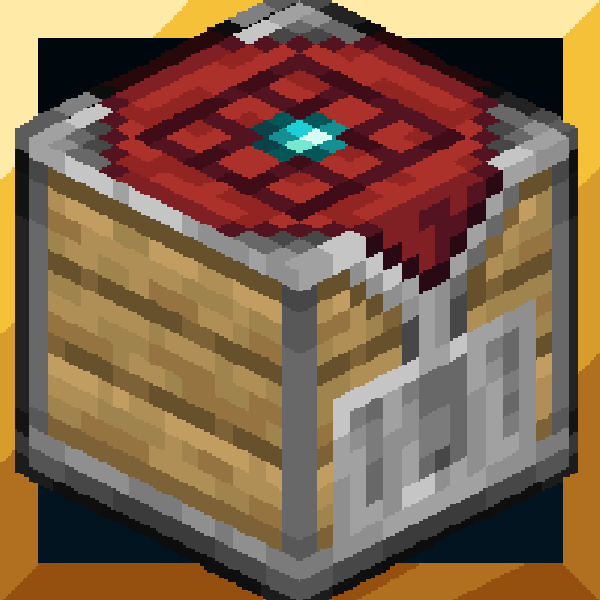
The Uncrafter v4.0 - Vibrant Visuals
Do you ever crafted more items than you need and store them forever? Do you find loot when travelling and don't now what to do with them? With this small…
I don't know my version
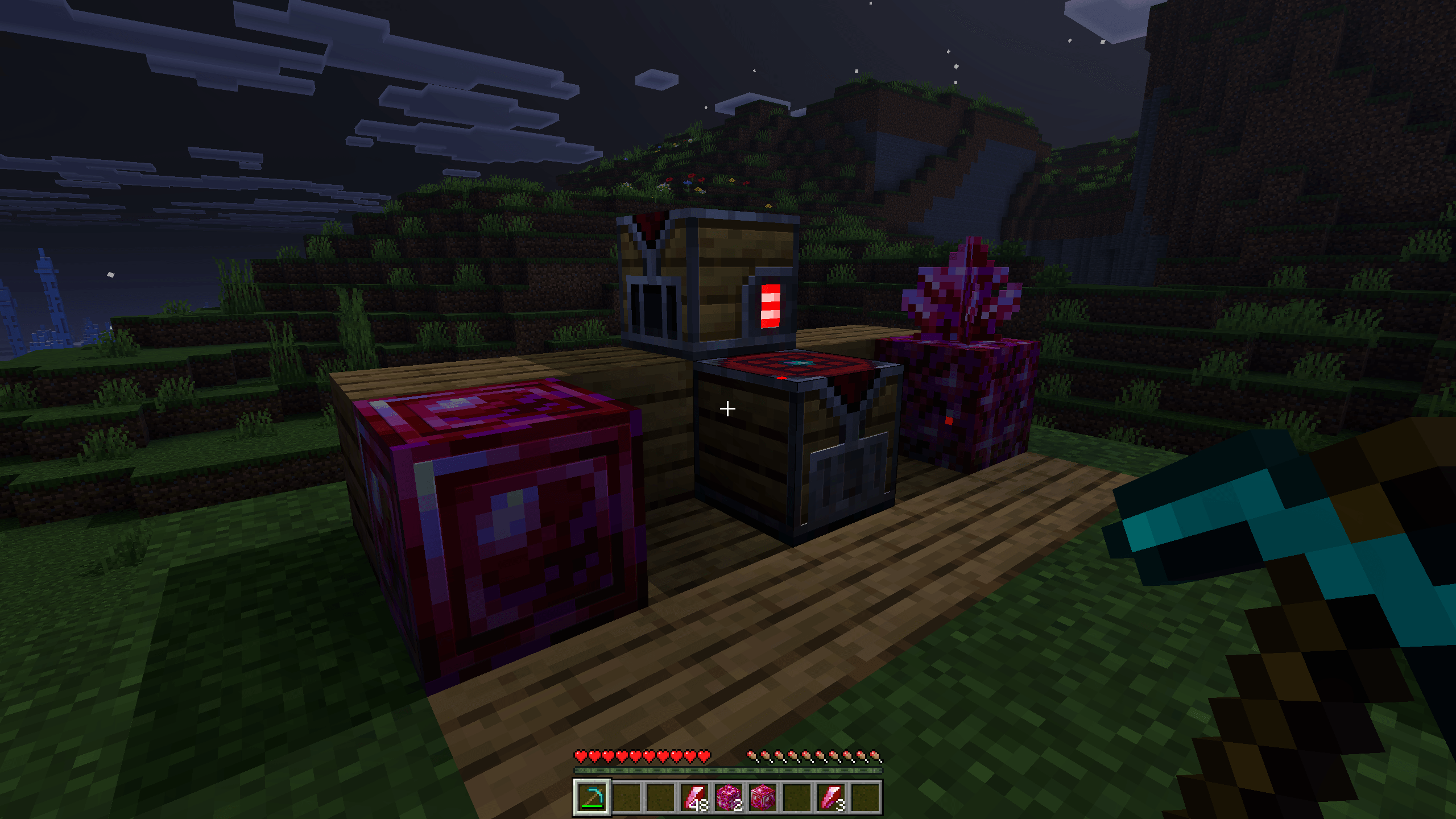
Note: We are not currently adding any player armor or tool to the Uncrafter list since Vanilla Minecraft already have an usage for them in the furnace giving you the iron/gold nugget. However we are thinking in a better way to implement an uncraftable usage for them with balanced gameplay but those additions will have to wait. Thanks for the understanding.
CRYING AMETHYST
The Crying Amethyst is a brand new item only obtainable by crafting using the Crafting Table. It is required to craft the Uncrafter work station but also serves as a fuel to it.
You can craft it using 8 Redstone and 1 Amethyst Shard in the middle like showed below.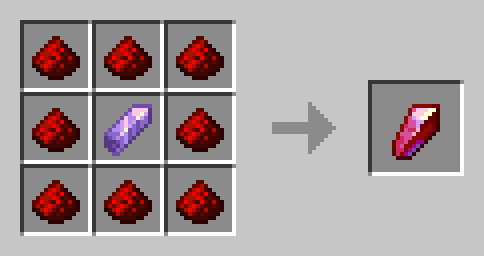
THE UNCRAFTER
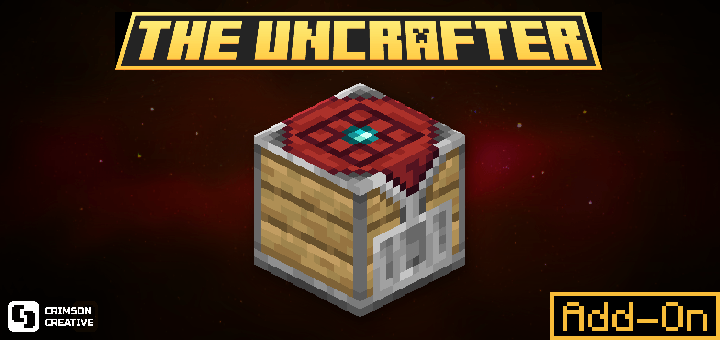
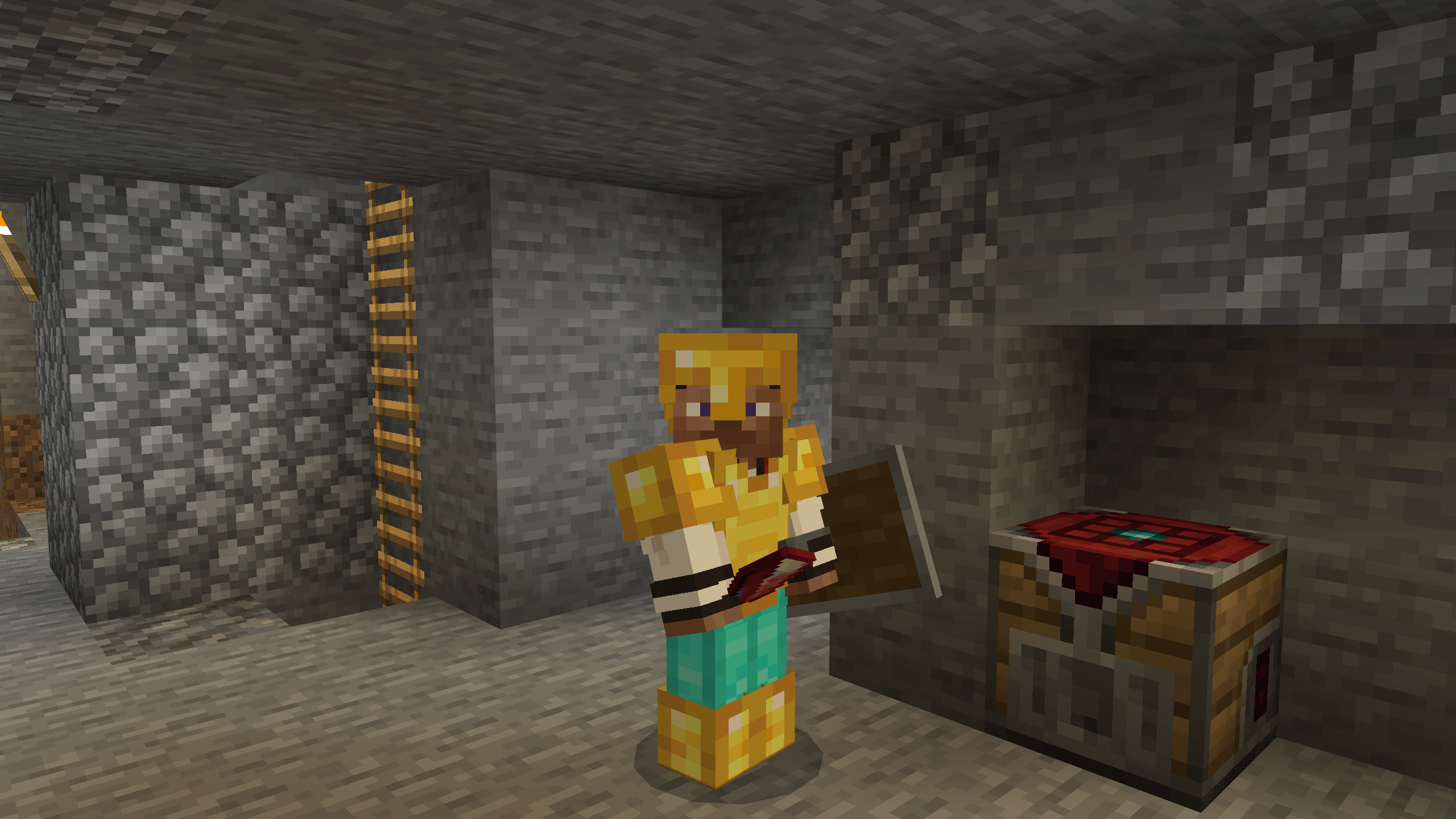
This new work station allows you to uncraft items and blocks you previously crafted or found in your expeditions!
The Uncrafter is set up to be a mid game work station, therefore the crafting recipe may be a bit expensive for early game but fair considering its usage.
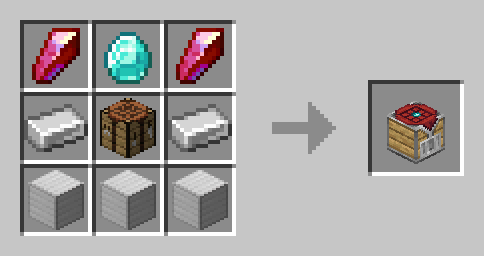
You can craft this new block using 2 Crying Amethyst, 1 Diamond, 2 Iron Ingots, 3 Iron Blocks and 1 Crafting Table in the middle as showed below.
IMPORTANT! USAGE
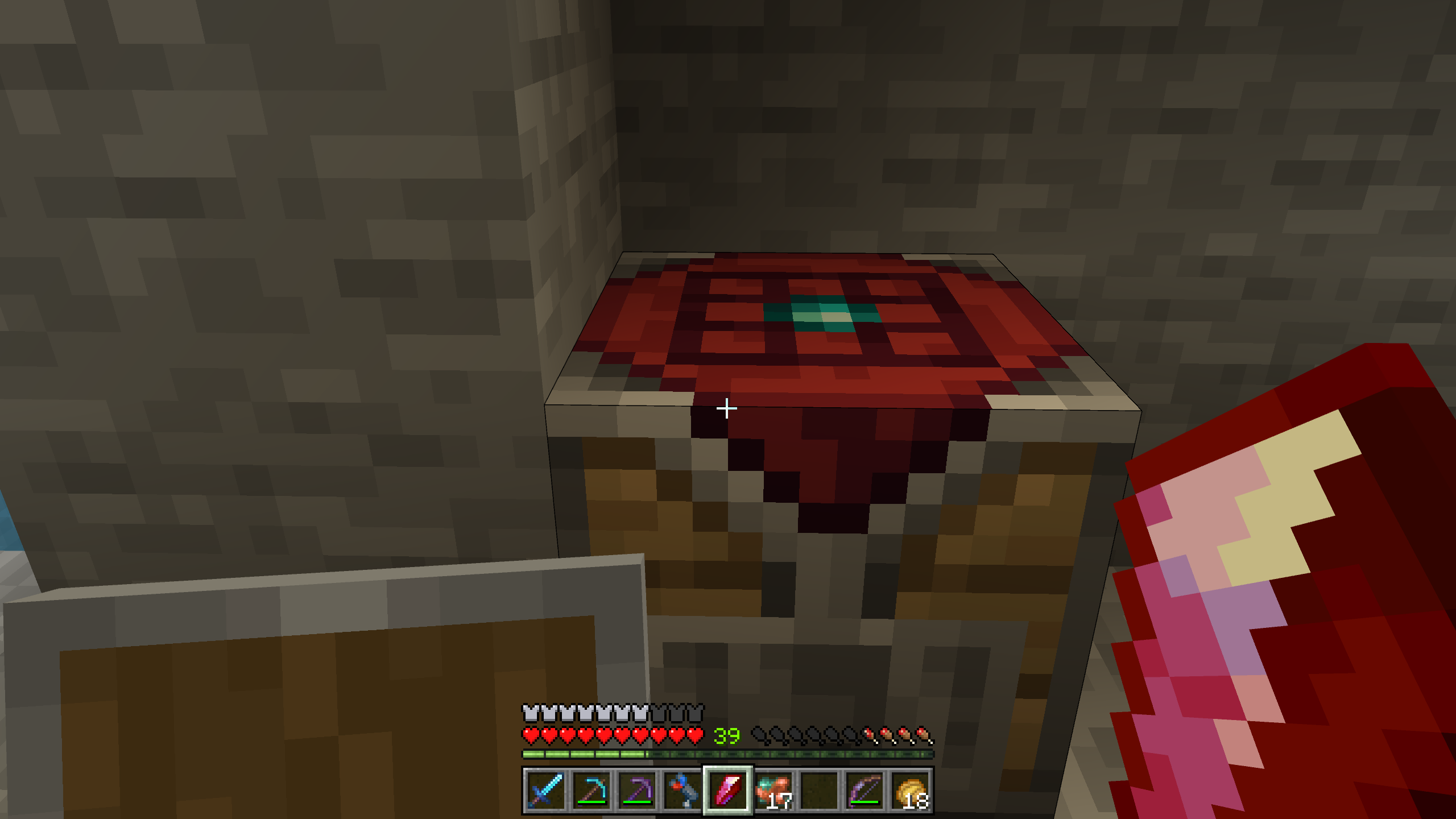
The Uncrafter does not work as the rest of work stations. In order to use it you need to FUEL the block by interacting with it while using a Crying Amethyst (which will reduce 1 item in hand).
Once the uncrafter is turned on / activated you will have 15 seconds to uncraft any item / block you want. After 15 seconds it will automatically deactivate due to lack of fuel.
This process needs to be repeated as many times as you want to use it.
There is a visual indicator when it's ON and OFF as the picture below.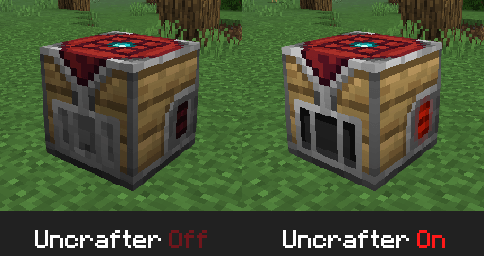
ORE FRAGMENTS
Ore fragments is a new material you obtain after uncrafting Iron, Gold and Diamond Tools and Armors in order to balance gameplay and still get part of the crafting material back.
Every tool will give you 1 extra amount of the cost of recipe as a result converted into its fragment counterpart.
Armors will give you the same amount from the crafting recipe converted to fragments.
Example below.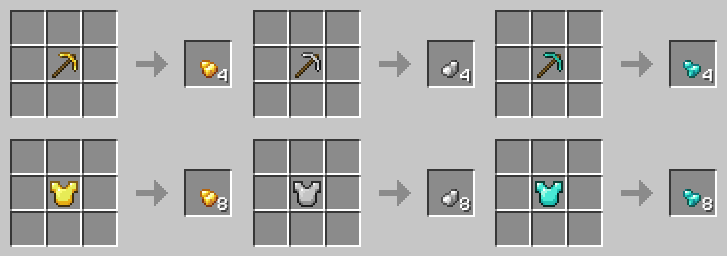
Once you have enough ore fragments you can craft the ingot using a normal crafting table.
Now with Netherite Fragment support on version 3.0.0 and onwards.
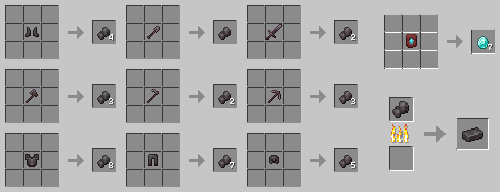
CRYING AMETHYST FARM
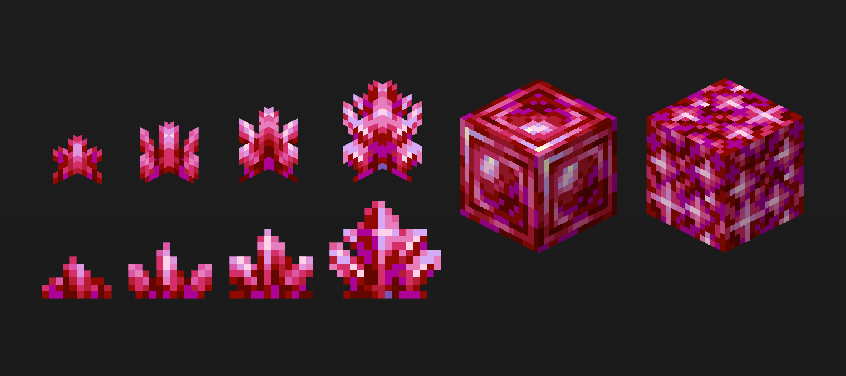
We have added two new blocks. Budding Crying Amethyst and Crying Amethyst Block.
You can now make a farm for Crying Amethyst Shards to multiply your fuel for The Uncrafter.
In order to farm Crying Amethyst shards you will need to first craft a Budding Crying Amethyst block.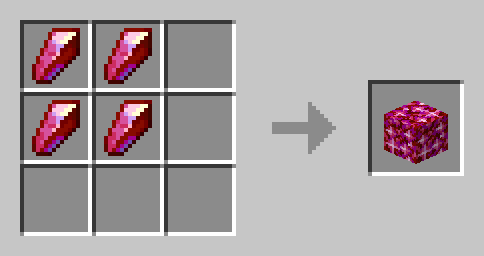
Then you will need to place a Crying Amethyst shard on top of the block and you will see it growing.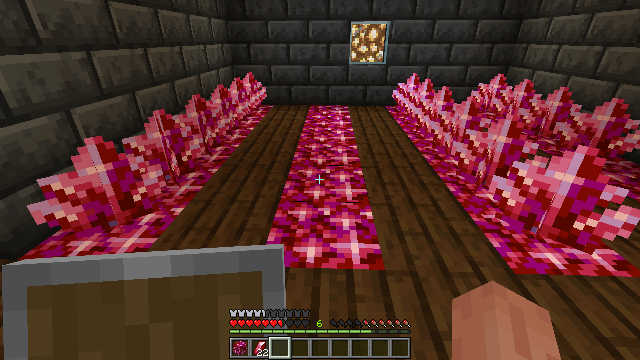
After that you will have to wait for the cluster to fully grow. Do not break it in earlier stages as it will not drop any Crying Amethyst.
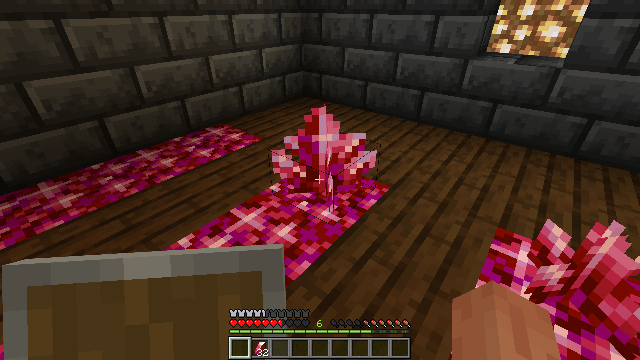
Here is an example of how the Crying Amethyst cluster should look like when in final growing stage.
THE UNCRAFTER V3
Adding support for some of our other Add-Ons: XP Chest Add-On and Consumable Apples Expansion.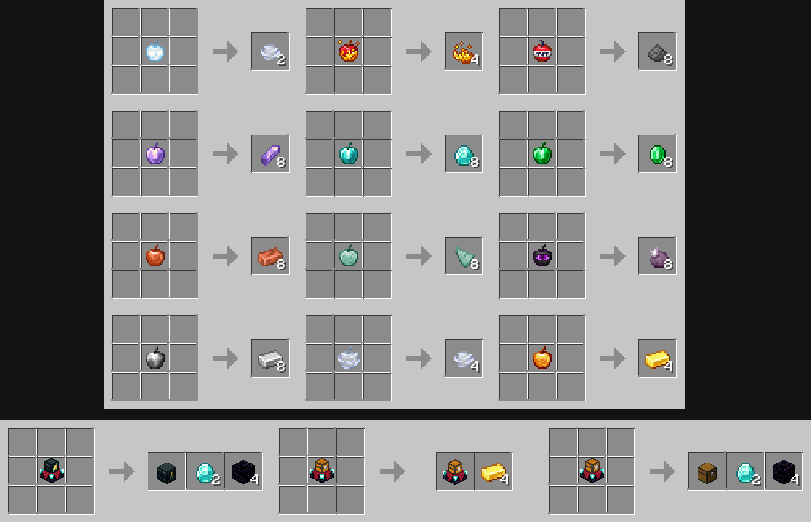
INSTALLATION
The Uncrafter Add-On is as easy to install as just double clicking the downloadable file.
Once installed you can Activate it on any world!
- Edition: Minecraft Bedrock
- File type: .mcpack or .mcaddon
- Minecraft versions listed: 1.21.120, 1.21.122, 1.21.121
- How to install: Download the .mcpack or .mcaddon file. → Open it — Minecraft imports it. → In your world: Behavior Packs → Available → Activate, then the same under Resource Packs.
- Where to get it: Opens on CurseForge — not every file is mirrored on our own servers.
Install steps are the general flow for this file type — How to install Minecraft Bedrock addons & mods walks through it step by step.
- Pack type: .mcaddon — behaviour and resource pack in one file
- Manifest requires Minecraft 1.21.120 or newer
- Complete pack — everything it depends on is inside the file
- Download size: 144 KB
- Download link checked 15 Sept 2026 — working
These come from our own check of the pack file, not from the source page.