![[Achievements] Reznirʼs Lifesteal](https://files.mcmodshub.com/img/curseforge/66675.png)
![[Achievements] Reznirʼs Lifesteal — screenshot 1](https://files.mcmodshub.com/img/curseforge/66675_s0.png)
Reznirʼs Lifesteal
[Achievements] — Gain hearts by defeating others, and lose hearts when you die. Based on the Java Mod.
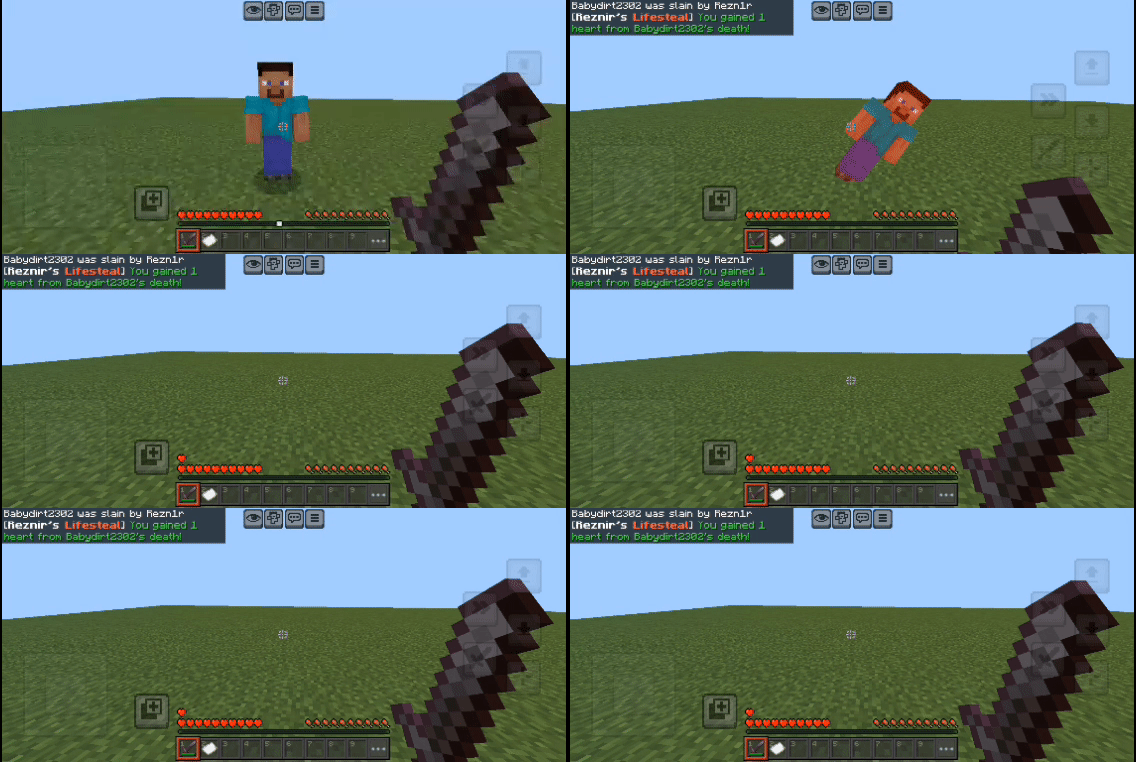
This add-on supports achievements!
!!! This add-on uses player.json, so be careful with mixing add-ons !!!
❔ How to Widthdraw
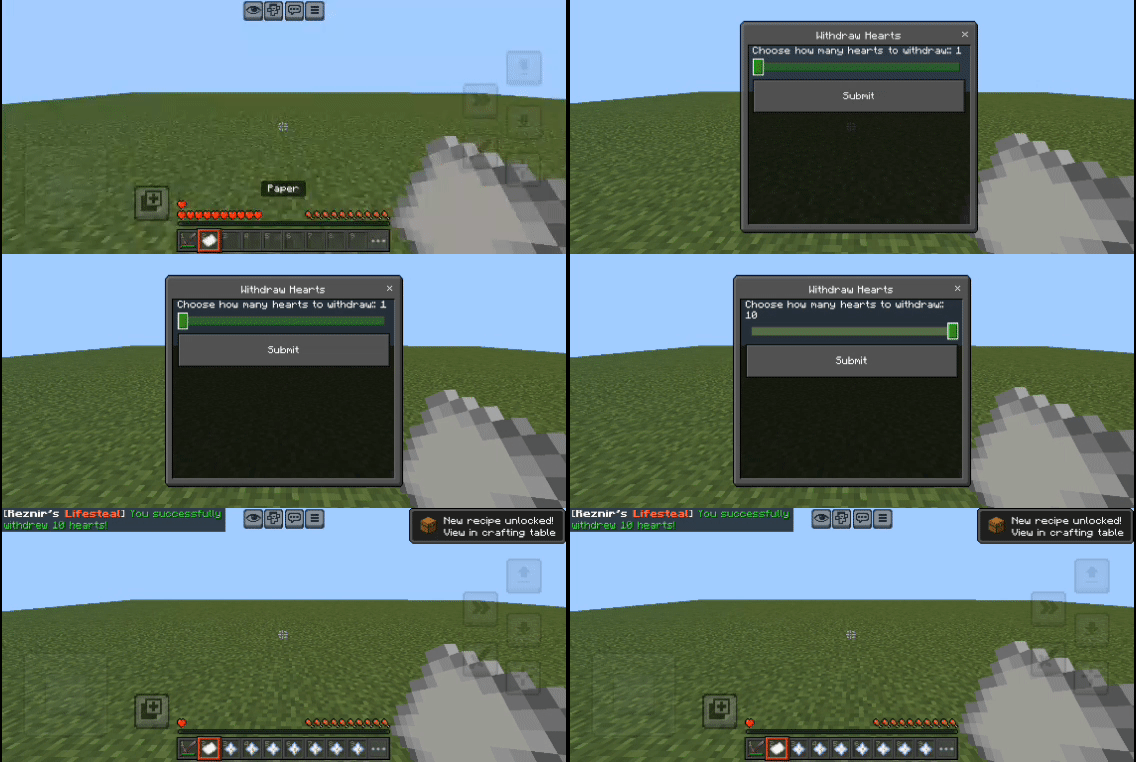
To widthdraw hearts, Get a paper item and right click. The menu should appear
❔ How to Revive
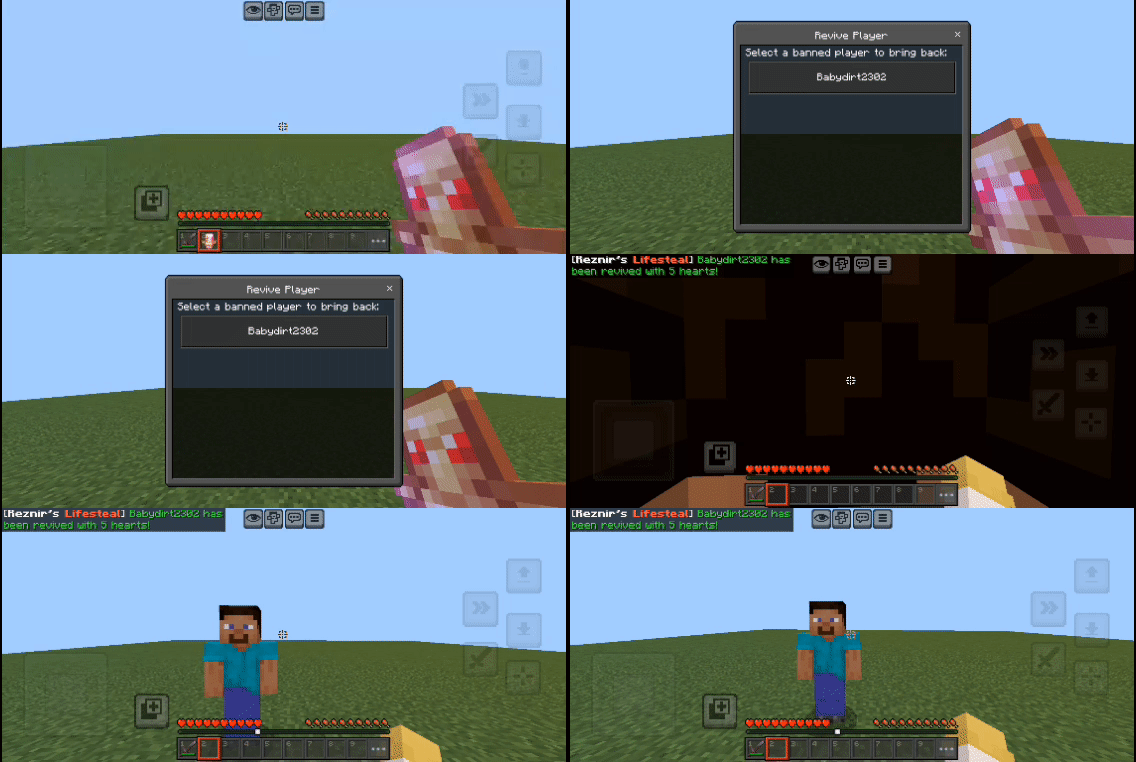
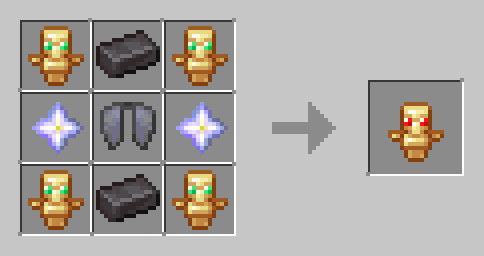
Craft a Revive Totem and right-click (or hold if on mobile) then select the player you want to revive in the list (if the player is offline, they will get revived when they next join)
🧩 Items
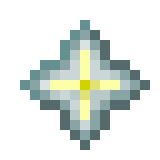
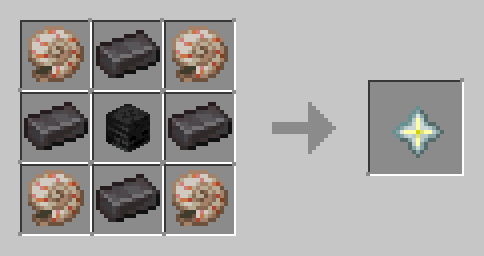
Heart
- Used for: Increasing a player's maximum hearts.
- Obtained by: Killing a player, crafting, or withdrawing from stored hearts.
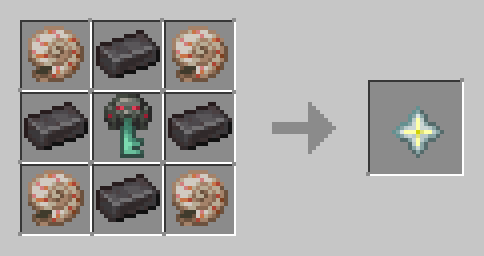
- Can also be crafted (see below).
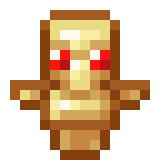
Revival Totem
- Used for: Reviving a banned or eliminated player.
- Obtained by: Crafting only.
- One-time use disappears after revival.
📗 Recipes
Heart Recipe
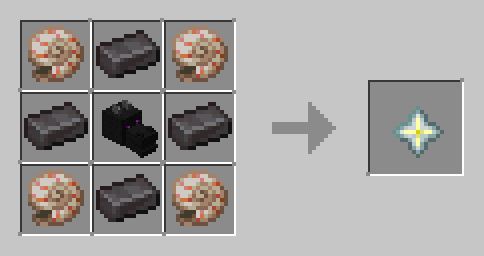
Revival Totem Recipe
⚙️ Customization
To adjust the Max Heart, change the Behavior Pack subpack 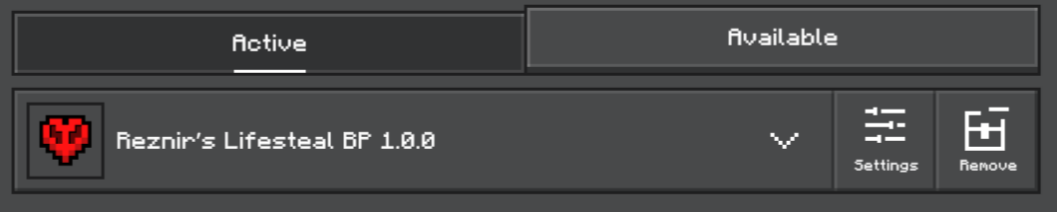

📦 How to Install
- Download both BP and RP
.mcpackfile - Open your file manager and import it
- Go to your world settings and activate both packs
- Select a subpack in the Behavior Pack
- Enjoy in survival or realms!
Need help? Join our Discord
minecraft, lifesteal, bedrock, bedrock edition, mcbe, mcpe, addon, mod, pvp, survival, hardcore, hearts, extra hearts, health, revive, revival, revival totem, java port, java mod, custom items, crafting, minecraft addon, minecraft bedrock, multiplayer
Quick facts
- Edition: Minecraft Bedrock
- File type: .mcpack or .mcaddon
- Minecraft versions listed: 1.21.81, 1.21.90, 1.21.93
- How to install: Download the .mcpack or .mcaddon file. → Open it — Minecraft imports it. → In your world: Behavior Packs → Available → Activate, then the same under Resource Packs.
- Where to get it: In MCModsHub, or directly above on this page.
Install steps are the general flow for this file type — How to install Minecraft Bedrock addons & mods walks through it step by step.
Verified by MCModsHub
- Pack type: .mcaddon — behaviour and resource pack in one file
- Complete pack — everything it depends on is inside the file
- Download size: 19 KB
- Download link checked 18 Jun 2026 — working
These come from our own check of the pack file, not from the source page.