
Trapify - Block Functions
🎮 Want a block that explodes when broken? 🧨 How about a teleport trap when stepped on? 📩 Or a hidden message when someone clicks a block? With Trapify…
⬇ Download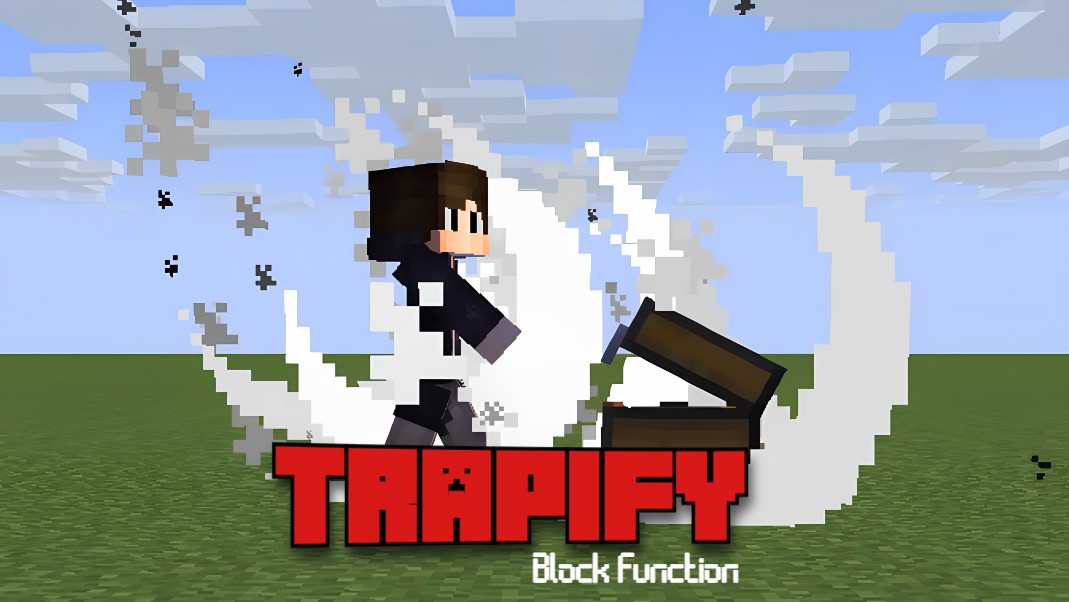
🔥 Trapify – Block Function Addon for Minecraft Bedrock
Turn any block into a trap. Surprise, punish, or prank like a pro.
✨ What Is Trapify?
Trapify is an advanced Minecraft Bedrock addon that lets you assign custom actions to any block in your world. It transforms ordinary blocks into programmable traps or functional utilities triggered on:
-
🖱️ Click
-
🧱 Break
-
🦶 Step
Unlike traditional command blocks or redstone contraptions, Trapify is a modular system powered by a special wand and a smooth UI — allowing you to set traps or functions with simple, readable commands.
🔧 Core Features
🪄 Trapify Wand Tool
-
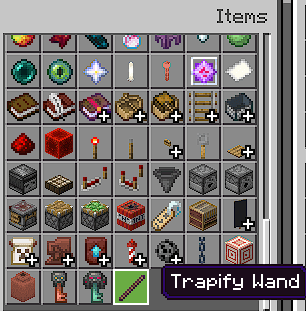
A unique item Trapify Wand used to interact with blocks.
-
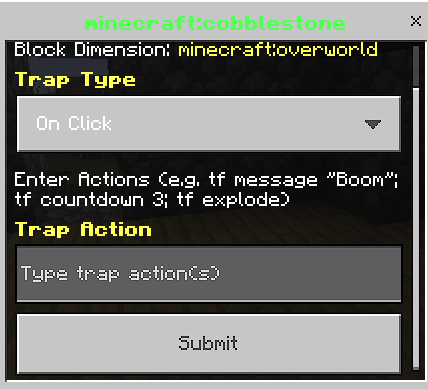
Left-click or hold on a block to open a UI and assign a trap.
-
Prevents accidental destruction — blocks become protected from break when wand is used.
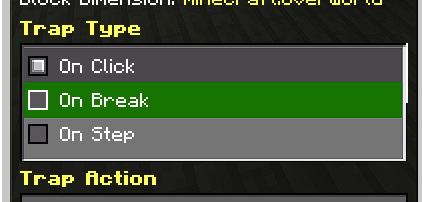
⚡ Three Trigger Types:
| Type | Description |
|---|---|
OnClick |
Activated when the block is interacted with |
OnBreak |
Triggered upon breaking the block |
OnStep |
Runs when a player walks over the block |
💬 Custom Action Input (Command Style)
Use a simple syntax to assign one or multiple commands:
tf message "You fell for it!"; tf countdown 3; tf explode; tf teleport 10 70 -5
-
Chain multiple actions using
; -
Designed like a mini domain-specific language (DSL)
🎭 Action Types Supported:
Current trap actions include:
-
explode,teleport,freeze,launch,lightning,damage -
message,title,actionbar,countdown,effect,sound -
blind,confusion,levitate,push,spin, and more...
🧱 In-Game UI
-
Modal form interface for assigning traps.
-
Future updates will include:
-
Preset dropdowns
-
Advanced Mode toggles
-
Multi-page or extended input handling
-
🧠 Use Cases
-
🗺️ Adventure Maps: Design puzzles, jumpscares, or lore triggers
-
😈 Trolling Friends: Exploding chests, fake ores, or prank messages
-
🎯 Minigames: Area-based traps without relying on ticking command blocks
-
⚔️ PvP Arenas: Step-triggered buffs, debuffs, or audio cues
-
🧱 Redstone Replacements: Traps with logic, no circuits
-
🧙 RP Servers: Lore events, auto-quests
-
🧑🏫 Education: Teach logic with readable trap commands
💡 Why Trapify?
Trapify doesn’t just mimic redstone or command blocks —
It gives you developer-level control inside survival mode.
Whether you're building elaborate redstone-free machines or just dropping explosions on your friends, Trapify is the tool for the job.
-
✅ No coding required
-
⚡ High performance
-
👨💻 Power-user friendly, yet accessible to casual players
🎬 Showcase & Tutorial
✅ Recommended
🎮 Minecraft Bedrock: v1.21.91+ 👤 Creator: GamerFile / TheFile.tf ❌ You Are Not Allowed To
To protect the project and respect its creation:
-
❌ Do NOT reupload or mirror this addon on other platforms
-
❌ Do NOT modify or rebrand it as your own
-
❌ Do NOT use any portion of the source code without permission
-
❌ Do NOT monetize Trapify or distribute as part of paid bundles
You may use this addon for personal projects, videos, or maps, provided you credit and link back to the official post.
🔐 License
-
✔️ You can use and share it freely with attribution
-
❌ You may not modify, sell, or remix it
"Trapify" © 2025 by GamerFile. All rights reserved.
- Edition: Minecraft Bedrock
- File type: .mcpack or .mcaddon
- Minecraft version listed: 1.21.100
- How to install: Download the .mcpack or .mcaddon file. → Open it — Minecraft imports it. → In your world: Behavior Packs → Available → Activate, then the same under Resource Packs.
- Where to get it: In MCModsHub, or directly above on this page.
Install steps are the general flow for this file type — How to install Minecraft Bedrock addons & mods walks through it step by step.
- Pack type: .mcaddon — behaviour and resource pack in one file
- Manifest requires Minecraft 1.21.0 or newer
- Needs Beta APIs switched on in the world settings
- Complete pack — everything it depends on is inside the file
- Download size: 160 KB
- Download link checked 18 Jun 2026 — working
These come from our own check of the pack file, not from the source page.