Weapon Combiner Revamp
Bedrock add-on listed for Minecraft 26.x (behavior + resource pack). File opened and checked on 28 Sep 2026; installs from the MC Bedrock Mods app on Android.
Weapon Combiner Revamp allows the player to combine their weapon with many materials and let you make more custom weapon types.
⬇ Download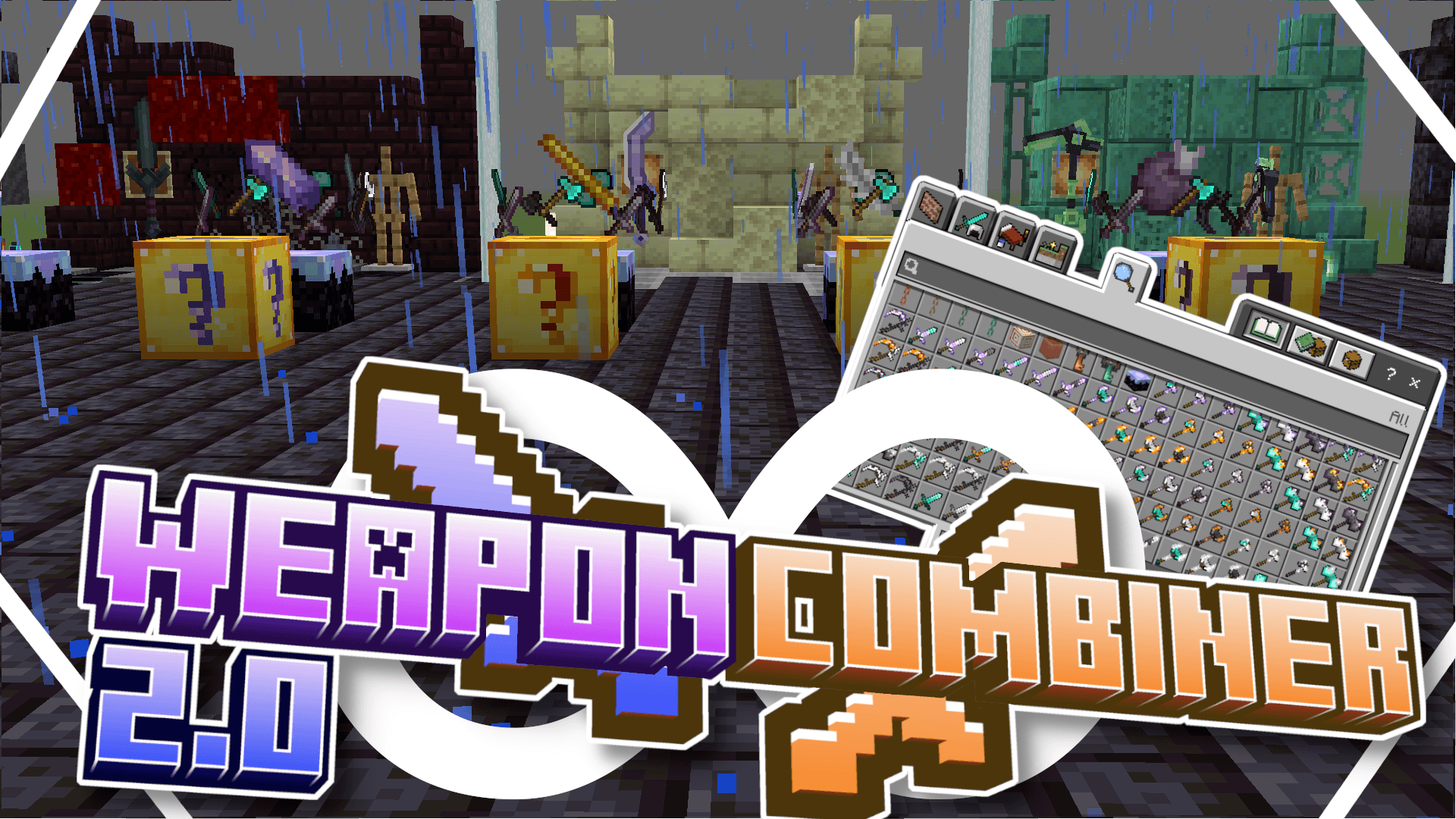
DETAILS :
Weapon Combiner Revamp is an addon that lets players combine their weapons with different materials to make them stronger and more powerful. Each combination can unlock up to 4 abilities, gained by upgrading the same weapon multiple times. Below are the available materials for combination and the new weapon types you can craft.
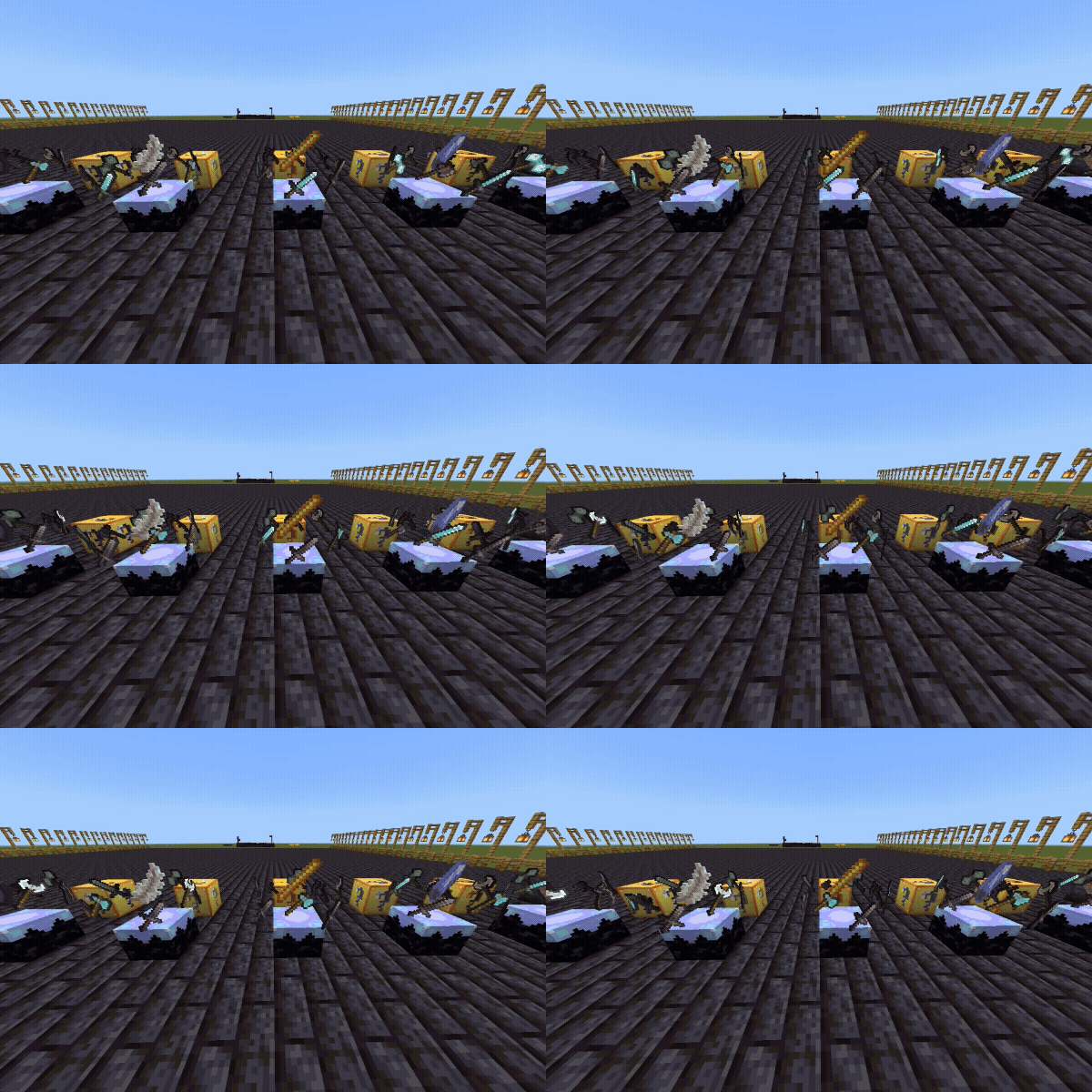
Combiniable Items:
- Amethyst Shard
- Blaze Rod
- Creaking Heart
- Chorus Fruite
- Feather
... More will be added in DLC's
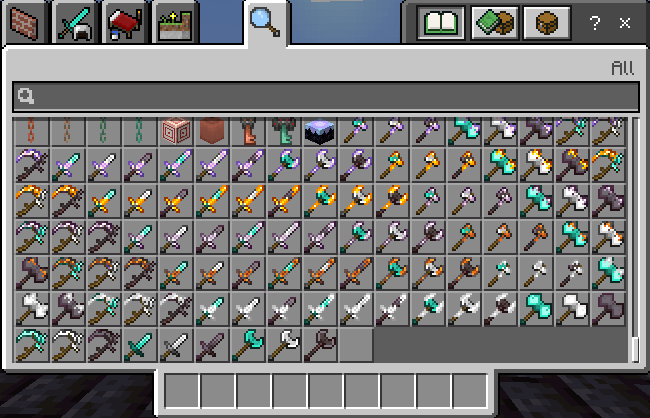
New Weapon Types:
- Scythe [Iron, Diamond and Netherite]
- Hammer [Iron, Diamond and Netherite]
- Short Sword [Iron, Diamond and Netherite]
- War Axe [Iron, Diamond and Netherite]
[All of these weapons are crafable in survival via a crafting table]
HOW TO CRAFT THE WEAPONS :
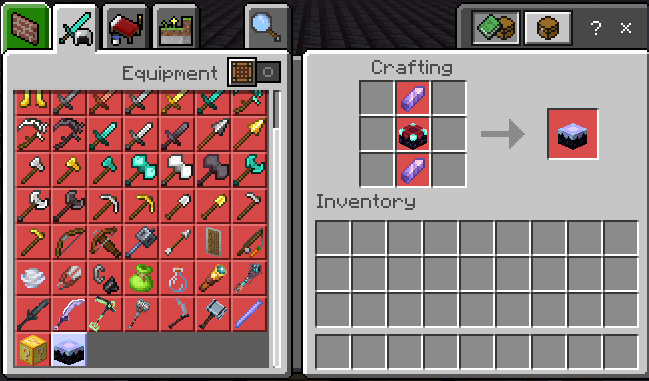
To craft the custom combination weapon you will need the new block called Materia Conflux. This block will show which items you can input in it.

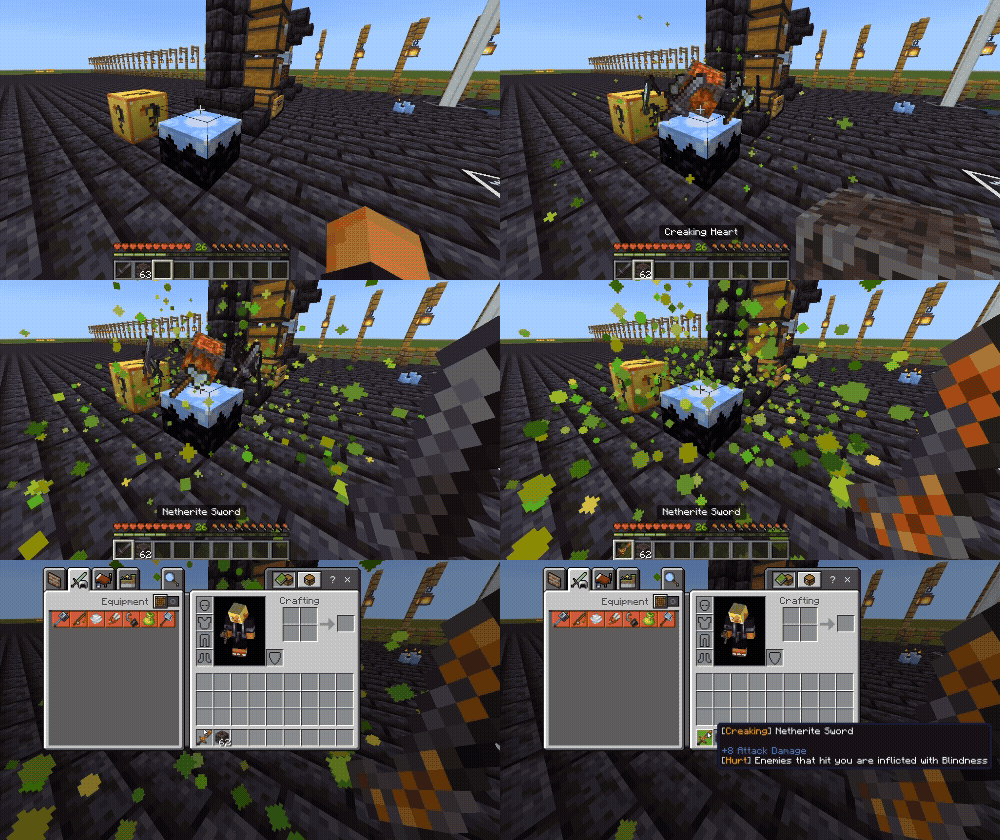
After making the Materia Conflix, you can place it down. The first interact with the material item then interact with the weapon to combine both together.
ADDITONAL FEATURES:
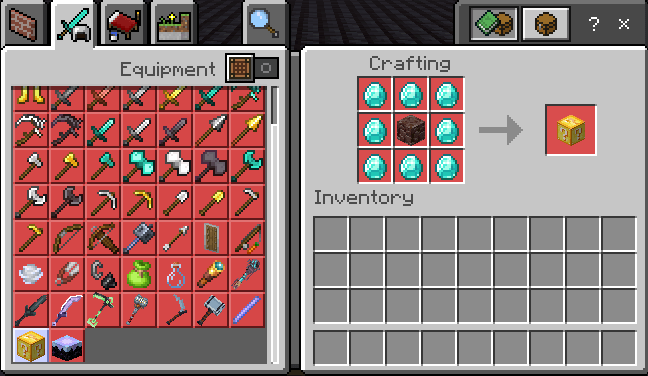
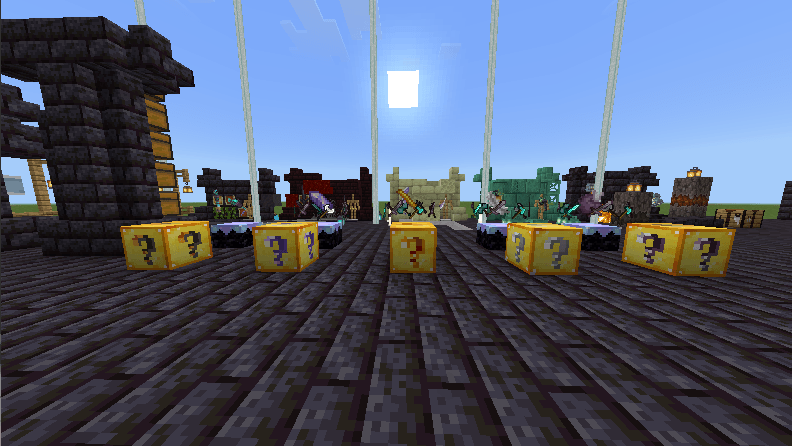
1. LUCKY BLOCKS: By using this recipe you can make a Luckyblock. You can then combine the lucky block in the Materia Conflux to create a materia combined lucky block. Each Lucky Block a radom weapon in its respective catagory. Weapon also have a low chance to drop enchanted. GOOD LUCK !
Credits:
- Beyond64: Programmer, Creator and artist
For more updates or any additional questions reach us on Discord.
- Edition: Minecraft Bedrock
- File type: .mcpack or .mcaddon
- Minecraft version listed: 26.10
- How to install: Download the .mcpack or .mcaddon file. → Open it — Minecraft imports it. → In your world: Behavior Packs → Available → Activate, then the same under Resource Packs.
- Where to get it: In MCModsHub, or directly above on this page.
Install steps are the general flow for this file type — How to install Minecraft Bedrock addons & mods walks through it step by step.
- Pack type: .mcaddon — behaviour and resource pack in one file
- Complete pack — everything it depends on is inside the file
- Download size: 391 KB
- Download link checked 17 Jul 2026 — working
These come from our own check of the pack file, not from the source page.