
Shopkeeper: Villager Hiring
Bedrock add-on listed for Minecraft 1.21–26.x (behavior + resource pack). File opened and checked on 20 Sep 2026; installs from the MC Bedrock Mods app on Android.
⬇ Download on CurseForge
Hire a villager by paying 32 emeralds. You can customize your shop by giving it a name, and enjoy the experience in both single-player and multiplayer worlds.
How to Play?
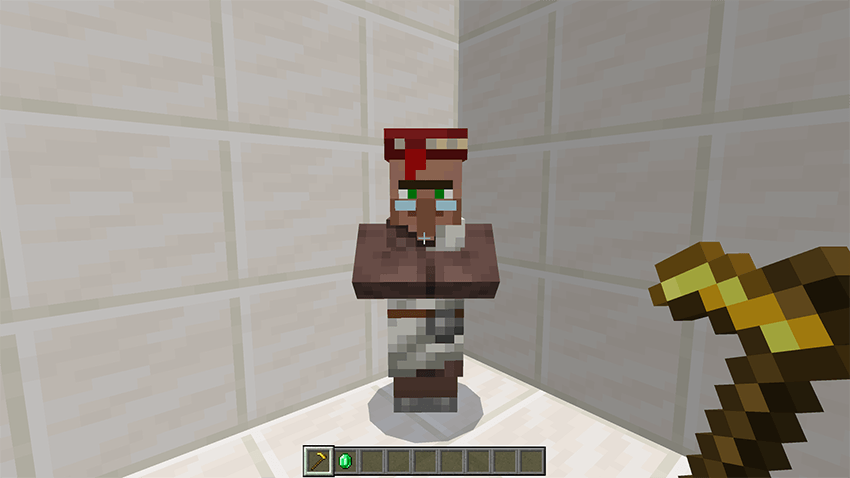
Step 1: Find a Villager
You need a golden hoe and 32 emeralds.
Step 2: Hire the Villager
Interact with the villager using the golden hoe by right-clicking on the villager. Make sure you have 32 emeralds in your inventory.
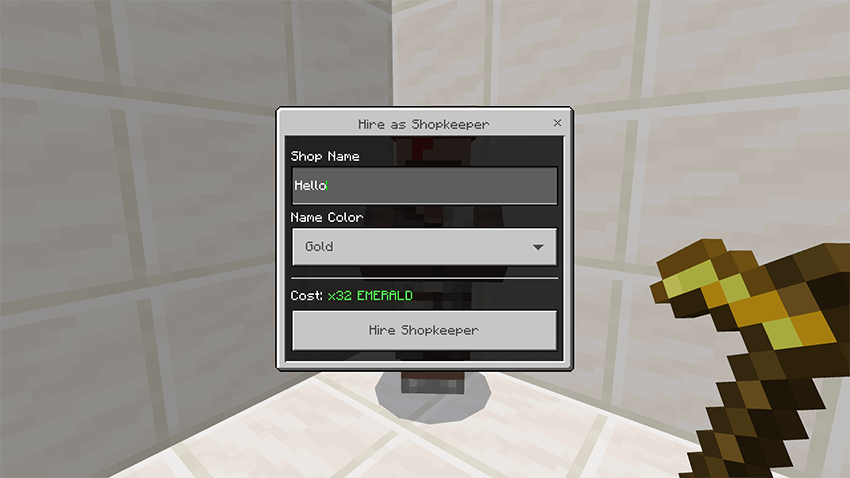
Step 3: Villager Successfully Hired
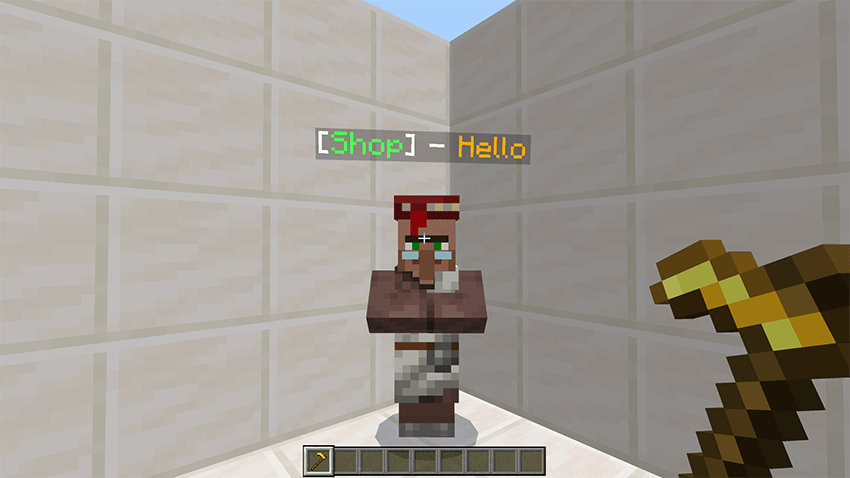
After completing the interaction and meeting the requirements, the villager will be successfully hired as your shopkeeper. The villager will now change its appearance to indicate that it is officially assigned to you. This visual change confirms that the hiring process was completed successfully.
Step 4: Accessing and Managing the Shop
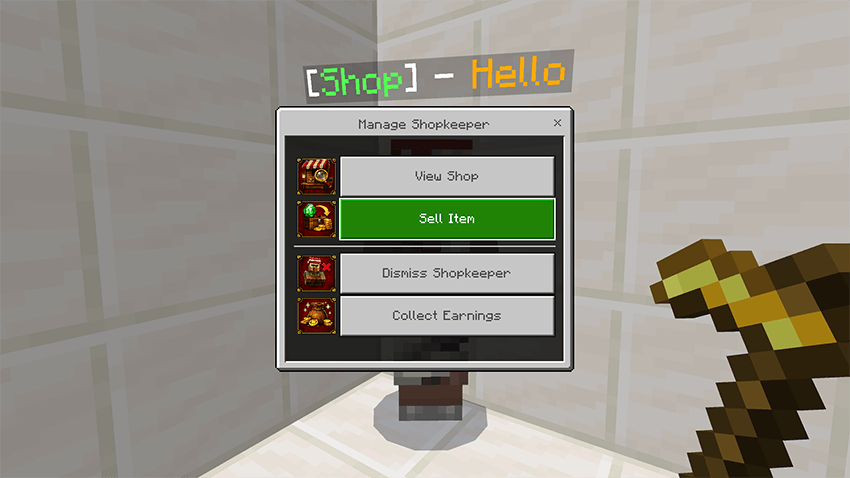
Once the villager has been hired, you can interact with it to access different features. Right-click on the villager to open the shop interface, where players can browse and purchase available items. If you want to manage the shop, left-click (or hit) the villager. This will open the management interface, allowing you to control your shop.
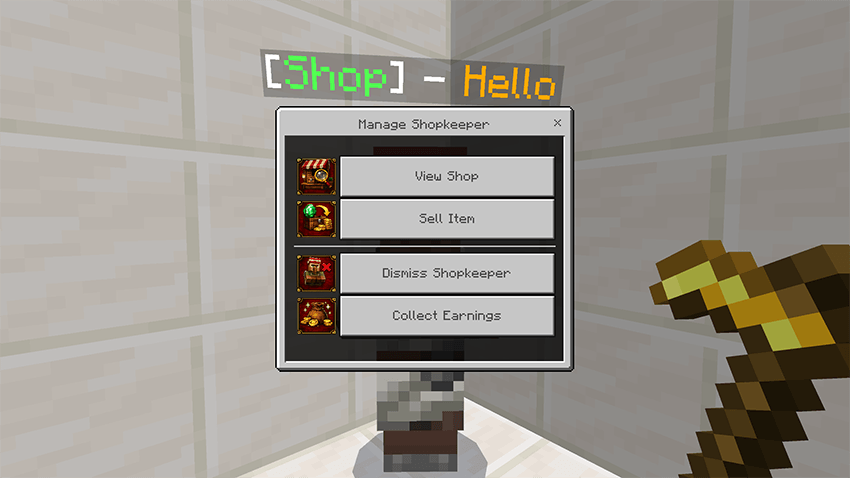
The 4 Options
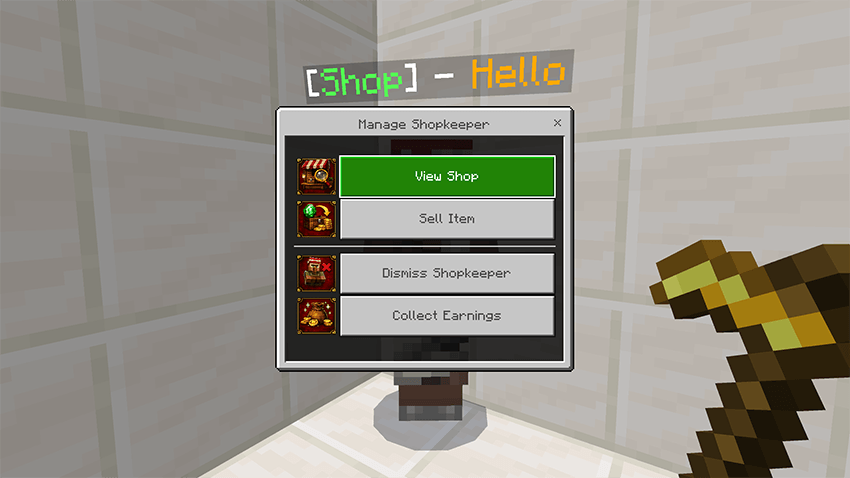
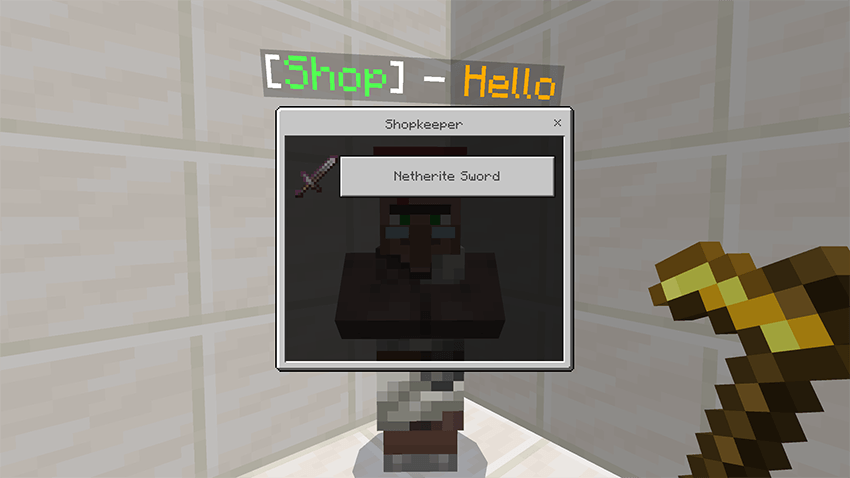
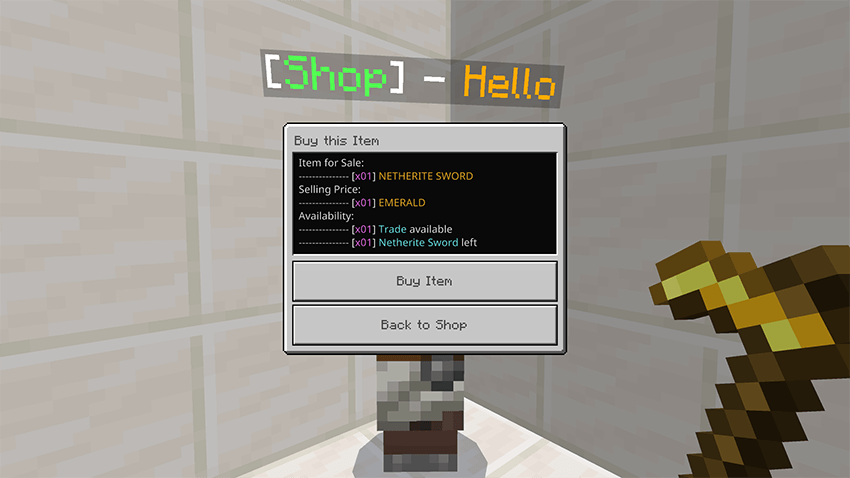
Option 1: View Shop
This option opens the shop interface where all players, including you, can browse and purchase items. When another player buys an item from your shop, they will receive a small amount of XP as a reward for the transaction.
Note: You will not receive XP when purchasing items from your own shop.
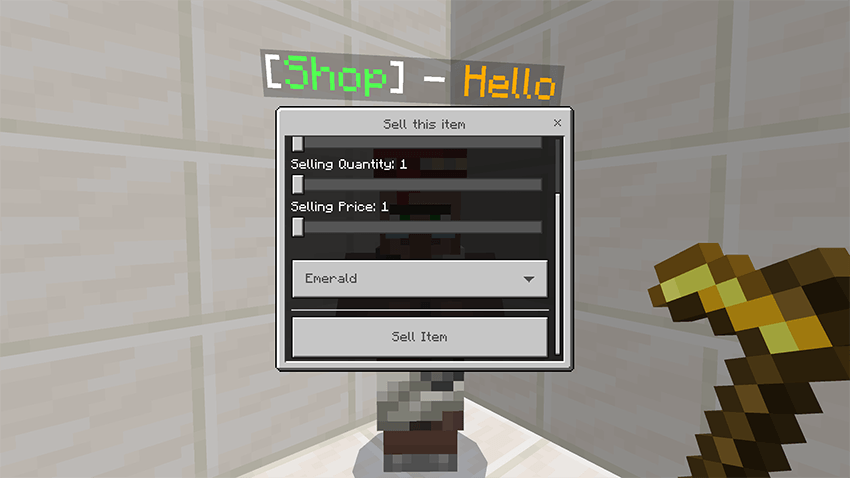
Option 2: Sell Item
This option allows you to list items from your inventory for sale in your shop. You can select one item at a time and configure the transaction settings before making it available to other players.
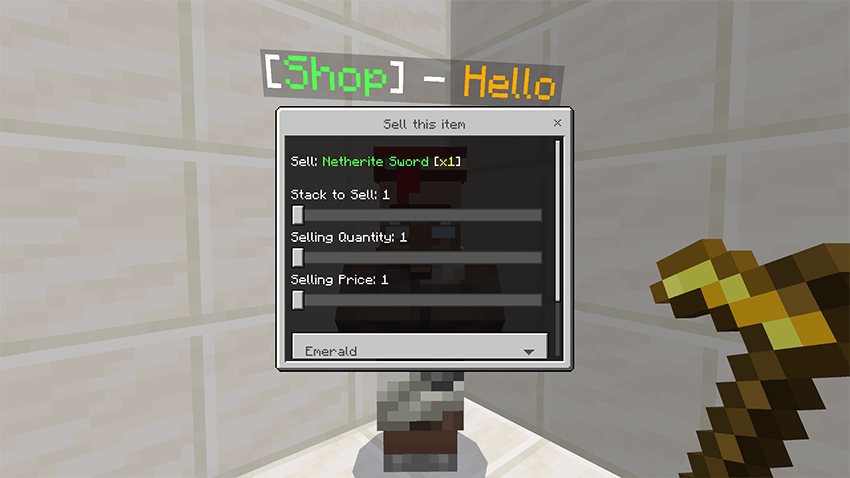
When setting up the item for sale, you can:
- Choose how many of that item you want to sell.
- Set the quantity the player will receive per purchase.
- Define the price for the selected quantity.
- Define currency [Emerald, Netherite, Diamond, Gold, Iron, and Copper] Ingot
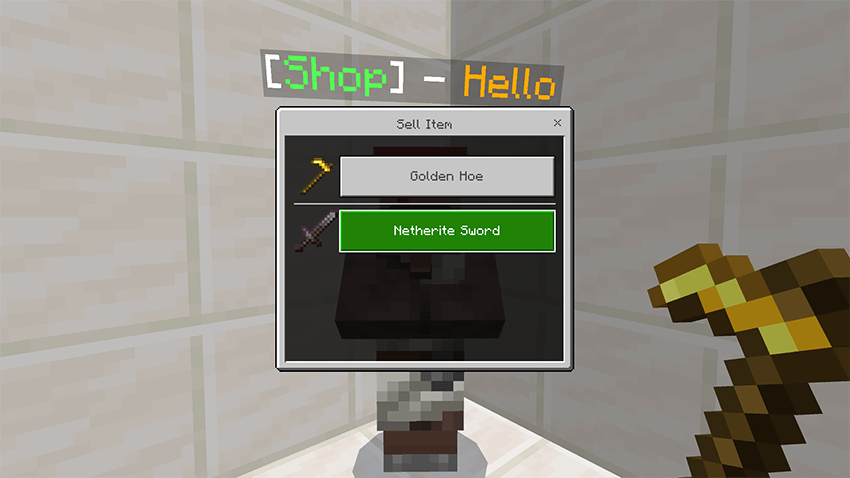
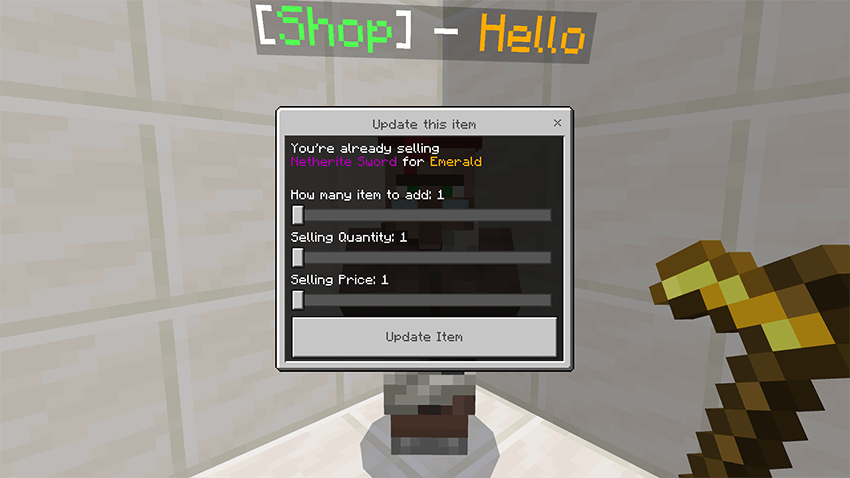
Note: The system automatically detects items that are already listed in your shop. If you try to sell an item that already exists in your shop, it will update the existing listing instead of creating a duplicate entry.
Option 3: Dismiss Villager
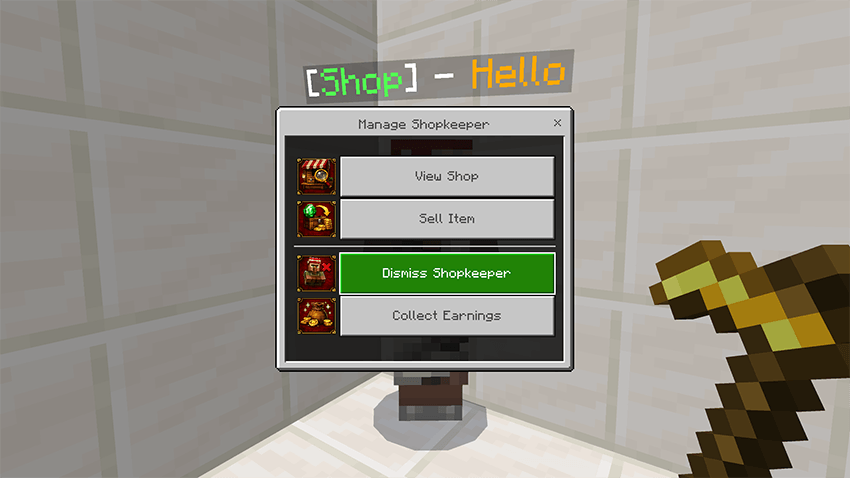
This option removes the shopkeeper role from the villager. Once dismissed, the villager will return to its normal state. After dismissing the villager, you will receive 8 emeralds and a small amount of experience as a partial refund. In addition, all unsold items from your shop will be returned to your inventory.
Make sure you have enough free inventory space before dismissing the villager, as all remaining shop items will be transferred back to you.
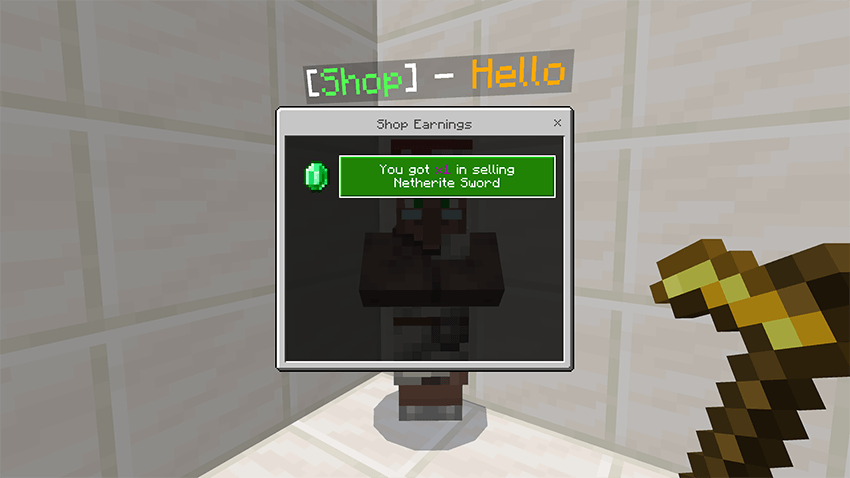
Option 4: Collect Earnings
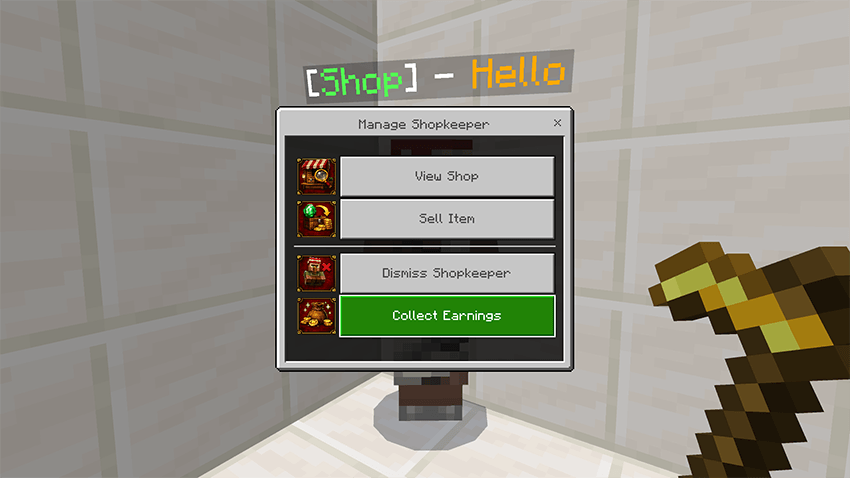
This option allows you to claim the profits generated from your shop. Whenever other players purchase items, the payments are stored as your shop earnings.
This allows you to manage and withdraw profits individually for each item sold. In addition to receiving your profits, you will also gain a small amount of experience as a reward for successfully running your shop.
- Edition: Minecraft Bedrock
- File type: .mcpack or .mcaddon
- Minecraft versions listed: 1.21.114, 1.21.120, 1.21.122
- How to install: Download the .mcpack or .mcaddon file. → Open it — Minecraft imports it. → In your world: Behavior Packs → Available → Activate, then the same under Resource Packs.
- Where to get it: Opens on CurseForge — not every file is mirrored on our own servers.
Install steps are the general flow for this file type — How to install Minecraft Bedrock addons & mods walks through it step by step.
- Pack type: .mcaddon — behaviour and resource pack in one file
- Manifest requires Minecraft 1.21.114 or newer
- Complete pack — everything it depends on is inside the file
- Download size: 3.8 MB
- Download link checked 6 Oct 2026 — working
These come from our own check of the pack file, not from the source page.