AddonsBedrock
TC Parachutes Addon v1.0.2
Bedrock add-on listed for Minecraft 1.20–1.21 (behavior + resource pack). File opened and checked on 26 Sep 2026; installs from the MC Bedrock Mods app on Android.
I don't know my version
Open Minecraft and look at the bottom-left corner of the main screen — the version is printed there, like v1.26.30.
The game writes a 1. in front; the buttons above leave it off. v1.26.30 in the game is 26.30 here.
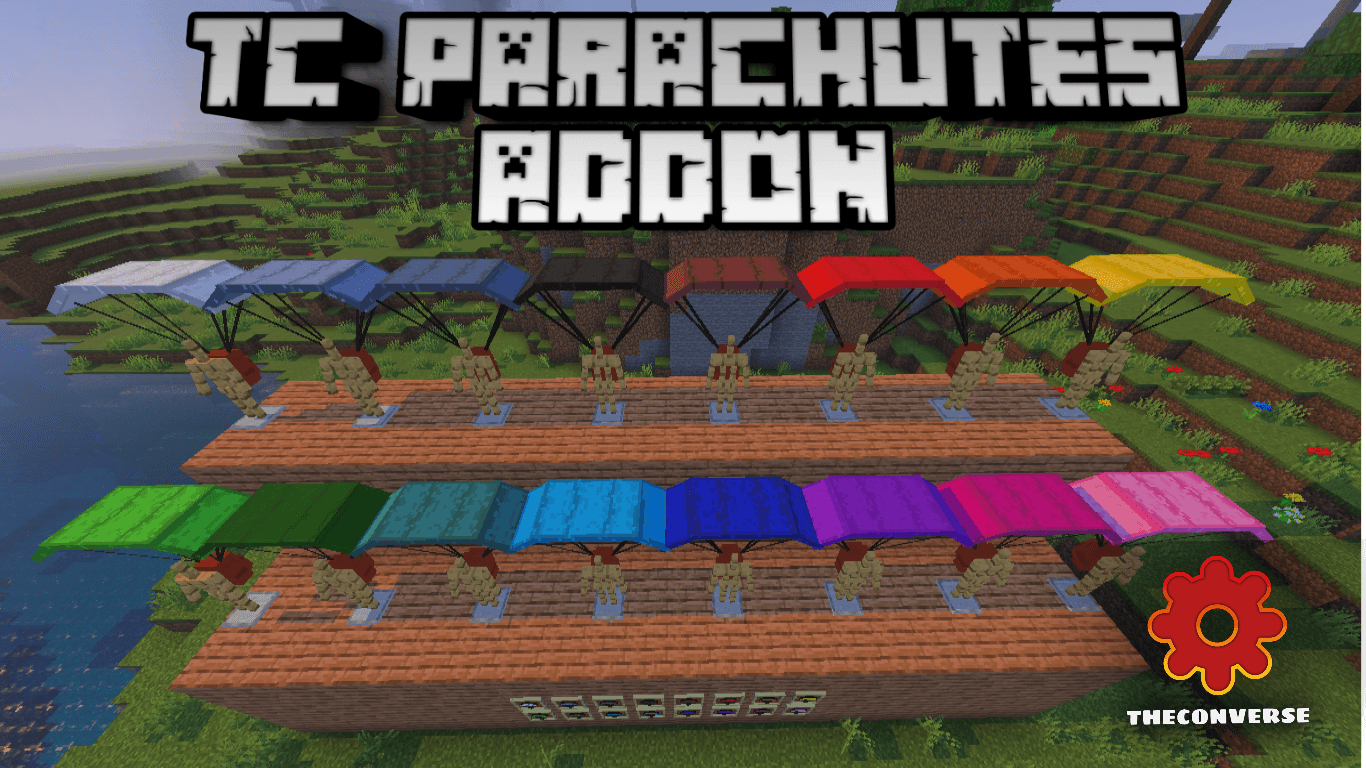
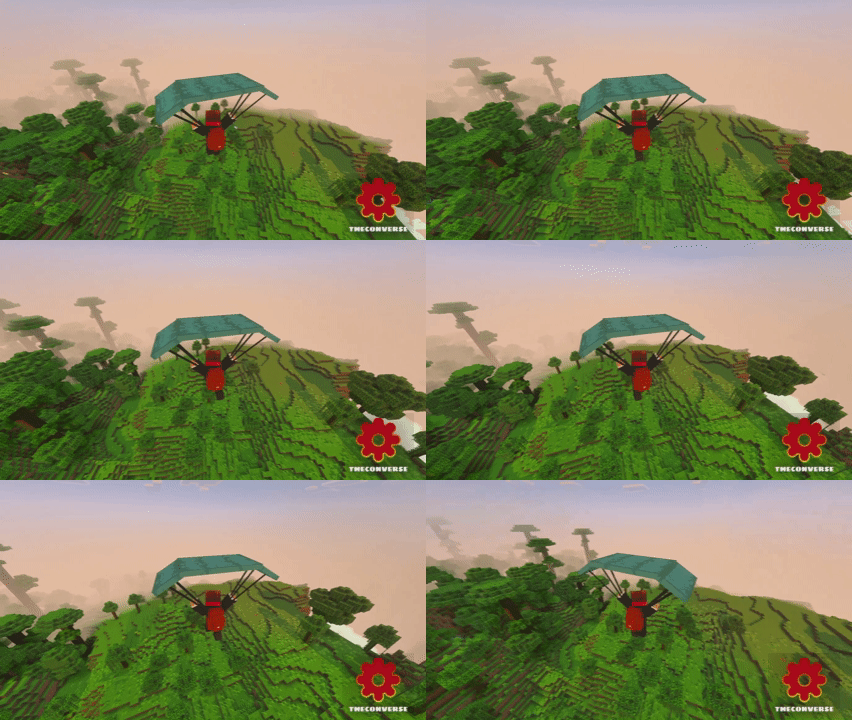
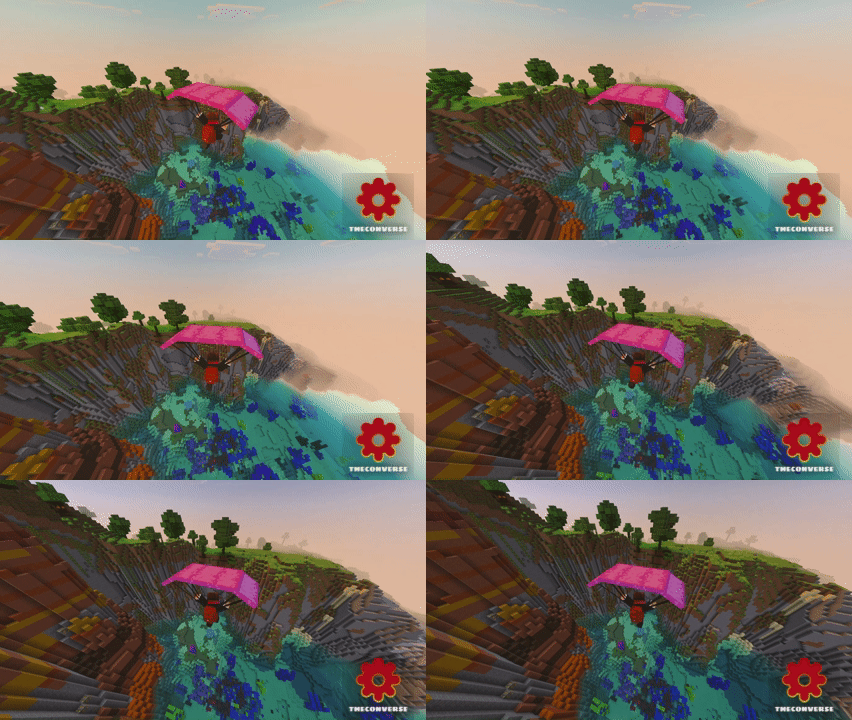
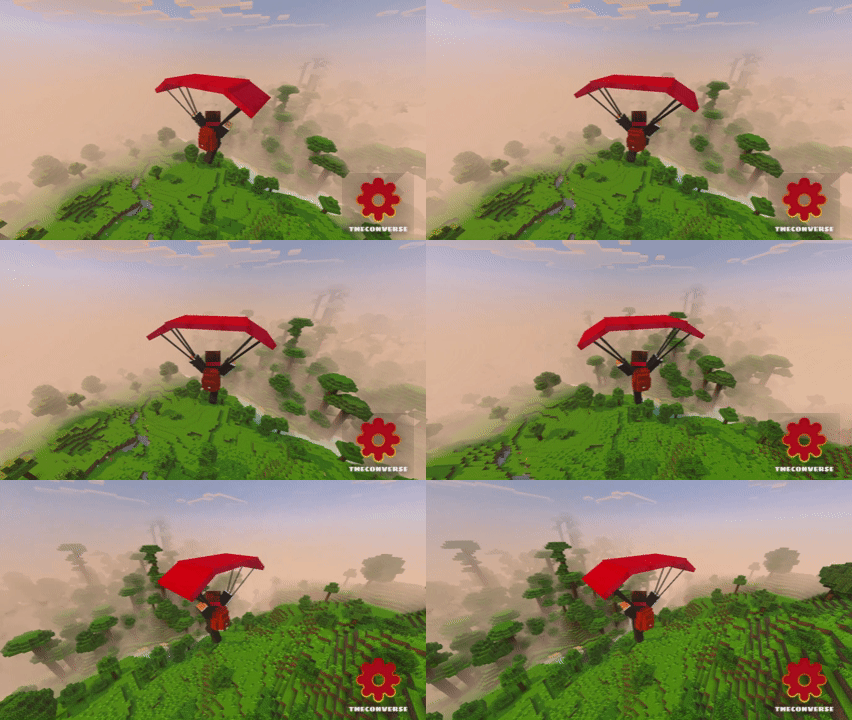
Take the fast way down without turning into a pancake. Pop the shot, catch the slow-fall, and steer your landing like you meant it. That’s the whole vibe of TC Parachute Addon on Minecraft Bedrock—simple, reliable, and perfect for vertical maps, mountain runs, and base projects that live way above sea level.
It's built for Survival from the start. You craft the parachute with accessible materials, toss it in your hotbar, and you're good to go—no commands, no creative detours. Activate it as you step off a ledge and the slow-fall kicks in, shaving all the panic out of long drops while giving you time to pick a clean landing zone. I like using it to hop off scaffolds during big builds: jump, drift along the façade, mark lantern spots, and touch down right next to the chest I need. Same deal on parkour maps when a missed jump would normally send you back to the start—hit the kick, recover, and keep the run alive.
The movement control feels natural. You can float across ravines, drop into valleys, or step off a cliff to line up a perfect path through trees without smashing branches. It pairs nicely with a water bucket for last-second landings and still has value even after you get Elytra, since it costs no rockets and doesn’t chew durability for quick local hops. For co-op or Realms, it’s clutch for rescue runs—glide down to a fallen teammate, grab their gear, and ride the air back to safety. If your world has height and you want safety without breaking the Vanilla flow, TC Parachute Addon delivers a clean, craft-and-jump solution that you’ll use every session.
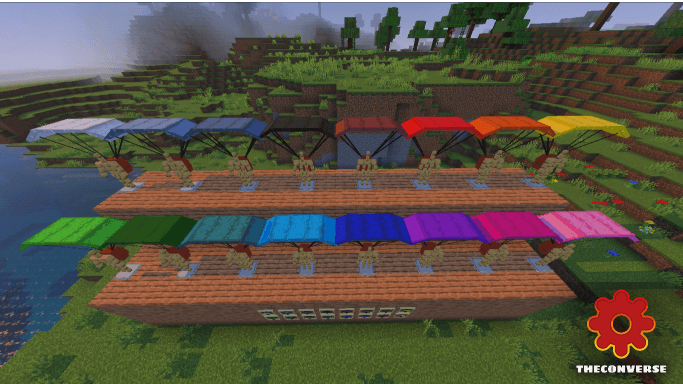
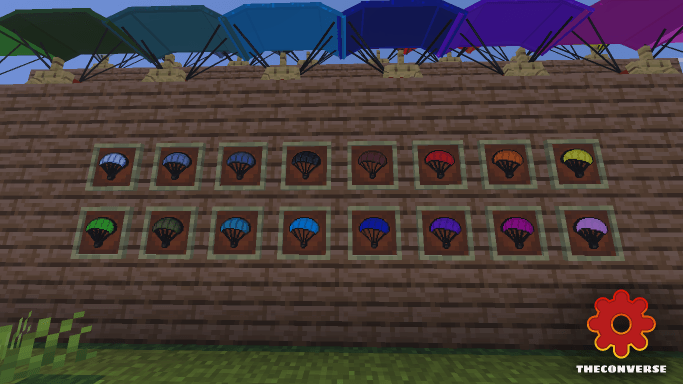
Each parachute has its own crafting with each color of wool, with improved models from the previous addon
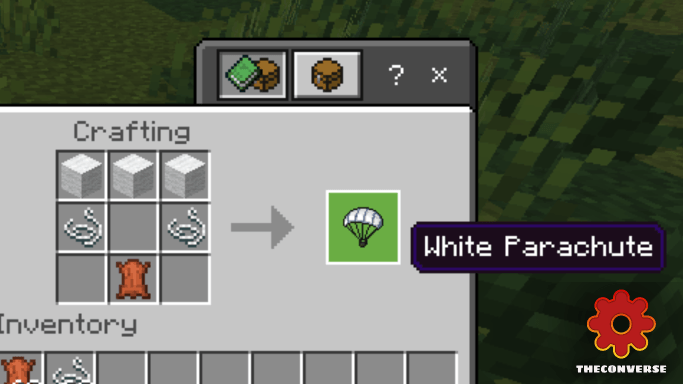
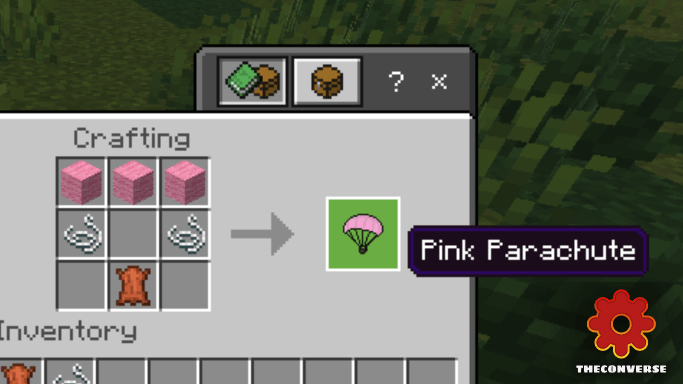
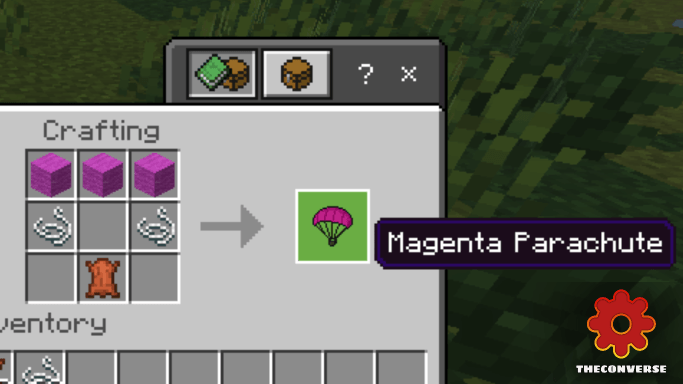
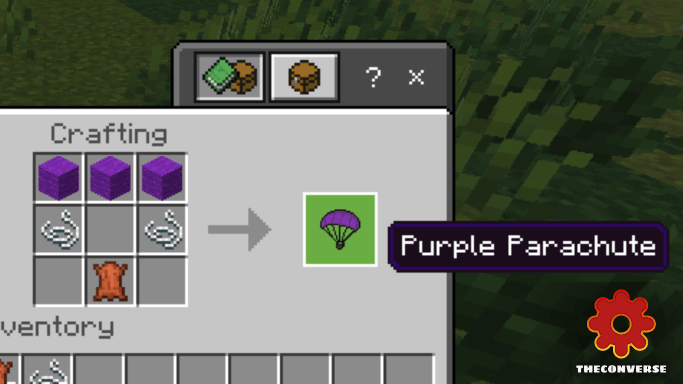
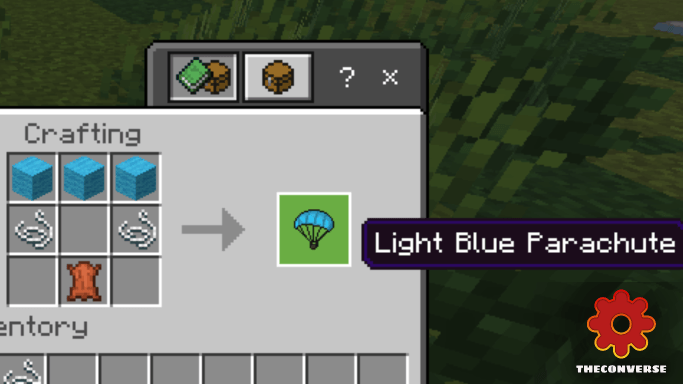
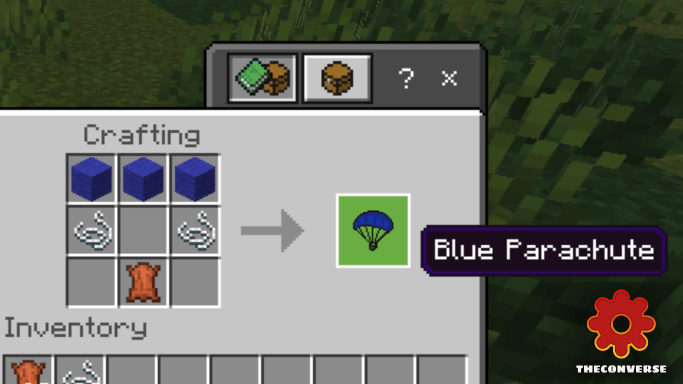
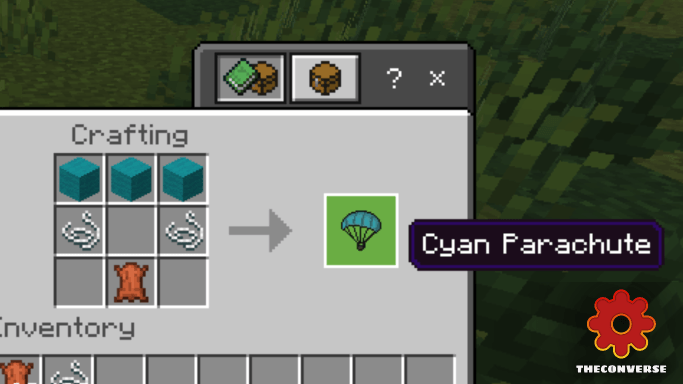
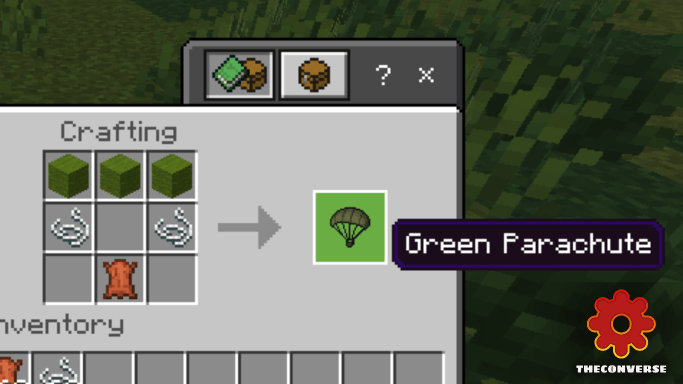
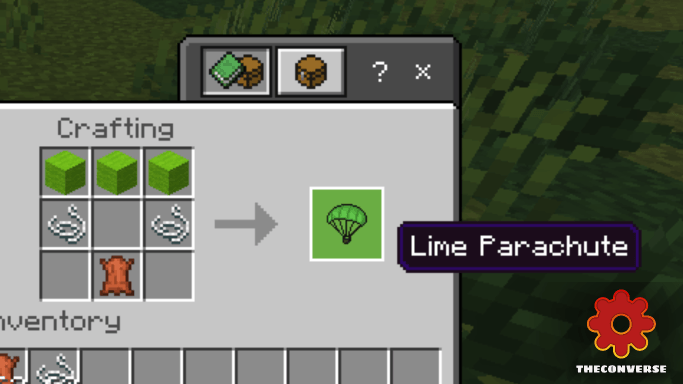
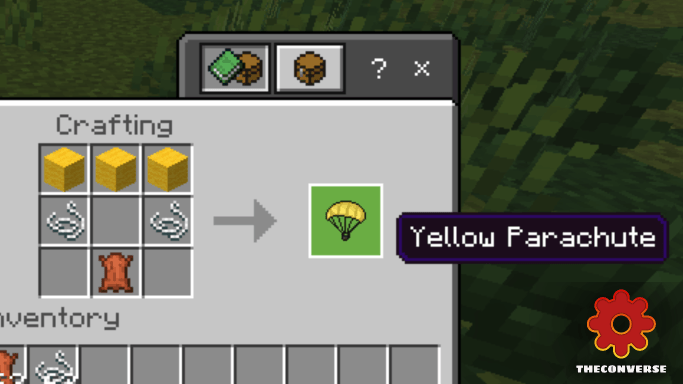
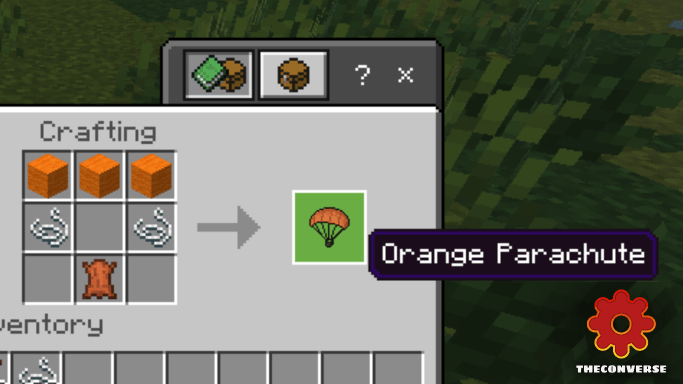
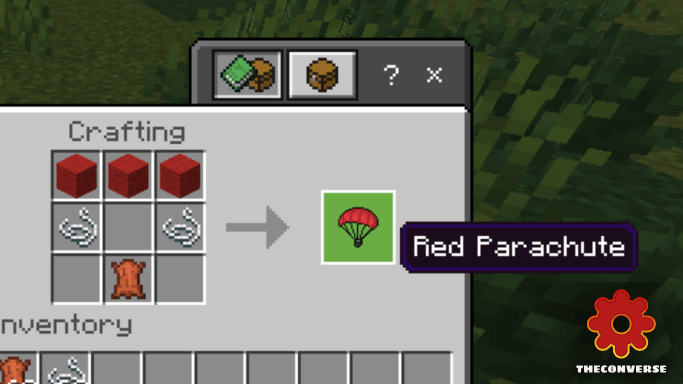
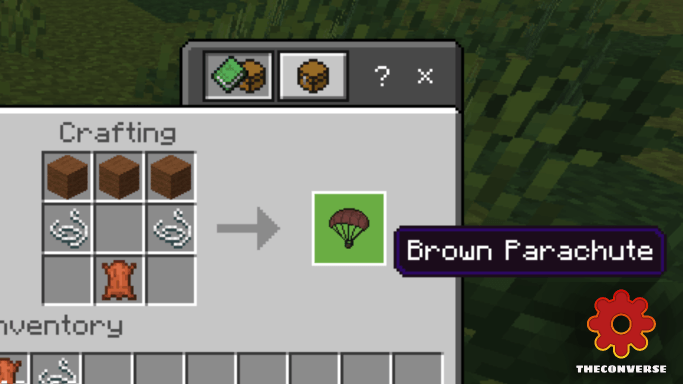
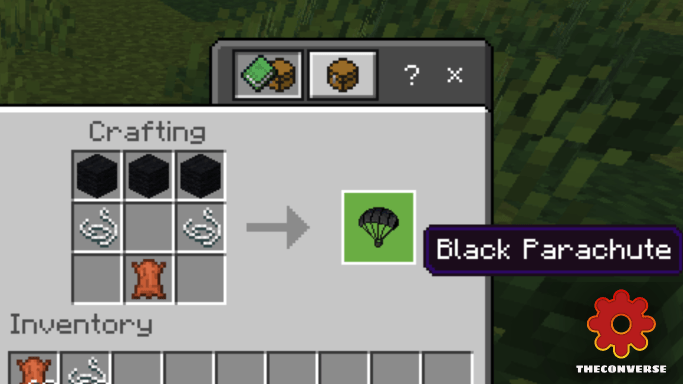
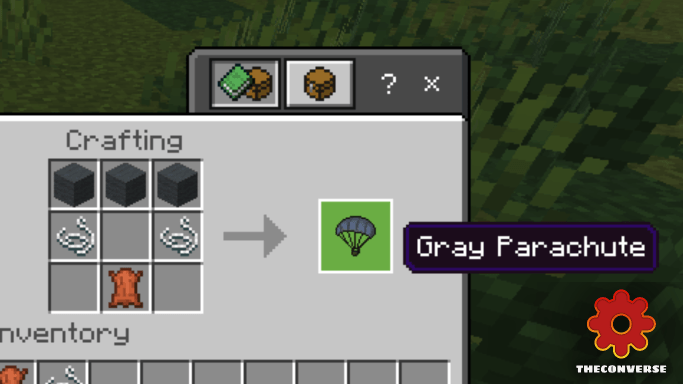
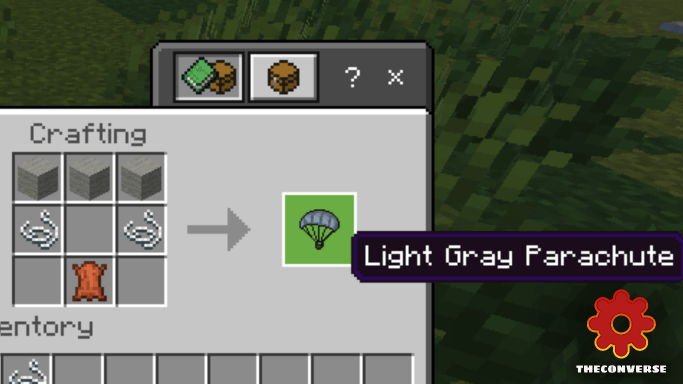
Useful for:
-Survival
-Adventure Maps
-Parkour
LICENSE
Before downloading the addon, the following conditions must be considered:
It is not allowed:
- Modify, alter or edit the Addon without the express authorization of the Creator.
- Publish, distribute or share the Addon without giving proper credit to the Creator.
- Use the Addon for commercial purposes without the express authorization of the Creator.
Credits
If you share or publish the Addon, you must give appropriate credit to the Creator, including:
Addon Creator Name: TheConverse
Quick facts
- Edition: Minecraft Bedrock
- File type: .mcpack or .mcaddon
- Minecraft versions listed: 1.21.101, 1.21.100, 1.21.111
- How to install: Download the .mcpack or .mcaddon file. → Open it — Minecraft imports it. → In your world: Behavior Packs → Available → Activate, then the same under Resource Packs.
- Where to get it: Opens on CurseForge — not every file is mirrored on our own servers.
Install steps are the general flow for this file type — How to install Minecraft Bedrock addons & mods walks through it step by step.
File checked by MCModsHub
- Pack type: .mcaddon — behaviour and resource pack in one file
- Manifest requires Minecraft 1.20.0 or newer
- Complete pack — everything it depends on is inside the file
- Download size: 1.7 MB
- Download link checked 5 Oct 2026 — working
These come from our own check of the pack file, not from the source page.