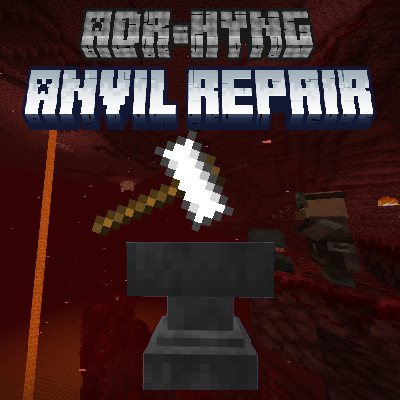
The Anvil Repair is an essential addon for Minecraft Bedrock Edition, designed for players who want to preserve resources and streamline their gameplay experience. Inspired by popular utility mods from the Java Edition, this addon allows players to restore the durability of anvils using iron ingots, making it an efficient alternative to crafting new anvils from scratch.
In the Java Edition, players have long enjoyed mods that provide the ability to repair anvils with iron ingots, effectively extending their lifespan and saving valuable resources. This addon brings that much-needed functionality to the Bedrock Edition, allowing you to restore anvil states and reduce the need for crafting new anvils. Whether you're an experienced player or new to Minecraft, this addon is a practical addition to your toolkit, ensuring that your anvils last longer and your iron reserves are better managed.
Features:
- Anvil Restoration: Restore anvils to their previous states using iron ingots, just like in popular Java Edition mods.
- Customizable Settings: The addon offers configurability through the script directory, allowing you to specify the number of iron ingots required to repair an anvil. This ensures that the restoration process aligns with your preferred gameplay balance.
- Resource Efficiency: By repairing rather than replacing anvils, you conserve iron ingots, making your in-game resource management more efficient.
This addon is ideal for players who value resource efficiency and want to maintain their anvils without the constant need to craft new ones. With this addon, you can keep your anvils in good condition using a customizable number of iron ingots, thereby reducing the overall consumption of materials in your game. It’s perfect for both survival players who want to extend the lifespan of their tools and enjoy a more sustainable Minecraft experience.
Instructions:
- Using the Addon: To restore an anvil, simply sneak and tap or interact with the anvil. This action works across all platforms, whether you're on a console, mobile device, or PC (right-click on PC).
- Edition: Minecraft Bedrock
- File type: .mcpack or .mcaddon
- Minecraft version listed: 1.21
- How to install: Download the .mcpack or .mcaddon file. → Open it — Minecraft imports it. → In your world: Behavior Packs → Available → Activate, then the same under Resource Packs.
- Where to get it: Opens on CurseForge — not every file is mirrored on our own servers.
Install steps are the general flow for this file type — How to install Minecraft Bedrock addons & mods walks through it step by step.
- Pack type: .mcaddon — behaviour and resource pack in one file
- Manifest requires Minecraft 1.21.0 or newer
- Complete pack — everything it depends on is inside the file
- Download size: 341 KB
- Download link checked 16 Sept 2026 — working
These come from our own check of the pack file, not from the source page.