
Hide Nametags
Created by Daniye
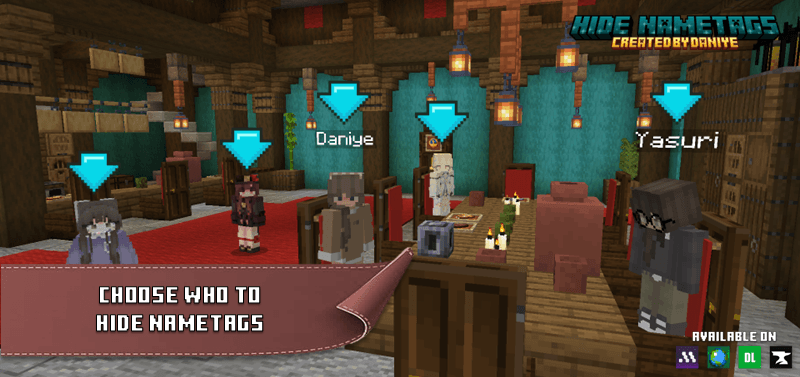
This add-on lets you hide player name tags using the /tag command.
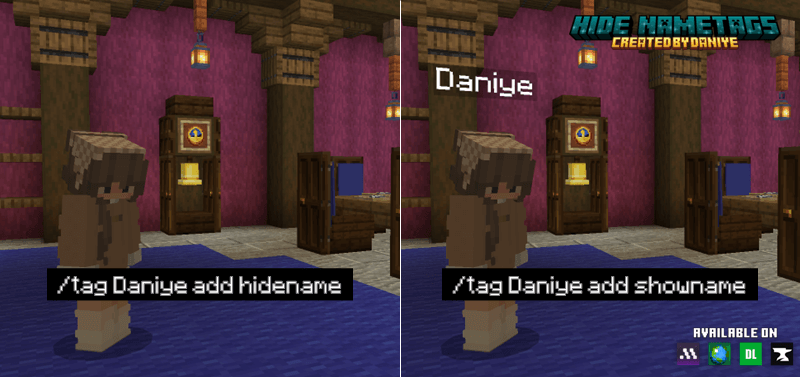
To hide a name tag, type:
/tag <playername> add hidename
To show it again, type:
/tag <playername> add showname
Perfect for map makers or hosts who want a cleaner gameplay experience.

Note: Do not place these commands in a repeating command block they will not work properly.
I created this addon for my map "Hide N Kill" and thought it would be useful to share it with you.
I understand that some people may ask, "What's the point of this if you can hide the nametag in the settings?" but I'll explain for those who don't know: if you disable the nametag in your settings, only you will be unable to see that the nametags are hidden; other players will continue to see it unless they disable it too, which is why I created this addon.
This add-on DOES NOT require experimental options. Please DO NOT mix it with packs that use "player.json" to avoid errors.
- Edition: Minecraft Bedrock
- File type: .mcpack or .mcaddon
- Minecraft version listed: 1.21.101
- How to install: Download the .mcpack or .mcaddon file. → Open it — Minecraft imports it. → In your world: Behavior Packs → Available → Activate, then the same under Resource Packs.
- Where to get it: Opens on CurseForge — not every file is mirrored on our own servers.
Install steps are the general flow for this file type — How to install Minecraft Bedrock addons & mods walks through it step by step.
- Pack type: .mcaddon — behaviour and resource pack in one file
- Manifest requires Minecraft 1.21.70 or newer
- Complete pack — everything it depends on is inside the file
- Download size: 119 KB
- Download link checked 15 Sept 2026 — working
These come from our own check of the pack file, not from the source page.