Fake Blocks
Bedrock add-on listed for Minecraft 1.21–26.x (behavior + resource pack). File opened and checked on 25 Sep 2026; installs from the MC Bedrock Mods app on Android.
Over 50 ghost blocks! The Falsifier Block lets you create fake blocks with no collision. Right-click the Falsifier Block to open an interface where you…
⬇ Download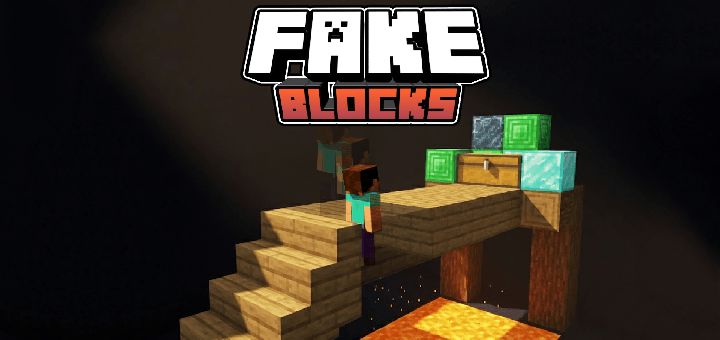
Fake Block is an add-on for Minecraft Bedrock that adds fake blocks. While they look like normal blocks, they are completely transparent in terms of collision, allowing you to create traps, secret passages, and much more.

Utilities: The utilities focus on creating traps. One example is hallway traps—when a player walks through and doesn't realize they are walking over fake blocks, they will fall. Another great utility is secret walls. For instance, walls in low-traffic areas where players would never think to pass through, making them ideal for hidden passages.
To create the fake blocks, you will need to craft the falsifier
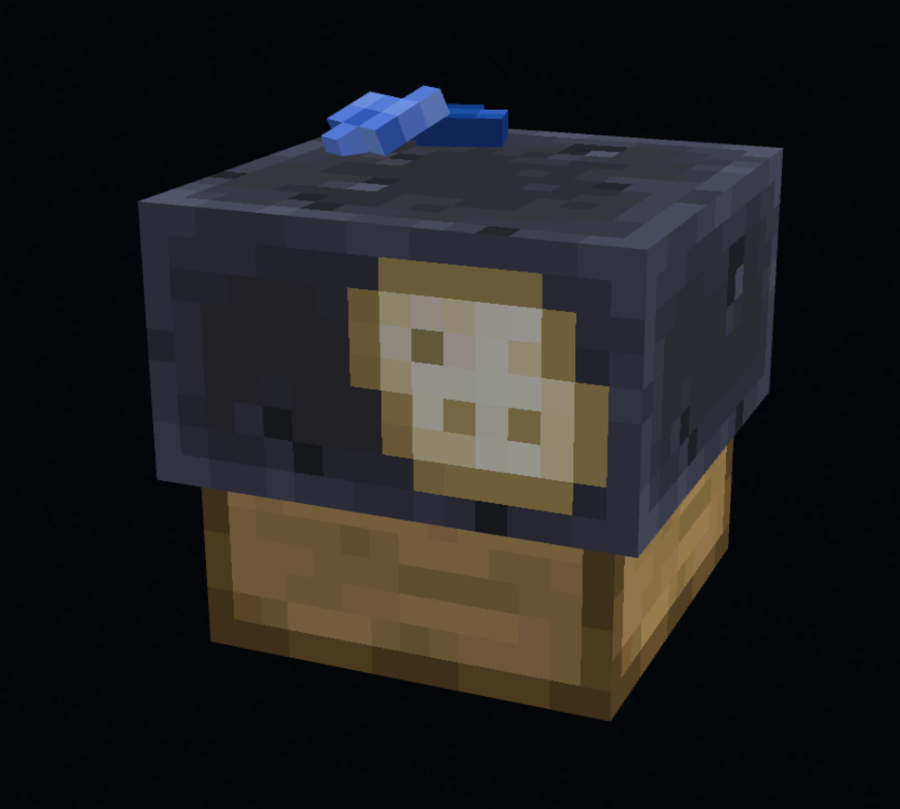
This is the crafting recipe used to make this brand new block
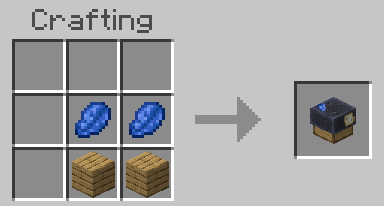
This new block lets you combine any block with lapis lazuli to create a fake version of itself

When you create the block, you will notice that it is clearly different than the original, but do not worry, thats an easy way to not confuse yourself with real and fake blocks, once you place it, the "FAKE" label will dissapear.
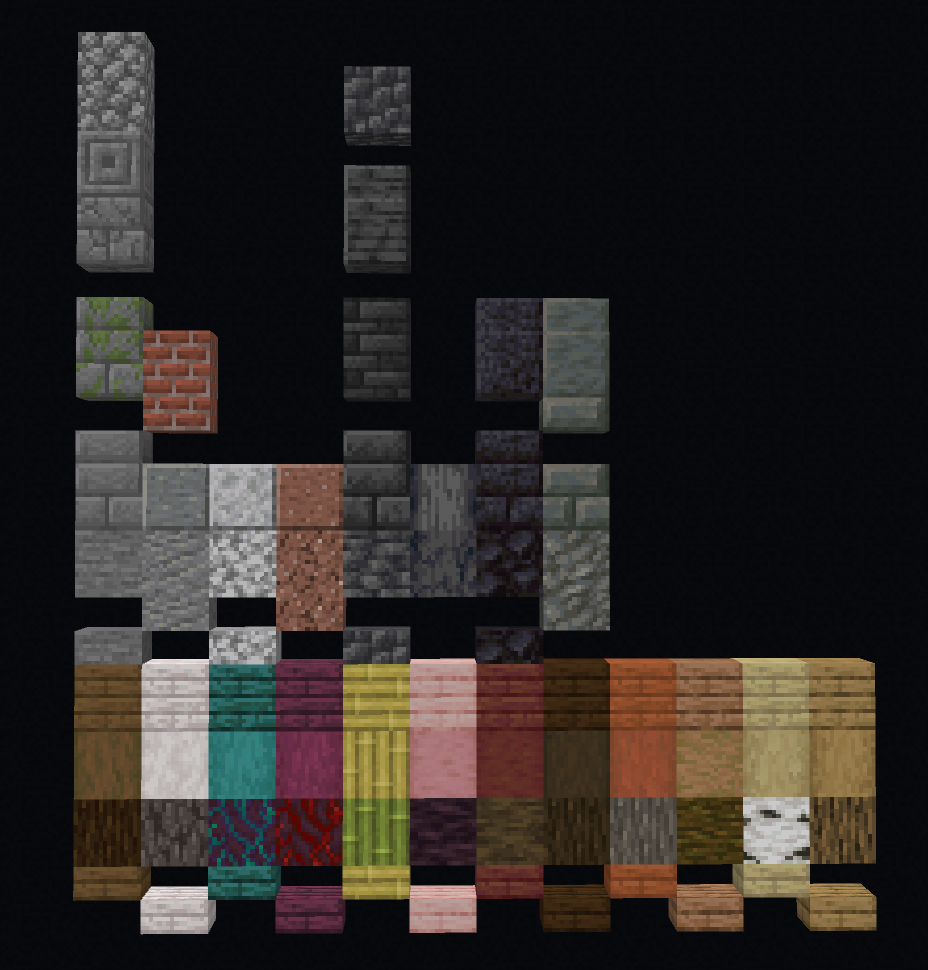
Currently, there are this many blocks added and many more on the go!
Multiplayer: This block is fully compatible with multiplayer and servers, enabling its use without any issues in online worlds with friends.
Visibility: The visibility within the block is as follows: the player inside can only see the area covered by fake blocks and cannot see the outside. From the outside, the fake block appears nearly identical to a normal block, presenting as a solid wall with no transparency, though with a slight, noticeable shadow.
Texture packs: This mods adapts to any resource pack that you may have installed, the item may appear with the vanilla texture, but once you place it, it will adapt to your resource pack!
Downloads | Official Site
- Edition: Minecraft Bedrock
- File type: .mcpack or .mcaddon
- Minecraft versions listed: 1.21.130, 1.21.131, 1.21.132
- How to install: Download the .mcpack or .mcaddon file. → Open it — Minecraft imports it. → In your world: Behavior Packs → Available → Activate, then the same under Resource Packs.
- Where to get it: In MCModsHub, or directly above on this page.
Install steps are the general flow for this file type — How to install Minecraft Bedrock addons & mods walks through it step by step.
- Pack type: .mcaddon — behaviour and resource pack in one file
- Complete pack — everything it depends on is inside the file
- Download size: 943 KB
- Download link checked 18 Jun 2026 — working
These come from our own check of the pack file, not from the source page.