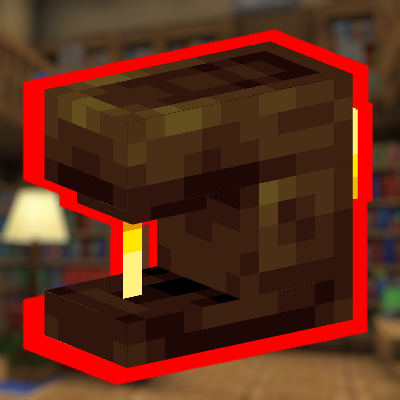
StitchCraft v1.2
this Add-On it's useful again. In simple words, you can repair your armor and reinforce it with leather to reduce the damage received!
⬇ Download

V1.2
-Requires BetaApi to work
-The damage calculation has been updated to be more accurate.
- An animation has been added when using the "Sewing Machine".
Do you need more use for leather? Has leather stopped being useful a long time ago?
Don't worry anymore, with this Add-On it's useful again. In simple words, you can repair your armor and reinforce it with leather to reduce the damage received!
Sewing Machine:

Recipe:
How does it work?
You have to right click or interact with the block using a piece of any armor and this menu will be displayed

REPAIR:
When you click the interact button, a menu will appear showing how much leather you can use to repair an item. The leather required for repairs is 10 when the player is at level 1, but as the player’s level increases, repairs will become less costly and more effective.
If your armor is very worn or slightly worn, you can see how much leather you need to repair it to the maximum or the amount you want. Each leather remedy recovers an amount of 10 points of durability.

Reinforce
This option allows you to apply leather reinforcements to any piece of armor you want. Leather reinforcements may be cheap at first, but the amount required increases with each upgrade. The amount of leather can be reduced if you have a higher tailoring level.


The maximum reinforcement you can apply to your armor is [10]. Protection is most effective if you have a full set of armor with each piece having reinforcement of level [10]
Remember you can also apply protection enchantments to your armor to make the protection even more effective.


STATS
Displays the player's level, how much experience they have gained from using the sewing machine, and how much experience they need to level up. Remember that these are not player levels for enchanting, they are learning levels for using the sewing machine. Having a higher level makes repairing and reinforcing cheaper, so you can keep improving a lot. You can even make 1-time leather reinforcements if you want.

INFO
Shows information on how to use the addon if you are confused
VIDEO TEST

- Edition: Minecraft Bedrock
- File type: .mcpack or .mcaddon
- Minecraft versions listed: 26.10, 26.0.02, 26.0
- How to install: Download the .mcpack or .mcaddon file. → Open it — Minecraft imports it. → In your world: Behavior Packs → Available → Activate, then the same under Resource Packs.
- Where to get it: In MCModsHub, or directly above on this page.
Install steps are the general flow for this file type — How to install Minecraft Bedrock addons & mods walks through it step by step.
- Pack type: .mcaddon — behaviour and resource pack in one file
- Manifest requires Minecraft 1.21.2 or newer
- Complete pack — everything it depends on is inside the file
- Download size: 225 KB
- Download link checked 18 Jun 2026 — working
These come from our own check of the pack file, not from the source page.

