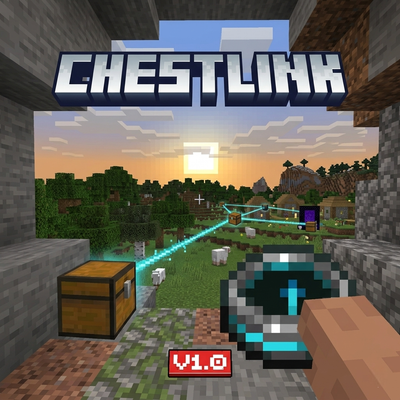
ChestLink
Bedrock add-on listed for Minecraft 1.20–26.x (behavior pack only). File opened and checked on 29 Sep 2026; installs from the MC Bedrock Mods app on Android.
[LOGROS ACTIVOS / ACHIEVEMENTS ENABLED] Your base in your pocket: Access, send, and manage your chests from anywhere in the world.
⬇ Download on CurseForge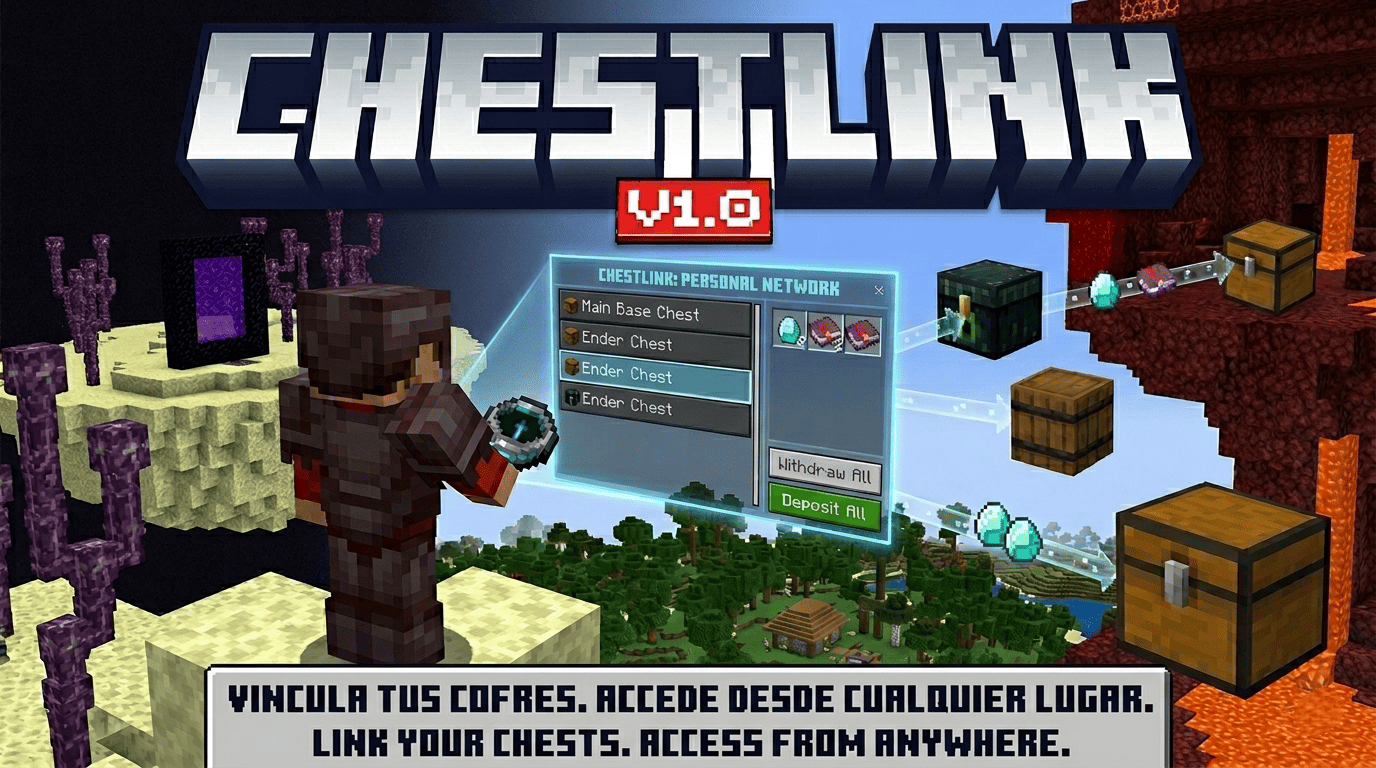

🇺🇸 English
[100% ACHIEVEMENTS COMPATIBLE]
ChestLink is a Bedrock add-on that lets you carry your chests with you — virtually. Link any chest, barrel or ender chest to your personal network and access all your stored items from anywhere in the world, in any dimension, without needing to be near the physical block.
How it works:
When you join the world you automatically receive the ChestLink device in your inventory. Hold it and right-click any chest, barrel or ender chest to open the "Link chest" form — enter a name for the link and confirm. Your items are immediately moved into your private virtual vault.
To access your network, right-click in the air with the device to open the ChestLink main menu. From there, tap "Open links" to see all your linked containers. Select any link to open its Vault, where you'll find the following options:
- Take all — moves every item from the vault straight to your inventory
- Send all — sends every valid item from your inventory to the vault
- Take items — opens the "Take items" menu where you pick an item and use a slider to choose exactly how many units to take
- Send items — opens the "Send items" menu where you pick an item from your inventory and use a slider to choose exactly how many units to send
- Import from chest — pulls any new items sitting inside the physical chest into the vault
- Mark favorite / Remove favorite — favorites appear at the top of your "Linked chests" list
- Rename — opens the "Rename link" form to give the link a new name
- Unlink — opens a confirmation screen; if the chest still exists, all items are restored to it automatically before the link is removed
If you break a linked chest, ChestLink cancels the break, releases the link safely and restores the items to the block. Break it again to destroy it normally.
From the main menu you can also open "Language" to change the interface language, or "Help" for a quick in-game guide.
🇪🇸 Español
[100% COMPATIBLE CON LOGROS]
ChestLink es un add-on para Bedrock que te permite llevar tus cofres contigo — de forma virtual. Vincula cualquier cofre, barril o cofre de ender a tu red personal y accede a todos tus items desde cualquier lugar del mundo, en cualquier dimensión, sin necesidad de estar cerca del bloque físico.
¿Cómo funciona?
Al entrar al mundo recibes automáticamente el dispositivo ChestLink en tu inventario. Sostenlo y haz clic derecho sobre cualquier cofre, barril o cofre de ender para abrir el formulario "Vincular cofre" — escribe un nombre para el enlace y confirma. Tus items se mueven de inmediato a tu bóveda virtual privada.
Para acceder a tu red, haz clic derecho en el aire con el dispositivo para abrir el menú principal de ChestLink. Desde ahí, toca "Abrir enlaces" para ver todos tus contenedores vinculados. Selecciona cualquier enlace para abrir su Bóveda, donde encontrarás las siguientes opciones:
- Retirar todo — mueve todos los items de la bóveda directamente a tu inventario
- Enviar todo — envía todos los items válidos de tu inventario a la bóveda
- Retirar items — abre el menú "Retirar items" donde eliges un item y usas un slider para indicar exactamente cuántas unidades quieres retirar
- Enviar items — abre el menú "Enviar items" donde eliges un item de tu inventario y usas un slider para indicar exactamente cuántas unidades quieres enviar
- Importar del cofre — jala los items que haya dentro del cofre físico hacia la bóveda
- Marcar favorito / Quitar favorito — los favoritos aparecen al tope de tu lista de "Cofres vinculados"
- Renombrar — abre el formulario "Renombrar enlace" para cambiarle el nombre al enlace
- Desvincular — abre una pantalla de confirmación; si el cofre sigue existiendo, todos los items se restauran automáticamente antes de eliminar el enlace
Si rompes un cofre vinculado, ChestLink cancela la rotura, libera el enlace de forma segura y restaura los items al bloque. Rómpelo de nuevo para destruirlo normalmente.
Desde el menú principal también puedes abrir "Idioma" para cambiar el idioma de la interfaz, o "Ayuda" para ver una guía rápida dentro del juego.
- Edition: Minecraft Bedrock
- File type: .mcpack or .mcaddon
- Minecraft versions listed: 1.21.124, 1.21.130, 1.21.131
- How to install: Download the .mcpack or .mcaddon file. → Open it — Minecraft imports it. → In your world: Behavior Packs → Available → Activate, then the same under Resource Packs.
- Where to get it: Opens on CurseForge — not every file is mirrored on our own servers.
Install steps are the general flow for this file type — How to install Minecraft Bedrock addons & mods walks through it step by step.
- Save it as ChestLink.mcaddon before opening — it downloads as .mcpack, but it is a .mcaddon pack
- Manifest requires Minecraft 1.20.40 or newer
- Complete pack — everything it depends on is inside the file
- Download size: 111 KB
- Download link checked 6 Oct 2026 — working
These come from our own check of the pack file, not from the source page.