
mvShop - Minimal Shop - Buy Sell from anywhere in your world - Works on Local / Offline, Realms, Servers, All Consoles
mvShop for Bedrock is a minimal clutter-free shop that allows you to buy and sell all base-level items and non-craftable items & the shop works on local worlds, servers, realms, and on any device for Minecraft Bedrock 1.20.30 and above. This helps simplify offerings to keep a vanilla experience.

Click to view video of mvShop in action!
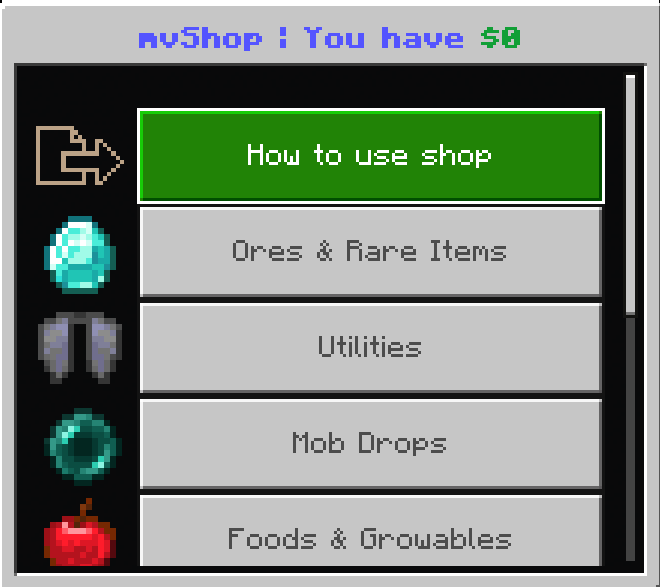
What options are available in mvShop:
- Ores & Rares: All ore related items from Clay and Coal to Diamonds and Netherite + rare or hard to get items such as Obsidian, Netherstars and XP bottles
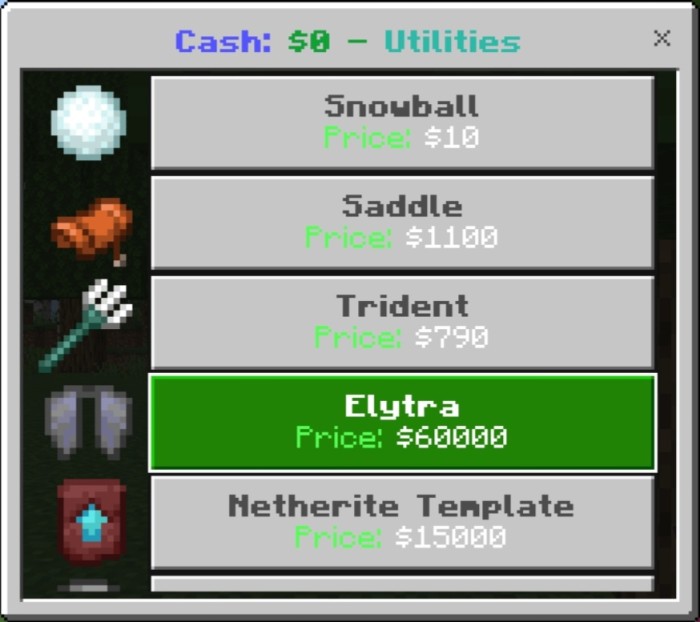
- Utilities: Non-craftable items and tools, like Snow balls, Tridents, Saddles, Elytra, Nether Templates, and various buckets
- Mob Drops: Every single mob drop. From Rotten Flesh, Spider Eyes, to Wool, Ender pearls, and Totems
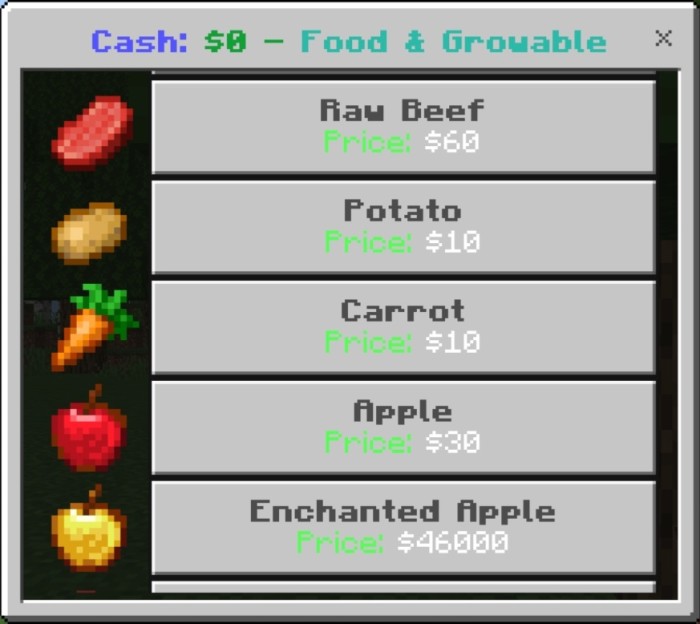
- Foods & Growables: All raw foods, seeds, and anything that grows
- Potions: Most maxed out potions
- Enchanted Books: All of the best or longest lasting enchanted books**
- Trees & Grass: All wood logs, leaves, saplings and grass related items
- Flowers & Dyes: Every flower including wither rose, as well as dyes to make bulk crafting some dyed items a little easier
- Concrete: Every concrete color to avoid having to tower a bunch of powder, add water and then mine them all
- General Blocks: This includes the basics like Sands, Gravel, Cobble, every base-level block in the game
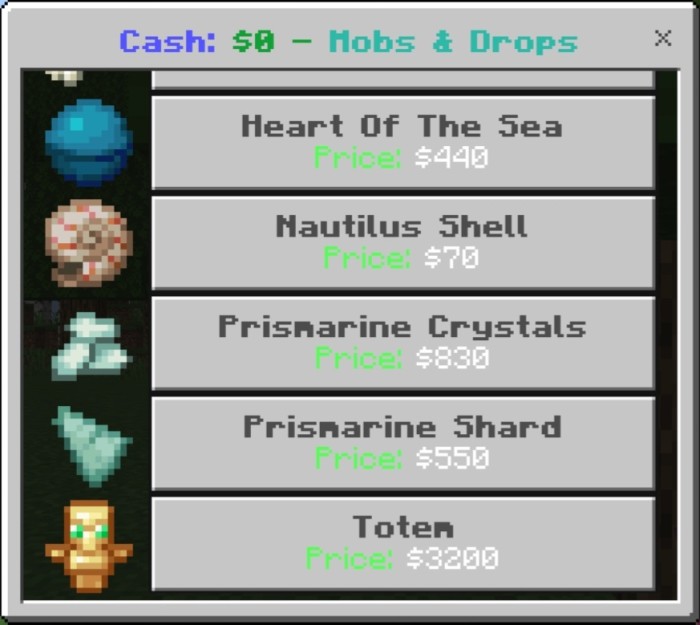
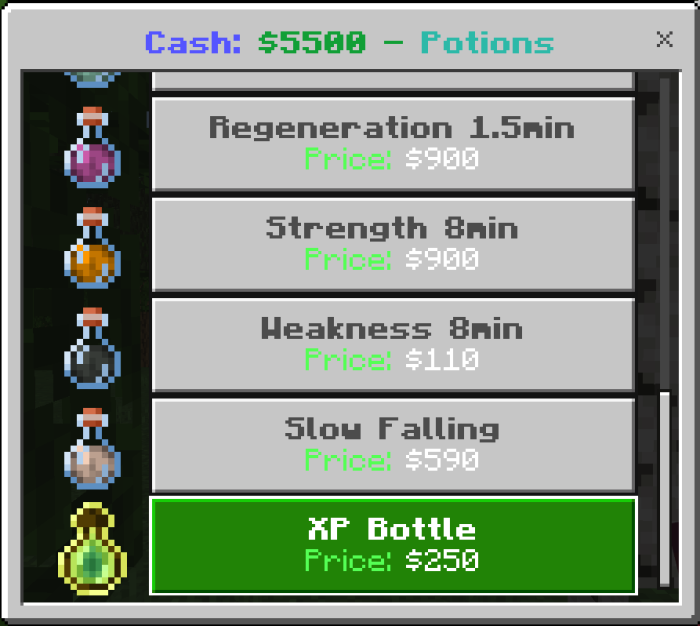
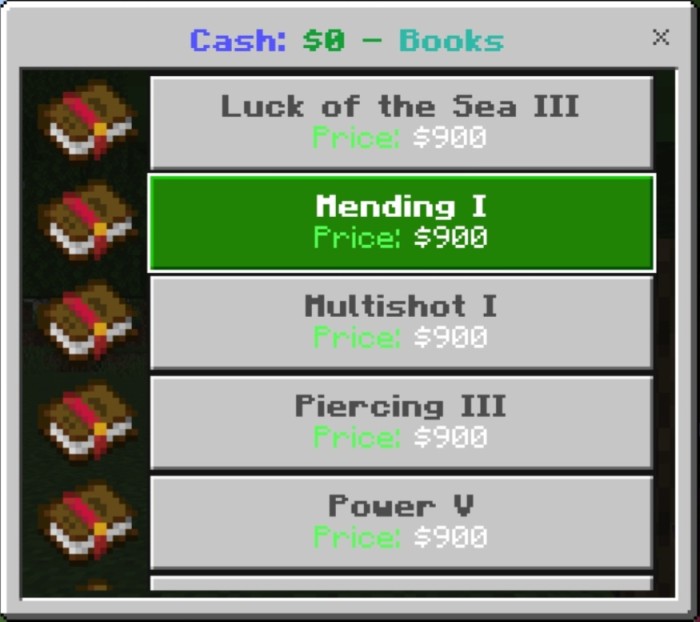
Unique features:
- Works on all world types, servers, realms, local worlds offline, consoles etc
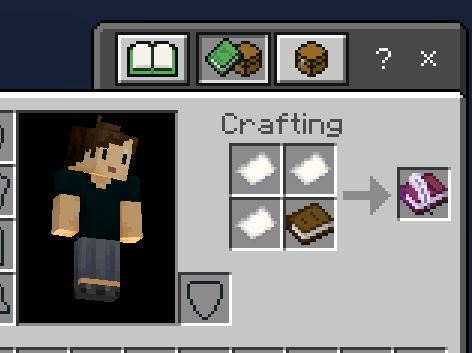
- Enchanted books! It requires an mvShop book in the first hotbar slot and one regular book in the slot beside it, then you can buy any enchanted book!
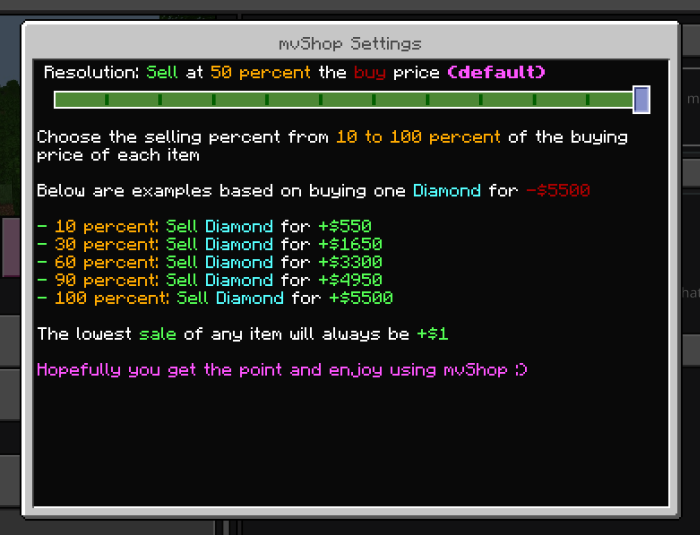
- You can choose between multiple selling rate options ranging from 10 to 100% of the cost of buying*
- Bring the shop with you anywhere in the world, in any dimension, at any time!
Installation and how to use:
- Download mvShop.mcpack and open it up in Minecraft
- Add mvShop from the Behaviour Packs tab for your world, then craft mvShop with 3 paper and a book from a crafting table to use it!
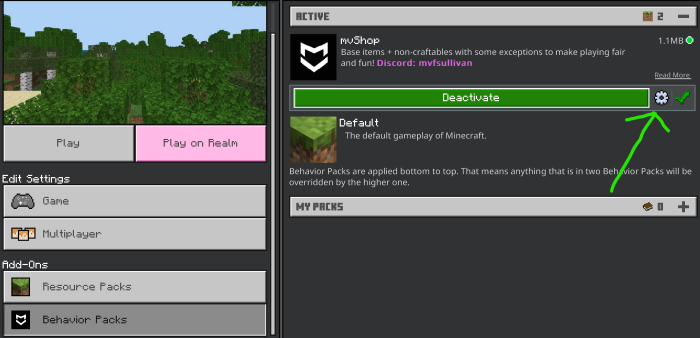
How to set your own sell rates!:
- Exit the world if you're in it
- Click the edit icon for your world
- Go to behaviour packs section, click mvShop then click the gear icon:
Feel free to mod or share mvShop, no need to wait for permission or give credit.
Its all up to you!
- Edition: Minecraft Bedrock
- File type: .mcpack or .mcaddon
- Minecraft versions listed: 1.20.40, 1.21.30, 1.21.50
- How to install: Download the .mcpack or .mcaddon file. → Open it — Minecraft imports it. → In your world: Behavior Packs → Available → Activate, then the same under Resource Packs.
- Where to get it: Opens on CurseForge — not every file is mirrored on our own servers.
Install steps are the general flow for this file type — How to install Minecraft Bedrock addons & mods walks through it step by step.
- Save it as mvShop-v1.0.6.mcaddon before opening — it downloads as .mcpack, but it is a .mcaddon pack
- Manifest requires Minecraft 1.21.0 or newer
- Complete pack — everything it depends on is inside the file
- Download size: 21 KB
- Download link checked 15 Sept 2026 — working
These come from our own check of the pack file, not from the source page.