
Fantastic Builder Wand
The addon works in a very simple way and perfectly adapted to the survival mode, while the construction is being done, your inventory is analyzed in real…
⬇ Download on CurseForge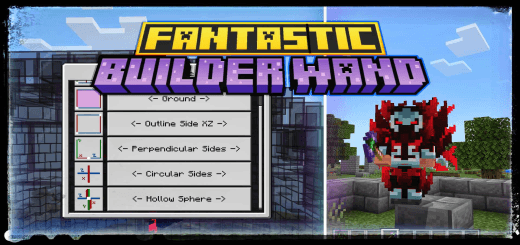
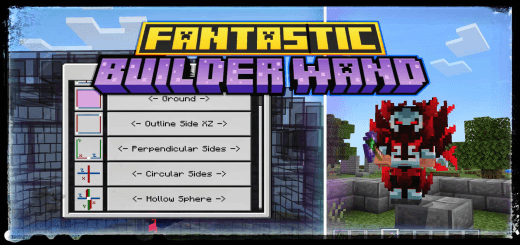
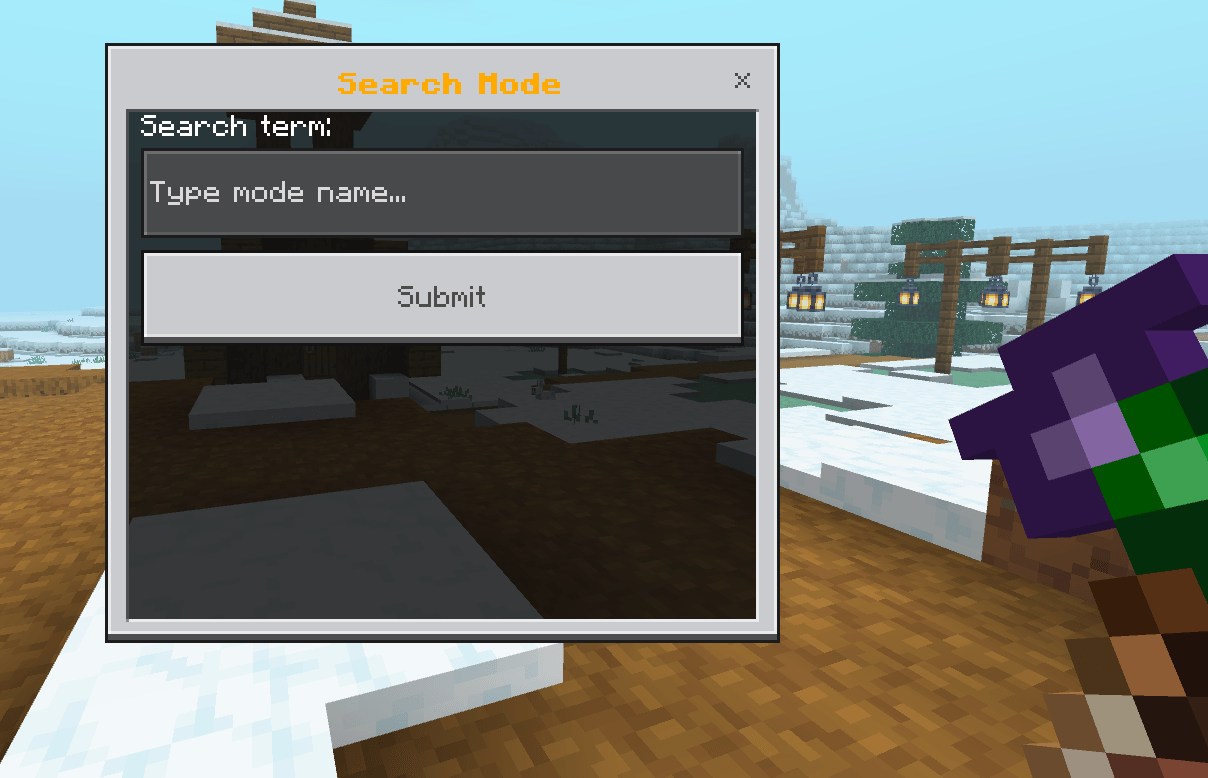
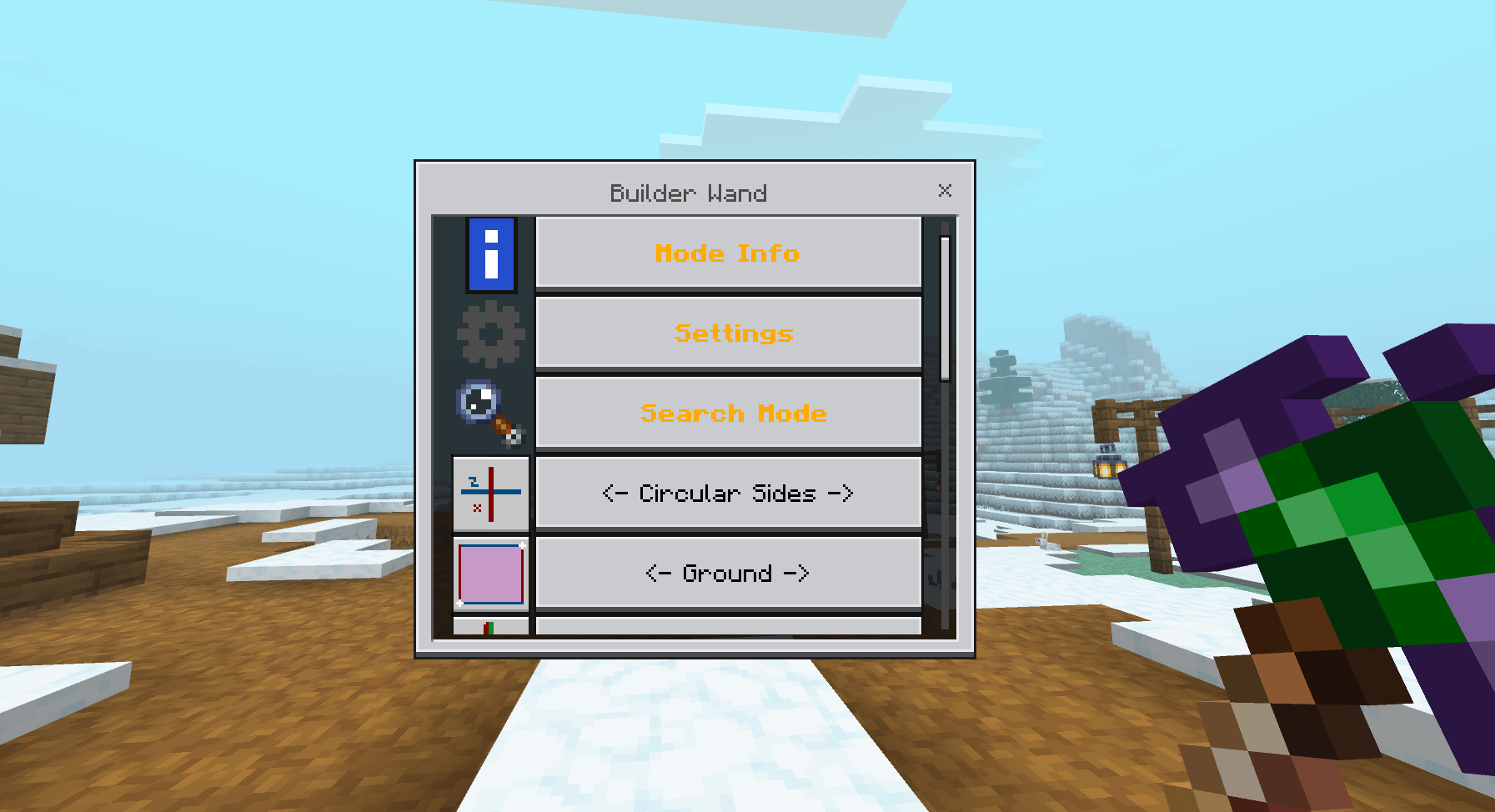
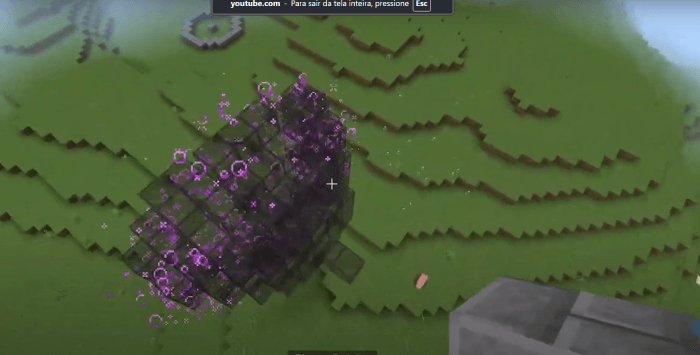
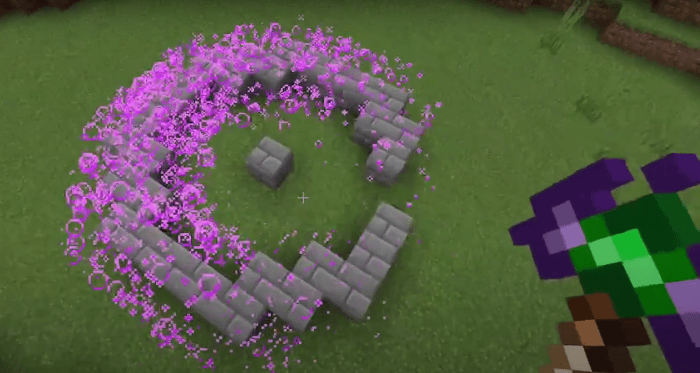
Builder Wand (Mode Selection)
This add-on introduces a Builder Wand that allows players to build more efficiently by selecting two coordinates and confirming the structure.
🛠 How It Works
-
Mode Selection
- Sneak + Use the wand to select a mode.
- If no mode is selected, the Builder Wand will not work.
-
Saving Coordinates
- Use the wand on a block to save the first coordinate (block to be built).
- Use the wand again to save the second coordinate, which will open the confirmation UI.
📱 Low Device Support
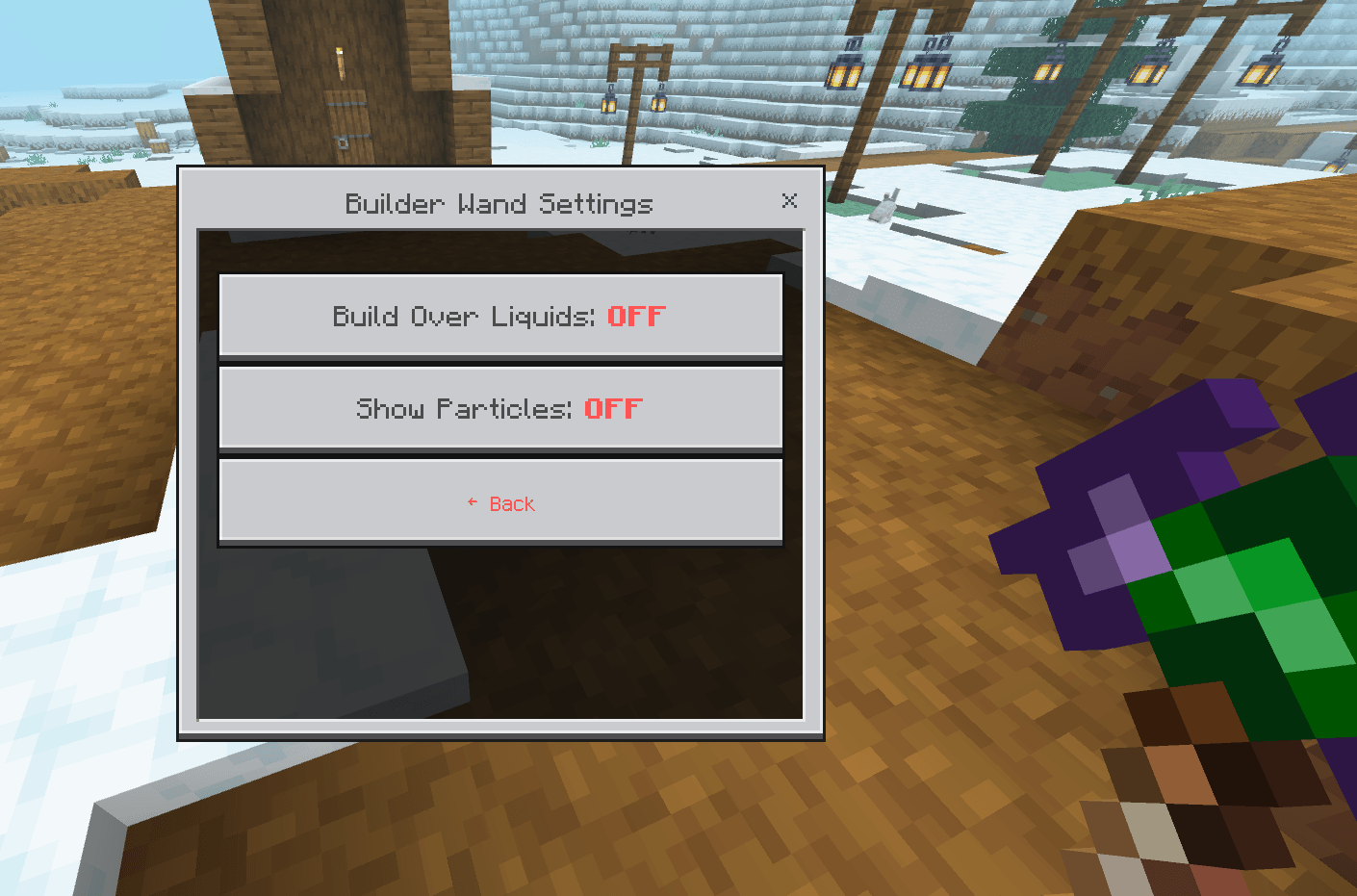
- For players with lower-end devices, Settings option can be enabled to ENABLE/DISABLE construction particles, improving performance.
🏗️ Complete Manual - Builder Wand
A comprehensive guide to mastering all construction modes of the Builder Wand!
📋 GETTING STARTED
🔧 Basic Setup
- Equip the Builder Wand in your main hand
- Sneak (Shift) + Right Click to open the mode menu
- Use ⚙️ Settings to configure "Build Over Liquids"
🎯 Selection System
- First Click: Selects the origin point (reference block)
- Second Click: Selects the destination point and shows preview
- Confirm in the menu to build
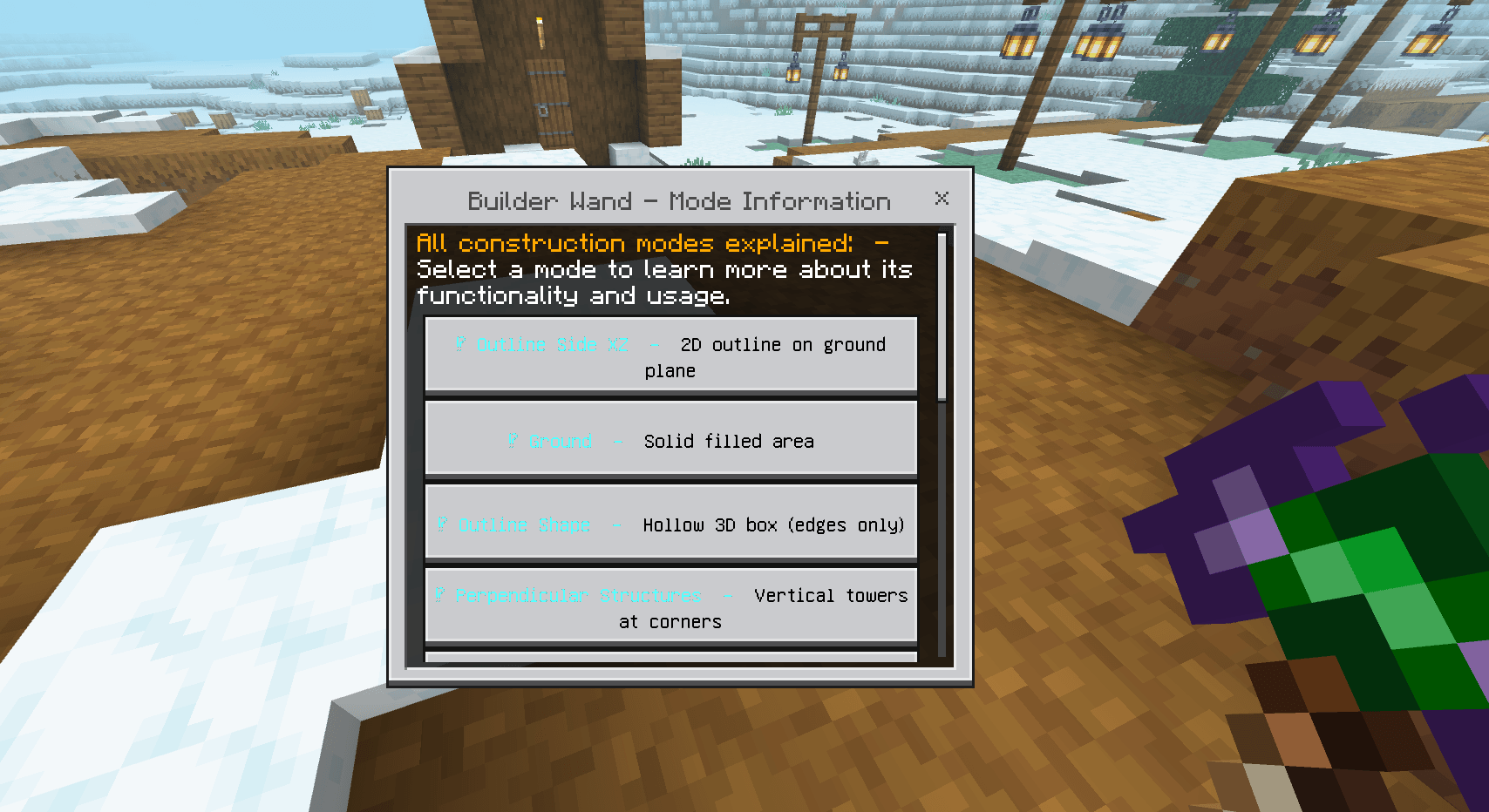
🎯 CONSTRUCTION MODES
🔷 OUTLINE SIDE XZ
📐 What it does: Creates a 2D outline on the XZ plane (ground level) 🎯 How to use:
- First click: bottom-left corner
- Second click: top-right corner
- Result: Only the edges of the rectangle are filled
💡 Perfect for: Fences, area boundaries, ground frames
🟦 GROUND
📐 What it does: Fills the entire area on the XZ plane 🎯 How to use:
- First click: one corner of the area
- Second click: opposite corner
- Result: Solid filled area
💡 Perfect for: Floors, foundations, flat platforms
🔲 OUTLINE SHAPE
📐 What it does: Creates a hollow 3D box (only the edges) 🎯 How to use:
- First click: bottom corner on one side
- Second click: top opposite corner
- Result: Hollow structure with all edges
💡 Perfect for: Hollow structures, 3D frames, warehouses
⏹️ PERPENDICULAR STRUCTURES
📐 What it does: Creates vertical towers at the corners of a square 🎯 How to use:
- First click: center of the area
- Second click: defines the radius (distance from center)
- Result: 4 columns at cardinal points
💡 Perfect for: Guard towers, bridge pillars, symmetrical structures
⭕ CIRCULAR SIDES
📐 What it does: Creates a perfect circle on the XZ plane 🎯 How to use:
- First click: center of the circle
- Second click: defines the radius
- Result: Complete circle on the ground
💡 Perfect for: Circular arenas, round bases, gardens
🔴 HOLLOW SPHERE
📐 What it does: Creates a hollow 3D sphere 🎯 How to use:
- First click: center of the sphere
- Second click: defines the radius
- Result: Perfect hollow sphere
💡 Perfect for: Planets, domes, spherical structures
🔺 PYRAMID
📐 What it does: Creates a hollow pyramid (edges only) 🎯 How to use:
- First click: center of the base
- Second click: defines the base size
- Result: Pyramid with only edges
💡 Perfect for: Temples, Egyptian structures, pointed roofs
🧱 SOLID SHAPE
📐 What it does: Creates a solid 3D cube completely filled 🎯 How to use:
- First click: bottom corner
- Second click: opposite top corner
- Result: Solid filled cube
💡 Perfect for: Solid foundations, artificial mountains, quick filling
🌀 SPIRAL STAIRCASE
📐 What it does: Creates an ascending spiral staircase 🎯 How to use:
- First click: base of the staircase
- Second click: defines radius and height
- Result: Circular staircase that ascends
💡 Perfect for: Towers, castles, elegant vertical access
🧱 WALL
📐 What it does: Creates a vertical wall between two points 🎯 How to use:
- First click: base on one side
- Second click: top on the other side
- Result: Flat vertical wall
💡 Perfect for: Walls, fortress walls, partitions
🎲 RANDOM GROUND
📐 What it does: Fills an area on the XZ plane with 50% chance at each position, creating a random and chaotic pattern
🎯 How to use:
- First click: one corner of the area
- Second click: opposite corner
- Result: Area with random block pattern (approximately 50% filled)
💡 Perfect for:
- Creating natural and organic terrain
- Making chaotic patterns for adventure maps
- Generating procedural noise for constructions
- Combining with normal Ground mode to fill empty spaces
✨ Usage Strategy:
- Use Random Ground first to create variation
- Then use normal Ground mode to fill the gaps
- Result: Terrain with natural variation but completely solid
🎲 Pro Tip: Perfect for creating "Swiss cheese" terrain effects or randomized floor patterns that look more organic and less artificial!
⚡ ADVANCED FEATURES
🔍 SEARCH SYSTEM
- Use "Search Mode" to quickly find modes
- Type part of the name: "circ" finds "Circular Sides"
- Works with all 10 modes!
💧 BUILD OVER LIQUIDS
- Toggle in ⚙️ Settings
- ON: Builds over water/lava
- OFF: Only builds on solid blocks/air
🎨 REFERENCE BLOCK SYSTEM
- The wand copies the block from the first click
- Use different blocks for colorful designs
- The block is saved in the wand's lore
⏱️ CONSTRUCTION TIMING
- Large constructions have progressive delay
- Particles show progress
- Don't interrupt the process
🚀 PRACTICAL EXAMPLES
🏰 Building a Castle:
- GROUND for the courtyard
- WALL for the walls
- OUTLINE SHAPE for hollow towers
- SPIRAL STAIRCASE to climb towers
- PYRAMID for pointed roofs
🌳 Creating a Garden:
- CIRCULAR SIDES for round flower beds
- OUTLINE SIDE XZ for paths
- HOLLOW SPHERE for gazebos
🏗️ Modern Structure:
- SOLID SHAPE for solid foundation
- PERPENDICULAR STRUCTURES for pillars
- OUTLINE SHAPE for floors
⚠️ TROUBLESHOOTING
❌ "No modes found with that name!"
- Check mode spelling
- Use partial terms: "hollow" for "Hollow Sphere"
❌ Preview doesn't appear
- Make sure you selected two different points
- Confirm you have the required block in inventory
❌ Construction stops midway
- Don't interrupt the process
- Check if you have enough blocks
❌ Won't build over water
- Enable "Build Over Liquids" in settings
🎯 MODE SUMMARY TABLE
| Mode | Type | Primary Use |
|---|---|---|
| Outline Side XZ | 2D | Ground outlines |
| Ground | 2D | Solid flat areas |
| Outline Shape | 3D | Hollow structures |
| Perpendicular Structures | 3D | Symmetrical towers |
| Circular Sides | 2D | Perfect circles |
| Hollow Sphere | 3D | Hollow spheres |
| Pyramid | 3D | Pyramids |
| Solid Shape | 3D | Solid cubes |
| Spiral Staircase | 3D | Circular staircases |
| Wall | 3D | Vertical walls |
| Random Ground | 2D | Randomized Solid Flat areas |
🔧 TECHNICAL NOTES
- Works with: All solid blocks
- Range: Limited by render distance
- Performance: Large builds may cause temporary lag
- Compatibility: Works in all dimensions
✨ Pro Tip: Combine modes for complex constructions! Use SOLID SHAPE for bases and OUTLINE SHAPE for lightweight structures. Experiment with different combinations for unique designs!
Happy Building! 🏗️✨
Showcase Videos:
- Edition: Minecraft Bedrock
- File type: .mcpack or .mcaddon
- Minecraft versions listed: 1.21.30, 1.21.50, 1.21.81
- How to install: Download the .mcpack or .mcaddon file. → Open it — Minecraft imports it. → In your world: Behavior Packs → Available → Activate, then the same under Resource Packs.
- Where to get it: Opens on CurseForge — not every file is mirrored on our own servers.
Install steps are the general flow for this file type — How to install Minecraft Bedrock addons & mods walks through it step by step.
- Pack type: .mcaddon — behaviour and resource pack in one file
- Manifest requires Minecraft 1.21.0 or newer
- Complete pack — everything it depends on is inside the file
- Download size: 30 KB
- Download link checked 15 Sept 2026 — working
These come from our own check of the pack file, not from the source page.