AddonsBedrock
Diagonal Fence and Walls
Bedrock add-on listed for Minecraft 1.21 (behavior + resource pack). File opened and checked on 17 Oct 2026; installs from the MC Bedrock Mods app on Android.
⬇ Download on CurseForge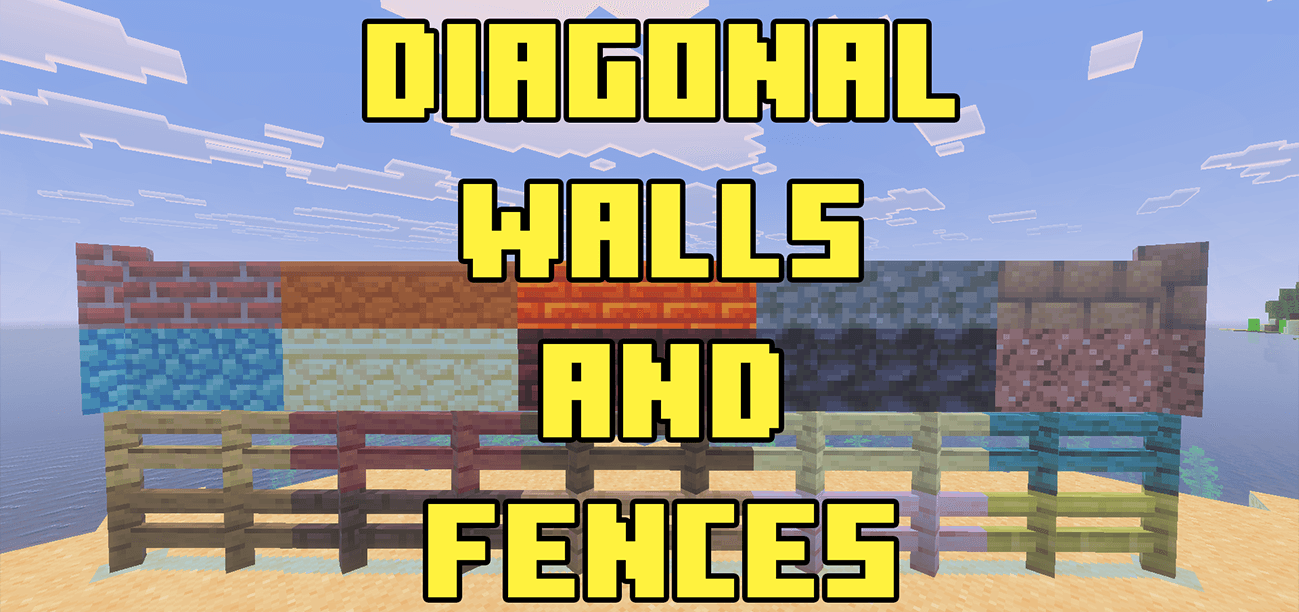
This addon adds a different kind of fences and walls in your world, these fences and walls instead of straight they are diagonal. These custom diagonal fences connect like fences but diagonally to each other.
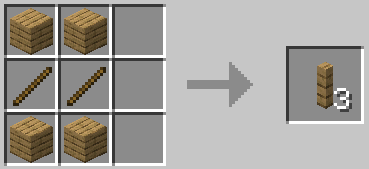
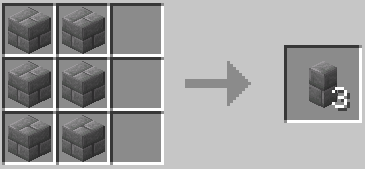
These fences and walls are easy to craft they use the same amount of ingredients as their vanilla counterpart but their recipe is altered.
Crafting Recipe Fence Example:
Crafting Recipe Fence Wall Example:
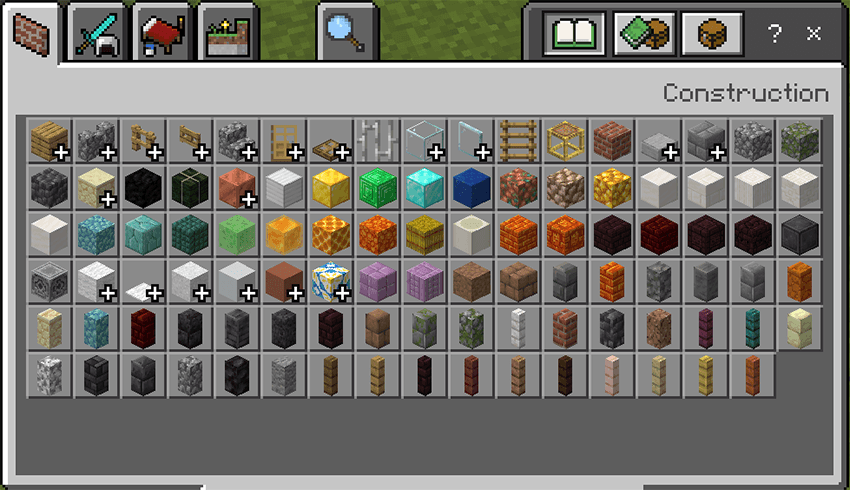
You find the diagonal fence and walls in the construction tab of the inventory menu.
What it looks ingame

Note:
- If you experienced any bug visit my discord and submit a bug report https://discord.gg/DZ7Q2ugEeg
Quick facts
- Edition: Minecraft Bedrock
- File type: .mcpack or .mcaddon
- Minecraft versions listed: 1.21.101, 1.21.100
- How to install: Download the .mcpack or .mcaddon file. → Open it — Minecraft imports it. → In your world: Behavior Packs → Available → Activate, then the same under Resource Packs.
- Where to get it: Opens on CurseForge — not every file is mirrored on our own servers.
Install steps are the general flow for this file type — How to install Minecraft Bedrock addons & mods walks through it step by step.
File checked by MCModsHub
- Pack type: .mcaddon — behaviour and resource pack in one file
- Manifest requires Minecraft 1.21.100 or newer
- Complete pack — everything it depends on is inside the file
- Download size: 700 KB
- Download link checked 5 Oct 2026 — working
These come from our own check of the pack file, not from the source page.