![More Vanilla Armor [Achievements]](https://files.mcmodshub.com/img/curseforge/67891.png)
More Vanilla Armor [Achievements]
[Achievements Enabled] Add functional, balanced armor sets for materials that deserve more love—Copper, Amethyst, and Emerald!
⬇ Download![More Vanilla Armor [Achievements] — screenshot 1](https://files.mcmodshub.com/img/curseforge/67891_s0.png)
The project has been moved to Vanilla Extended

More Vanilla Armor
Give Protection to Overlooked Materials!
Add functional, balanced armor sets for materials that deserve more love—Copper, Amethyst, and More!
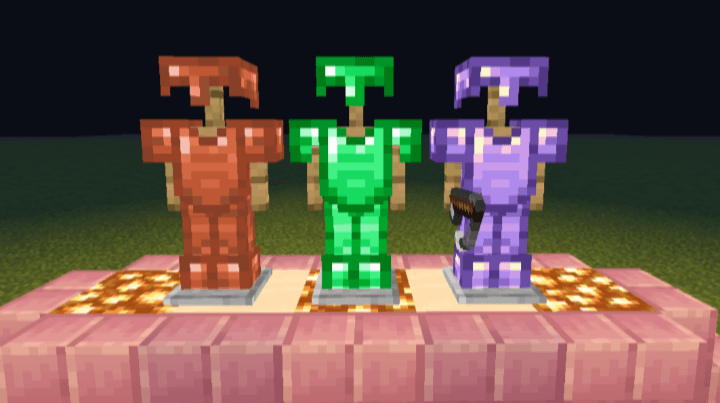
This add-on builds on Minecraft Bedrock Edition's survival experience by introducing three new armor tiers made from underused vanilla resources. Whether you're gearing up early or polishing your late-game loadout, these sets offer both form and function!
Every addon has custom effects, Go check them out!
What This Add-On Includes:
✔ 16 New Items – Complete armor sets for Copper, Amethyst, and More!! (Helmet, Chestplate, Leggings, Boots)
✔ Custom Balancing – Defense values placed between existing vanilla tiers
✔ Durability Tweaked – Scales naturally with your survival journey
✔ Enchantable & Repairable – Fully compatible with anvils and enchantment tables
✔ Custom Effect - Every armor has custom effects!
✔ Achievement-Friendly – 100% survival-compatible (Doesn't disable achievements)
Why These Materials?
- Copper – Early-game armor, better than leather but under iron
- Amethyst – Mid-to-late game gear with high enchantability
- Emerald – Premium armor between diamond and netherite
- Quartz – Easy to make armor, perfect as a throwaway
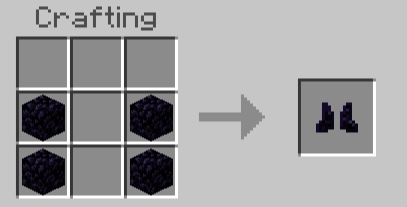
- Obsidian – Best armor for traversing The Nether
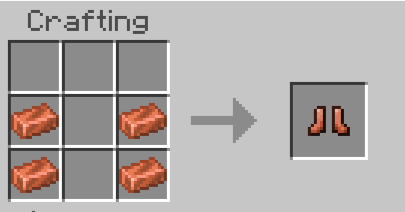
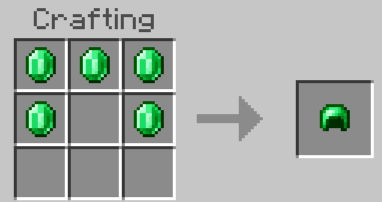
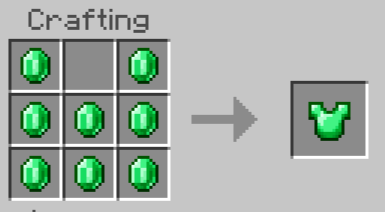
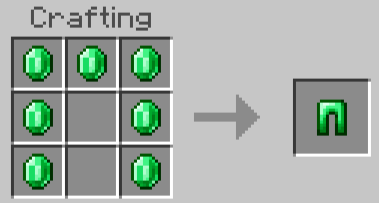
Crafting Recipes:
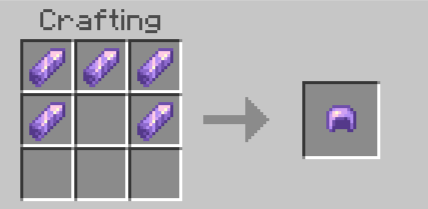
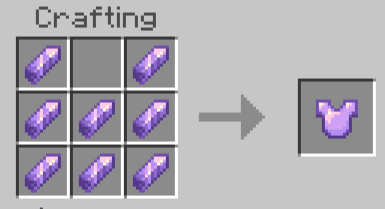
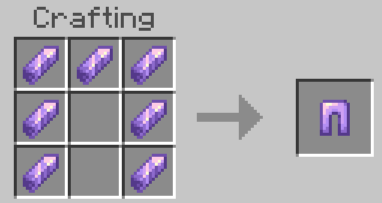
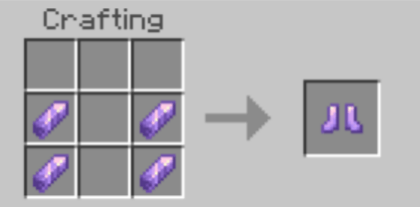
Copper:
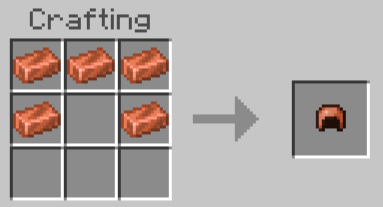
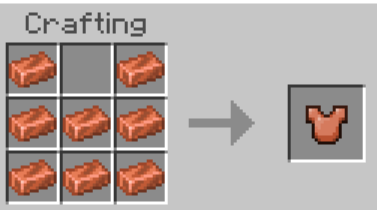
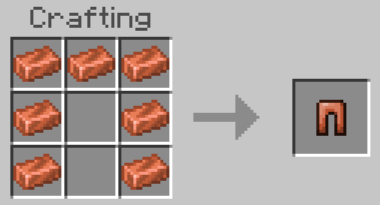
Emerald:
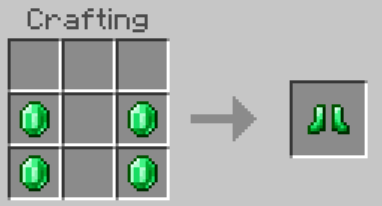
Quartz:
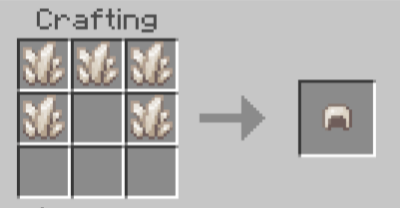
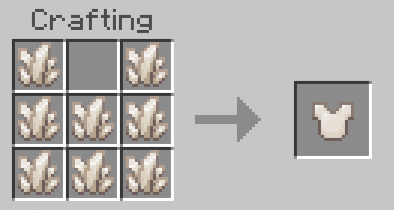
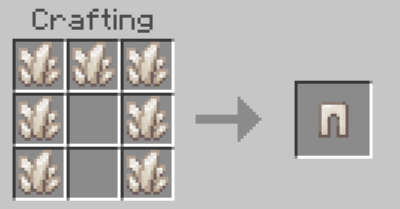
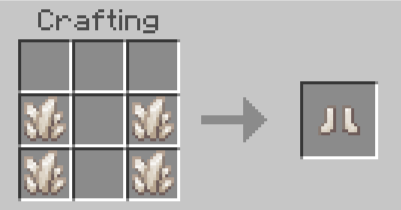
Obsidian:
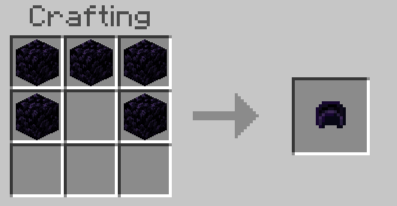
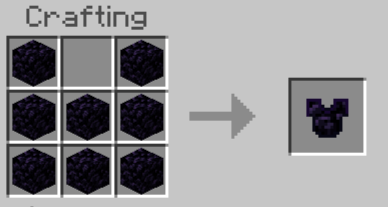
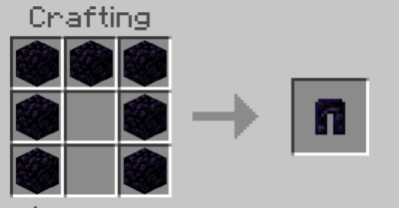
How to Install:
1️⃣ Download the .mcpack file
2️⃣ Open your file manager and import the file
3️⃣ Activate in your world settings
4️⃣ And enjoy!
Works with other Add-Ons and Realms!
Need help? Join our discord
- Edition: Minecraft Bedrock
- File type: .mcpack or .mcaddon
- Minecraft versions listed: 1.21.81, 1.21.90, 1.21.82
- How to install: Download the .mcpack or .mcaddon file. → Open it — Minecraft imports it. → In your world: Behavior Packs → Available → Activate, then the same under Resource Packs.
- Where to get it: In MCModsHub, or directly above on this page.
Install steps are the general flow for this file type — How to install Minecraft Bedrock addons & mods walks through it step by step.
- Pack type: .mcaddon — behaviour and resource pack in one file
- Complete pack — everything it depends on is inside the file
- Download size: 60 KB
- Download link checked 18 Jun 2026 — working
These come from our own check of the pack file, not from the source page.