UBI
Bedrock add-on listed for Minecraft 1.21–26.x (behavior + resource pack). File opened and checked on 27 Aug 2026; installs from the MC Bedrock Mods app on Android.
Welcome to the Thinks Addon for Minecraft Bedrock Edition! This addon introduces powerful tools and blocks to make your gameplay more advanced and…
I don't know my version
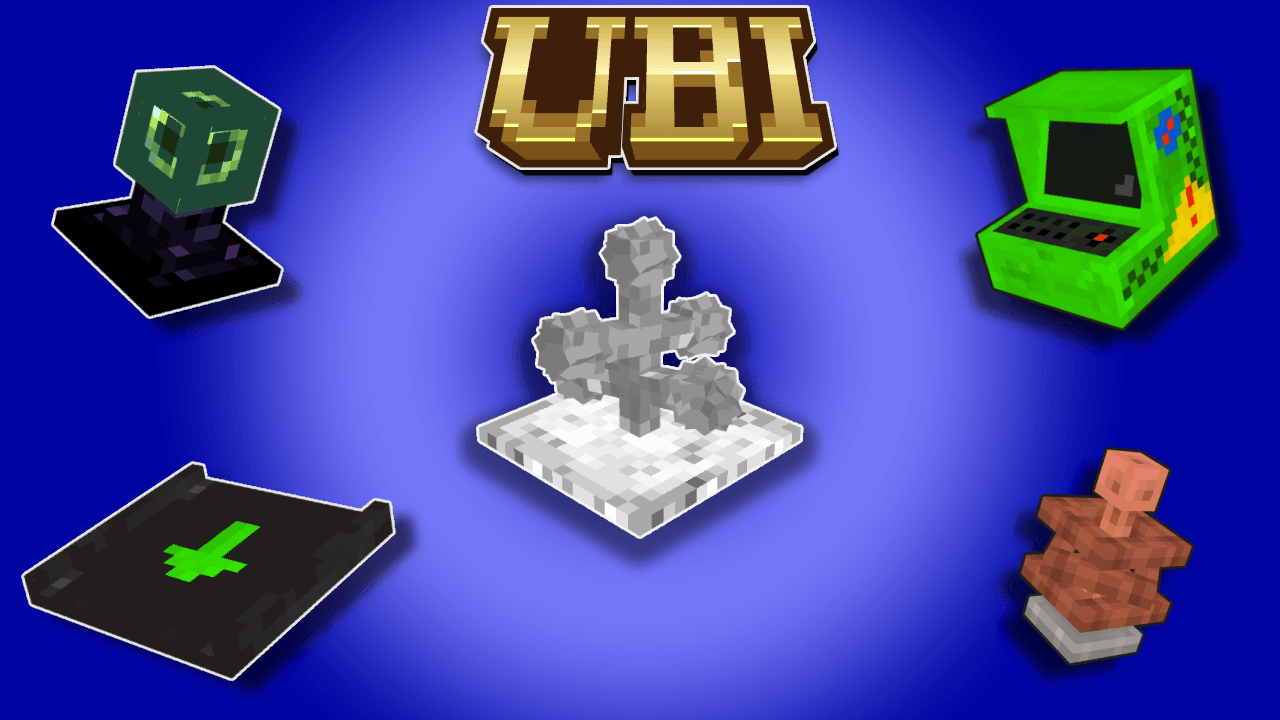
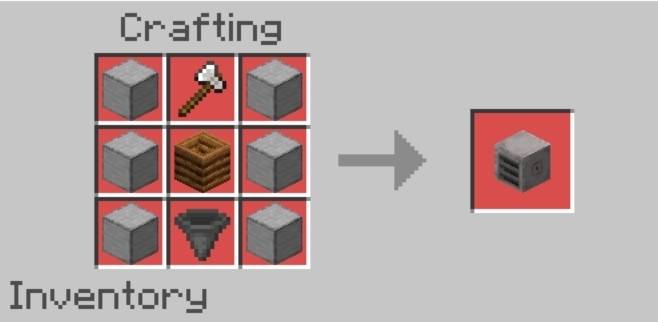
UBI v1.5.0 introduces new exploration and utility tools, including the Mob Locator, Scanner, and Scuba Mask, along with new functional blocks such as the End Cake and Wooden Hopper. This update focuses on improving exploration, mining, transportation, and progression options for players.
🛠️ Thinks Addon – How to Use (MCPE)
Video
---
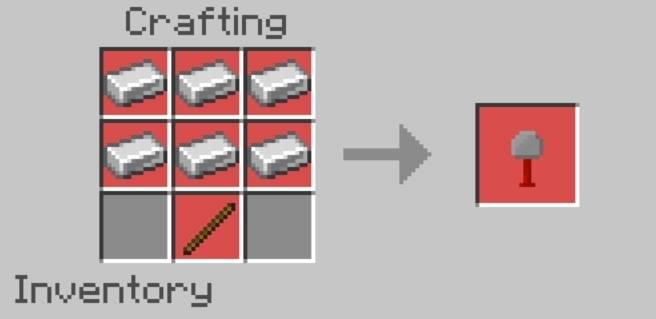
📦 Item 1: Brick Towel
Function: Replaces one block with another.
How to Use:
1. Hold the Brick Towel in your main hand.
2. Place the target block (you want to replace) in the world.
3. In your hotbar, put the replacement block in the slot to the left or right of the Brick Towel.
4. Use the item on the block you want to replace.
> Example: To replace cobblestone with bricks, put brick blocks in the slot next to the towel, and use it on cobblestone. The cobblestone will be replaced.
---
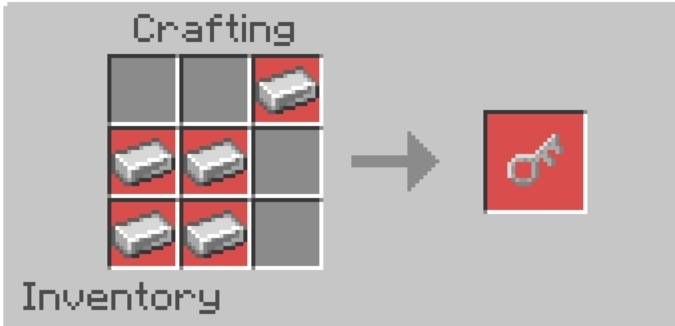
🔑 Item 2: Container Key
Function: Locks and unlocks chests and container blocks.
How to Use:
To Lock: Sneak and use the Container Key on any chest or container block. It will be locked – cannot be broken or opened without the key.
To Unlock: Sneak and use the same key again to unlock it.
> Only the same key can open the locked container.
---
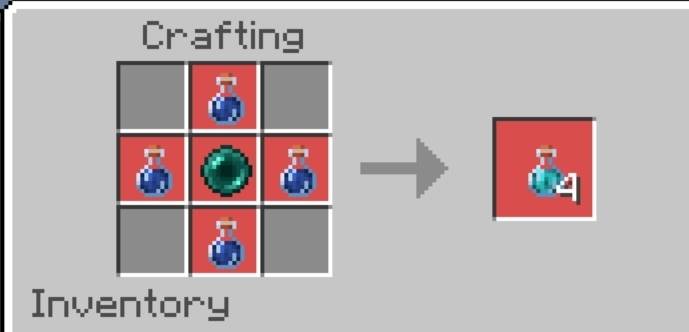
🧪 Item 3: Recall Potion
Function: Teleports the player to their last spawn point.
How to Use:
Simply drink the potion to teleport to your most recent spawn location (bed or world spawn).
---
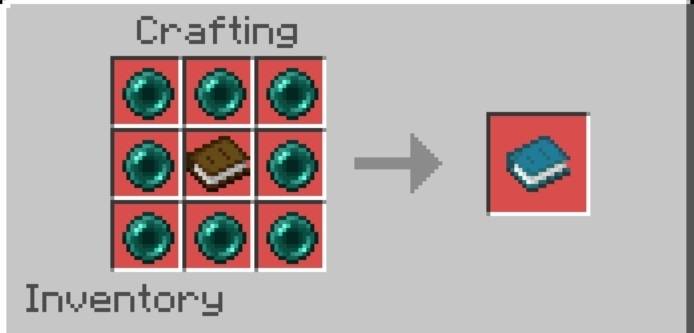
📖 Item 4: Teleport Book
Function: Saves and teleports to custom locations using charge.
How to Use:
1. To Charge:
Put Ender Pearls in the slot next to the book.
Sneak and use the item to add charges.
2. To Use:
Add or select a saved location.
Use the book to teleport (charges will be used).
> More charges = More teleport uses.
---
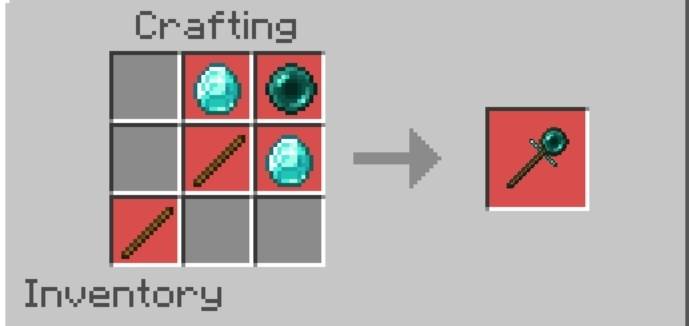
✨ Item 5: Teleport Wand
Function: Instantly teleports you within a 100-block range.
How to Use:
Simply use the wand and look towards your desired location (within 100 blocks) to teleport instantly.
No cooldown or charge needed.
---
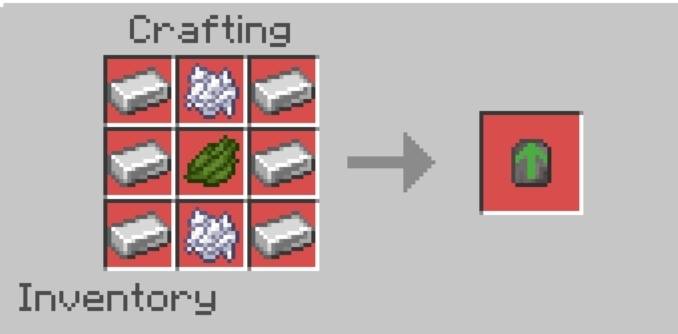
🧱 Item 6: Upgrade
Function: Doubles the processing speed of the Sapling Mill block.
How to Use:
Insert the Upgrade item into the Upgrade Slot of the Sapling Mill block.
---
🪵 Block: Sapling Mill
Function: Automatically generates logs using saplings and dirt.
How to Use:
1. Place the Sapling Mill block.
2. Insert dirt and the desired sapling (of the log you want) into the block.
3. Once the block is full, logs will start generating automatically.
4. Logs are deposited into the chest placed directly below the Sapling Mill.
> Add an Upgrade item to double the processing speed.
My Thinge Addon – Changelog V1.3.0
The Builder Update is here.
Version 1.3.0 me new building tools add kiye gaye hain jo Survival aur Creative dono mode me fast building allow karte hain, saath hi naye decorative blocks bhi add hue hain.
---
New Items – Builder Sticks
● Builder Stick ek utility tool hai jo blocks ko ek direction me automatically extend karta hai
● Is update me Builder Stick ke 2 variants add kiye gaye hain
Iron Builder Stick
● Build Limit: Ek baar me upto 500 blocks place karta hai
● Durability: 1000 uses
● Crafting: 1 Stick + 2 Iron Ingots
Diamond Builder Stick
● Build Limit: Ek baar me upto 2000 blocks place karta hai
● Durability: 4000 uses
● Crafting: 1 Stick + 2 Diamonds
---
New Blocks
● Solid Color Blocks
● All vanilla dye colors (16 colors) ke solid decorative block variants add kiye gaye hain
---
How to Use Builder Stick
Basic Building
● Jis block ko extend karna ho uske face par aim karo
● Usi direction me block build hona start ho jayega
● Survival mode me inventory me same block hona zaroori hai
● Blocks aur durability dono consume hote hain
---
Settings Menu (Configuration)
● Builder Stick ke behaviour ko yahan se change kar sakte ho
Menu Open Karne Ka Tarika
● Builder Stick haath me ho
● Sneak (crouch) karo
● Samne koi block na ho (Air ko target karo)
● Use karte hi settings menu open ho jayega
Menu Option
● Use Block From Neighbor Slot (Toggle)
---
Building Modes
Toggle OFF – Target Mode
● Jis block par stick use kiya hai wahi block inventory se use hoga
Toggle ON – Hotbar Mode
● Builder Stick ke left ya right wale hotbar slots ke blocks use honge
- Edition: Minecraft Bedrock
- File type: .mcpack or .mcaddon
- Minecraft versions listed: 26.0, 26.10, 26.20
- How to install: Download the .mcpack or .mcaddon file. → Open it — Minecraft imports it. → In your world: Behavior Packs → Available → Activate, then the same under Resource Packs.
- Where to get it: Opens on CurseForge — not every file is mirrored on our own servers.
Install steps are the general flow for this file type — How to install Minecraft Bedrock addons & mods walks through it step by step.
- Pack type: .mcaddon — behaviour and resource pack in one file
- Manifest requires Minecraft 1.21.90 or newer
- Complete pack — everything it depends on is inside the file
- Download size: 167 KB
- Download link checked 5 Oct 2026 — working
These come from our own check of the pack file, not from the source page.