HomeBedrockAddonsSnowy World V2.1.1
Snowy World V2.1.1
AddonsBedrock

Snowy World V2.1.1

by candle_1363 · on CurseForge

Which Minecraft do you have?

Every version of the game needs its own build. Pick yours, then download — the wrong build installs fine and then does nothing in the game.

⬇ Download for 1.21.120–26.20⬇ Download for 1.21.100–1.21.101⬇ Download for 1.21.80–1.21.90⬇ Download for 1.21.50–1.21.73⬇ Download for 1.21–1.21.44⬇ Download for 1.16
I don't know my version
Open Minecraft and look at the bottom-left corner of the main screen — the version is printed there, like v1.26.30.
The game writes a 1. in front; the buttons above leave it off. v1.26.30 in the game is 26.30 here.
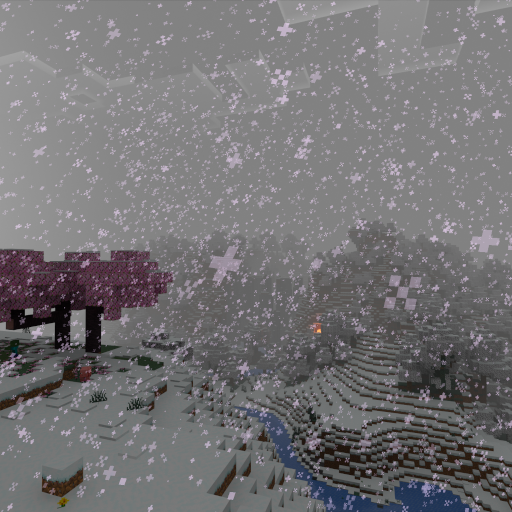
Snowy World V2.1.1 — screenshot 1

This addon makes every land biome in the overworld snowy. Even though snow particles are not visible there there can still be snow if the climate temperature is low enough. And yes, the desert is now the Gobi Desert. So, I don’t have much more to say. On to the description!


Tiny Takeover is supported!


Discord (Talk to me directly here)

This addon makes the overworld snowy by lowering the temperature and raising the downfall to the maximum. This addon will create long loading times for less powerful devices. The addon does not have any noticeable performance impact. This addon was originally created on an iPad using Crafty Craft. For V2, I remade most of the addon using Bridge. Here are are a few good pictures I took of the addon:


Installation Instructions:

Make sure you select the correct version of the addon! The 1.16 version is just there for people who like playing older versions of Minecraft. If you want to play an older version of Minecraft, you can use Bedrock Launcher (Windows Only). You still need to own a licensed copy of the game in order to use this.

IOS

-Click on the link to download

- Go to your downloads folder and select the file

-Click Open With Minecraft

Windows

-Click on the link to download

-Click on the file in the downloads bar at the bottom of the screen

Using the addon

-Select the addon in the behavior pack screne

-Experience Christmas!


Quick facts

Install steps are the general flow for this file type — How to install Minecraft Bedrock addons & mods walks through it step by step.

Verified by MCModsHub

These come from our own check of the pack file, not from the source page.

Explore more