
AFIS Hud Fix
Bedrock add-on listed for Minecraft 1.20–26.x (resource pack only). File opened and checked on 24 Sep 2026; installs from the MC Bedrock Mods app on Android.
A clean Minecraft Bedrock resource pack that removes held-item enchantment text for a smoother HUD. (Previously Korgela HUD Fix)
⬇ Download on CurseForgeThe author built this one for Minecraft 1.20.1–26.20. On other versions it may install and then do nothing.
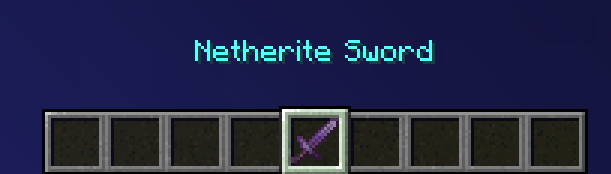
AFIS HUD Fix
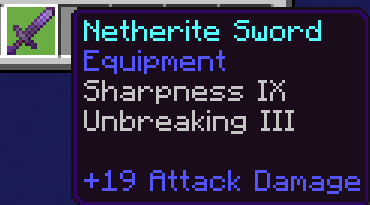
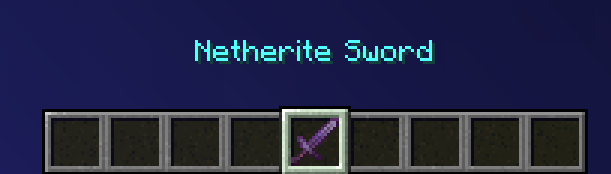
AFIS HUD Fix is a clean and simple Minecraft Bedrock resource pack made to reduce HUD clutter by removing the enchantment display that appears when holding items.
If you are tired of enchantment text covering part of your screen while playing, building, fighting, exploring, or using custom items, this pack gives you a cleaner and smoother gameplay view.
What It Does
AFIS HUD Fix clears the held-item enchantment display from your HUD. This includes normal enchantments, custom enchantments, and illegal enchantments that may appear on items in certain worlds, realms, servers, or addon setups.
The pack does not change gameplay, add scripts, add commands, or modify item behavior. It only changes the visual HUD display.
Features
- Removes held-item enchantment text
- Supports normal, custom, and illegal enchantment displays
- Resource pack only
- No Beta APIs required
- Lightweight and simple
- Cleaner HUD for survival, PvP, SkyGen, realms, and servers
- Designed to be compatible with most other packs
Compatibility
AFIS HUD Fix is strictly a resource pack. It should work with most worlds, realms, servers, and addon setups as long as another resource pack is not editing the same HUD/UI files.
If the fix does not appear right away, try moving AFIS HUD Fix above your other UI or HUD resource packs, then restart Minecraft.
How to Install
- Download the pack.
- Open or import it into Minecraft Bedrock.
- Activate it in Global Resources or on your world/server.
- Move it above other HUD/UI packs if needed.
- Restart Minecraft if the HUD does not update immediately.
In-Game Preview
This shows what the HUD fix looks like in-game.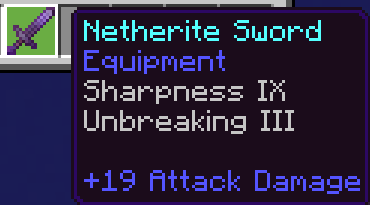
Notes
No Beta APIs are required.
This pack is resource-pack only. It does not include a behavior pack, scripts, commands, or gameplay changes.
Branding
Created as part of the AFIS / Ashfall Interactive Studios resource-pack lineup.
- Edition: Minecraft Bedrock
- File type: .mcpack or .mcaddon
- Minecraft versions listed: 1.20.1, 26.20, 1.21.70
- How to install: Download the .mcpack or .mcaddon file. → Open it — Minecraft imports it. → In your world: Behavior Packs → Available → Activate, then the same under Resource Packs.
- Where to get it: Opens on CurseForge — not every file is mirrored on our own servers.
Install steps are the general flow for this file type — How to install Minecraft Bedrock addons & mods walks through it step by step.
- Pack type: .mcpack — a single pack
- Manifest requires Minecraft 1.21.0 or newer
- Download size: 10 KB
- Download link checked 26 Oct 2026 — working
These come from our own check of the pack file, not from the source page.