Choose Your tweaks(MP)(Achievement freindly)
Bedrock add-on listed for Minecraft 1.21–26.x (behavior + resource pack). File opened and checked on 26 Sep 2026; installs from the MC Bedrock Mods app on Android.
⬇ Download on CurseForge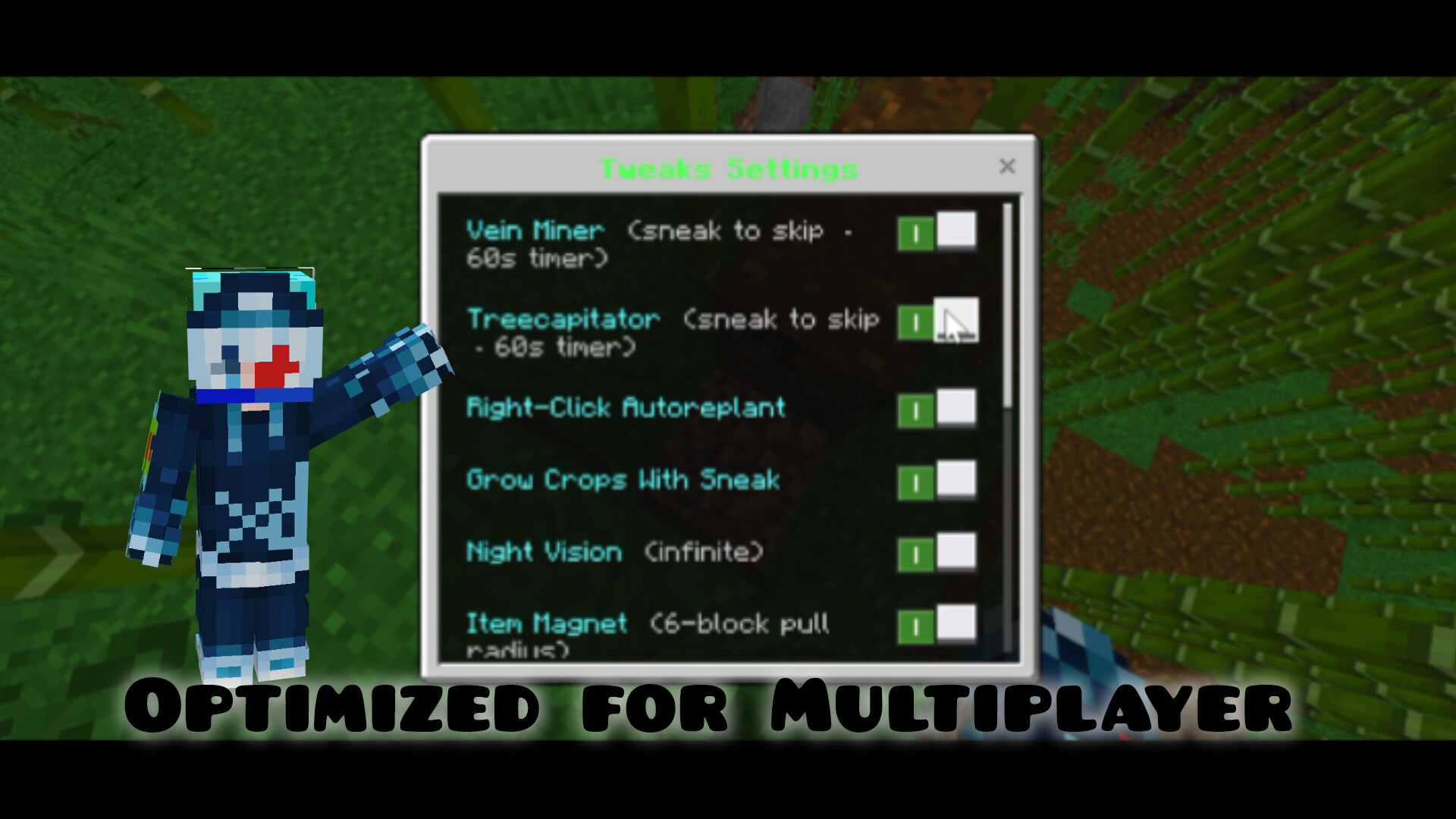
Choose Your Tweaks Pack(multiplayer optimized)
Your world. Your rules. All in one stone.
---
✦ What is Choose Your Tweaks Pack?
Choose Your Tweaks Pack is a quality-of-life mod for Minecraft Bedrock that bundles all the most wanted features into one simple pack. No commands, no file editing, no restarting. Just a menu you open with a craftable item, and everything works per player—so you can play your way without affecting anyone else.
***Only admins can change gamerule tweaks like keep_inventory,damge,phantom toogle
---
✦ Features
· VeinMiner – Mine one ore, and the whole connected vein breaks. Works with all vanilla ores. Hold sneak if you want to mine just one block.
· Treecapitator – Chop one log, and the whole tree falls—logs, wood, leaves, everything. Works with all trees, including Mangrove, Cherry, Pale Oak, and even Nether stems. Hold sneak to chop normally.
· Right-Click AutoFarm – Right-click a fully grown crop to harvest and replant in one go. Works with Wheat, Potatoes, Carrots, Beetroot, and Nether Wart.
· Sneak Grow – Sneak near crops to give them a random growth boost. Great for walking through your base
· Damage Toggles – Turn fall damage, drowning damage, or fire/lava damage
· Phantom Spawning – Turn phantoms on or off directly from the settings menu.
---Night vision
---magnet-suck everything(items)
✦ How to Use
1. Craft a Settings Stone – Just put 1 Dirt in any crafting grid (your inventory or a crafting table).(can be changed easy,hard as you wish by subpack)
2. Right-click the Settings Stone to open the menu.
3. Toggle the features you want, then hit Submit.
4. Your settings are saved per player and stay that way even after you leave and rejoin.
---
✦ Compatibility
· Platform: Minecraft Bedrock Edition
· Minimum version: 1.21.0
· Multiplayer: Yes
✦ Links
· Creator: NeoPhinixMC on YouTube
· Showcases & More: Dev-Fantasy on YouTube
---
Made with ❤ by NeoPhinixMC — DevVoidFantasy
https://youtu.be/tJGnuTU-dMk(showcase)
- Edition: Minecraft Bedrock
- File type: .mcpack or .mcaddon
- Minecraft versions listed: 1.21.131, 26.0.02, 26.0
- How to install: Download the .mcpack or .mcaddon file. → Open it — Minecraft imports it. → In your world: Behavior Packs → Available → Activate, then the same under Resource Packs.
- Where to get it: Opens on CurseForge — not every file is mirrored on our own servers.
Install steps are the general flow for this file type — How to install Minecraft Bedrock addons & mods walks through it step by step.
- Pack type: .mcaddon — behaviour and resource pack in one file
- Manifest requires Minecraft 1.21.0 or newer
- Complete pack — everything it depends on is inside the file
- Download size: 169 KB
- Download link checked 6 Oct 2026 — working
These come from our own check of the pack file, not from the source page.