AddonsBedrock
Wrap anchor "Achivements Friendly
Save locations and teleport anywhere using Ender Pearls. Right-click a Stick to open your warp menu. Supports all 3 dimensions!
⬇ Download on CurseForge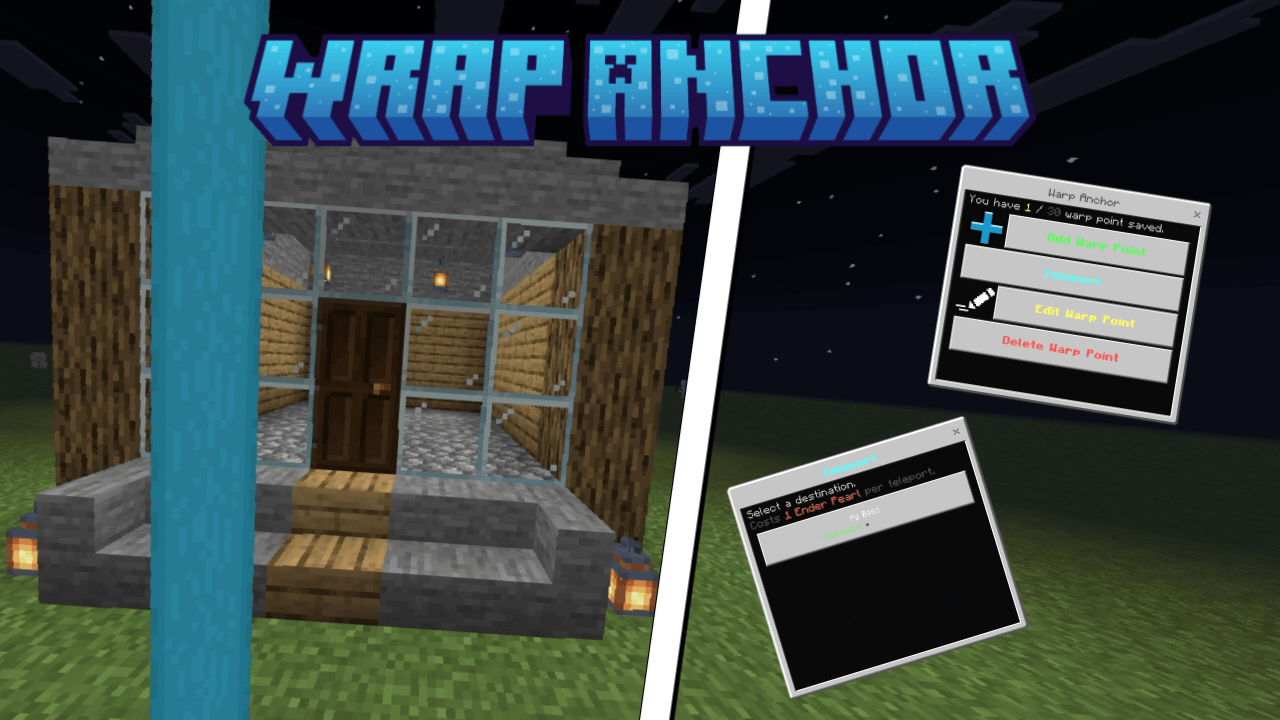
Showcase
How to use
Crafting :
1x stick, 4x enderpearls
Main Menu :
Click while holding the item
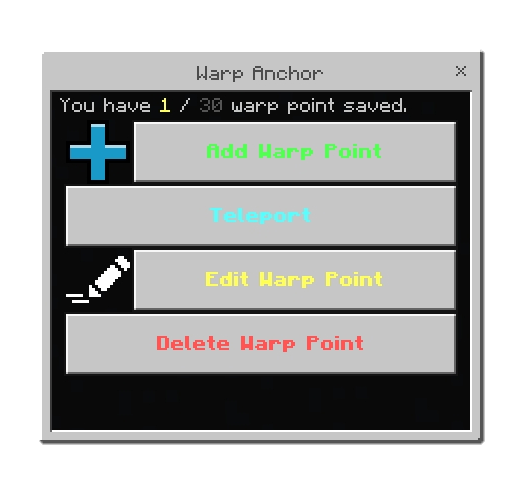
Add a wrap point:
Type name name of your point then add coordinates or use yours
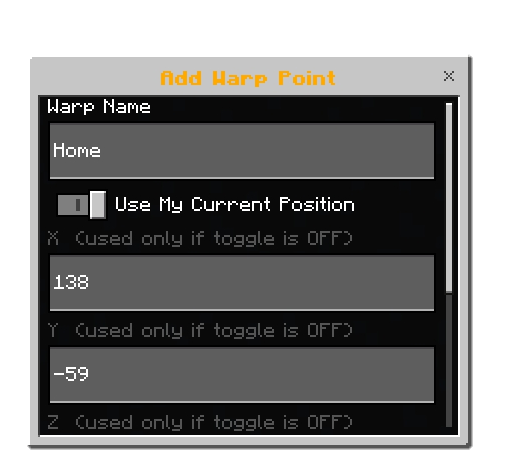
Teleport to the point:
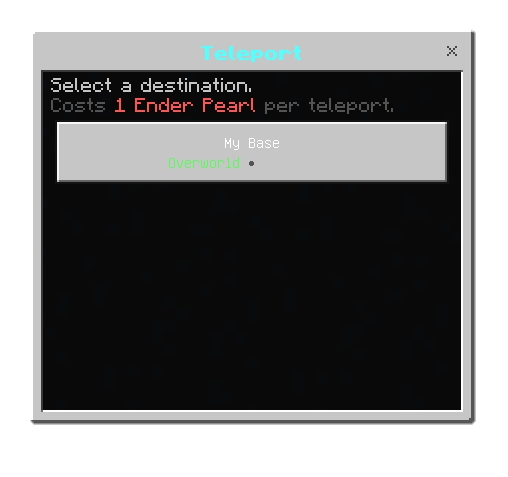
it will only cost 1 ender pearl to teleport you to the point
Features
- Right-click any Stick to open the warp menu — no commands needed
- Save up to 30 warp points per player, stored permanently via dynamic properties
- Use current position or type custom coordinates when saving a location
- Full dimension support — Overworld, Nether, and The End
- Teleport costs 1 Ender Pearl — auto-consumed from anywhere in your inventory
- Edit any saved warp — rename it or change its coordinates and dimension
- Delete warps with a confirmation screen so you never accidentally lose one
- Duplicate name protection — won't let you save two warps with the same name
- Smart name suggestions — auto-fills names like "My Base", "Nether Portal", "Farm", etc.
- Y-level clamping — coordinates are automatically kept within Bedrock's valid range (-64 to 320)
- Enderman portal sound plays on every teleport
- Per-player data — every player on the server has their own independent warp list
You are allowed to:
- Showcase this addon WITH CREDITING
- Use this addon in your worlds/servers/realms
- Modify this addon (Without removing the credits)
You are NOT allowed to:
- Repost this addon to other sites (This includes apps)
- Create your own download link
- Claim this addon as your own
Support
If you have any problem with the addon and want to report it or ask a question, join my Discord server
Quick facts
- Edition: Minecraft Bedrock
- File type: .mcpack or .mcaddon
- Minecraft version listed: 26.20
- How to install: Download the .mcpack or .mcaddon file. → Open it — Minecraft imports it. → In your world: Behavior Packs → Available → Activate, then the same under Resource Packs.
- Where to get it: Opens on CurseForge — not every file is mirrored on our own servers.
Install steps are the general flow for this file type — How to install Minecraft Bedrock addons & mods walks through it step by step.
Verified by MCModsHub
- Pack type: .mcaddon
- Manifest requires Minecraft 1.21.50 or newer
- Ships one half — this pack asks for another pack that is not included
- Download size: 238 KB
- Download link checked 16 Sept 2026 — working
These come from our own check of the pack file, not from the source page.