
BlockAI
I don't know my version
BlockAI
This Addon works perfectly on 26.0 and above (this line is updated regularly)
For Advanced version of this addon:
https://www.curseforge.com/minecraft-bedrock/addons/blockai-advanced
For Official Dedicated Server (BDS) only (not for worlds/realms)
An addon that adds gemini Ai (that knows its in minecraft) into minecraft bedrock complete with internet access and per-session memory.
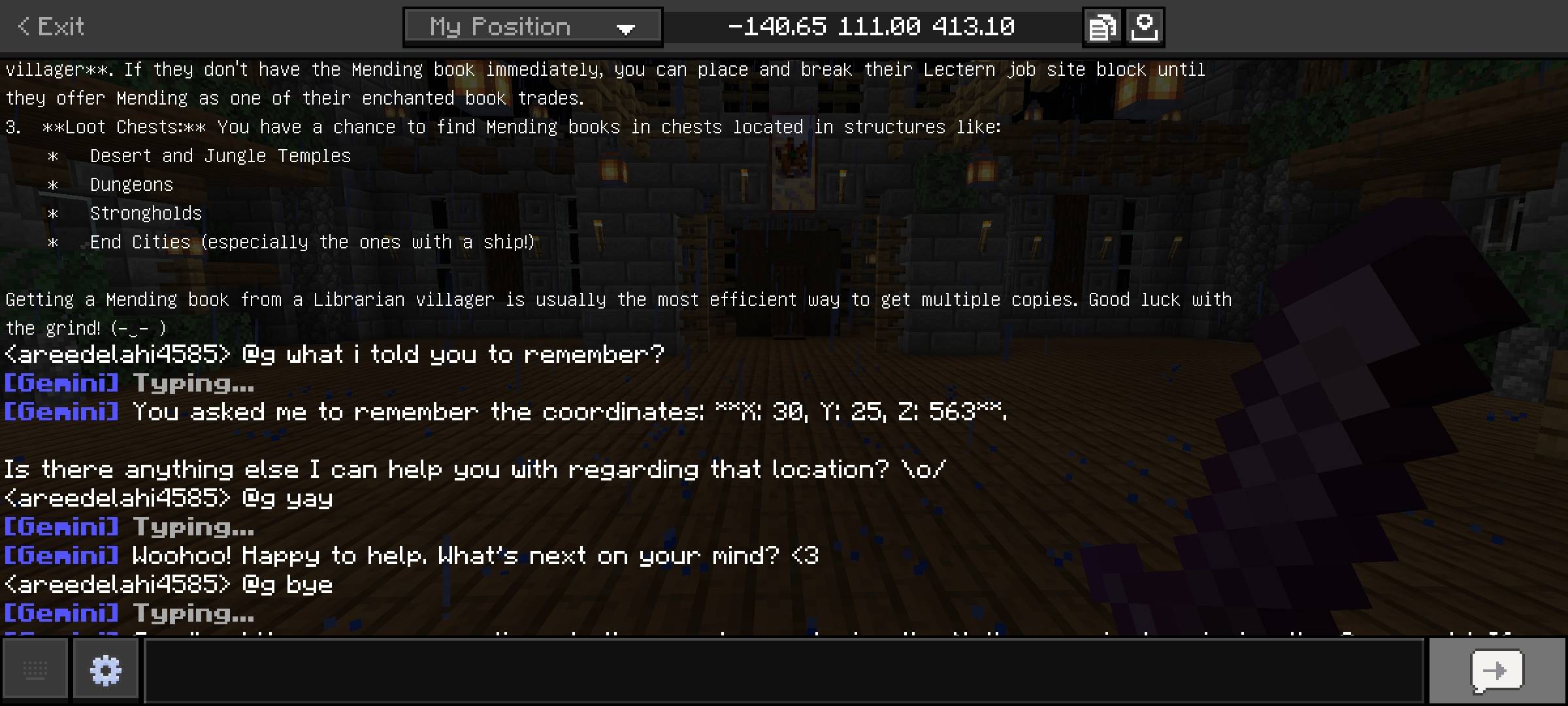
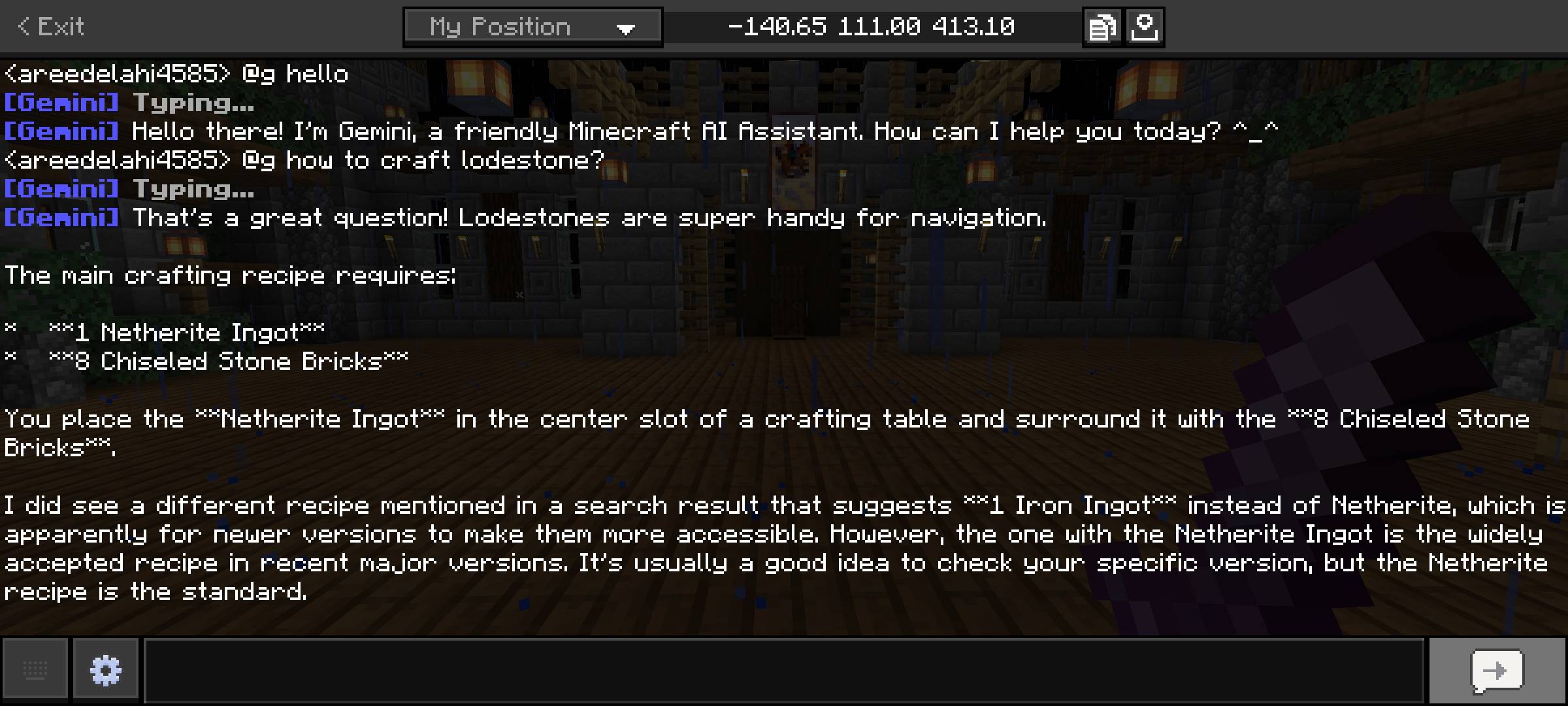
you can use it by typing: @g <your query> in chat.
it remembers context with-in a session :)
If you want a cheap and extremely good server, check out gravelhost, use my link or the code for 25% off for your purchase.

Features Details:
This addon basically adds an AI chatbot (google gemini) in the game that you can talk to from the in-game chat.
Just type @g before your question and Gemini will reply you.
Gemini chatbot in this addon has access to internet, so if you ask things like: @g whats the weather in london , it will reply with up-to-date information. And it has context awareness aswell, which means it can continue and remember conversations (it won't forget what you were talking about).
This Ai chatbot is aware that its a minecraft ai so it has better context for your questions.
But it can also talk about other topics if you ask, but it always assumes you're talking about minecraft, so specify if its a real-world question (mostly)
IT retains all the memory as long as you don't restart the server (doesn't matter player joins or logs out). So you/players can also use it to save coordinates or other things.
This addons requires experiments to be on (beta apis) and is only supported on 1.21.111+
Installation:
- get gemini api key from https://aistudio.google.com/
- download the addon from here.
- now you need to enable experiments on your server, there are 2 ways:
- Make world in-game and enable all the experiments and activate the addon aswell (import .mcpack)
- or edit the level.dat file for experiments (google it) and use https://github.com/DragonTech26/BDSAddonManager to enable addon on bds (windows).
- if you use linux, then you can 100% figure out how to enable addons :)
4. you also need to edit <server>/config/default/permissions.json. paste the following in this file (removing anything existing) and save:
{
  "allowed_modules": [
    "@minecraft/server-gametest",
    "@minecraft/server",
    "@minecraft/server-net",
    "@minecraft/server-ui",
    "@minecraft/server-admin",
    "@minecraft/server-editor"
  ]
}
5. finally, paste the api key you copied in first step using command "/setapikey <your_api_key>" in-game
 , this is related to api being overload, and will fix own its own when google's servers are free, or you can get premium tier api.
---------------------------------------------------------------------------------------------
If you want to support me and donate a small amount, please consider this one time patreon donation (no subscription or membership)
Join My Patreon
Join the discord for help and chat:
don't publish any modified version anywhere.
- Edition: Minecraft Bedrock
- File type: .mcpack or .mcaddon
- Minecraft versions listed: 1.21.130, 1.21.131, 1.21.132
- How to install: Download the .mcpack or .mcaddon file. → Open it — Minecraft imports it. → In your world: Behavior Packs → Available → Activate, then the same under Resource Packs.
- Where to get it: Opens on CurseForge — not every file is mirrored on our own servers.
Install steps are the general flow for this file type — How to install Minecraft Bedrock addons & mods walks through it step by step.
- Pack type: .mcpack — a single pack
- Manifest requires Minecraft 1.21.120 or newer
- Needs Beta APIs switched on in the world settings
- Complete pack — everything it depends on is inside the file
- Download size: 33 KB
- Download link checked 15 Sept 2026 — working
These come from our own check of the pack file, not from the source page.