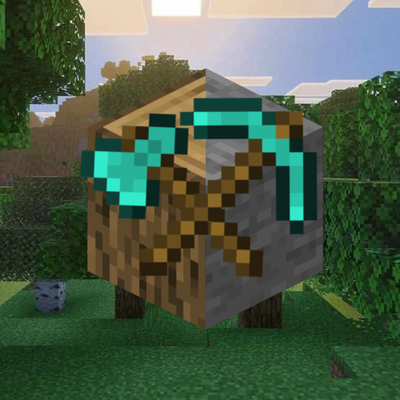
ChopVein (Vein Miner and Tree Capitator)
I don't know my version
Tired of chopping trees one log at a time? Done with mining ore block by block?ChopVein changes everything.
✨ Features
🪓 Tree Capitator
Hold any axe and break a single log — the entire tree collapses instantly. ChopVein uses a smart flood-fill algorithm to detect every connected log, including diagonal branches, and brings them all down in one swing. Supports all tree types in the game.
⛏️ Vein Miner
Hold any pickaxe, sneak, and mine an ore — every connected block of the same ore type is mined at once. No more tracing veins manually through the rock.
📦 Auto Collect
Broken logs and ores go directly into your inventory instead of scattering on the ground. No item despawn. No lag from hundreds of item entities. Clean and instant.
🍃 Strip Leaves
When a tree falls, its leaves are automatically cleared too. Saplings drop at vanilla rates and land straight in your inventory if Auto Collect is enabled.
🌱 Auto Replant
ChopVein checks your inventory for the matching sapling after each tree is felled and plants one at the stump automatically. Your forest stays alive with zero extra effort.
🚫 Anti-Grief (Player-Placed Log Protection)
Logs that you placed yourself are tracked and protected. ChopVein will never auto-fell a tree you built — only naturally generated trees are affected. The registry persists across world saves.
🔮 Fortune & Unbreaking Support
Vein Miner respects your Fortune enchantment, multiplying ore drops correctly for each ore type. Unbreaking reduces tool durability loss proportionally across all extra blocks mined.
📖 Settings Book (GUI)
Every player receives a Settings Book upon joining the world. Right-clicking it (PC) or holding it (mobile) opens an in-game toggle menu — no commands needed. The book's lore updates live to always show your current settings.
🌳 Supported Tree Types
Oak · Spruce · Birch · Jungle · Acacia · Dark Oak · Mangrove · Cherry · Crimson Stem · Warped Stem · Bamboo
(All stripped log variants included)
💎 Supported Ores
Coal · Iron · Gold · Diamond · Emerald · Lapis Lazuli · Redstone · Copper · Quartz · Nether Quartz · Ancient Debris · Nether Gold · Amethyst · Gilded Blackstone
🪓 Supported Tools
Axes (Tree Capitator): Wooden · Stone · Iron · Golden · Diamond · NetheritePickaxes (Vein Miner): Wooden · Stone · Iron · Golden · Diamond · Netherite
v1.1.0 — Custom Settings Book
New Custom Item — Settings book is now a true custom item (chopvein:settings_book) with its own icon, no longer a renamed vanilla book
Crafting Recipe — Settings book can now be crafted at a crafting table with Oak Log + Paper (shapeless)
Resource Pack included — Added a dedicated resource pack for the custom item texture
Commands updated — All commands changed from !tv to !cv / !chopvein
- Edition: Minecraft Bedrock
- File type: .mcpack or .mcaddon
- Minecraft versions listed: 26.40, 26.10
- How to install: Download the .mcpack or .mcaddon file. → Open it — Minecraft imports it. → In your world: Behavior Packs → Available → Activate, then the same under Resource Packs.
- Where to get it: Opens on CurseForge — not every file is mirrored on our own servers.
Install steps are the general flow for this file type — How to install Minecraft Bedrock addons & mods walks through it step by step.
- Pack type: .mcaddon — behaviour and resource pack in one file
- Manifest requires Minecraft 1.21.0 or newer
- Complete pack — everything it depends on is inside the file
- Download size: 126 KB
- Download link checked 25 Aug 2026 — working
These come from our own check of the pack file, not from the source page.