Block Trades Addon
This addon allows you to trade random items including blocks, weapons, tools and potions with any block in the game using a new custom item.
⬇ Download
HOW TO TRADE:
To trade with the blocks, you will first need to craft a custom item called the Trade Wand. Once you have this item, hold it in your hand and interact with any block in the game.
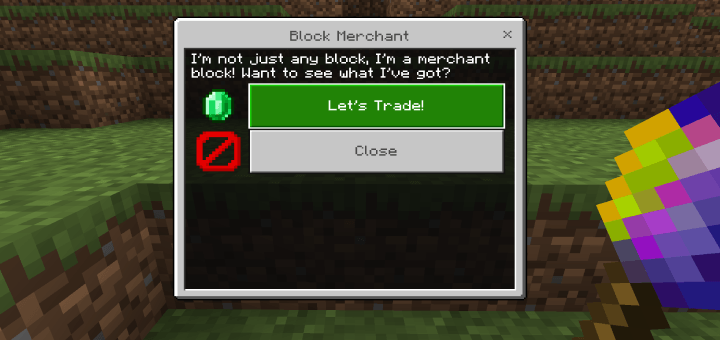
A menu will appear with a message and a button to trade. When you click on it, randomly chosen items will be available for trade. Each block will offer different items at varying prices.
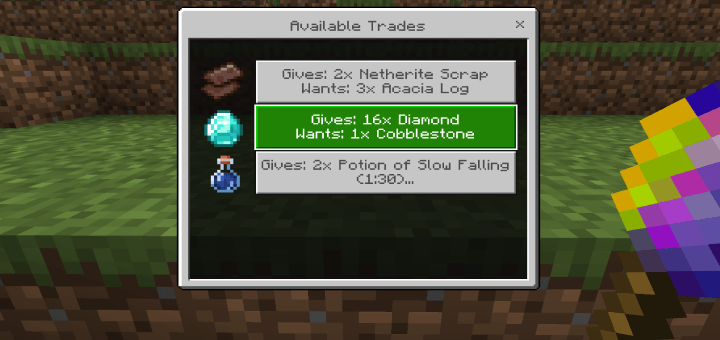
-Armor, tools, weappons have a chance of being enchanted.
CRAFTING RECIPE:
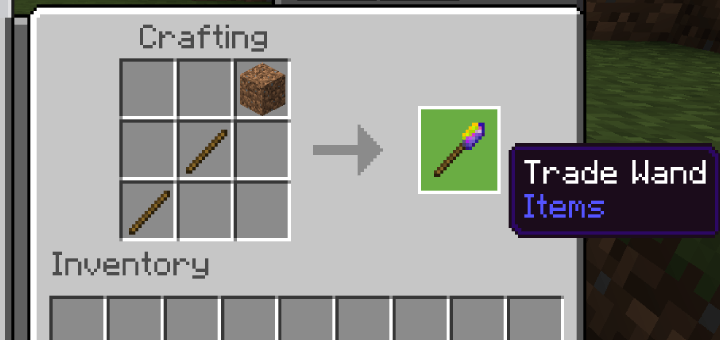
To craft the Trade Wand, you will need two sticks and one piece of dirt. The item is crafted using a crafting table.
HOW TO CHANGE LANGUAGE:
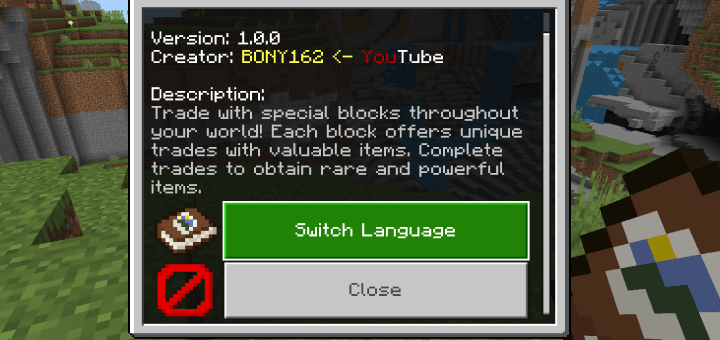
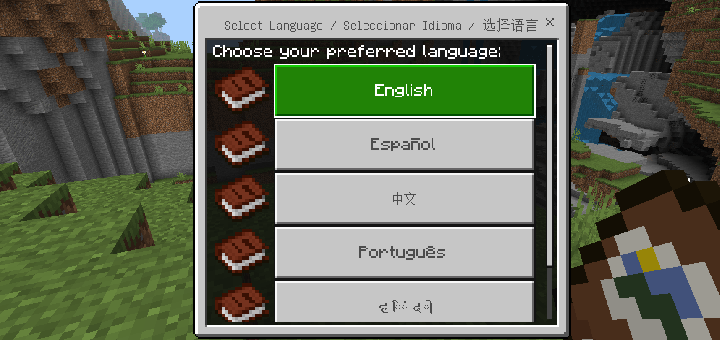
To change the language, hold the book in your hand and interact with it. A menu will appear; select "Switch Language" and choose your preferred language.
IMPORTANT:
-Requires version 1.21+ or newer, any version above that should work
-Does NOT require experimental features.
- Edition: Minecraft Bedrock
- File type: .mcpack or .mcaddon
- Minecraft versions listed: 1.21.30, 1.21.50, 1.21.20
- How to install: Download the .mcpack or .mcaddon file. → Open it — Minecraft imports it. → In your world: Behavior Packs → Available → Activate, then the same under Resource Packs.
- Where to get it: In MCModsHub, or directly above on this page.
Install steps are the general flow for this file type — How to install Minecraft Bedrock addons & mods walks through it step by step.
- Pack type: .mcaddon — behaviour and resource pack in one file
- Manifest requires Minecraft 1.21.0 or newer
- Complete pack — everything it depends on is inside the file
- Download size: 257 KB
- Download link checked 18 Jun 2026 — working
These come from our own check of the pack file, not from the source page.