Blocklings
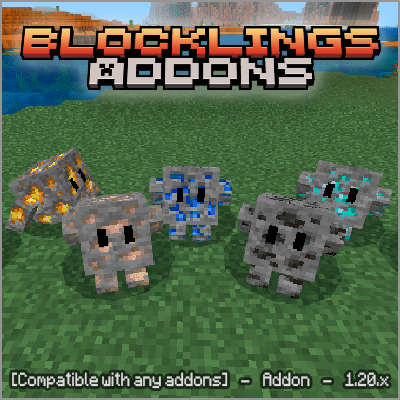
This addon adds an incredible new entity in the form of Minecraft Bedrock minerals that you can tame to have as a pet. This addon is available for all…
⬇ Download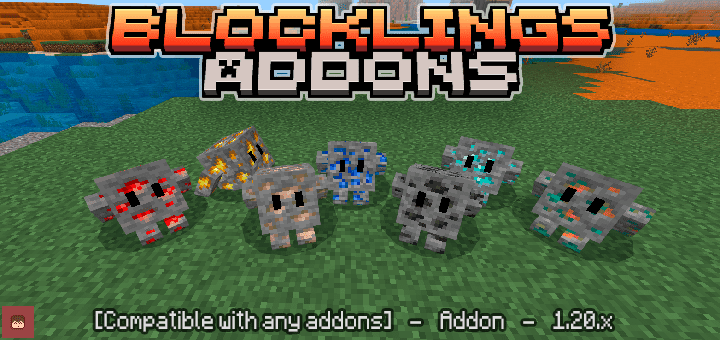
Join my Discord server 🚀
There you can request custom commissions, get VIP access, see exclusive addon progress, and stay updated with everything new before anyone else. Don’t miss out!
This addon adds an incredible new entity in the form of Minecraft Bedrock minerals that you can tame to have as a pet. This addon is available for all versions from 1.21 onwards.

--Installation Guide--
You must download the Blocklings BP file for the addon's behavior, and then the Blocklings RP file for the addon's textures. These two files are required for the addon to work properly.
🎁 Support This Project with a Donation!
Your support helps us keep creating quality content. Every donation, no matter how small, helps cover development costs, improve resources, and keep things moving forward.
If you enjoy what we do and want to help us grow, consider making a donation. Thank you for your support! 💖
Donate
🌐 Official Page
If you want to explore my addons and get early access to the latest updates, I invite you to visit my official website. All my addons are uploaded there first, so you'll always have access to the most up-to-date versions before anyone else!
Click Here!!
-Compatibility✔️
- You can use it with almost any plugin as this plugin DOES NOT USE PLAYER.JSON so it will be compatible with almost any plugin and you can easily put it at the end if you want.
-Experimental Games👾
- Does not require any experimental games
Update/Changes V1.6
-New and better animations were added
-The addon scripts were improved
-Now commands are no longer used but are executed directly with code
-It was added that you can give swords to the blocklings
-Translation to the Spanish and English languages was added for the messages
-A new button was added for the blocklings interface
-Now the blocklings stay still when you open their interface
For now you can only place vanilla swords, also enchanted swords and as shown in the video, remove them from the blocklings using their interface, later it will be added that you can use other types of items.
Update V1.5
New buttons were added to the blockling interface, now you can make it passive so that it does not attack any mob, aggressive so that it attacks all the mobs you attack and you can also change the name of your blockling through the interface
Bugs Fixed
- Blockling spawn rate increased
- Blocklings can now spawn on the surface
- Added a new design to the blocklings interface
- Change name, guard and passive buttons were added to the interface.
- Blockling height collision bug fixed
Update V1.4
--Blocklings Interfaz--
In this update, an interface was added for Blocklingsthat will allow you to give simple commands to your Blocklings such as sit, follow or wander, later new functions will be added to this interface
Changes in v1.3
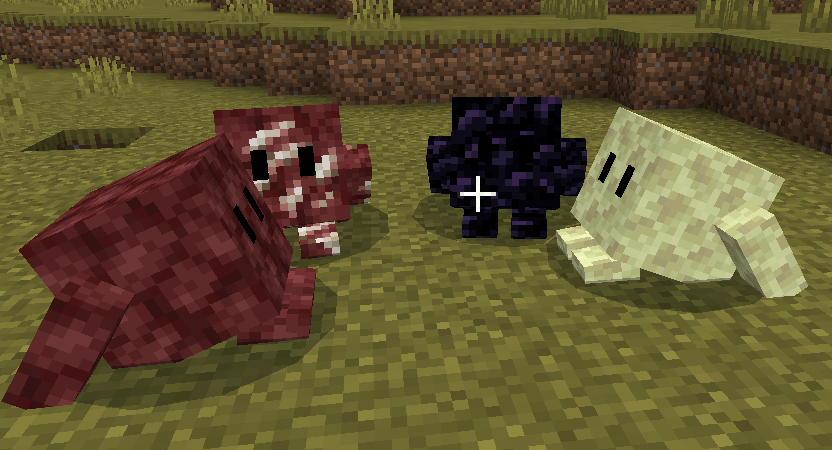
-Added obsidian blocklings, netherrack, end stone, quartz ore
- It was made compatible with version 1.21 of Minecraft
- Made damage changes to some blocklings
-Function🔨
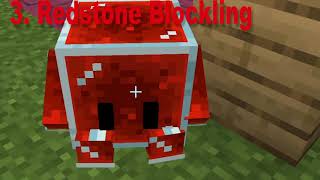
- The Blocklings, with entities in the form of Minecraft minerals that you can tame to keep as pets. They will be able to defend you and accompany you during your adventure. They appear in caves and if you manage to kill one, it will likely release the gold from the addon. that's done.

- Blocklings have many variants, depending on the mineral embedded in it, the Blocklings will have more life, and the less useful the mineral is, the less life it will have. To tame Blocklings you have to use iron or gold ingots, you will have a 10% chance to tame it, you can make it sit if you crouch and interact.
- Edition: Minecraft Bedrock
- File type: .mcpack or .mcaddon
- Minecraft versions listed: 1.21.90, 1.21.101, 1.21.93
- How to install: Download the .mcpack or .mcaddon file. → Open it — Minecraft imports it. → In your world: Behavior Packs → Available → Activate, then the same under Resource Packs.
- Where to get it: In MCModsHub, or directly above on this page.
Install steps are the general flow for this file type — How to install Minecraft Bedrock addons & mods walks through it step by step.
- Pack type: .mcaddon — behaviour and resource pack in one file
- Complete pack — everything it depends on is inside the file
- Download size: 46 KB
- Download link checked 17 Jul 2026 — working
These come from our own check of the pack file, not from the source page.