Blood on Emeralds
Bedrock add-on listed for Minecraft 1.21 (behavior + resource pack). File opened and checked on 1 Oct 2026; installs from the MC Bedrock Mods app on Android.
I don't know my version
Hire villagers to defend your village! Turn your villagers into fearsome warriors ready to protect your territory. Recruit them for emeralds, equip them with weapons and armor, and watch them evolve into true champions. Whether it’s to repel a plundering attack or explore dangerous areas, your villagers will no longer be mere traders but brave allies in your quest for adventure and survival! Get ready to redefine the dynamics of your villages.
Hire a villager
To turn a villager into a warrior, you must first train him to a specific class:
- Melee: Shift + right click with a sword on the villager.
- Ranged: Shift + right click with a bow on the villager.
Once trained, the villager will only join your team after receiving emeralds as payment.
Equip your villagers
Depending on the class you choose, you can give them suitable weapons and armor:
- Melee villagers will use melee weapons.
- Ranged villagers will prefer bows or crossbows.
Enchanted equipment is compatible to strengthen your warriors.
Management and customization of villagers
Change equipment: Use shears to remove or modify a villager’s equipment.
Mounted Villagers: Interact with a Melee Villager by holding a mount to transform him into a mounted warrior.
General: Turn a villager into a general by interacting with him with a banner. The banner reflects the biome where it was applied, giving a unique style to your army.
Removal: If you want to discharge a villager is to leave their post, give them a discharge letter.
Special items and mysterious merchants
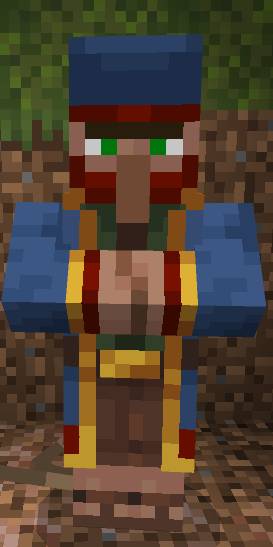
Some items, such as mounts or discharge letters, can be obtained from mysterious merchants. These merchants are distinguished from the wandering traders by their companions: pigs, cows or sheep. Explore your world to find them and enrich your troops with unique options.
 </figure>
With this mod, your village becomes a real living fortress, ready to repel any threat or conquer unknown lands. It’s up to you!
- Edition: Minecraft Bedrock
- File type: .mcpack or .mcaddon
- Minecraft versions listed: 1.21.50, 1.21.81, 1.21.73
- How to install: Download the .mcpack or .mcaddon file. → Open it — Minecraft imports it. → In your world: Behavior Packs → Available → Activate, then the same under Resource Packs.
- Where to get it: Opens on CurseForge — not every file is mirrored on our own servers.
Install steps are the general flow for this file type — How to install Minecraft Bedrock addons & mods walks through it step by step.
- Pack type: .mcaddon — behaviour and resource pack in one file
- Manifest requires Minecraft 1.21.0 or newer
- Complete pack — everything it depends on is inside the file
- Download size: 235 KB
- Download link checked 6 Oct 2026 — working
These come from our own check of the pack file, not from the source page.