
Fake Chat, Join & Death
Simulate server chat, join/left, and death events via Command Blocks, custom commands, or items. Perfect for pranks, roleplay, storytelling, or map…
I don't know my version
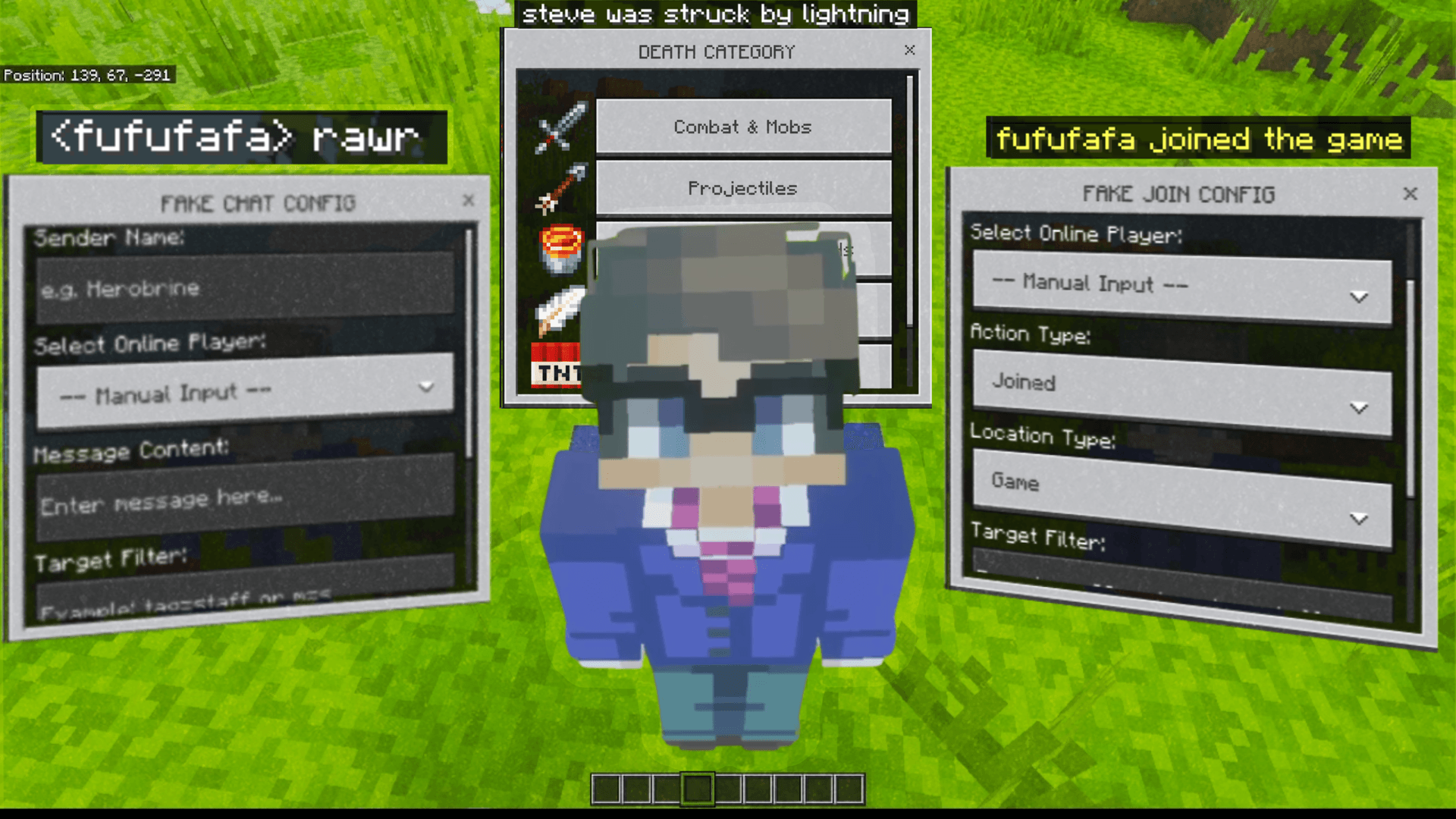
How To Use This Addon
- First, you must obtain the management items: "Fake Join", "Fake Chat", or "Fake Death". You can get them all at once using the command
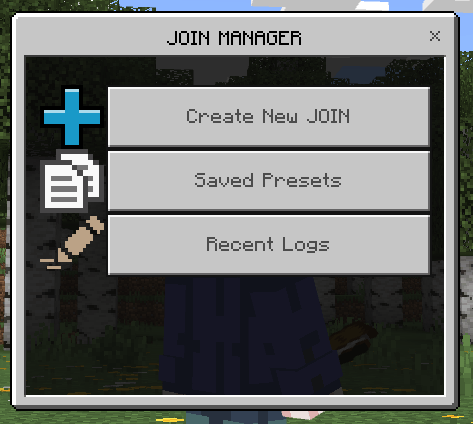
/scriptevent hn:getor by typing the custom command/fake:getin the chat window. - After that, use any of the items by long-pressing the screen (mobile) or right-clicking (PC). A Manager UI will appear with options for Creating New events, Saved Presets, and Recent Logs.
- Alternatively: You can run simulation commands directly from the chat window! See the **In-Game Custom Commands** section below.
Fake Join
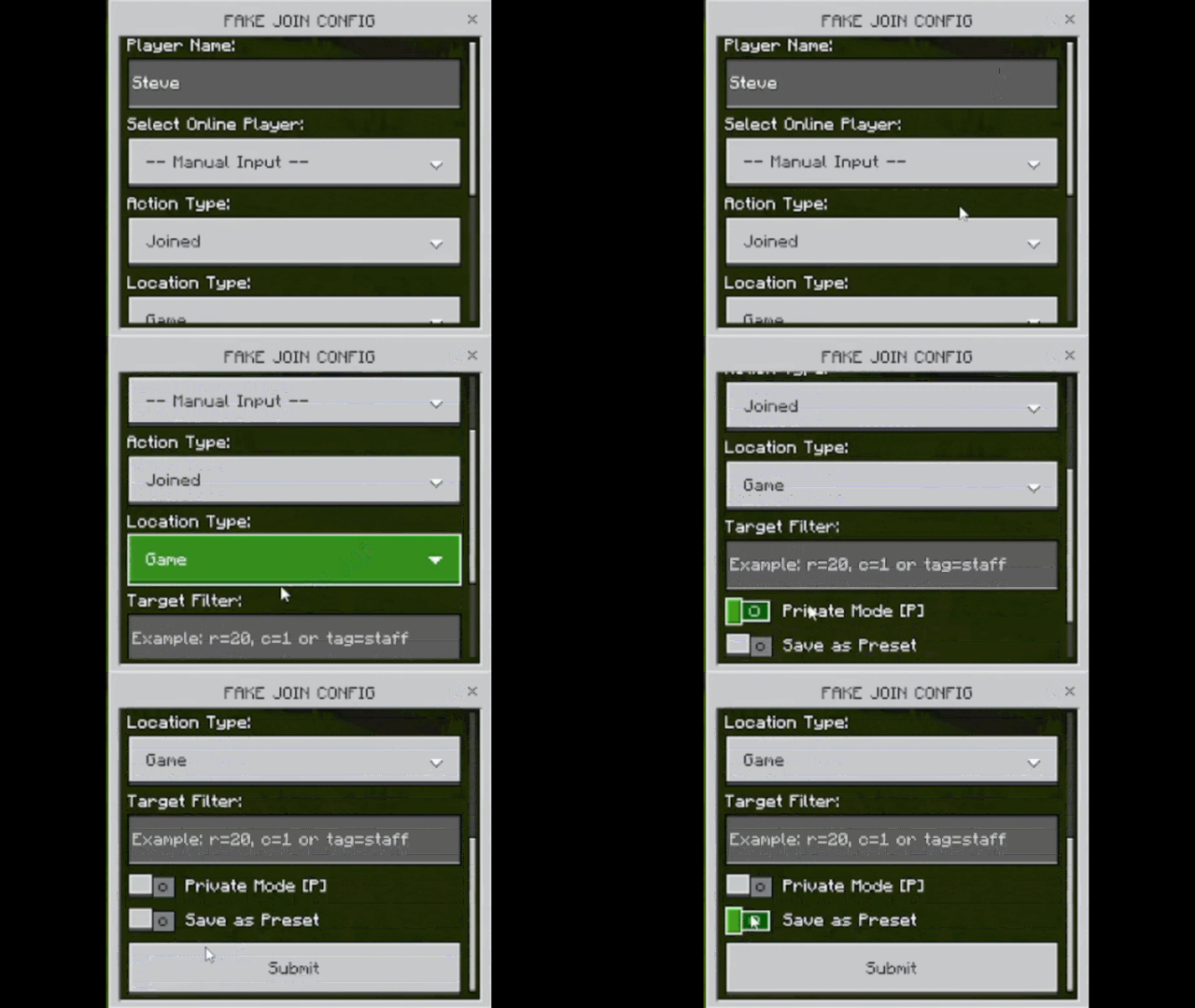
This feature lets you create fake system messages like "Steve joined the game" or "Alex left the Realm".
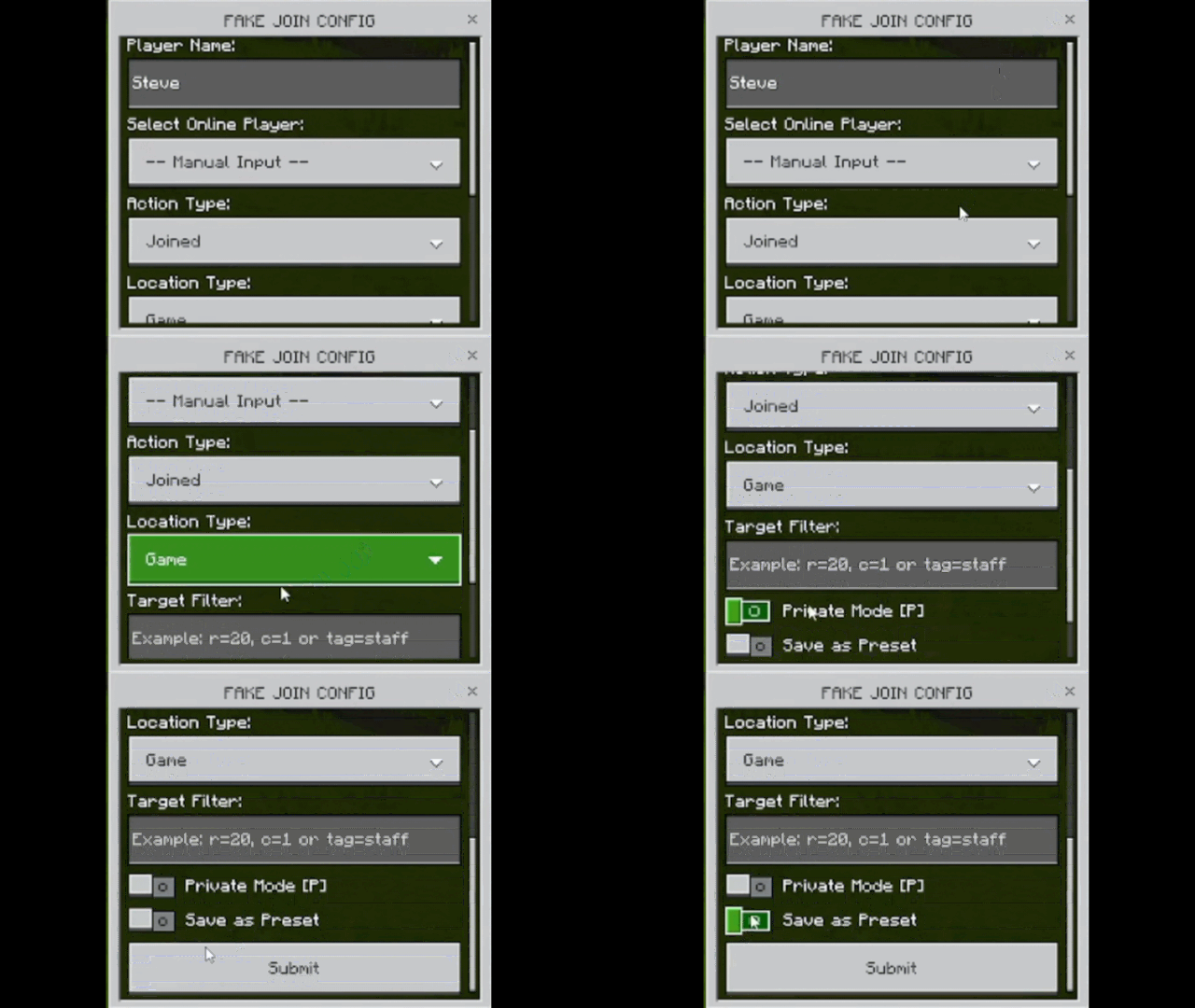
- Player Name: Manually type a name or select an online player from the dropdown.
- Action Type: Choose between "Joined" or "Left".
- Location Type: Choose between "Game" or "Realm" style messages.
- Target Filter: Limit who can see this message (e.g.,
tag=stafforr=20). Leave blank for everyone. - Private Mode: Toggle this to see the result only for yourself (prefixed with [P]).
- Save as Preset: Save this configuration to use it again instantly later.
Fake Chat
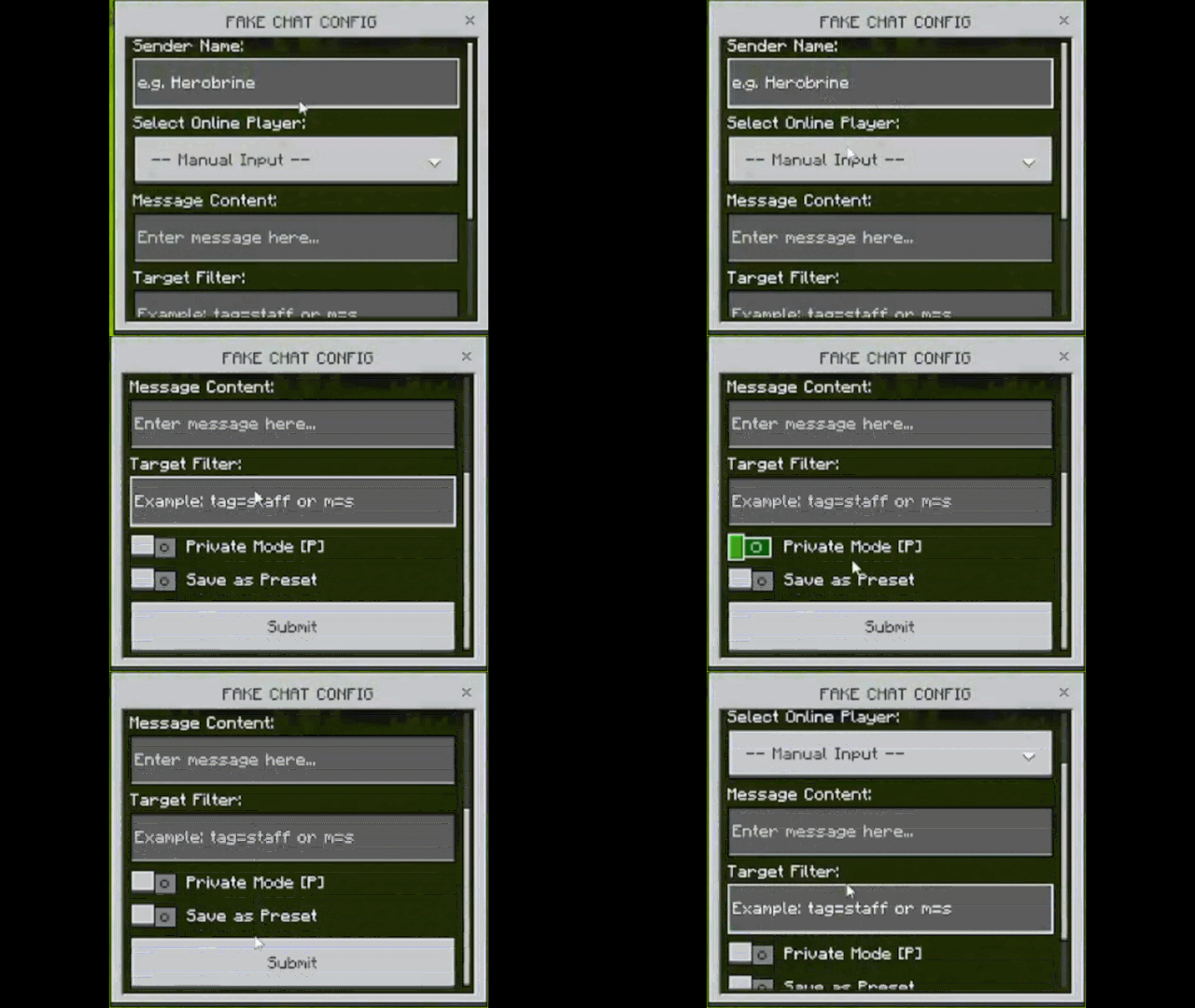
Fake Chat allows you to broadcast messages under any name you define, perfectly mimicking the default chat style.
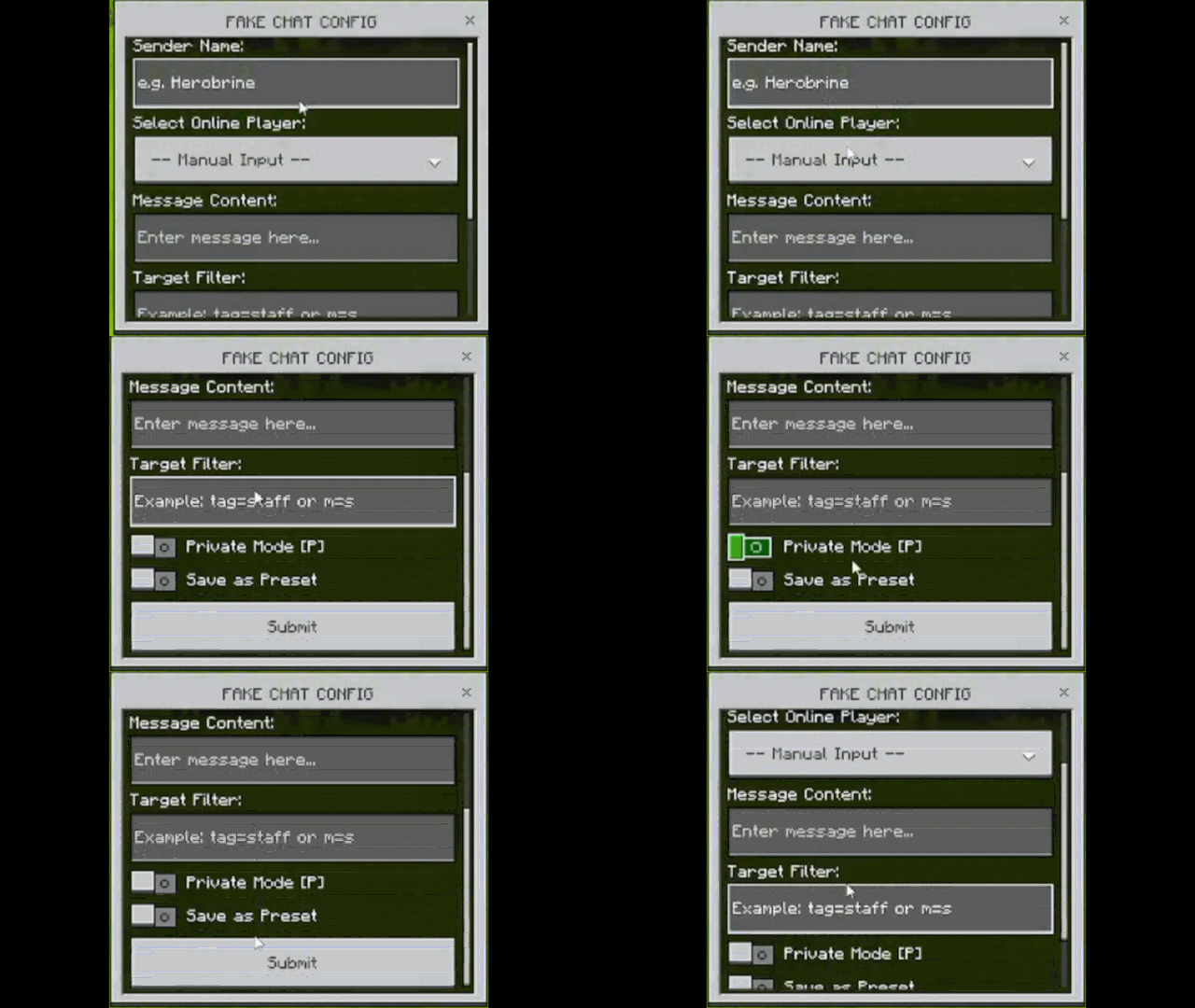
- Sender Name: Define who is "sending" the message.
- Message Content: Type the message you want to display.
- Target Filter: Control who receives the fake chat.
- Private Mode: Send the test message only to your own chat screen.
- Save as Preset: Store your favorite fake chats for quick access.
Fake Death (New!)
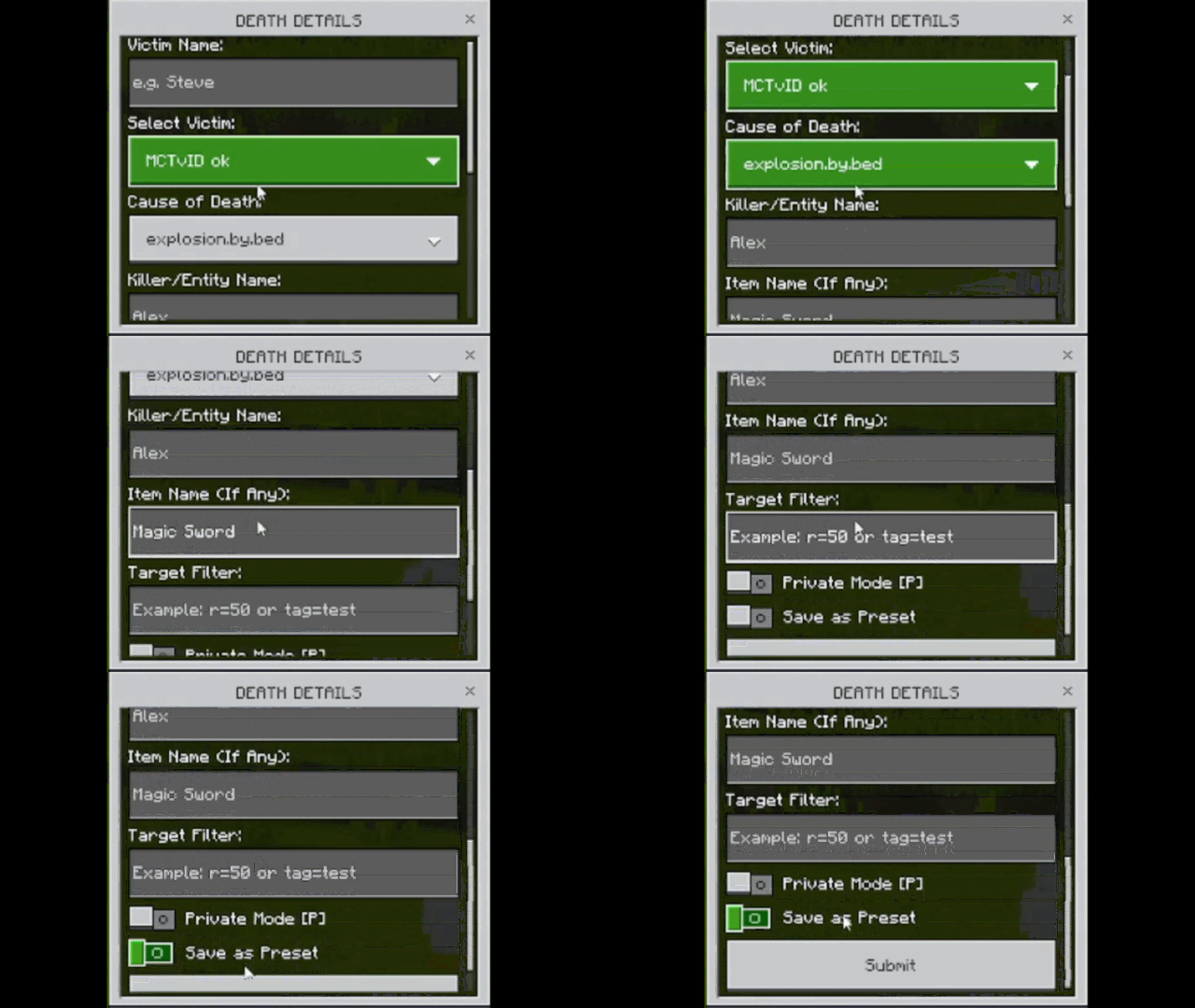
The most advanced feature! Create highly detailed death messages by selecting specific categories and causes.
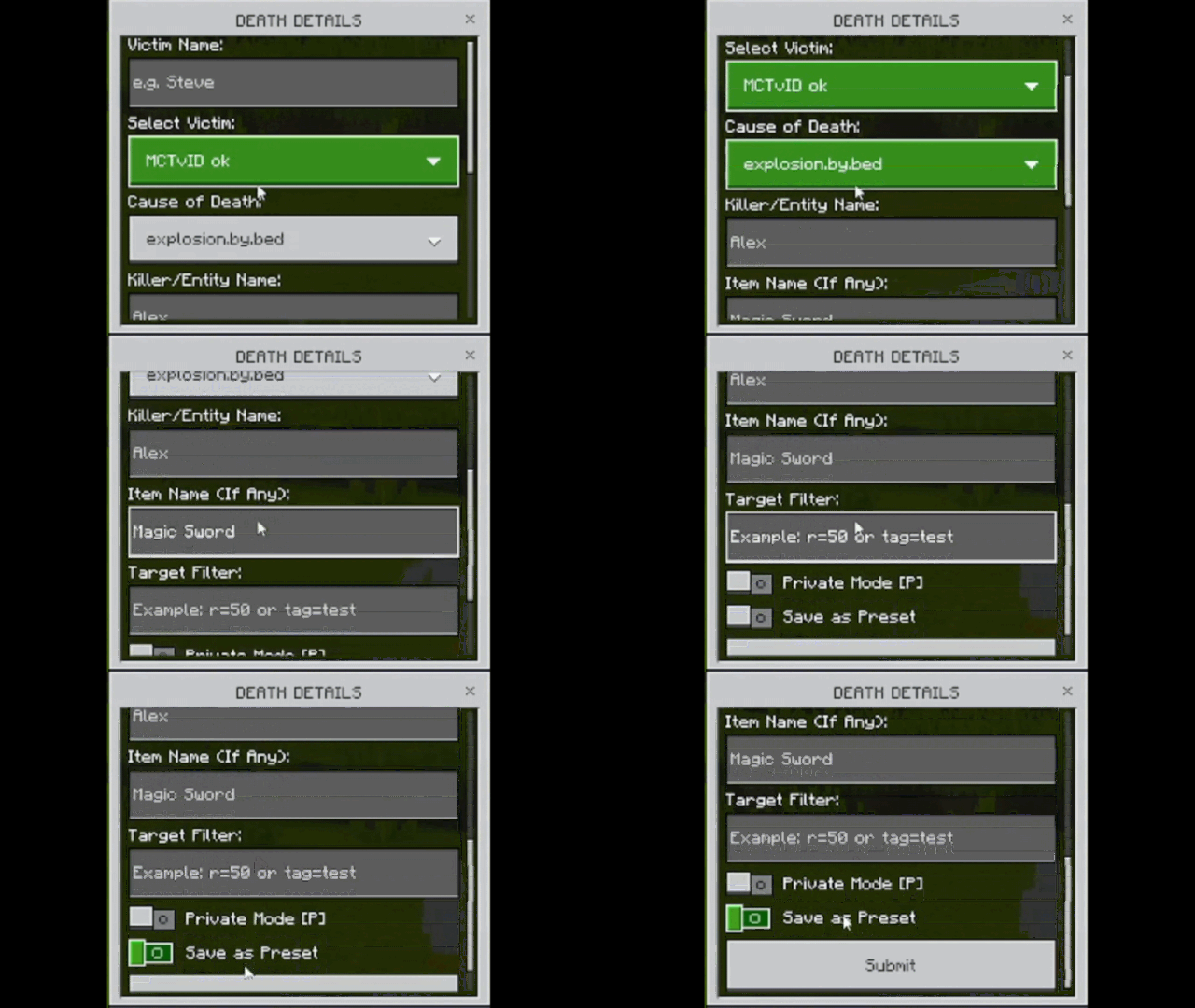
- Categories: Choose from Combat, Projectiles, Hazards, Falling, Explosions, or Magic.
- Victim & Killer: Define who died and who (or what) killed them.
- Item Name: Specify the item used in the death message (e.g., "Steve was slain by Alex using Excalibur").
- Auto-Translate: Uses Minecraft's internal translation keys, so the message appears in the local language of every player.
In-Game Custom Commands (New!)
You can now trigger fake events directly using native in-game custom commands. This is extremely useful for automation, quick tests without opening the UI, or integrating with Command Blocks:

- Fake Chat:
/fake:chat <target> <senderName> <message>(e.g.,/fake:chat @a "Herobrine" "Hello there!") - Fake Join:
/fake:join <target> <playerName> <action: join|left> <location: game|realm>(e.g.,/fake:join @a "Steve" join game) - Fake Death:
/fake:death <target> <victimName> <cause> [killerName](e.g.,/fake:death @a "Alex" death.attack.lava) - Get Items:
/fake:get(gives you all management items)
Note: These commands are fully supported in Command Blocks! If your names or messages contain spaces, make sure to wrap them in double quotes (e.g., "Steve Rogers").
Presets & Detailed Logs
Manage your activities efficiently with the new database and logging system.
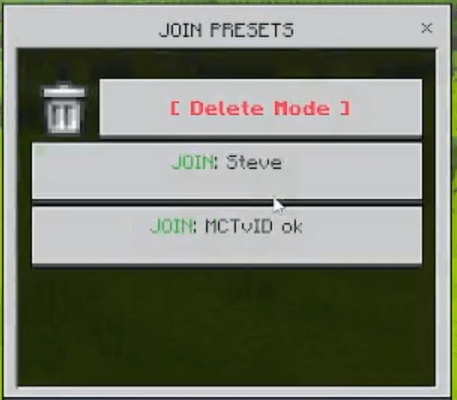
- Saved Presets: No need to type the same names over and over. Save up to 30 presets across all categories. You can also enter "Delete Mode" to clean up old presets.
- Detailed Logs: Monitor every fake event triggered. The logs now show who (the admin) sent the message, the mode (Global/Private), the timestamp, and the target selector used.
<mark class="marker-green">We really appreciate your suggestions and feedback in the comments column, and please report if you find any bugs in this addon!</mark>
<mark class="pen-red">Disclaimer</mark>
<mark class="pen-red">If you want to review this addon on YouTube or other platforms, please include the download link to this official site.</mark>
Subscribe to my channel for updates!
- Edition: Minecraft Bedrock
- File type: .mcpack or .mcaddon
- Minecraft versions listed: 26.30, 26.3
- How to install: Download the .mcpack or .mcaddon file. → Open it — Minecraft imports it. → In your world: Behavior Packs → Available → Activate, then the same under Resource Packs.
- Where to get it: Opens on CurseForge — not every file is mirrored on our own servers.
Install steps are the general flow for this file type — How to install Minecraft Bedrock addons & mods walks through it step by step.
- Pack type: .mcpack — a single pack
- Manifest requires Minecraft 1.21.110 or newer
- Complete pack — everything it depends on is inside the file
- Download size: 10 KB
- Download link checked 16 Sept 2026 — working
These come from our own check of the pack file, not from the source page.