![More 3D Flower [UPDATE]](https://pub-2ae937f770284535a96c3330f91236aa.r2.dev/img/curseforge/68901.png)
More 3D Flower [UPDATE]
I don't know my version
![More 3D Flower [UPDATE] — screenshot 1](https://pub-2ae937f770284535a96c3330f91236aa.r2.dev/img/curseforge/68901_s322463.png)
![More 3D Flower [UPDATE] — screenshot 2](https://pub-2ae937f770284535a96c3330f91236aa.r2.dev/img/curseforge/68901_s322464.jpg)
![More 3D Flower [UPDATE] — screenshot 3](https://pub-2ae937f770284535a96c3330f91236aa.r2.dev/img/curseforge/68901_s322465.jpg)
![More 3D Flower [UPDATE] — screenshot 4](https://pub-2ae937f770284535a96c3330f91236aa.r2.dev/img/curseforge/68901_s322466.png)
![More 3D Flower [UPDATE] — screenshot 5](https://pub-2ae937f770284535a96c3330f91236aa.r2.dev/img/curseforge/68901_s322467.png)
🌸 Enchanting Blooms – New 3D Flowers Add-On
Introduction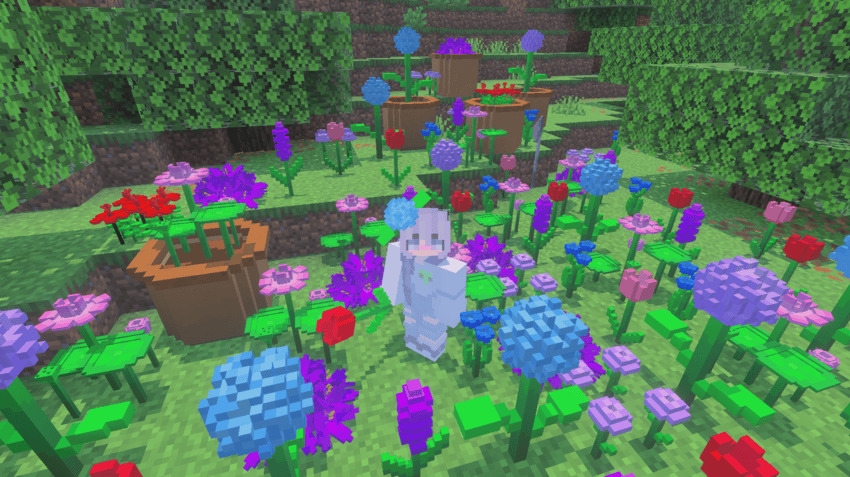
Bring the beauty of a flourishing meadow to your Minecraft Bedrock world with Enchanting Blooms — an addon that adds 10 brand-new 3D flower species. Not only do these flowers enhance your in-game landscapes, but you can also wear them on your head using fun, simple commands.
✨ Key Features
-
10 Unique Flower Species: Each flower has its own shape, color, and 3D model, making your gardens and biomes more vibrant and diverse.
-
Fully 3D Models: Unlike typical flat flower textures, these flowers are built with full 3D geometry — realistic petals, stems, and leaves.
-
Wearable Flowers: Use the command
/function [flower_name]to let your character wear the flower as a head accessory. For example,
/function lotuswill put a lily on your head! -
Custom Names & Variants: Every flower species has a unique name (e.g., Lavender, Rosebud, Sunpetal), and some have color or size variants for extra variety.
-
Compatible with MCPE / Bedrock: Designed to run smoothly in Minecraft Bedrock Edition, this addon works in both single-player and multiplayer worlds.
📥 How to Install
-
Download the
.mcpackfile from the download button. -
Import it into Minecraft Bedrock Edition (Behavior Pack and Resource Pack).
-
Activate both packs in your world settings.
-
Once in-game, enter creative mode and use the
/function [flower_name]command to wear any flower you like.
🎨 How to Use in Gameplay
-
Decorate Your World
Plant these flowers in gardens, along paths, or around your builds to add a realistic and aesthetic touch. -
Roleplay & Photo Ops
Wearing a flower crown opens up roleplay possibilities — from fairy-tale gardens to festival-themed builds. They also make for great screenshots! -
Gardening & Farming
Mix and match species to create custom floral arrangements. Use bone meal, or simply place them by hand.
💡 Why This Add-On Stands Out
-
Immersive Design: The 3D nature of these flowers makes them more than just decorative — they feel like real plants in your Minecraft world.
-
Player Interaction: By adding the wearable feature, the addon encourages exploration (finding and “collecting”” flowers) and personalization.
-
Lightweight & Efficient: Despite the 3D models, the addon is optimized for minimal performance impact.
-
Community Potential: Perfect for creators who build botanical gardens, fairy realms, or floral-themed maps — this addon adds value and versatility.
🔧 Known Issues & Tips
-
Ensure you have both Behavior Pack and Resource Pack enabled; otherwise, the 3D models or wearing function may not work.
-
Using the
/functioncommand requires you to have cheats enabled or operator permissions. -
If a flower is missing, check the spelling of the name in the command — names are case-insensitive, but must match exactly (e.g.,
sunpetal,rosebud). -
For best visuals, use a shader or high-quality render settings (optional).
/function blue_hydrangea
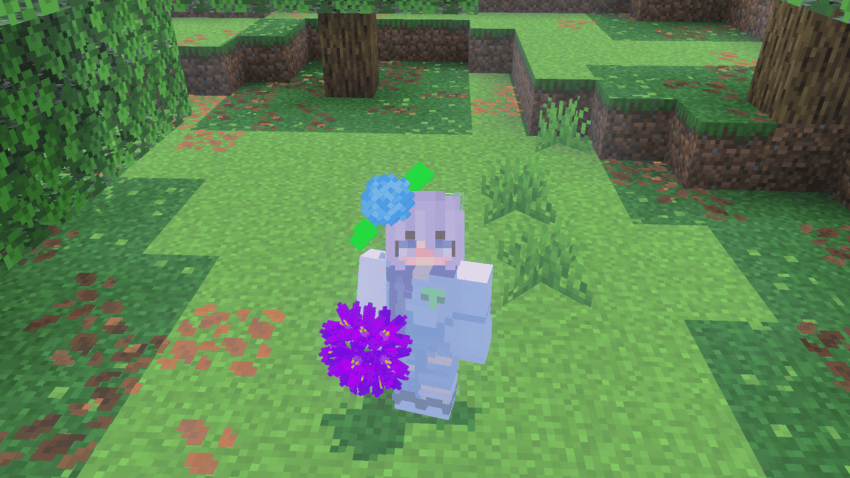
use /function [flower_name]
📄 Credits & License
-
Created by: zaggvn
-
Textures / Models: Custom 3D models, handcrafted for this addon
-
Permissions: Free to use in personal worlds. For redistribution or inclusion in public maps, please credit More 3D Flower and link back to the MCPEDL / CurseForge page.
In game
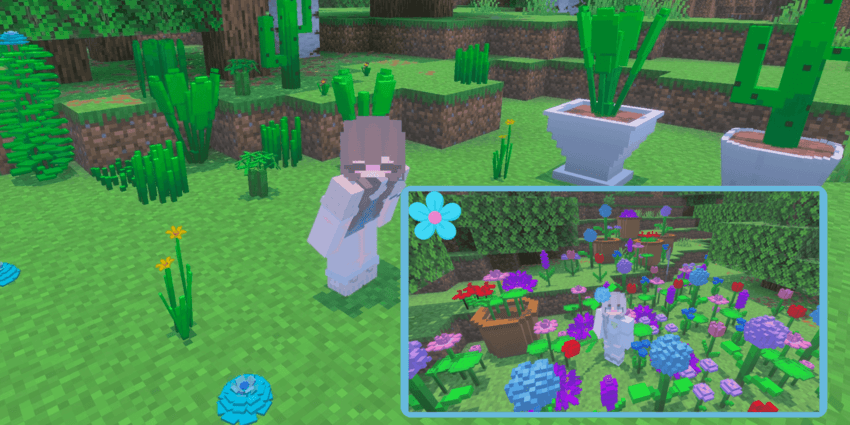
- Edition: Minecraft Bedrock
- File type: .mcpack or .mcaddon
- Minecraft versions listed: 1.21.101, 1.21.100, 1.21.111
- How to install: Download the .mcpack or .mcaddon file. → Open it — Minecraft imports it. → In your world: Behavior Packs → Available → Activate, then the same under Resource Packs.
- Where to get it: Opens on CurseForge — not every file is mirrored on our own servers.
Install steps are the general flow for this file type — How to install Minecraft Bedrock addons & mods walks through it step by step.
- Pack type: .mcaddon
- Manifest requires Minecraft 1.21.0 or newer
- Ships one half — this pack asks for another pack that is not included
- Download size: 189 KB
- Download link checked 16 Sept 2026 — working
These come from our own check of the pack file, not from the source page.