
SimpleVanish
A lightweight stealth utility for admins. Provides fake leave messages for players with the vanish tag. Use /v vanish to disappear
I don't know my version
—SimpleVanish: Stealth Utility—
SimpleVanish is a lightweight, high-performance utility designed for server admins and moderators. It allows you to trick players into thinking you’ve left the server, giving you the perfect cover to observe your world in secret.
Unlike standard command blocks, SimpleVanish uses the modern Minecraft Scripting API, ensuring zero lag and precise targeting.
About:
This addon provides a "Fake Leave" system. When triggered via a script event, the addon identifies the player with the vanish tag and broadcasts an official-looking yellow "left the game" message to every player on the server.
No Spam: The script is event-based—it only runs exactly when you trigger the script event.
Dynamic: It automatically picks up the name of the person who has the "vanish" tag.
Authentic: Uses standard Minecraft formatting so it looks 100% real to other players.
Items Hide: Also if you are in vanish, it completely hides the things you are holding.
How to Use:
•To Activate -To vanish yourself, run this command /v vanish.
•To Deactivate - To unvanish yourself, run this command /v unvanish.
Screenshots
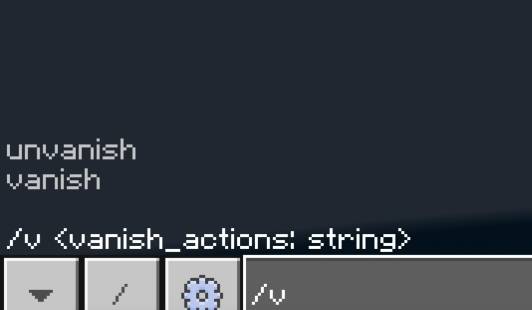
Commands:
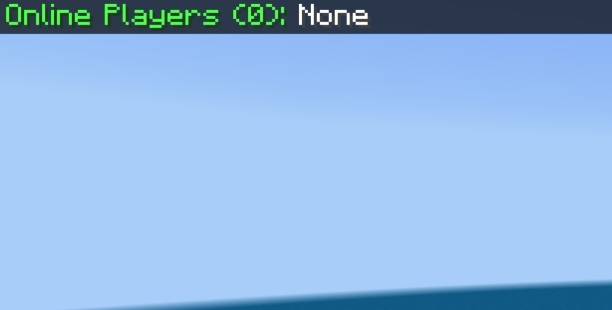
Note: /online to see all players since we removed the player list ui.
When you are in vanish- your name does not get shown.
/yap {player_name} {message} , to message a specific vanished player, putting a player with no vanish does not activate the command., /yap {message} for all vanished players.
/oc c {x} {y} {z} -put the coordinates of the container you want to open without actually triggering the animation and sound of the chest, you can also put more items inside.
/oc f - Face the container you want to open silently (Max range: 15 blocks)
Installation & Requirements:
-You MUST enable "Beta APIs" in your world settings for the script to function.
-Your Minecraft version must be 1.21 above in order for the utility to work.
Permissions:
You are ALLOWED to use this in your personal worlds or servers.
You are ALLOWED to modify this addon as long as you only use it for personal use.
You are ALLOWED to showcase this in a video (please provide a link to this page and put credits "CagierPuma").
You are NOT ALLOWED to re-post this on other websites without permission.
- Edition: Minecraft Bedrock
- File type: .mcpack or .mcaddon
- Minecraft versions listed: 1.21.101, 1.21.100, 1.21.111
- How to install: Download the .mcpack or .mcaddon file. → Open it — Minecraft imports it. → In your world: Behavior Packs → Available → Activate, then the same under Resource Packs.
- Where to get it: Opens on CurseForge — not every file is mirrored on our own servers.
Install steps are the general flow for this file type — How to install Minecraft Bedrock addons & mods walks through it step by step.
- Pack type: .mcaddon — behaviour and resource pack in one file
- Manifest requires Minecraft 1.21.100 or newer
- Complete pack — everything it depends on is inside the file
- Download size: 127 KB
- Download link checked 16 Sept 2026 — working
These come from our own check of the pack file, not from the source page.