
Warp Atlas
Bedrock add-on listed for Minecraft 1.21 (behavior + resource pack). File opened and checked on 7 Oct 2026; installs from the MC Bedrock Mods app on Android.
🌌 Warp Atlas – Waypoints & Teleportation Addon Tired of getting lost in your Minecraft worlds? Want a fast and clean way to teleport anywhere you’ve…
⬇ Download on CurseForge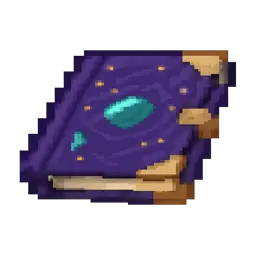
🌌 Warp Atlas – Waypoints & Teleportation Addon
Tired of getting lost in your Minecraft worlds?
Want a fast and clean way to teleport anywhere you’ve already explored?
Warp Atlas is the ultimate waypoint system for Bedrock Edition!
With a simple item in your hand, you can open a waypoint menu that lets you:
✔️ Create new waypoints
✔️ Name and customize them
✔️ Delete old waypoints
✔️ Teleport instantly to any saved location
All without leaving your game or using any commands!
✨ How It Works
- Use the Warp Atlas item to open the waypoint menu.
- Press the buttons to quickly create or manage your locations.
- Teleport with just a single click!
- Your waypoints remain saved even when you leave the world.
The menu is clean, simple, and optimized for mobile & controller.
🎒 Features
- 🧭 Easy-to-use waypoint GUI
- 📌 Unlimited waypoint creation
- ✏️ Rename and organize teleport points
- 🗑️ Delete old or unwanted waypoints
- ⚡ Instant teleportation
- 📱 Fully supports touchscreen, keyboard, and controller
- 🟢 Works in Survival (if enabled in settings)
📥 Installation
- Works on the latest version of Minecraft Bedrock
- Import both Behavior Pack and Resource Pack
- Enable Experimental Features if required by your version
- Make sure the pack is at the top of your load order
💬 Final Notes
Warp Atlas is perfect for survival, SMPs, adventure maps, or anyone who explores huge worlds.
Never lose your house, mineshaft, or base again!
If you like this addon, don’t forget to rate it and leave a comment! 😊
- Edition: Minecraft Bedrock
- File type: .mcpack or .mcaddon
- Minecraft version listed: 1.21.130
- How to install: Download the .mcpack or .mcaddon file. → Open it — Minecraft imports it. → In your world: Behavior Packs → Available → Activate, then the same under Resource Packs.
- Where to get it: Opens on CurseForge — not every file is mirrored on our own servers.
Install steps are the general flow for this file type — How to install Minecraft Bedrock addons & mods walks through it step by step.
- Pack type: .mcaddon — behaviour and resource pack in one file
- Manifest requires Minecraft 1.21.93 or newer
- Complete pack — everything it depends on is inside the file
- Download size: 111 KB
- Download link checked 6 Oct 2026 — working
These come from our own check of the pack file, not from the source page.