Bingo Addon
Bedrock add-on listed for Minecraft 26.x (behavior + resource pack). File opened and checked on 23 Oct 2026; installs from the MC Bedrock Mods app on Android.
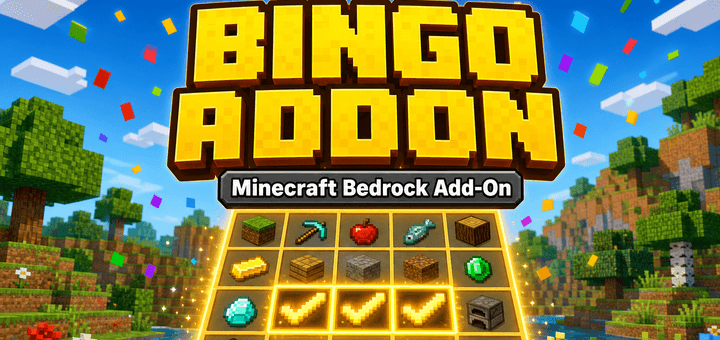
A fully-featured Bingo addon. Collect items and mobs to complete your bingo card! Supports solo, co-op, and team vs team modes with customizable grid…
⬇ DownloadThe author built this one for Minecraft 26.50. On other versions it may install and then do nothing.
English
Mirin Bingo — Bingo Minigame Addon
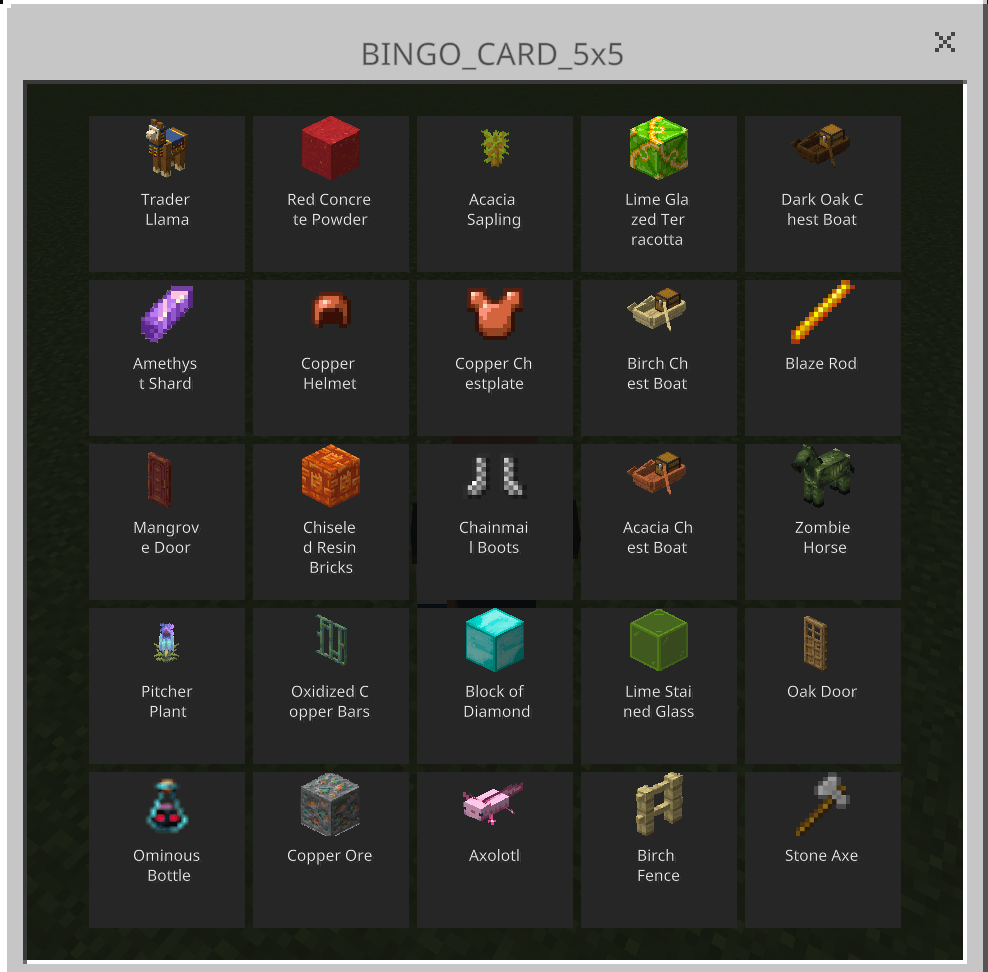
Complete tasks on your bingo card by collecting items, eating food, defeating mobs, and more. Complete rows, columns, or diagonals to reach the game's bingo goal!
Play solo, share a card and progress with everyone, or compete in teams. A simple setup menu, a two-page illustrated guide, and distinct item icons help you get started.
Getting Started
- Open the downloaded .mcaddon file with Minecraft. Activate both the Behavior Pack and Resource Pack in your world.
- Enter the world with empty inventory slots to receive Bingo Menu (compass icon) and Bingo Guide (book icon).
- Use Bingo Menu and choose Cooperate, Team competition, or Play solo / Individual competition.
- Choose your settings, check the participants, and start. For a first game, try 3×3, Easy, and one line.
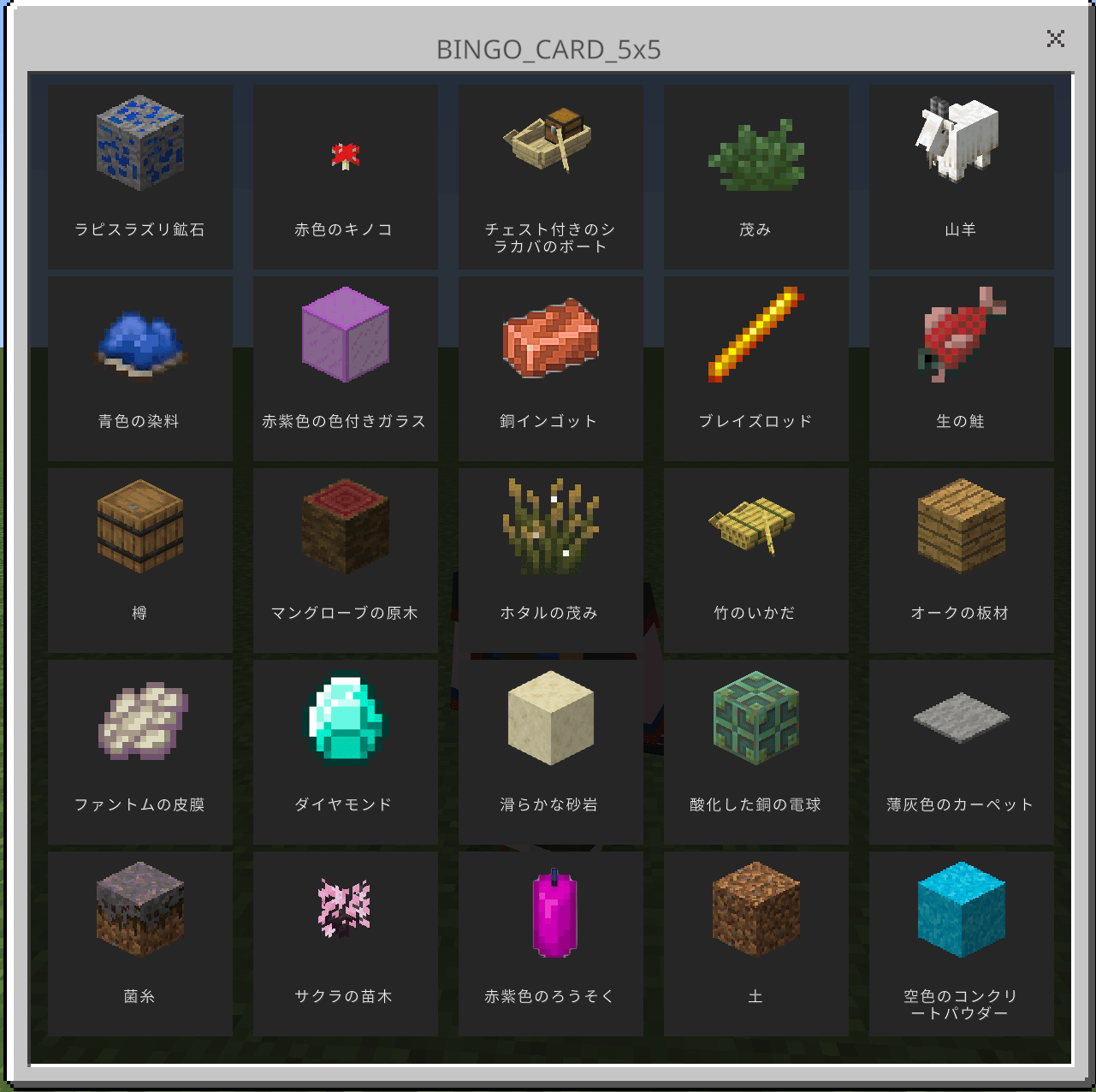
- Use your bingo sheet to view your card. Select a square to see the task and its completion requirements.
Starting a game permanently clears every participant's inventory. Store anything you want to keep in a chest before starting.
Co-op: Everyone on the Same Card
Use Bingo Menu → Cooperate, check your settings and participants, then start. Everyone shares one card and its progress. In games started through this cooperation setup, new and returning players also join the cooperation team.
Features
- Simple setup: Separate entry points for cooperation, team competition, and individual play.
- Illustrated instructions: Use Bingo Guide for two pages covering task completion and shared progress.
- Four card sizes: 3×3, 5×5, 7×7, and 10×10. The beginner setup offers 3×3 and 5×5; larger cards are available in advanced settings.
- Four difficulty levels: Easy, Normal, Hard, and Nightmare.
- Five advanced game modes: Solo, Line Battle, Team (Same Card), Team (Different Cards), and Team Line Battle.
- Custom cards: Choose tasks and save up to 20 cards.
- Teams: Up to 10 teams, with automatic or manual assignment.
- Records and rankings: Track clear times by mode, difficulty, and card size.
- Mid-game joining: Players receive bingo cards when joining an active game.
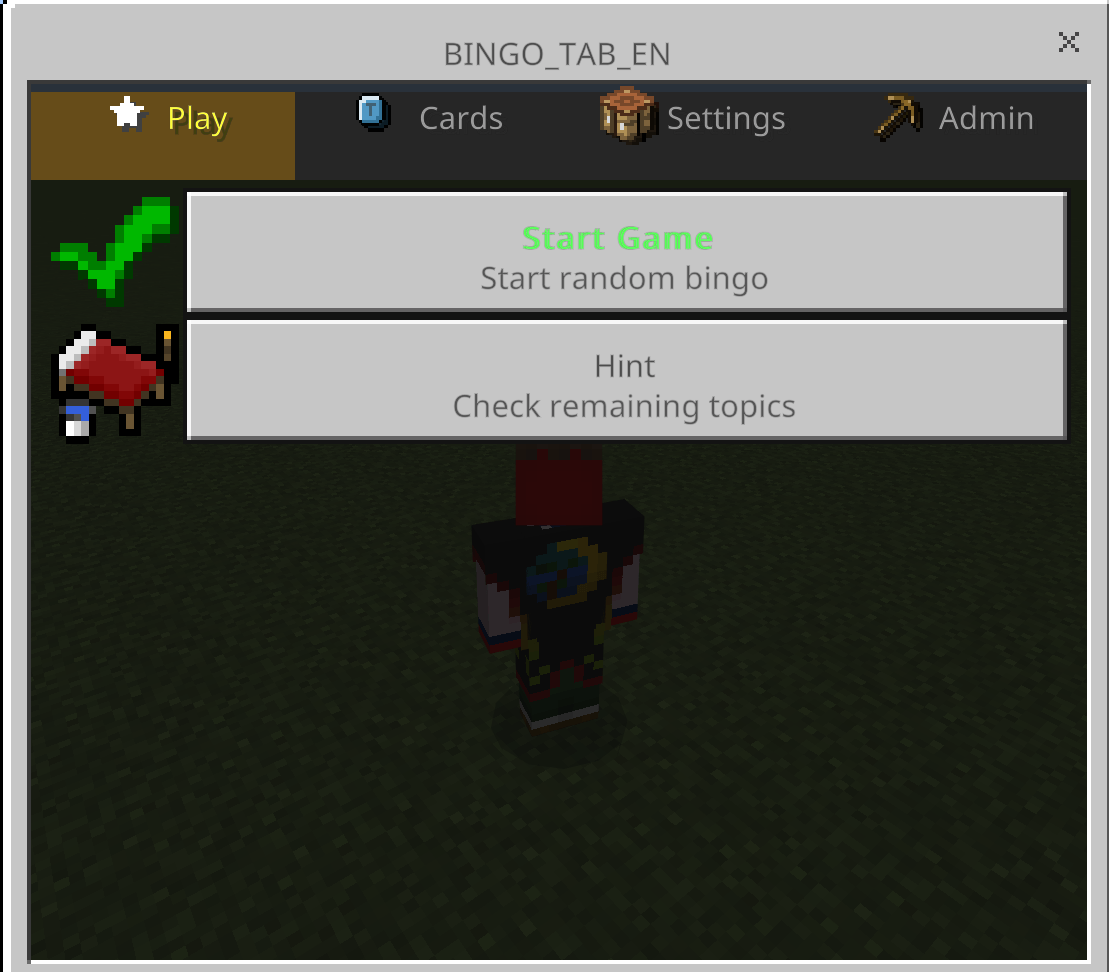
- Hints: Check unfinished tasks during a game.
- Japanese / English: Switch languages with /bingo:lang.
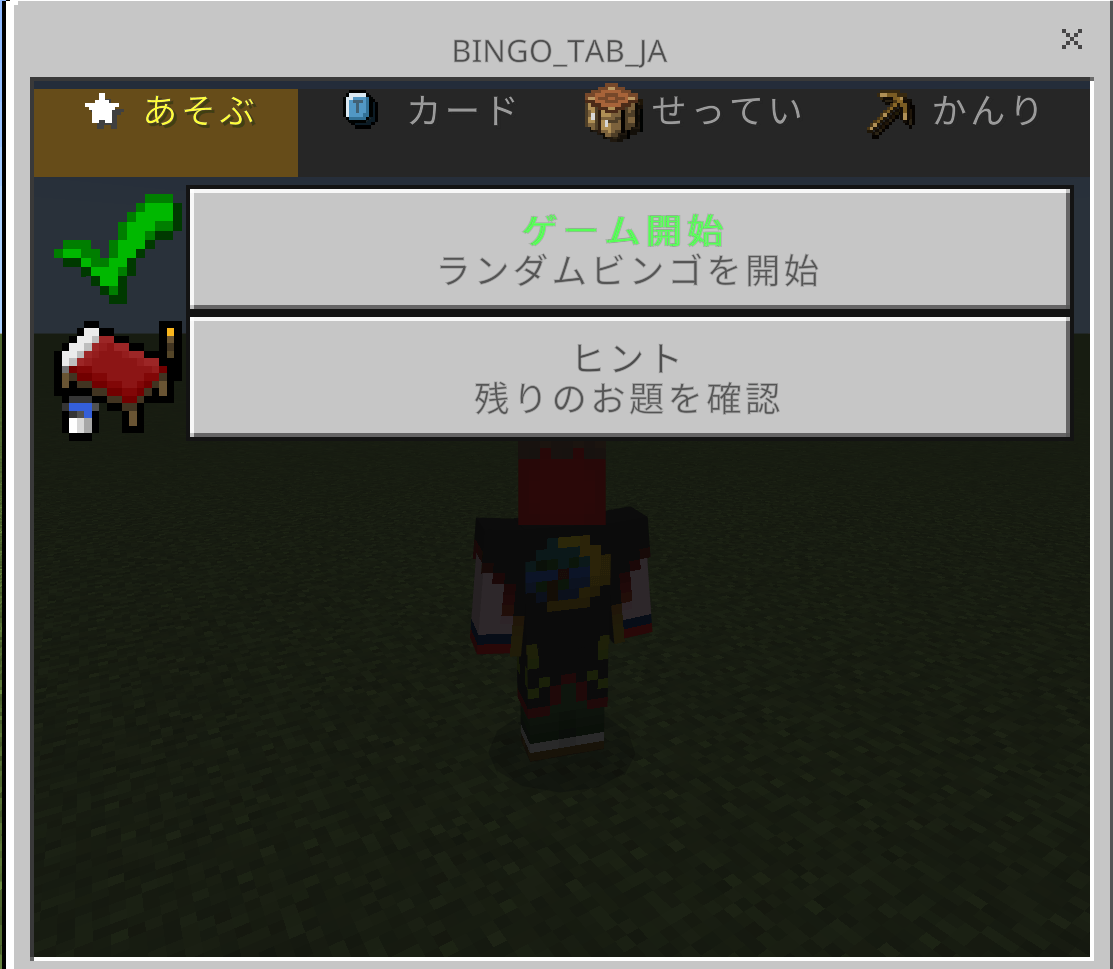
Advanced settings / card editor opens the detailed four-tab menu: Play / Cards / Settings / Admin.
Help and Commands
Choose Help in Bingo Menu for commands and replacement-item recipes. Craft Bingo Menu with one paper + one dirt, or Bingo Guide with one paper + one stick. Both recipes work in the inventory's 2×2 crafting grid.
- /bingo:menu — Open Bingo Menu
- /bingo:viewcard — View bingo cards
- /bingo:random — Quick-start a random bingo game
- /bingo:hint — Show unfinished tasks
- /bingo:records — View records and rankings
- /bingo:reset — Reset the game
- /bingo:end — End the game and show results
- /bingo:lang — Switch Japanese / English
Declared minimum version: Minecraft Bedrock 26.50. Tested on Windows Bedrock 26.52. Back up your world before updating, and keep the Behavior Pack and Resource Pack on the same version. If a card or menu does not fit your screen, try lowering GUI Scale in Video Settings.
日本語
ミリンビンゴ — ビンゴ ミニゲーム アドオン
集める・食べる・倒すなど、ビンゴカードのお題を達成しよう! 縦・横・斜めのラインをそろえて、設定されたビンゴの目標を目指すミニゲームです。
ひとりでも、全員で同じカードを共有しても、チームで対戦しても遊べます。初めての人向けの準備メニュー、2ページの図解、見分けやすいアイテムアイコンで、遊び始めるまでを案内します。
最初の遊び方
- ダウンロードした.mcaddonファイルをMinecraftで開き、遊ぶワールドでビヘイビアーパックとリソースパックを両方有効にします。
- 持ち物に空き枠がある状態でワールドに入ると、「ビンゴメニュー」(コンパスの絵)と「ビンゴのあそびかた」(本の絵)が配られます。
- 「ビンゴメニュー」を使い、「みんなで協力」「チームで対戦」「ひとりで遊ぶ/個人で対戦」から選びます。
- 設定と参加者を確認して開始します。初めては3×3・イージー・1ラインがおすすめです。
- 配られたビンゴの紙を使ってカードを開きます。マスを押すと、お題の名前と達成方法を確認できます。
ゲームを開始すると、参加者全員の持ち物が消えます。元に戻せないため、必要な物は開始前にチェストへ預けてください。
全員で同じカードを遊ぶには
「ビンゴメニュー」→「みんなで協力」を選び、設定と参加者を確認して開始するだけ。全員で1枚のカードと達成状況を共有します。この始め方では、途中参加・再接続した人も協力チームに加わります。
主な機能
- わかりやすい準備メニュー:協力・チーム対戦・個人プレイを入口から選べます。
- 図解のあそびかた:本から、お題の達成方法とチーム共有を2ページで確認できます。
- 4つのカードサイズ:3×3/5×5/7×7/10×10。初めて向けの準備は3×3・5×5に対応し、大きいカードは詳しい設定から選べます。
- 4段階の難易度:イージー/ノーマル/ハード/ナイトメア。
- 詳しい設定では5モード:各自別々/ライン対決/チーム(同じカード)/チーム(違うカード)/チームライン対決。
- カスタムカード:お題を選んで最大20枚まで保存できます。
- チーム機能:最大10チーム、自動・手動のチーム分けに対応。
- 記録・ランキング:モード・難易度・カードサイズ別にクリアタイムを記録。
- 途中参加:進行中に参加した人にもカードを配布。
- ヒント:未達成のお題を確認できます。
- 日英切替:/bingo:langで日本語/Englishを切り替えられます。
「詳しい設定・カード編集」から、従来の4タブメニュー「あそぶ/カード/せってい/かんり」を開けます。
困ったとき・コマンド
メニューの「困ったとき」で、コマンドとアイテムの作り直し方を確認できます。「ビンゴメニュー」は紙1個+土1個、「ビンゴのあそびかた」は紙1個+棒1個で作れます。どちらも手持ちの2×2クラフトに対応しています。
- /bingo:menu — ビンゴメニュー
- /bingo:viewcard — カード閲覧
- /bingo:random — ランダムビンゴ即開始
- /bingo:hint — 未達成のお題を表示
- /bingo:records — 記録・ランキング
- /bingo:reset — リセット
- /bingo:end — 終了・結果発表
- /bingo:lang — 言語切替(日本語/English)
最低対応表記:Minecraft統合版26.50。動作確認:Windows版26.52。更新前はワールドをコピーして保管し、ビヘイビアーパックとリソースパックを同じ版にそろえてください。カードやメニューが画面に収まらない場合は、設定→ビデオの画面スケールを下げてお試しください。
- Edition: Minecraft Bedrock
- File type: .mcpack or .mcaddon
- Minecraft version listed: 26.50
- How to install: Download the .mcpack or .mcaddon file. → Open it — Minecraft imports it. → In your world: Behavior Packs → Available → Activate, then the same under Resource Packs.
- Where to get it: In MCModsHub, or directly above on this page.
Install steps are the general flow for this file type — How to install Minecraft Bedrock addons & mods walks through it step by step.
- Pack type: .mcaddon — behaviour and resource pack in one file
- Manifest requires Minecraft 1.26.50 or newer
- Complete pack — everything it depends on is inside the file
- Download size: 18.8 MB
- Download link checked 6 Oct 2026 — working
These come from our own check of the pack file, not from the source page.