![[Realm Compatible]Effects shop](https://pub-2ae937f770284535a96c3330f91236aa.r2.dev/img/curseforge/69143.png)
[Realm Compatible]Effects shop
Take your gameplay to the next level with this powerful and easy-to-use addon. The Effect Shop Menu introduces menu that allows players to purchase potion…
I don't know my version
![[Realm Compatible]Effects shop — screenshot 1](https://pub-2ae937f770284535a96c3330f91236aa.r2.dev/img/curseforge/69143_s2161392.png)
![[Realm Compatible]Effects shop — screenshot 2](https://pub-2ae937f770284535a96c3330f91236aa.r2.dev/img/curseforge/69143_s2161393.png)
![[Realm Compatible]Effects shop — screenshot 3](https://pub-2ae937f770284535a96c3330f91236aa.r2.dev/img/curseforge/69143_s2161394.png)
![[Realm Compatible]Effects shop — screenshot 4](https://pub-2ae937f770284535a96c3330f91236aa.r2.dev/img/curseforge/69143_s2161395.png)
![[Realm Compatible]Effects shop — screenshot 5](https://pub-2ae937f770284535a96c3330f91236aa.r2.dev/img/curseforge/69143_s2161396.png)
![[Realm Compatible]Effects shop — screenshot 6](https://pub-2ae937f770284535a96c3330f91236aa.r2.dev/img/curseforge/69143_s2161397.png)
![[Realm Compatible]Effects shop — screenshot 7](https://pub-2ae937f770284535a96c3330f91236aa.r2.dev/img/curseforge/69143_s2161398.png)
![[Realm Compatible]Effects shop — screenshot 8](https://pub-2ae937f770284535a96c3330f91236aa.r2.dev/img/curseforge/69143_s2161399.png)
Effects Shop - Your Server's Potion Economy!
Take your server's economy to the next level with a fully interactive UI for buying and gifting custom potion effects!
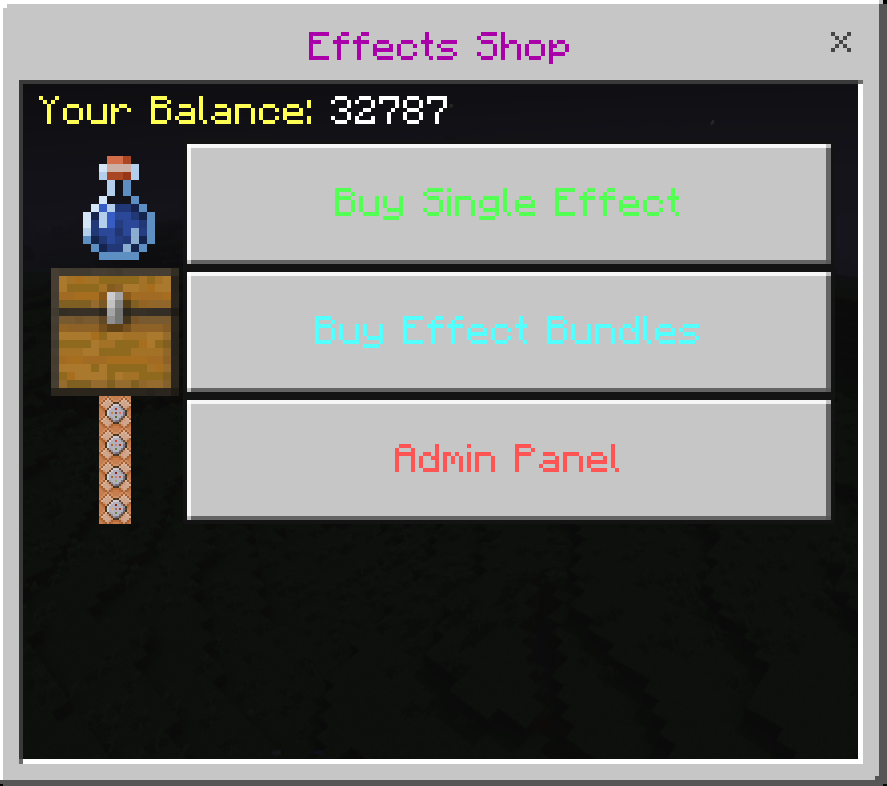
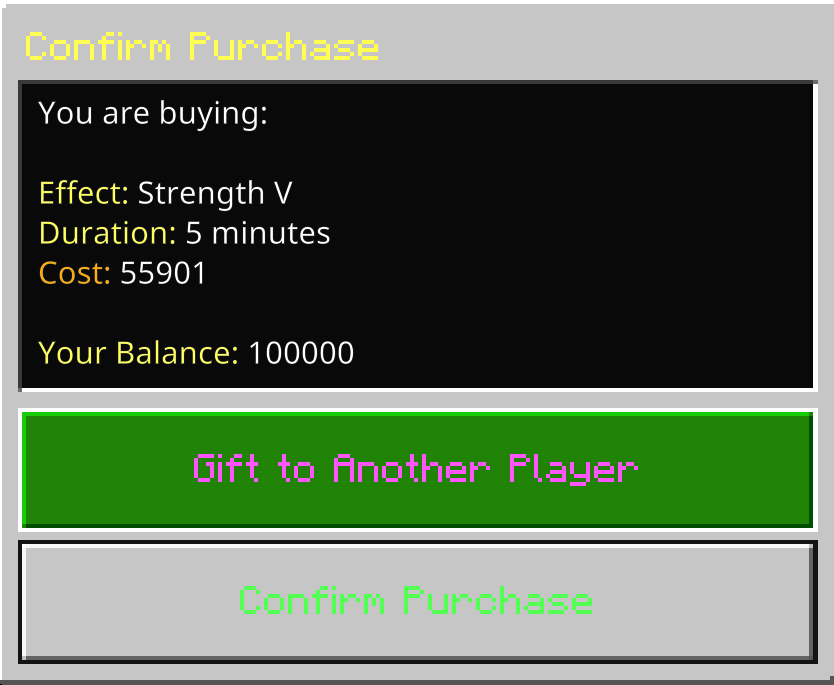
Welcome to the ultimate Effects Shop addon! This script provides a complete and stable solution for adding a potion effect economy to your world. Designed to be powerful for admins and incredibly easy for players, this addon is perfect for enhancing survival multiplayer, RPG servers, and minigames.
Forget complicated commands! Everything is controlled through a beautiful, intuitive, and fully icon-driven UI.

You May Also Enjoy The Addon Below!!
[Realm Compatible] RPG Skills & Prestige: Evolved - Minecraft Bedrock Addons - CurseForge
Important Server Setup
Before using this addon, you must set up the in-game economy. This only needs to be done once.
- Create the Scoreboard: In your world's chat, run the following command exactly as written:
/scoreboard objectives add money dummy Money "Money can be replaced to match your serrver realm world but the first must be money to work with menu"
You can now give players money using /scoreboard players add <playername> money <amount>. The shop is now ready to use! "or have them earn from your own economy system"
How to Use
- Open the Menu: Simply hold and use a Compass, a Clock, or a Stick to open the main shop menu.
Player Features
Custom Effect Crafting
No more long lists of presets! Select any effect and then type in the exact Amplifier and Duration you want. The cost is calculated for you in real-time, giving you complete control over your purchases.
Effect Bundles
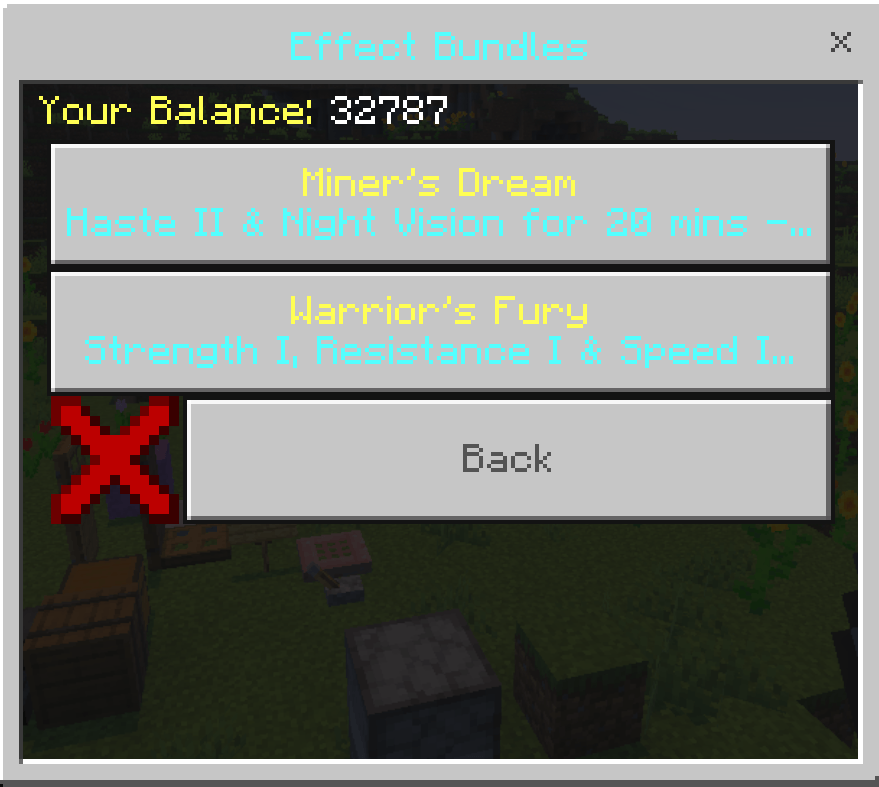
Purchase pre-made "bundles" at a discount for a powerful combination of effects tailored to specific tasks, like the "Miner's Dream" (Haste & Night Vision) or the "Warrior's Fury" (Strength, Resistance & Speed).
Gifting System
Buy an effect for another online player! A perfect way to help a friend in a tough spot or give a surprise gift.
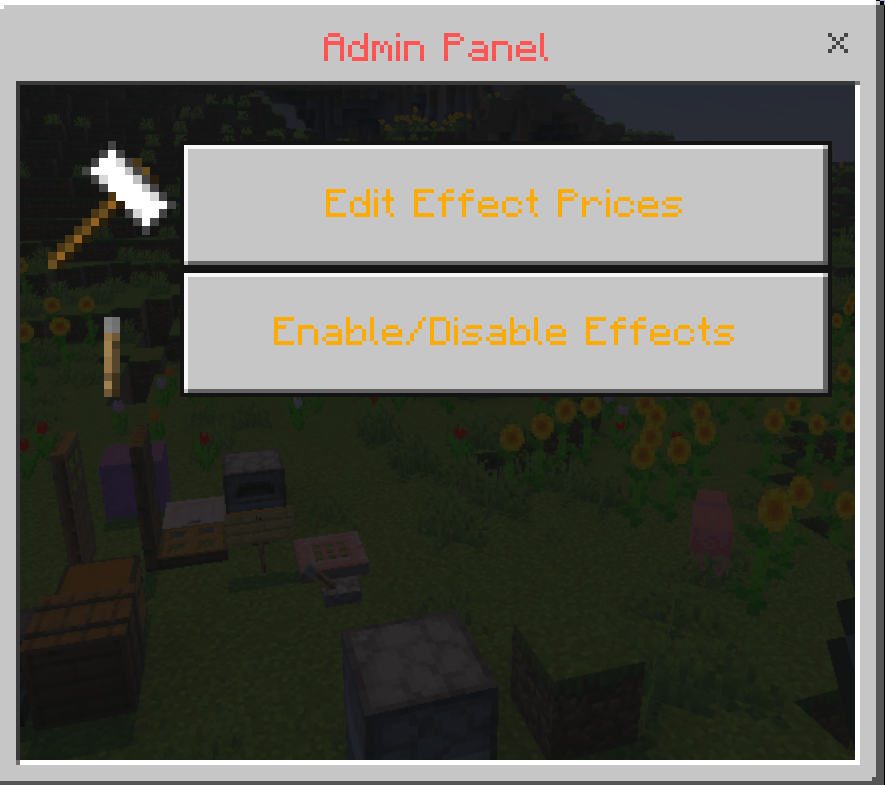
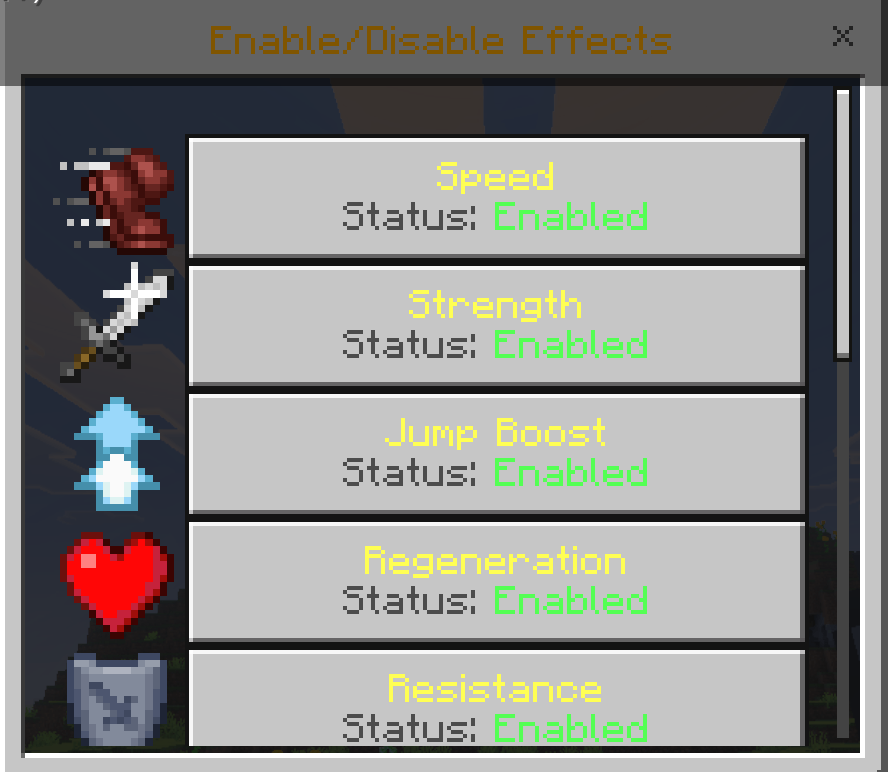
Admin Features
(Admins need the tag admin or Admin applied via /tag)
Complete In-Game Control Panel
Manage every aspect of the shop from a dedicated and organized Admin Panel without ever needing to touch the code.
Dynamic Price Editor
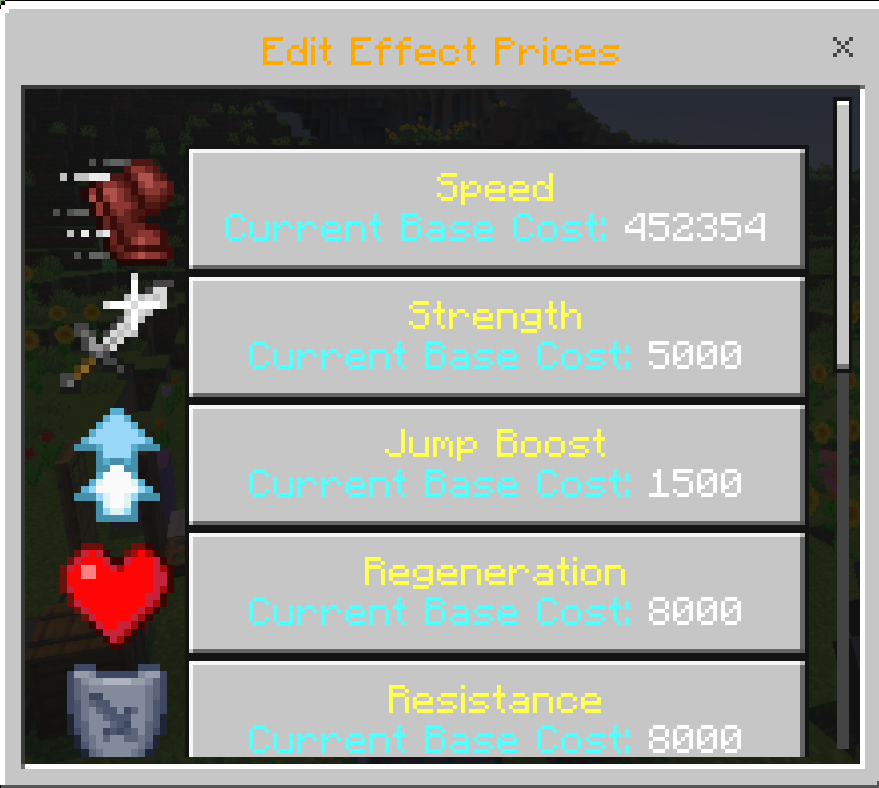
Easily change the base cost of any effect in-game. If an effect is too cheap or too expensive, you can re-balance your server's economy on the fly.
Enable & Disable Effects
Toggle any effect on or off to completely remove it from the shop for regular players, allowing you to tailor the addon to your server's specific gameplay needs.
⚠️ Important Requirements & Realms Setup
For this massive addon to function without errors, you MUST enable Cheats and the following experimental world setting:
- Beta APIs
Playing on a Server or Realm?
Because Bedrock does not allow direct activation of script experiments on active Realms, follow this specific deployment process:
- Create a new world (or download your current active Realm) to your local device.
- Navigate to World Settings, and toggle on Cheats and Beta APIs.
- Activate the Addon Behavior Pack and Resource Pack under your world settings.
- Upload this newly configured world file directly back to replace your active Realm slot!
Our Socials
- Nasaremix Studios Discord: https://discord.gg/6rjTGkRBzP
- YouTube Channel: https://www.youtube.com/@Nasaremixstudios
- Twitch Live everyday: https://www.twitch.tv/nightvorn
Usage Guidelines
What You Can Do:.
- Use this addon for worlds, servers, realms, exploration, or learning.
- Share feedback and suggestions to help improve the addon.
- Enjoy its features freely within these guidelines.
- Produce and share gameplay media videos images etc, showcase videos, or live streams (Please credit Nasaremix Studios! and provide direct links do not create own).
What You Can’t Do:.
- Do not create separate download links for the addon.
- Do not steal or copy any part of the addon for personal projects.
- Do not redistribute the addon as your own work.
- Do not edit or share modified versions of the addon.
Note
The ONLY official pages to download my addons are:
- Modbay (nasaremix)
- https://mcpedl.com/user/nasa-x-remix/
- https://www.curseforge.com/members/nasaremix/projects
Any other site or repost is unauthorized and may contain stolen or unsafe files.
- Edition: Minecraft Bedrock
- File type: .mcpack or .mcaddon
- Minecraft versions listed: 26.0.02, 26.0, 26.3
- How to install: Download the .mcpack or .mcaddon file. → Open it — Minecraft imports it. → In your world: Behavior Packs → Available → Activate, then the same under Resource Packs.
- Where to get it: Opens on CurseForge — not every file is mirrored on our own servers.
Install steps are the general flow for this file type — How to install Minecraft Bedrock addons & mods walks through it step by step.
- Pack type: .mcaddon
- Manifest requires Minecraft 1.26.0 or newer
- Needs Beta APIs switched on in the world settings
- Ships one half — this pack asks for another pack that is not included
- Download size: 559 KB
- Download link checked 25 Aug 2026 — working
These come from our own check of the pack file, not from the source page.