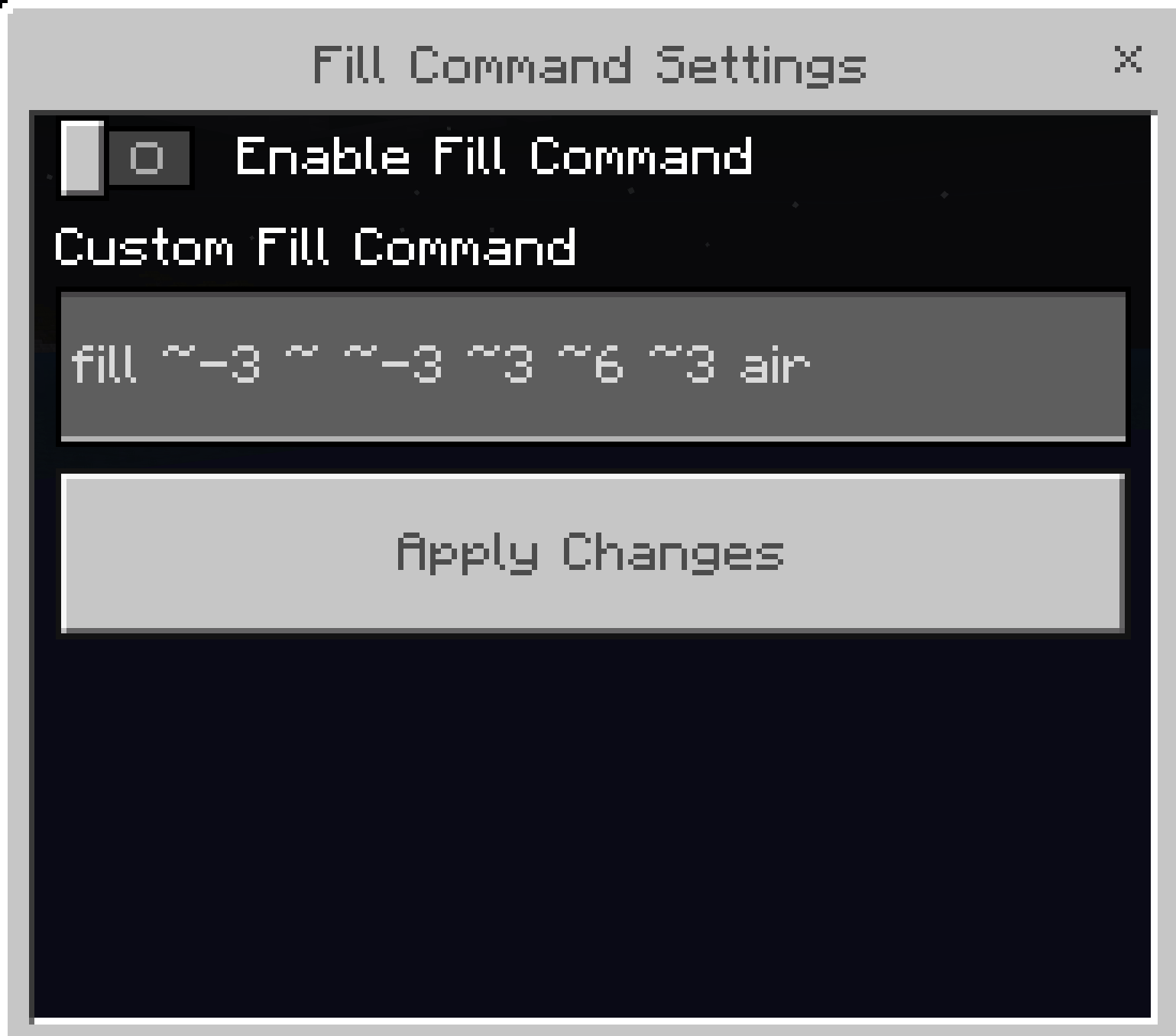
This behavior pack allows you to execute powerful fill commands through a simple UI without needing to enable cheats or lose your chance at earning achievements. It is fully compatible with Realms and Servers, making it the perfect tool for massive projects with friends.
How to Use
Craft a Stick: Obtain a standard wooden stick.
Rename it: Use an Anvil to rename the stick to exactly: Fill Command
Open the Menu: Hold the renamed stick and interact (right-click or long-press) to open the UI menu.
Enter the Command: Type your fill command into the UI without the leading /.
Common Command Examples
Use these coordinates and block types to quickly modify your world:
Clear a Massive Area (Replace with Air):
fill ~-3 ~ ~-3 ~3 ~6 ~3 air
Clears a 7x7 area that is 6 blocks high around you.
Flatten Ground with Grass:
fill ~-10 ~-1 ~-10 ~10 ~-1 ~10 grass_block
Creates a 21x21 platform of grass beneath your feet.
Replace Only One Specific Block:
fill ~-10 ~-1 ~-10 ~10 ~-1 ~10 concrete ["color"="blue"] replace water
Swaps all water in a nearby area for blue concrete without affecting other blocks.
Key Features
Achievement Friendly: Works perfectly without disabling Xbox/PlayStation achievements.
Multiplayer Ready: Fully functional on dedicated servers and Minecraft Realms.
Precision Tools: Ideal for clearing land, filling oceans, or building large-scale foundations in seconds
For support or suggestions join my Discord
- Edition: Minecraft Bedrock
- File type: .mcpack or .mcaddon
- Minecraft versions listed: 1.21.81, 1.21.93, 1.21.90
- How to install: Download the .mcpack or .mcaddon file. → Open it — Minecraft imports it. → In your world: Behavior Packs → Available → Activate, then the same under Resource Packs.
- Where to get it: Opens on CurseForge — not every file is mirrored on our own servers.
Install steps are the general flow for this file type — How to install Minecraft Bedrock addons & mods walks through it step by step.
Fill Command - Achievement Friendly is a free Minecraft Bedrock addon. Compatible with Minecraft 1.21.81, 1.21.93, 1.21.90, 1.21.101 and newer. Downloaded 1,197 times (via CurseForge). Download it and open it directly in the game.