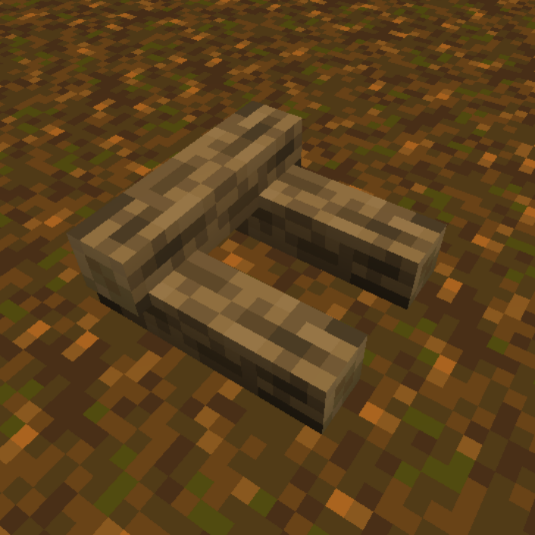
Buildable Campfire
Bedrock add-on listed for Minecraft 26.x. File opened and checked on 27 Sep 2026; installs from the MC Bedrock Mods app on Android.
if you like using campfire in minecraft, of course you will make it in crafting table, right? Of course, because in Minecraft, you can only make campfires…
⬇ Download on CurseForgeThe author built this one for Minecraft 26.3. On other versions it may install and then do nothing.
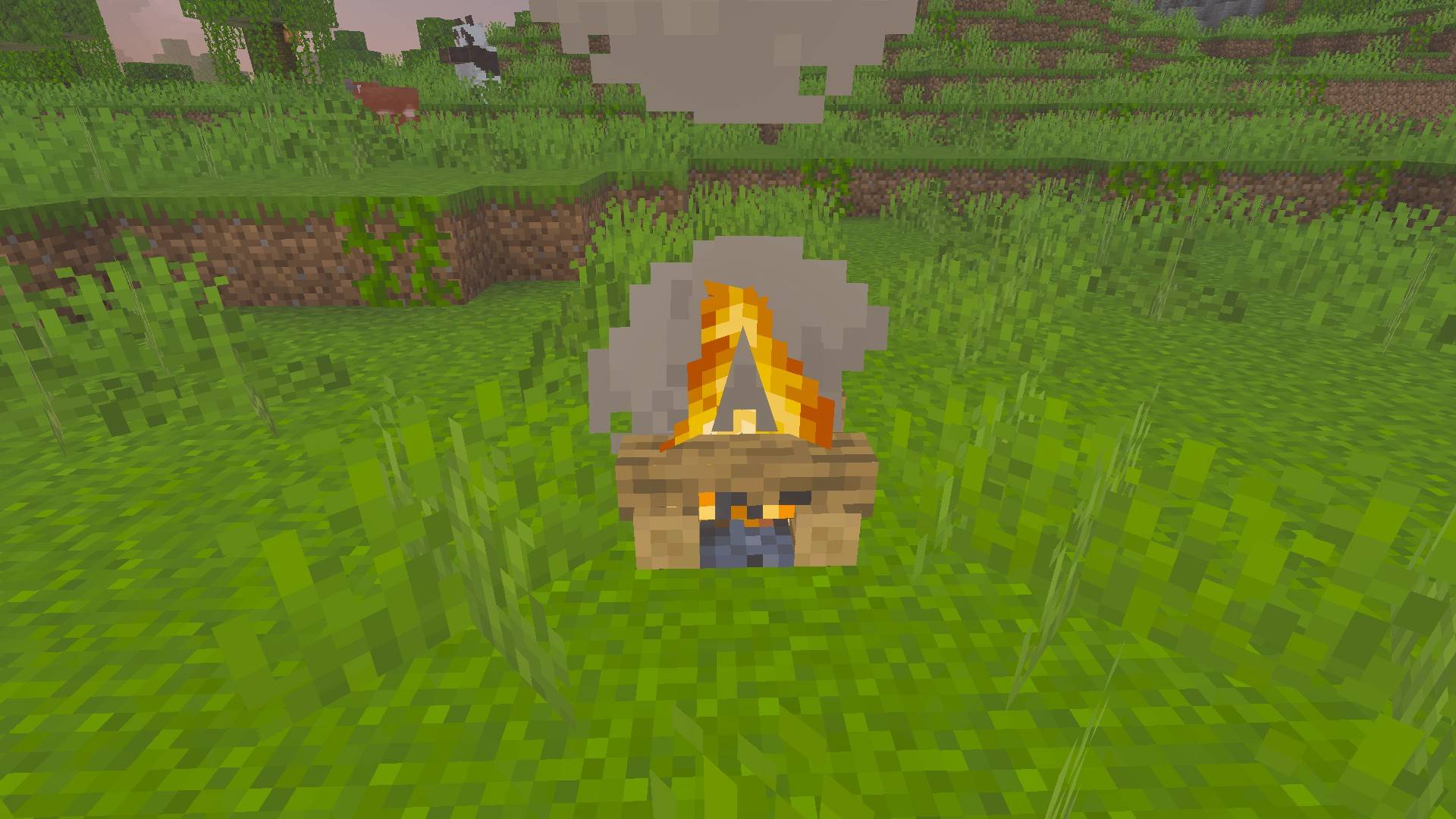
How To Build Campfire With This Addon?
- First you have to look for logs (Like Oak, Spruce, Pale Oak, Warped Stem, etc). Once you have logs, turn them into log pieces in crafting.
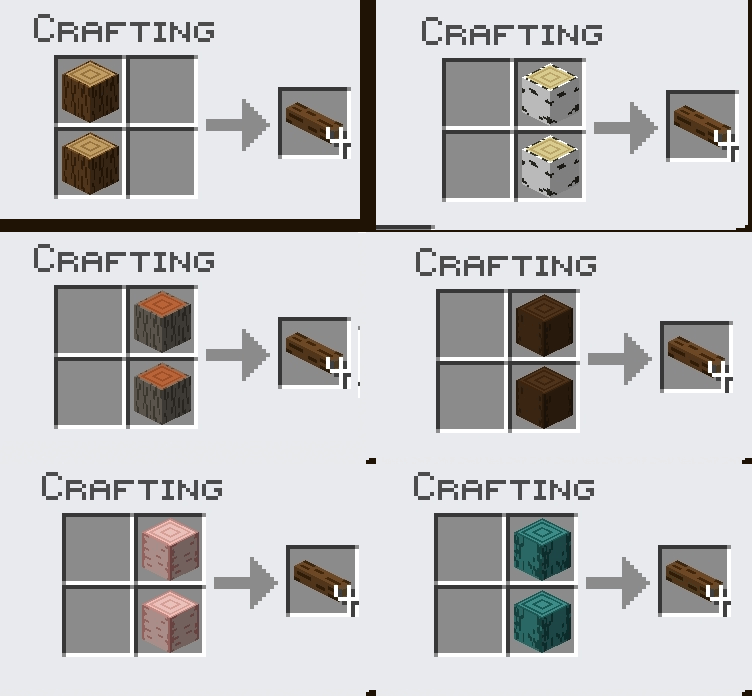
- after having a log piece, you must also have (coal/charcoal) for Campfire, (soul sand/soul soil) for soul campfire and a tool to light the fire, and do as below.
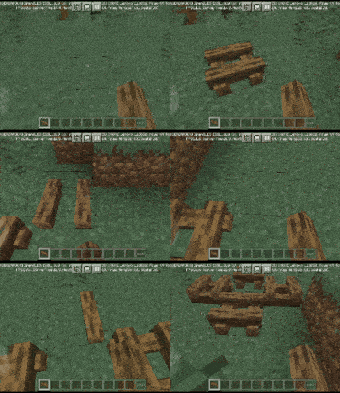
- New Update: You can now stack log pieces up to 4 layers! and if you make a mistake, use any Axe to take back your log piece.
Coal :
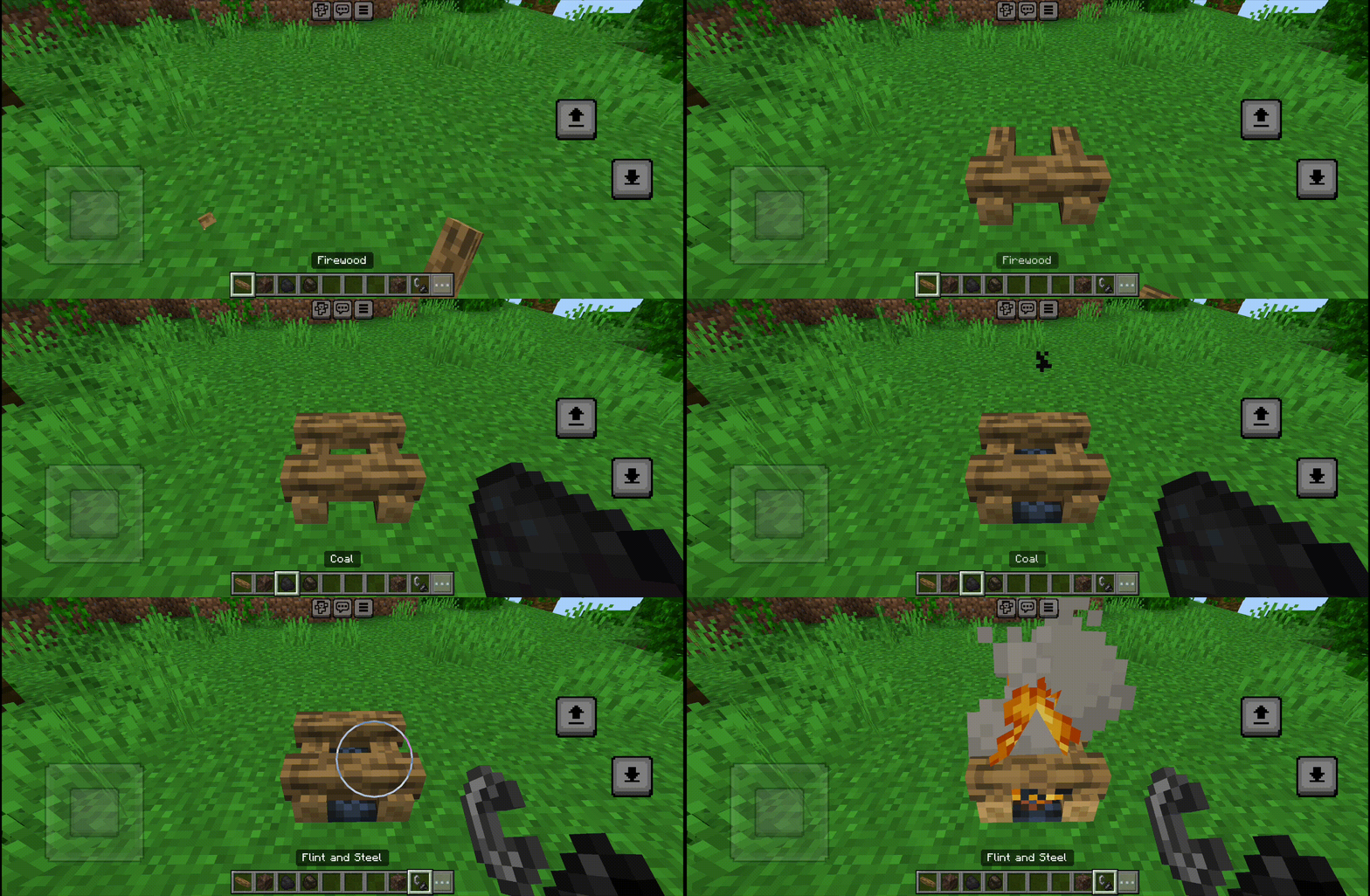
Charcoal :
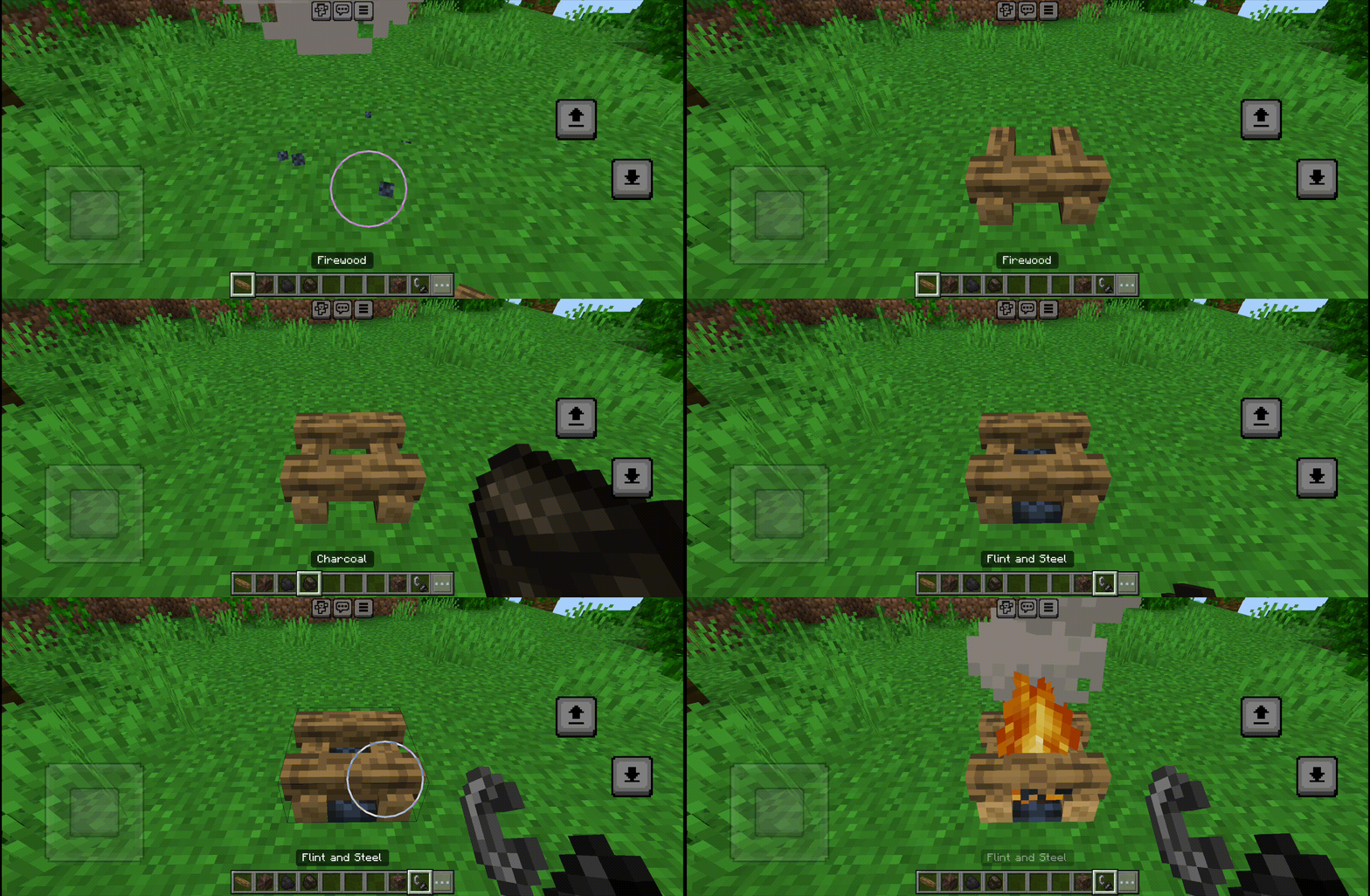 </figure>
Soul sand :
<figure class="image">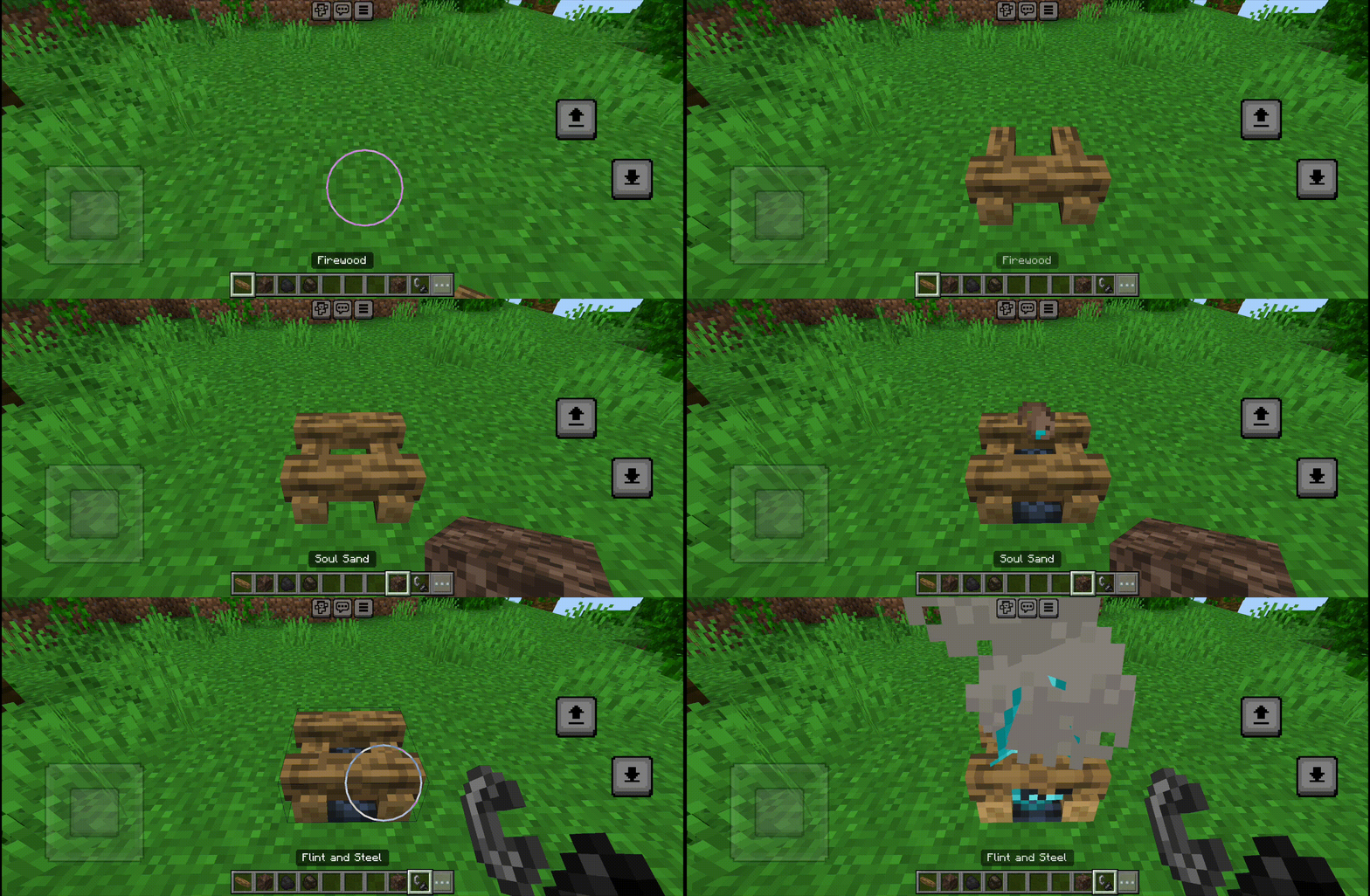
Soul soil :
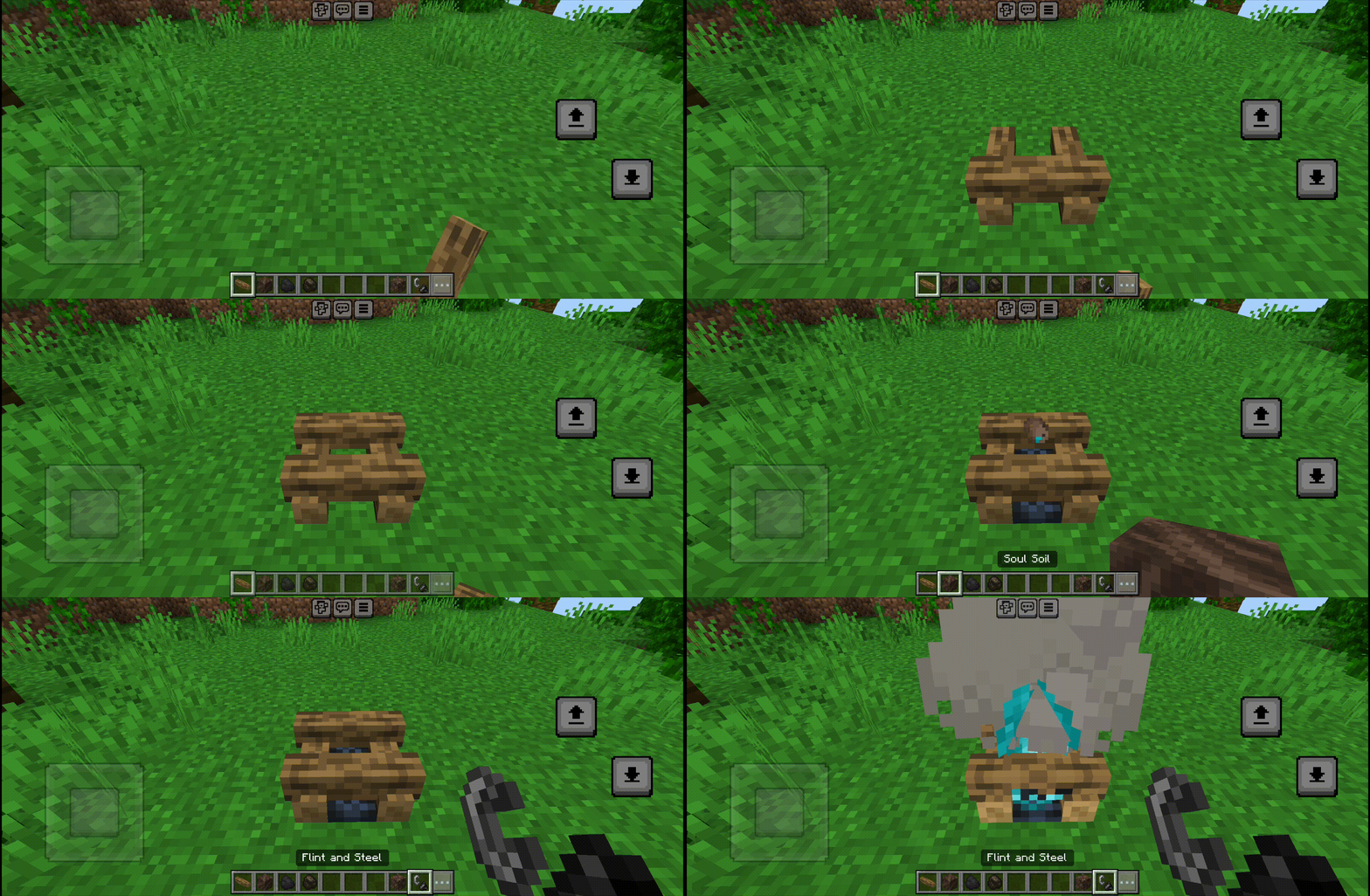
- and yeah your campfire is ready, but wait! the fire is still out. You need to light it manually!
How to Light the Fire:
- Torch / Soul Torch / flint and steel / fireball: Direct light (100% Success).
- Flint : Strike it to create sparks (30% Success).
- Stick : Rub it against the logs (10% Success).
Additions
- Support Pale Oak Logs!
- Axe Support: Use an axe to downgrade or remove log pieces before the fire starts.
- Achievement Friendly, no need to activate experimental gameplay or cheat
- The method of making a campfire directly on the ground also benefits you, because you only have to have 2 logs and 1 (coal/charcoal/soul sand/soul soil) and a tool to light the fire, in contrast to the crafting recipe which requires 3 logs, 1 (coal/charcoal/soul sand/soul soil) and 3 sticks.
- if you want to make a normal campfire, put coal or charcoal after placing the log piece. and if you want to make a soul campfire, put soul sand or soul soil after placing the log piece.
Now the direction of the campfire adjusts the direction of the player
We really appreciate your suggestions and feedback in the comments column, and please report if you find any bugs in this addon
Disclaimer
If you want to review this addon on youtube etc, please include the download link to this site
If you like this addon, it would be nice to support the creator by subscribing to the channel
https://youtube.com/@Hann.Undefined
- Edition: Minecraft Bedrock
- File type: .mcpack or .mcaddon
- Minecraft version listed: 26.3
- How to install: Download the .mcpack or .mcaddon file. → Open it — Minecraft imports it. → In your world: Behavior Packs → Available → Activate, then the same under Resource Packs.
- Where to get it: Opens on CurseForge — not every file is mirrored on our own servers.
Install steps are the general flow for this file type — How to install Minecraft Bedrock addons & mods walks through it step by step.
- Pack type: .mcaddon — behaviour and resource pack in one file
- Download size: 385 KB
- Download link checked 6 Oct 2026 — working
These come from our own check of the pack file, not from the source page.