
OP Backup
With this add-on, you have an OP backup status that allows you to use a ! command instead of a / command. Only someone with access to the add-on files can…
I don't know my version

What is OP Backup
The add-on creates a backup of your operator rights. This backup can only be managed if you have access to the add-on files. If someone tries to remove your operator rights, you can still use commands via the ! symbol. The operator backup is also more secure than the vanilla operator rights because, firstly, you can manage them at any time, and secondly, you can only execute commands but not place command blocks or use other functions available to operators.
Activation
1. go to settings and enable Beta-APIs

2. activate the addon in the world

3. You are now ready and can now go into the world
give you force op rights
- open list.js in addon
- remove "all" from the list so that no other force op can use
- write your name in the file
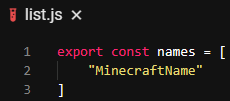
By removing "all" no one except the people on the list has Force OP rights
Join Message
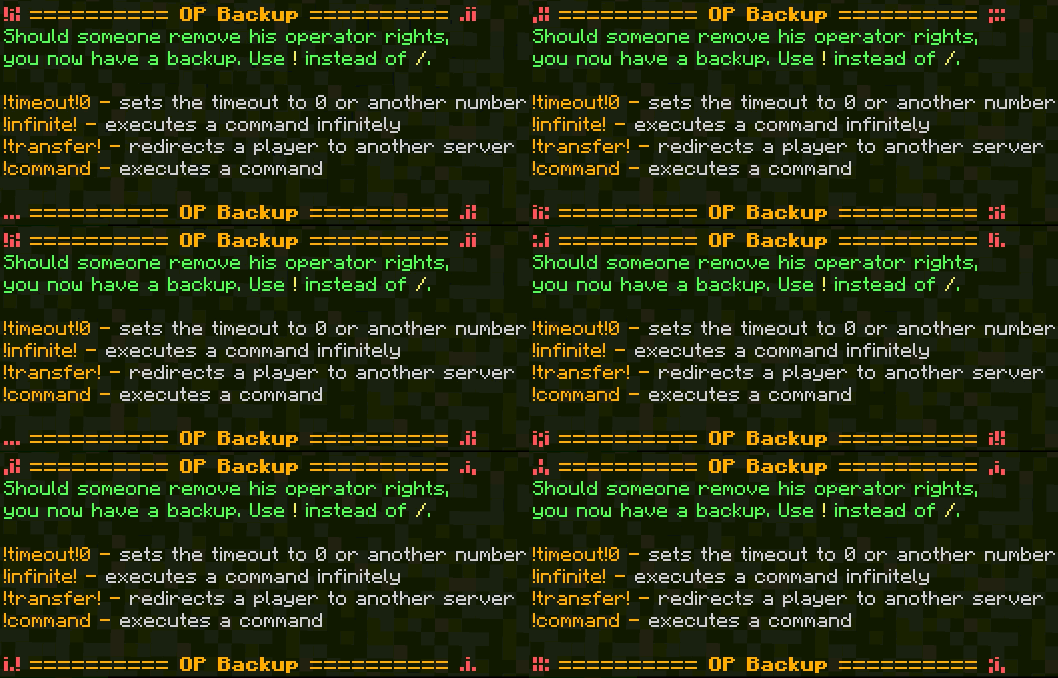
If you have an OP backup, you will receive this message when joining

commands
If you type !help in chat this message will appear
!timeout!
If you enter this in chat and then a number like 1 or 20, every command that is executed in the future will be executed ... seconds later, even if you log out.
!infinite!
If this is sent in chat, the command entered afterward will be executed infinitely. For example, !infinite!say hi. Now the command /say hi will be executed infinitely until the same command is sent again in chat. Then the command will stop until the same command is sent again.
!transfer! name mcserver.net 19393
With the additional command, it is possible to transfer any player to another server. To do this, replace the first character in the command with the name, the second character with the target IP address, and the last character in the command with the server's port.
!
The ! is used quite normally for commands. Instead of a /, a ! is used here.
The add-on works in all worlds where Beta APIs are enabled. Unfortunately, changing the game mode isn't possible in hardcore worlds because Minecraft blocks this. The add-on is safer than the vanilla OP mode because you can simply give yourself OP in-game, but it's not that easy with the add-on since you first have to edit the correct file.
- Edition: Minecraft Bedrock
- File type: .mcpack or .mcaddon
- Minecraft versions listed: 1.21.130, 1.21.131, 1.21.132
- How to install: Download the .mcpack or .mcaddon file. → Open it — Minecraft imports it. → In your world: Behavior Packs → Available → Activate, then the same under Resource Packs.
- Where to get it: Opens on CurseForge — not every file is mirrored on our own servers.
Install steps are the general flow for this file type — How to install Minecraft Bedrock addons & mods walks through it step by step.
- Pack type: .mcaddon — behaviour and resource pack in one file
- Manifest requires Minecraft 1.21.120 or newer
- Needs Beta APIs switched on in the world settings
- Complete pack — everything it depends on is inside the file
- Download size: 4 KB
- Download link checked 16 Sept 2026 — working
These come from our own check of the pack file, not from the source page.