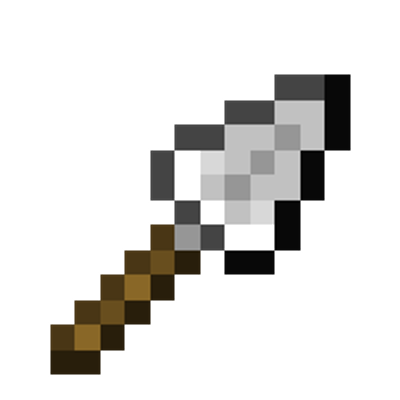
Trowels
Bedrock add-on listed for Minecraft 26.x (behavior + resource pack). File opened and checked on 27 Aug 2026; installs from the MC Bedrock Mods app on Android.
We have all seen peoples builds and wondered how they made it look so textured and detailed. With Trowels you can make your builds look like you have been…
⬇ Download
 Project Description:
We have all seen peoples builds and wondered how they made it look so textured and detailed. With Trowels you can make your builds look like you have been building for years.
Important Information:
- 💯This Project is 100% achievement compatible.
- ✅No Experiments will need to be activated to play.
- 👨💼No Player files are used in this project.
- ⚡️Easy base buidling.
- 💡Lightweight project.
- 📦Behaviour & Resource packs are both required for the project to work.
- 💻Have something to say? Join the Discord.
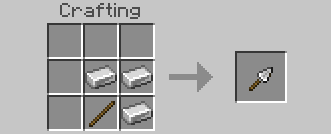 Craft a Trowel to start building quicky.
 Are you tired of placing one block at a time trying to figure out what the best pattern is to make your builds look more natural?

 With a Trowel that decision doesn't have to be made. The Trowel will choose a random block from your hotbar and place it down, making all your builds look professional.
- Edition: Minecraft Bedrock
- File type: .mcpack or .mcaddon
- Minecraft versions listed: 26.40, 26.50
- How to install: Download the .mcpack or .mcaddon file. → Open it — Minecraft imports it. → In your world: Behavior Packs → Available → Activate, then the same under Resource Packs.
- Where to get it: In MCModsHub, or directly above on this page.
Install steps are the general flow for this file type — How to install Minecraft Bedrock addons & mods walks through it step by step.
- Pack type: .mcaddon — behaviour and resource pack in one file
- Complete pack — everything it depends on is inside the file
- Download size: 6 KB
- Download link checked 25 Aug 2026 — working
These come from our own check of the pack file, not from the source page.