
MultiWorld - PMMPCore Plugin
MultiWorld extends PMMPCore with advanced dimension management, letting server owners create and manage multiple worlds with unique environments…
⬇ Download on CurseForge
MultiWorld Plugin (Click for More)
MultiWorld is a powerful world management plugin for PMMPCore Framework that brings multi-dimensional server capabilities to Minecraft Bedrock. Create unlimited worlds with different generation types, teleport between dimensions, and manage complex server environments.



What Does This Plugin Do?
MultiWorld extends PMMPCore Framework with comprehensive dimension management, allowing server owners to create and manage multiple worlds with different environments, game modes, and generation types - all running simultaneously with optimized performance.
⚠️ Requirements
| Requirement | Status | Details |
|---|---|---|
| ❌ PMMPCore Framework | Required | This plugin cannot work without PMMPCore Framework installed. |
| ❌ Beta APIs | Required | Uses experimental Bedrock Script APIs (disables Xbox Achievements). |
| ✅ Server Owner | Recommended | Designed for server administrators, not casual players. |
Key Features
- ✅ Unlimited Dimensions: Create as many worlds as your server can handle with automatic dimension assignment.
- ✅ Multiple Generation Types: Normal, Flat, Void, Skyblock, and custom procedural generation.
- ✅ Smart Teleportation: Safe cross-dimensional teleportation with spawn point management.
- ✅ Lazy Loading: Worlds are only loaded when accessed, minimizing performance impact.
- ✅ Custom Generation API: Developers can add custom ore generation and world structures.
- ✅ World Management: Create, delete, list, and configure worlds through commands.
- ✅ Performance Optimized: Chunk cleanup, batch processing, and memory management.
World Types Available
| Type | Description | Use Case |
|---|---|---|
| Normal | Standard Minecraft generation | Main worlds, survival servers. |
| Flat | Flat grass world | Creative building, redstone testing. |
| Void | Empty void world | Skyblock, custom building challenges. |
| Skyblock | Void with small starting platform | Skyblock servers, survival challenges. |
🛠️ Available Commands
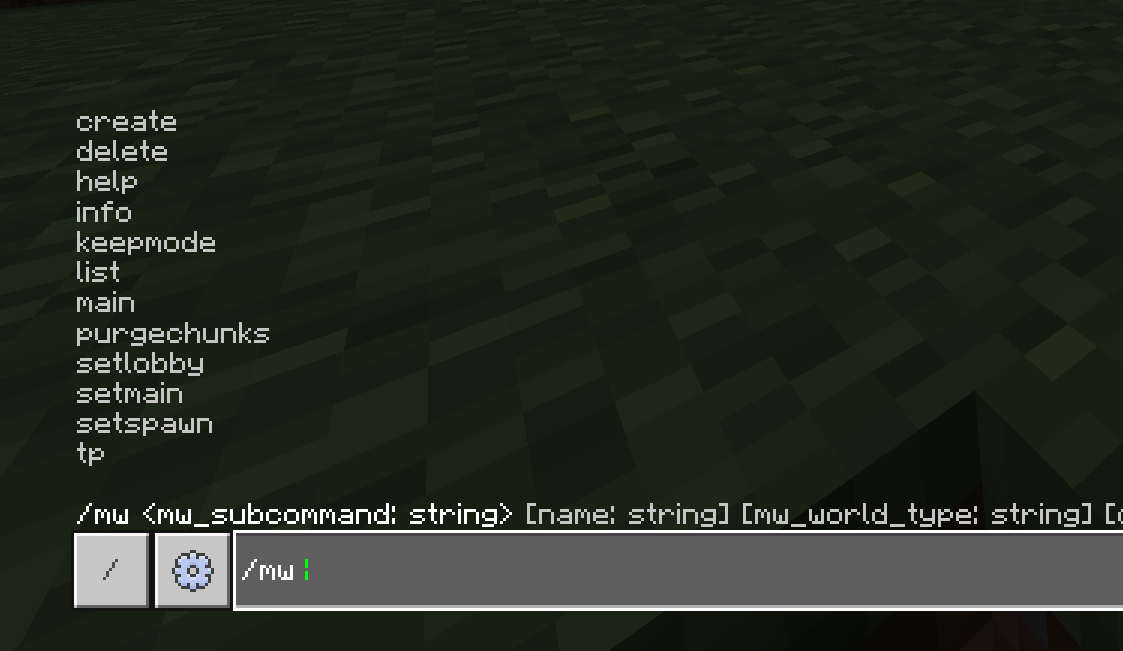
MultiWorld provides a comprehensive /mw command system for world management:
| Command | Syntax | Description |
|---|---|---|
| create | /mw create <name> [type] [dimension] |
Create a new world with specified type |
| tp | /mw tp <worldName> |
Teleport to world spawn |
| list | /mw list |
List all available worlds |
| delete | /mw delete <worldName> |
Delete a world permanently |
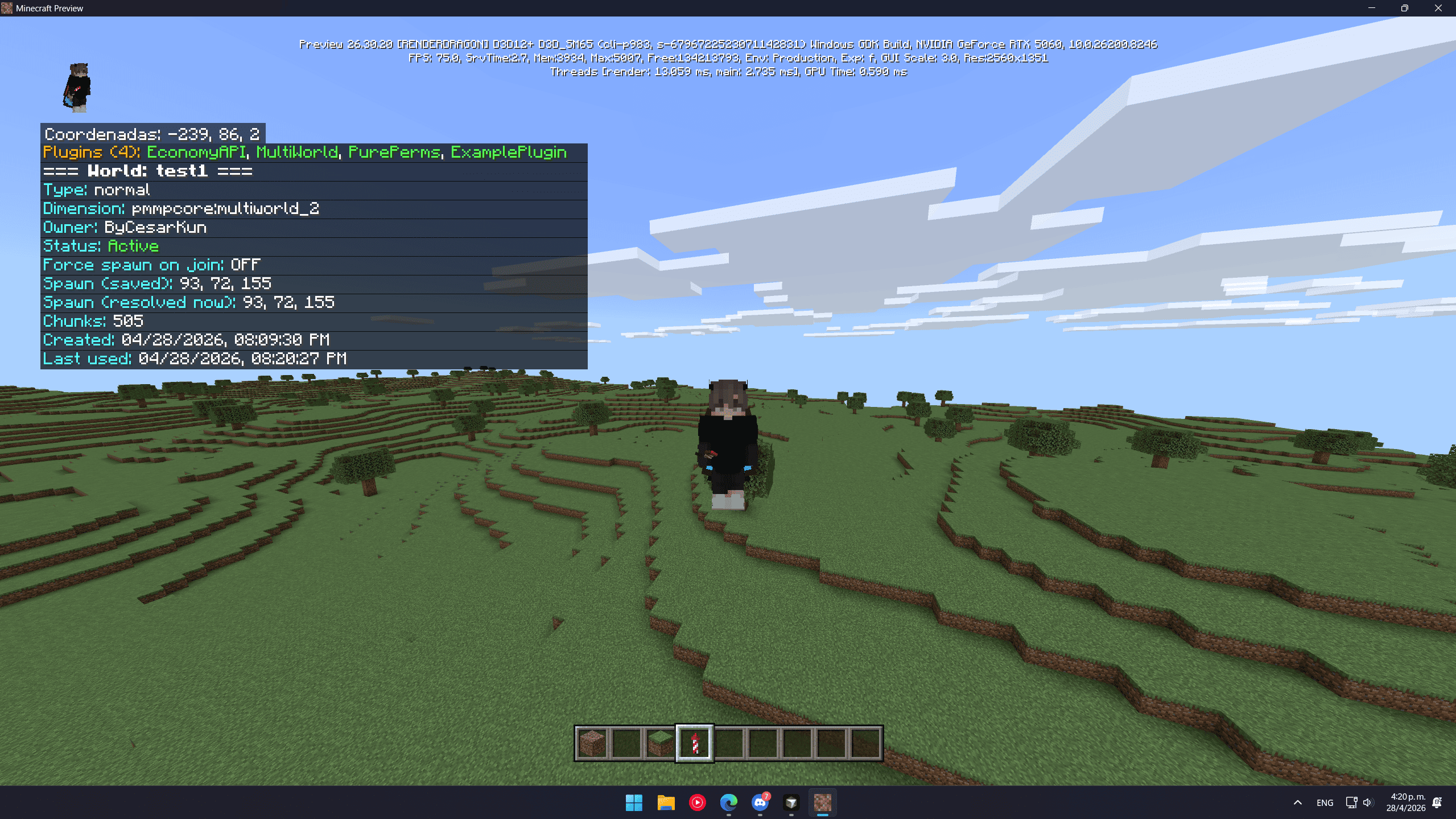
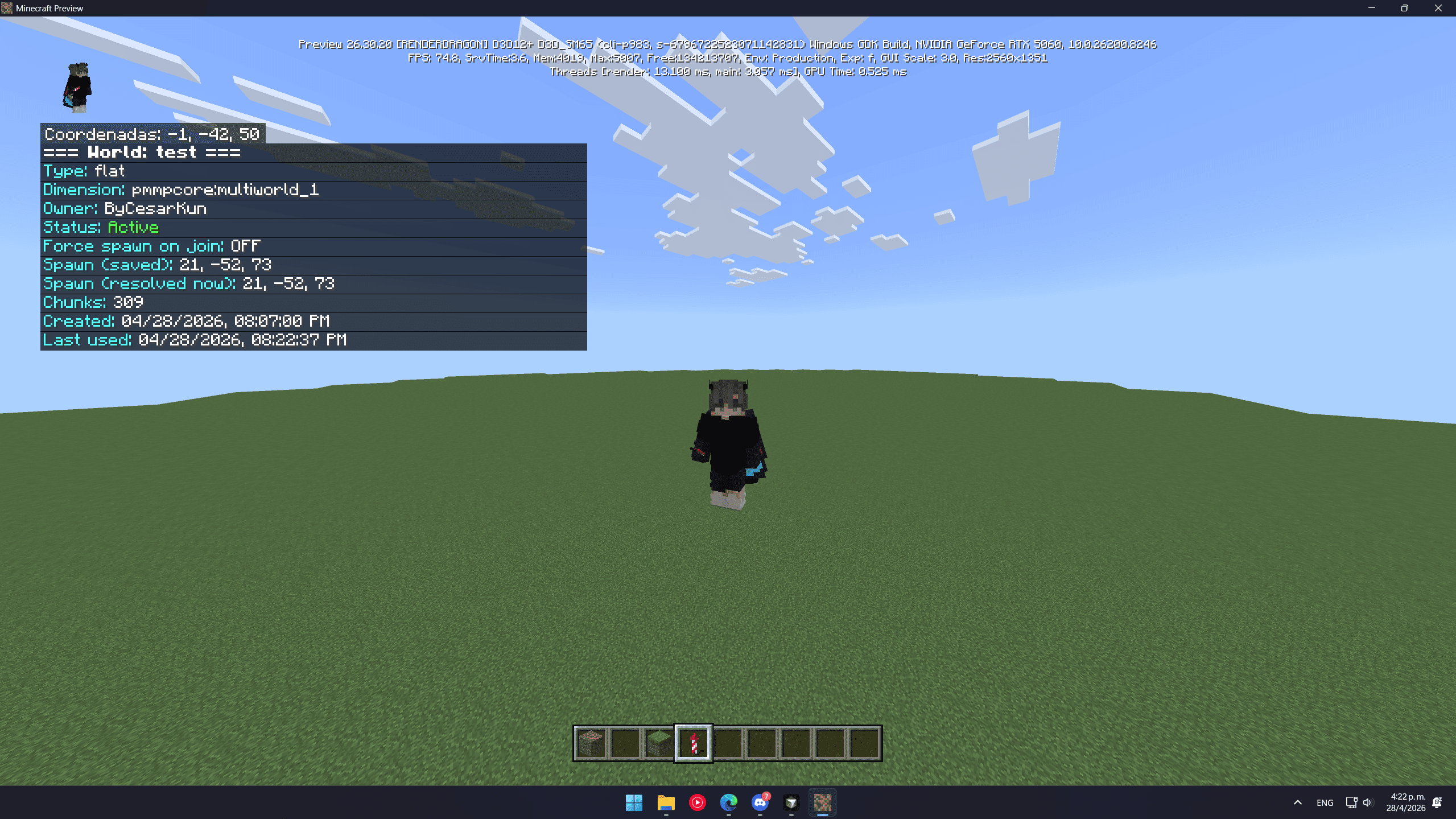
| info | /mw info <worldName> |
Show detailed world information |
| setspawn | /mw setspawn [worldName] |
Set current location as world spawn |
| setmain | /mw setmain <worldName> |
Set the main world for server |
| setlobby | /mw setlobby <worldName> [toggle] |
Configure lobby world settings |
| keepmode | /mw keepmode [toggle] |
Toggle world persistence mode |
| purgechunks | /mw purgechunks <worldName> |
Cleanup unused chunks |
| main | /mw main |
Show main world information |
| help | /mw help |
Show command help and usage |
World Types Available
normal (default), flat, void, skyblock
Example Usage
# Create a normal survival world
/mw create survival normal

# Create a flat creative world in dimension 10
/mw create creative flat 10

# Teleport to the survival world
/mw tp survival

# List all worlds
/mw list

# Set spawn point in current world
/mw setspawn

# Delete a world
/mw delete oldworld
Performance Features
MultiWorld includes advanced performance optimizations for large-scale servers:
- Lazy Loading: ⚠️ Worlds are lazy-loaded. Performance impact only occurs when players are inside a dimension or ticking areas are active.
- Chunk Cleanup: Automatic cleanup of unused chunks to prevent memory leaks.
- Batch Processing: Heavy operations are split across multiple game ticks.
- Dimension Pooling: Efficient reuse of dimension IDs.
- Memory Management: Automatic garbage collection and data cleanup.
Generation API for Developers
MultiWorld exposes powerful generation APIs for custom content:
Custom Ore Generation
// Register custom ores with world-specific scoping
WorldGenerator.registerOreRule({
  id: "my_ore",
  blockId: "minecraft:emerald_ore",
  minY: -32, maxY: 16,
  veinsPerChunk: 2,
  veinSize: 4,
  scope: { type: "worldType", value: "normal" }
});
Custom World Structures
// Add custom structures to world generation
WorldGenerator.registerGenerationHook({
  id: "my_structure",
  seed: 42,
  scope: { type: "worldName", value: "custom_world" },
  onChunkGenerated(ctx) {
    // Generate custom structures
    return tasks; // Array of placement functions
  }
});
Configuration Options
Configure MultiWorld behavior through scripts/plugins/MultiWorld/config.js:
const MW_CONFIG = {
  // World limits
  maxWorlds: 10,
  maxChunksPerWorld: 1000,

  // Performance settings
  chunkCleanupInterval: 300000, // 5 minutes
  lazyLoadingEnabled: true,

  // Generation settings
  defaultWorldType: "normal",
  enableCustomGeneration: true,

  // Teleportation settings
  teleportDelay: 0,
  teleportSafetyCheck: true
};
Compatibility & Requirements
- ⚠️ Requires PMMPCore Framework: This plugin is part of the PMMPCore ecosystem and cannot function independently.
- ⚠️ Requires Beta APIs: Uses experimental Bedrock Script APIs and disables Xbox Achievements.
- ✅ Version: Optimized for Minecraft Bedrock Preview 26.20.26.
- ✅ Multiplayer: Fully tested on Realms and Dedicated Servers.
- ✅ Cross-Plugin: Compatible with other PMMPCore plugins.
- ✅ License: GPL-3.0 - Free to use, modify, and distribute under the same terms.
Use Case Examples
Survival Server Network
# Create main survival world
/mw create survival normal
/mw setspawn

# Create creative building world
/mw create creative flat
/mw tp creative

# Create resource world (reset weekly)
/mw create resource normal
/mw lock resource
Minigames Server
# Skyblock world
/mw create skyblock skyblock

# Void arena for PvP
/mw create arena void

# Flat world for spleef
/mw create spleef flat
Permission System Integration (v1.1.0+)
MultiWorld v1.1.0+ includes full integration with PMMPCore's PurePerms permission system, providing granular control over world management commands:
Permission Nodes Available:
| Permission Node | Command | Default Group |
|---|---|---|
pperms.command.mw.create |
/mw create |
Admin |
pperms.command.mw.tp |
/mw tp |
Admin |
pperms.command.mw.list |
/mw list |
Admin |
pperms.command.mw.delete |
/mw delete |
Admin |
pperms.command.mw.purgechunks |
/mw purgechunks |
Admin |
pperms.command.mw.keepmode |
/mw keepmode |
Admin |
pperms.command.mw.setmain |
/mw setmain |
Admin |
pperms.command.mw.setspawn |
/mw setspawn |
Admin |
pperms.command.mw.setlobby |
/mw setlobby |
Admin |
pperms.command.mw.main |
/mw main |
Admin |
pperms.command.mw.info |
/mw info |
Admin |
pperms.command.mw.help |
/mw help |
Admin |
Permission Management:
- Automatic Seeding: Permissions are automatically seeded to the Admin group on first startup
- Granular Control: Assign specific world management permissions to different player groups
- Safe Fallbacks: If PurePerms is not available, commands default to allowing all players
- Dimension-Aware: Permission checks include current dimension context for advanced scenarios
Example Permission Setup:
# Give basic world access to Trusted group
/pureperms group Trusted permission add pperms.command.mw.tp
/pureperms group Trusted permission add pperms.command.mw.list
/pureperms group Trusted permission add pperms.command.mw.info

# Give full world management to WorldAdmin group
/pureperms group WorldAdmin permission add pperms.command.mw.*

# Remove dangerous permissions from Member group
/pureperms group Member permission remove pperms.command.mw.delete
/pureperms group Member permission remove pperms.command.mw.purgechunks
Integration with Other Plugins
MultiWorld seamlessly integrates with the PMMPCore ecosystem:
- EconomyAPI: Per-world economies and currency systems
- PurePerms: World-specific permissions and roles (enhanced in v1.1.0+)
- Custom Plugins: Access to world data and generation APIs
- Event System: Cross-world event handling and communication
- Migration Service: Automatic data migration between versions
Performance Monitoring
MultiWorld includes built-in metrics for server administrators:
# Check world performance
/mw metrics

# Output example:
[MultiWorld][metrics] generated_chunks_per_min=15 total_tracked_chunks=1250
[MultiWorld][metrics] active_worlds=3 memory_usage=45MB
Installation
⚠️ Important: MultiWorld v1.1.0+ is distributed as a proper .mcpack file with improved installation process. Follow these steps carefully:
Step-by-Step Installation (v1.1.0+):
- Download MultiWorld v1.1.0+ from CurseForge (comes as .mcpack file)
- Change file extension: Rename
MultiWorld-V1.1.0.mcpacktoMultiWorld-V1.1.0.zip - Extract the archive: Unzip the file to access the contents
- Locate PMMPCore: Find your PMMPCore Framework installation folder
- Copy plugin files: From the extracted folder, copy the
MultiWorldandExamplePluginfolders fromscripts/plugins/ - Paste to plugins: Paste both folders into
scripts/plugins/within PMMPCore - Register plugins: Open
scripts/plugins.jsand add the imports:
// Add these lines to your plugins.js file
import "./plugins/MultiWorld/main.js";
import "./plugins/ExamplePlugin/main.js";
- Restart server: Restart Minecraft Bedrock to load the plugins
- Verify installation: Use
/pluginsto confirm plugins are loaded
Downloaded File Structure (v1.1.0+):
MultiWorld-V1.1.0.zip (after extraction)
├── manifest.json               ← Addon manifest (v1.1.0)
├── pack_icon.png              ← MultiWorld icon
└── scripts/
    ├── plugins.js              ← Example file with imports
    └── plugins/
        ├── MultiWorld/         ← Copy this folder
        │   ├── main.js
        │   ├── commands.js
        │   ├── config.js
        │   ├── generator.js
        │   ├── manager.js
        │   └── state.js
        └── ExamplePlugin/          ← Copy this folder too
            ├── main.js
            ├── config.js
            └── README.md
File Structure After Installation:
PMMPCore Framework/
├── scripts/
│   ├── plugins/
│   │   ├── MultiWorld/          ← Copy from download
│   │   │   ├── main.js
│   │   │   ├── commands.js
│   │   │   ├── config.js
│   │   │   ├── generator.js
│   │   │   ├── manager.js
│   │   │   └── state.js
│   │   └── ExamplePlugin/       ← Copy from download
│   │       ├── main.js
│   │       ├── config.js
│   │       └── README.md
│   ├── main.js
│   ├── plugins.js              ← Add imports here
│   └── PMMPCore.js
└── manifest.json
What's New in v1.1.0:
- ✅ Proper .mcpack format: Now distributed as a proper Minecraft addon package
- ✅ Custom icon: Includes dedicated MultiWorld pack icon
- ✅ Updated manifest: Proper addon metadata and dependencies
- ✅ Improved structure: Better organized file structure for easier installation
- ✅ Enhanced compatibility: Updated for latest Minecraft Bedrock Preview versions
- 🔒 Permission System Integration: Full integration with PMMPCore's PurePerms permission system
- 🔧 Migration Service: Automatic data migration and version management
- 🎯 Improved Spawn Logic: Better first-join handling and vanilla world compatibility
- 🛡️ Permission-Based Commands: Each command now requires specific permission nodes
- 📊 Enhanced World Ready Hook: Better initialization timing and dependency management
Technical Improvements in v1.1.0:
- Permission Nodes: All commands now use granular permission nodes (e.g.,
pperms.command.mw.create,pperms.command.mw.delete) - Automatic Permission Seeding: Default permissions automatically seeded to Admin group on first startup
- Migration Service Integration: Automatic data migration between versions with rollback protection
- Improved Player Spawn Handling: Better compatibility with vanilla respawn behavior and bedrock spawn rules
- Enhanced World Ready Timing: New
onWorldReady()hook for better initialization sequencing - Permission Guard Functions: Robust permission checking with graceful fallbacks
- Service Integration: Better integration with PMMPCore's service architecture
Verification:
After installation, verify everything is working:
# Check if plugin is loaded
/plugins

# Should show: MultiWorld (loaded)

# Test basic functionality
/mw help

# Create your first world
/mw create test normal
Documentation
For detailed documentation, API reference, and advanced configuration options, visit the official MultiWorld documentation:
📖 Complete MultiWorld Documentation
The documentation includes:
- API Reference: Complete developer documentation for custom generation
- Configuration Guide: Advanced settings and optimization options
- Troubleshooting: Common issues and solutions
- Developer Examples: Code samples and integration tutorials
- Performance Tuning: Server optimization recommendations
Getting Started
- Install PMMPCore Framework first (required dependency)
- Follow the installation steps above to add MultiWorld
- Restart your server to initialize the plugin
- Use
/mw createto create your first world - Configure world settings and permissions as needed
- Check the documentation for advanced features
Advanced Features
- World Templates: Save and load world configurations
- Batch Operations: Perform operations on multiple worlds
- Backup System: Automatic world backups before deletion
- Import/Export: Move worlds between servers
- Custom Generators: Plugin-defined world generation algorithms
Need help with world management? Join our Discord Server for support and to share your world creations!
⚠️ Important Notice: This plugin requires PMMPCore Framework and is designed for server administrators. It uses experimental Bedrock APIs that disable Xbox Achievements and requires technical knowledge of server management.
- Edition: Minecraft Bedrock
- File type: .mcpack or .mcaddon
- Minecraft versions listed: 26.3, 26.10, 26.11
- How to install: Download the .mcpack or .mcaddon file. → Open it — Minecraft imports it. → In your world: Behavior Packs → Available → Activate, then the same under Resource Packs.
- Where to get it: Opens on CurseForge — not every file is mirrored on our own servers.
Install steps are the general flow for this file type — How to install Minecraft Bedrock addons & mods walks through it step by step.
- Pack type: .mcpack — a single pack
- Manifest requires Minecraft 1.26.20 or newer
- Needs Beta APIs switched on in the world settings
- Complete pack — everything it depends on is inside the file
- Download size: 318 KB
- Download link checked 16 Sept 2026 — working
These come from our own check of the pack file, not from the source page.