I love a bunch of things and I merge all my passions into the game of Minecraft, and one of them is the Piano, so today, I introduce to you my Piano Add-On
First of all, I have to tell you that there is a new wood that you have to gather, the cired wood. But no worries, you don't have to walk thousands of blocks to find a new biome, this wood is completly craftable! You just need to merge any plank and a honeycomb in a crafting table. You will now have a new block to build with. But there is more, don't forget that this is a Piano Add-On. To craft a Piano, you will need to assemble 5 of this wood, one golden nugget, two of quartz and one block of polished blackstone just like this:
<figure class="image">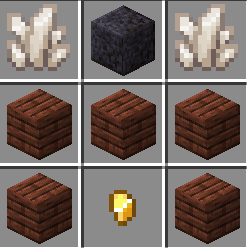 </figure>
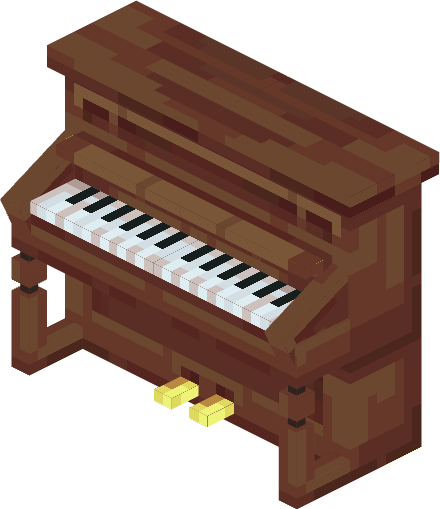
And you will be able to place it anywhere in the world.
Ah, and I forgot to mention, the block next to where you are clicking has to be empty, have fun!
 </figure>
- Edition: Minecraft Bedrock
- File type: .mcpack or .mcaddon
- Minecraft versions listed: 1.21.30, 1.21.50, 1.21.20
- How to install: Download the .mcpack or .mcaddon file. → Open it — Minecraft imports it. → In your world: Behavior Packs → Available → Activate, then the same under Resource Packs.
- Where to get it: Opens on CurseForge — not every file is mirrored on our own servers.
Install steps are the general flow for this file type — How to install Minecraft Bedrock addons & mods walks through it step by step.
- Pack type: .mcaddon — behaviour and resource pack in one file
- Manifest requires Minecraft 1.21.0 or newer
- Complete pack — everything it depends on is inside the file
- Download size: 2.2 MB
- Download link checked 16 Sept 2026 — working
These come from our own check of the pack file, not from the source page.