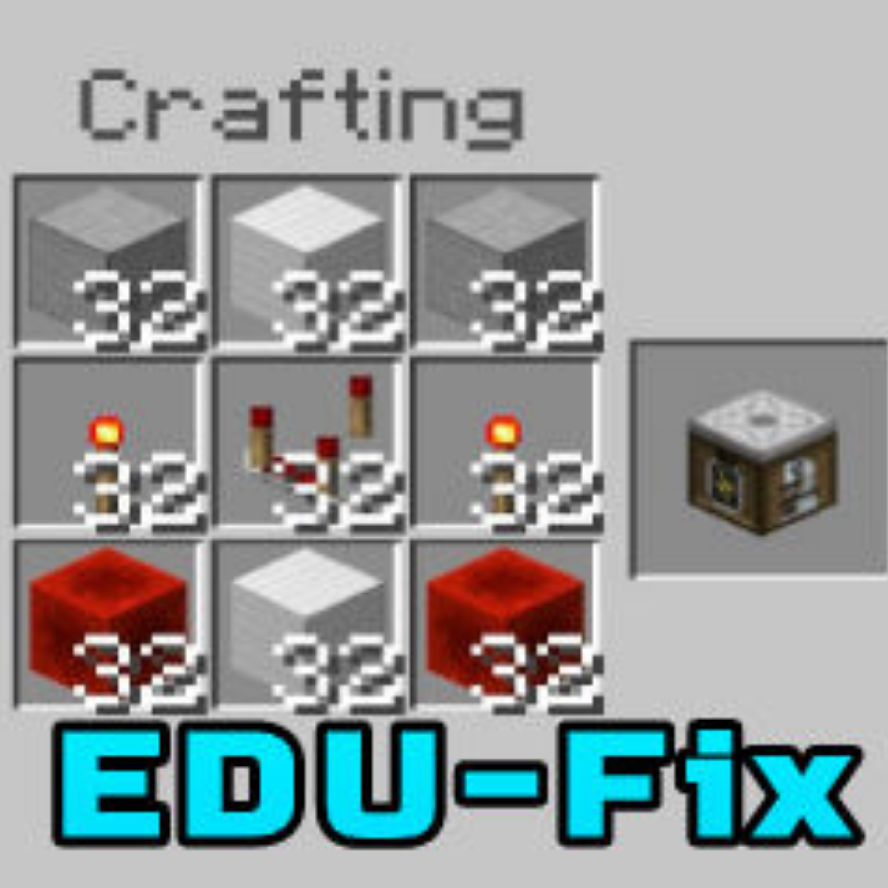
EDU-Fix: Craftable Chemistry Lab Tables in survival
Bedrock add-on listed for Minecraft 1.16–26.x (behavior pack only). File opened and checked on 27 Sep 2026; installs from the MC Bedrock Mods app on Android.
EDU-Fix v24 is an addon for Minecraft Bedrock Edition, specifically designed for mcpe 1.20 and higher versions. Created by Sidga420, the addon introduces…
⬇ Download on CurseForge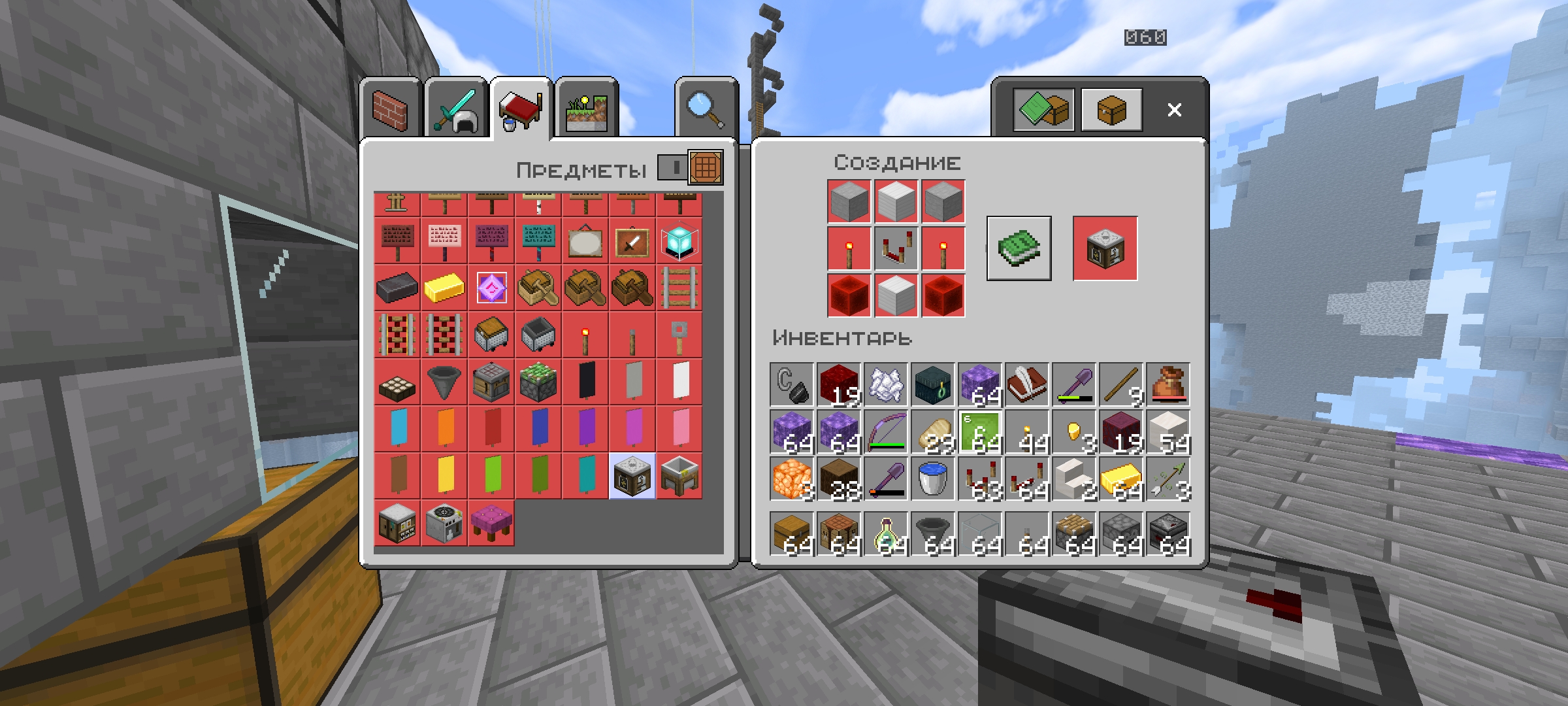
EDU-Fix v1.0
Craftable Chemistry Lab Tables Addon
For mcbe 1.18-1.21+
by Sidga420
The addition of craftable Chemistry Lab Tables from Minecraft Education Edition in survival mode opens up new possibilities for players to explore and experiment with in the world of Minecraft Bedrock Edition. It adds a unique aspect to gameplay that was previously limited to creative mode only.
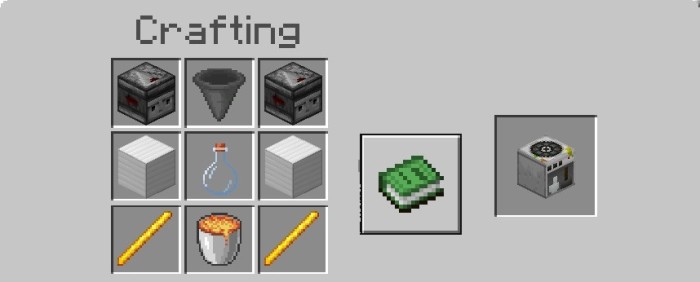
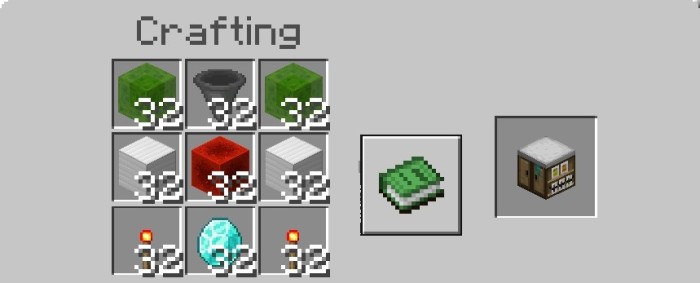
Crafting Recipes:
1) Material Reducer:
2) Lab Table:
3) Compound Creator:
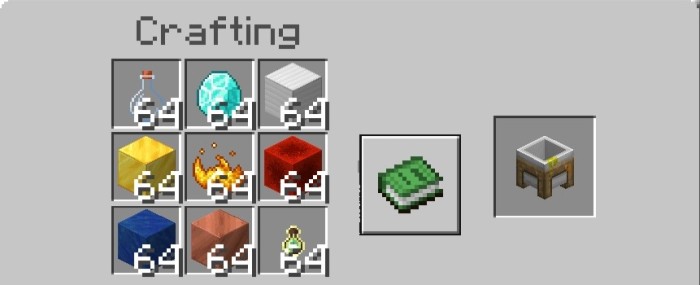
4) Element Constructor:
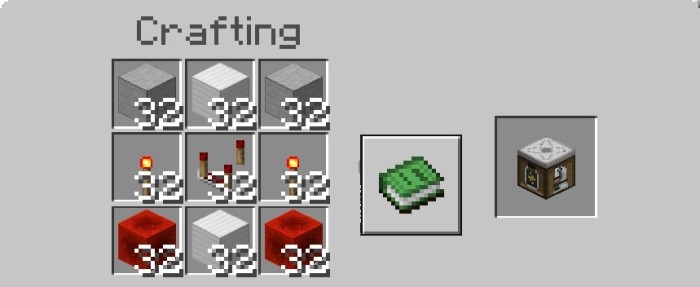
Once the crafting materials have been gathered, players can use a crafting table to create the Lab Tables.
The Lab Tables is a functional blocks that players can use to conduct various scientific experiments. This includes crafting and experimenting with different creating new chemicals, and observing chemical reactions.

Note that this addon requires Minecraft Bedrock Edition version 1.18+ or higher to work properly. To install the addon, download the provided behavior pack, then import them into your Minecraft world.
Overall, EDU-Fix v1.0 is an exciting addon that expands the possibilities of survival gameplay in Minecraft Bedrock Edition by allowing players to craft and use Chemistry Lab Tables.
■ Leave feedback in the comments, report bugs you find and offer your ideas for future updates.
■ If you liked this pack, then share it on social networks and tell your friends about it.
■ See other Addons, Resource Packs, Maps, etc in My mcpedl profile.
#MCPE #Sidga420
Hope you enjoy this Addon.
Have a nice game!
- Edition: Minecraft Bedrock
- File type: .mcpack or .mcaddon
- Minecraft versions listed: 1.20.40, 1.21.30, 1.18.2
- How to install: Download the .mcpack or .mcaddon file. → Open it — Minecraft imports it. → In your world: Behavior Packs → Available → Activate, then the same under Resource Packs.
- Where to get it: Opens on CurseForge — not every file is mirrored on our own servers.
Install steps are the general flow for this file type — How to install Minecraft Bedrock addons & mods walks through it step by step.
- Pack type: .mcpack — a single pack
- Manifest requires Minecraft 1.16.0 or newer
- Complete pack — everything it depends on is inside the file
- Download size: 3 KB
- Download link checked 6 Oct 2026 — working
These come from our own check of the pack file, not from the source page.