Tag Tool (Achievement Friendly)
(Version 1.1) Lightweight tool to add/manage tags. Useful for adding tags for other addons in world without cheats.
I don't know my version
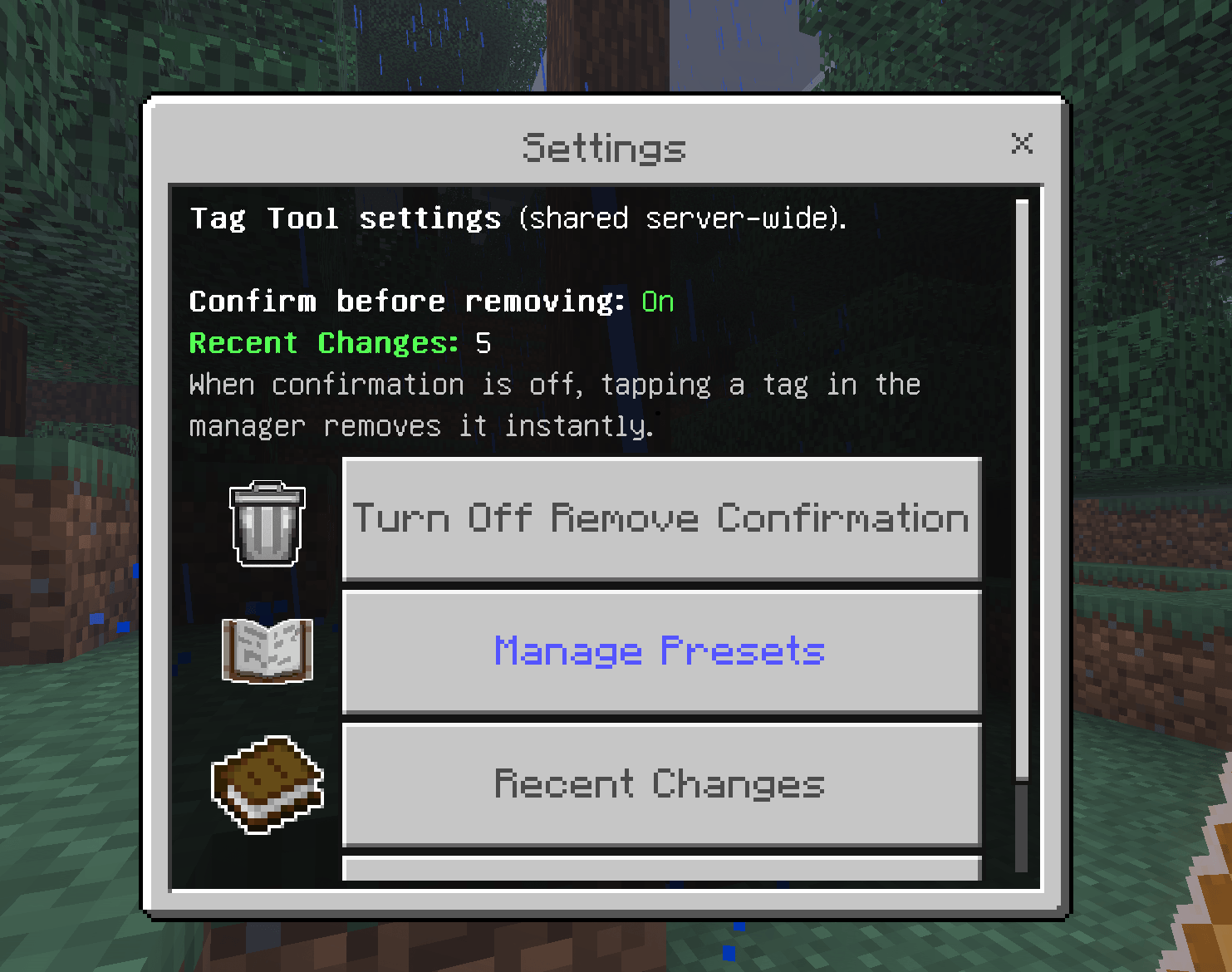
Tag Tool is a lightweight operator utility that lets you add and remove player tags through a clean in-game UI. No cheats required.
Tags are the backbone of many Bedrock addons. They unlock features, assign roles, track progress, and more. But in survival worlds with cheats disabled, adding a tag normally means turning cheats on, running a command, and turning them back off. That disables achievements for the world. Tag Tool solves that.
Achievement Friendly! No Experimental Features needed!
New in 1.1.0
- Presets: One-tap common tags like trusted, builder, moderator, vip, and member, fully editable and shared server-wide
- Bulk editing: Add or remove several tags at once from a single screen
- Undo Last Change: Reverse the last single or bulk edit if you make a mistake
- Recent Changes: A built-in audit log of the last 50 tag changes, including undos
- Settings menu: Server-wide options including a remove confirmation toggle and preset management
- Search and pagination: Find players and tags fast in busy worlds with many online players or large tag lists
- Safer access handling: Dedicated confirmations when granting or removing op, operator, or admin tags, with a warning before removing a player's only source of tool access
Features
- Manage your own tags: Add or remove tags on yourself instantly from a simple menu
- Target other players: Pick any online player and manage their tags directly, with per-player tag counts shown in the list
- Presets: Apply frequently used tags in one tap, and add, remove, or reset the preset list yourself
- Bulk add and bulk remove: Stage multiple tags and apply them together
- Undo Last Change: Roll back the most recent single or bulk edit
- Recent Changes audit log: Review the last 50 tag changes from the Settings menu
- Operator broadcasts: Tag changes are announced to operators so the team stays in sync
- Remove confirmation: Optional confirm step before a tag is removed, toggled in Settings
- Protected tag filtering: Internal tags prefixed with sb_, scoreboard, or jm_ are hidden from the UI and blocked from edits to avoid breaking other addons
- Operator-only access: Only players with operator permissions can use the tool. The op, operator, and admin tags work as a backup access path, keeping it secure
- Auto-granted on first join: Operators automatically receive the item when they first load into a world
- Craftable: Paper + Gold Ingot at a crafting table
- Built-in How to Use: A full in-game guide covering presets, bulk editing, undo, settings, and Recent Changes
If you have questions, suggestions, or feedback visit the Discord: https://discord.gg/ZsrM5HqHdS
For quick info please visit my support site: https://jmaddons.support
How to Use
- Install the addon (both BP and RP)
- As an operator, the Tag Tool item will appear in your inventory automatically on first join, or craft one at any crafting table
- Use the item to open the menu
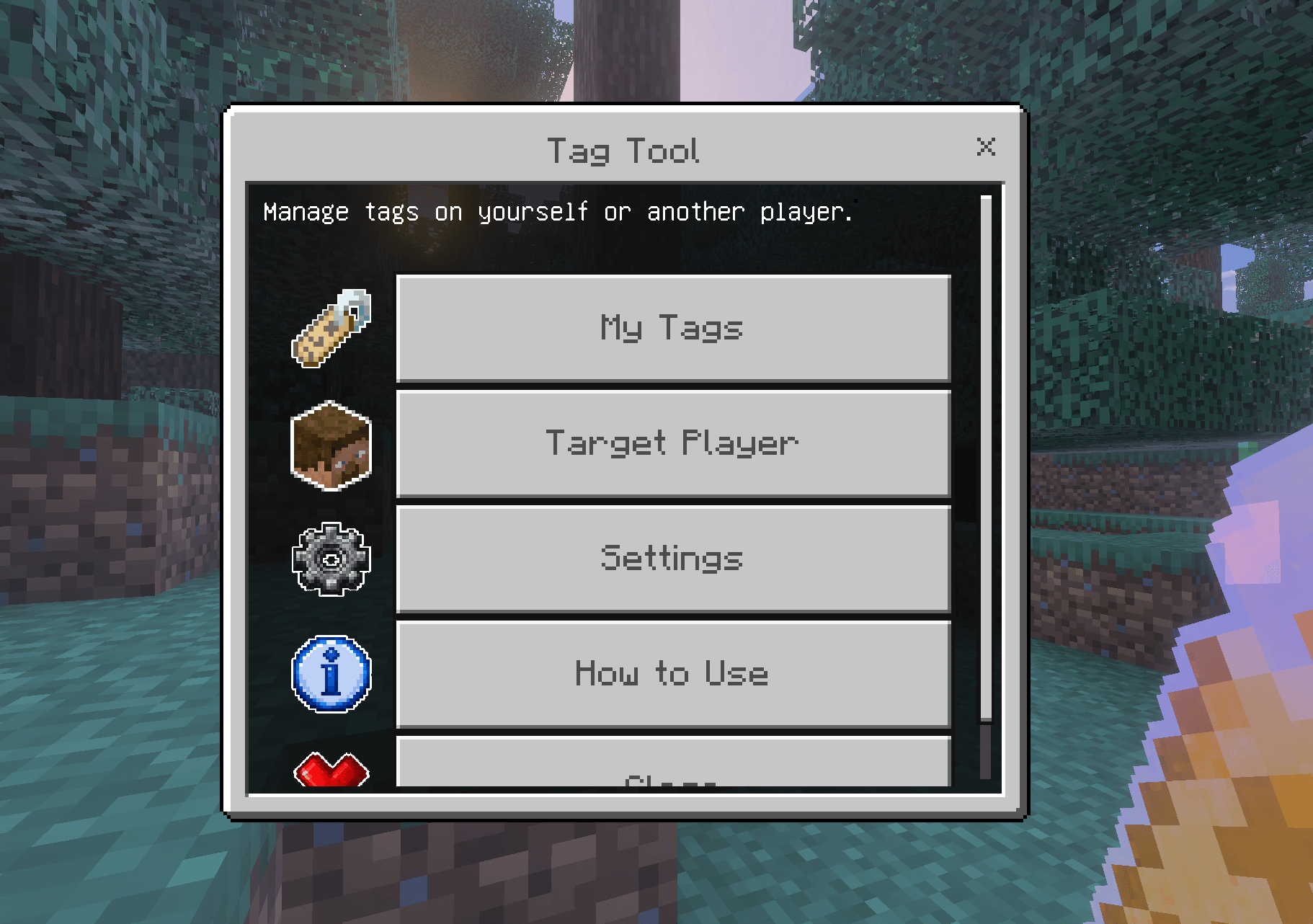
- Choose My Tags to manage yourself, or Target Player to manage another online player
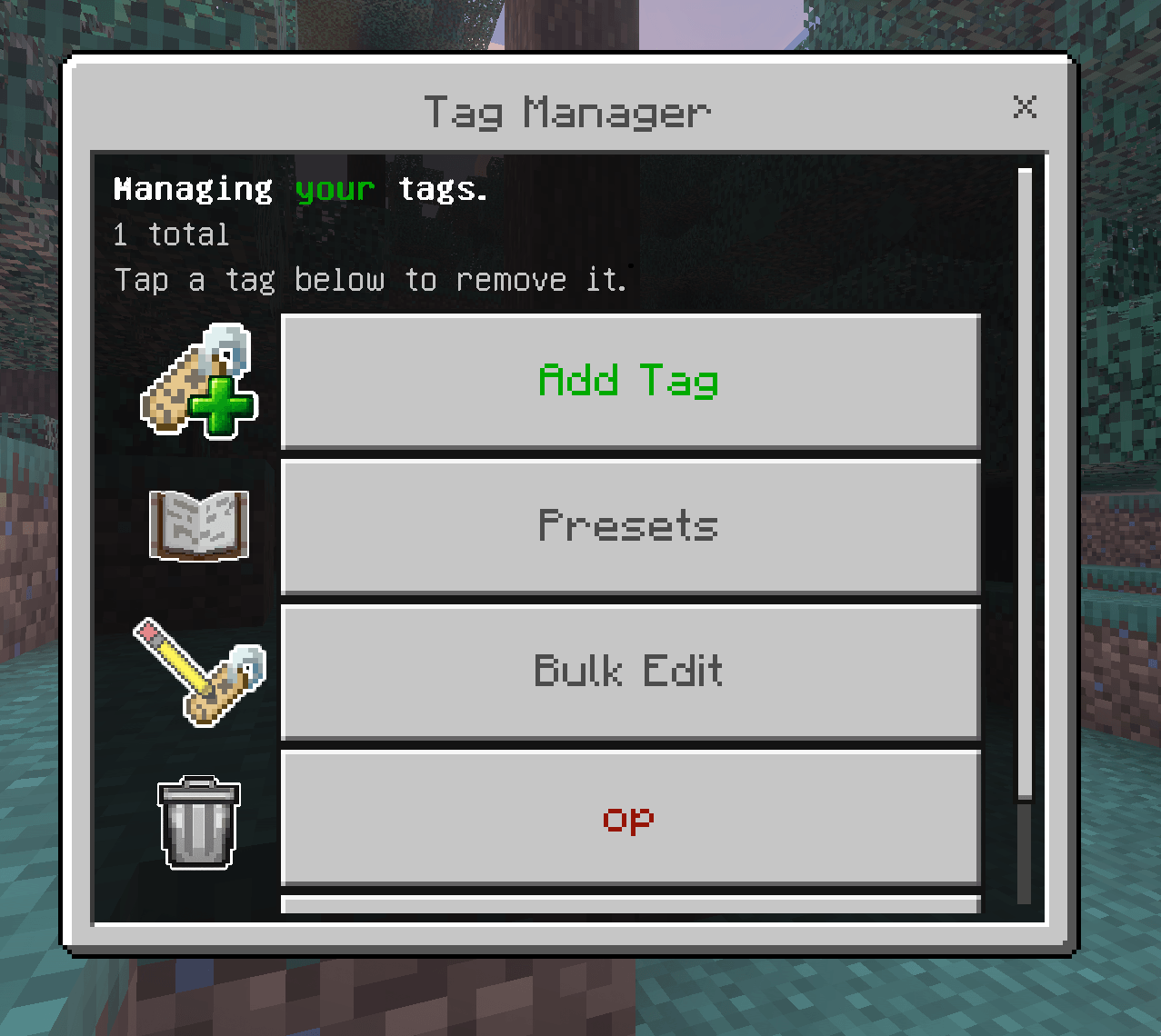
- Add a tag by typing a name, remove one by selecting it from the list, or apply a Preset in one tap
- Use Bulk Edit to change several tags at once, Undo Last Change if you slip, and check Settings for presets, the remove confirmation toggle, and Recent Changes
Compatibility
Works in any Bedrock world, survival, creative, or adventure, with or without cheats enabled. Designed to be a companion utility for other addons that rely on player tags.
Requires Minecraft Bedrock 1.21.140+
- Edition: Minecraft Bedrock
- File type: .mcpack or .mcaddon
- Minecraft versions listed: 1.21.131, 1.21.132, 26.0.02
- How to install: Download the .mcpack or .mcaddon file. → Open it — Minecraft imports it. → In your world: Behavior Packs → Available → Activate, then the same under Resource Packs.
- Where to get it: Opens on CurseForge — not every file is mirrored on our own servers.
Install steps are the general flow for this file type — How to install Minecraft Bedrock addons & mods walks through it step by step.
- Pack type: .mcaddon — behaviour and resource pack in one file
- Manifest requires Minecraft 1.21.140 or newer
- Complete pack — everything it depends on is inside the file
- Download size: 346 KB
- Download link checked 16 Sept 2026 — working
These come from our own check of the pack file, not from the source page.