
Advanced Sleeping
Bedrock add-on listed for Minecraft 1.21 (behavior + resource pack). File opened and checked on 2 Oct 2026; installs from the MC Bedrock Mods app on Android.
⬇ Download on CurseForge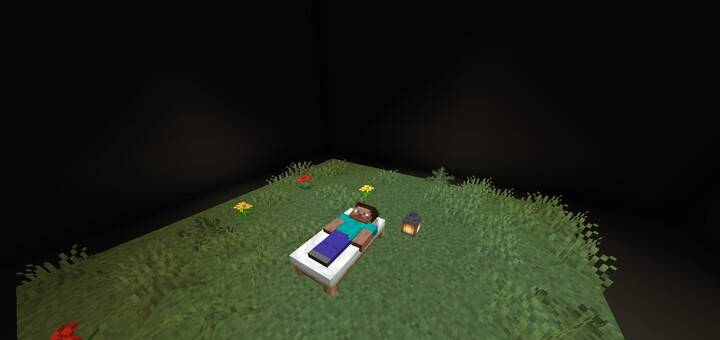
🎁 ~ Join Our Community:
🗒️ ~ Credits:
•By VictaoSigma
📦 ~ Other Projects:
🎥 ~ Video Guide:
📚 - Main Features:
•Time passes faster when sleeping
•Easy sleeping system
•Compatible with any addon
•Multiplayer friendly (1-10 players)
💤 - How to sleep?
•To sleep, you simply need to sneak and use the emote "follow me".
•If the screen becomes black, it means you successfully sleep.
⚠️ - beds don't work to sleep on the regular way
🛏️ - Sleeping Conditions:
•Confortability: you must be on top of a comfortable block in order to sleep. Comfortable blocks are: grass, dirt, sand, hay bale, planks, wool, carpet and bed
•Position: player must be on dry land to sleep.
•Sneaking: player must be sneaking to sleep. If player stop sneaking, they will wake up.
•Movement: player must not be moving to sleep, or else they will wake up.
•Damage: player wakes up after receiving any type of damage.
•Auto Wake-up: all the players will automatically wake up after 15s that everyone started sleeping. 15s is the time it takes from evening to morning.
⏰ - Affected by sleeping:
•Entities: move faster to simulate they walking by the time player is sleeping.
•Daytime: daytime is faster when all the players are sleeping.
•Blocks: some blocks are affected by the sleeping. They are:
°Grass: spreads faster.
°Fire: burns and spreads faster.
°Crops: grow quicker.
°Cauldrons: collect more liquids.
°Copper: oxidezes faster
⚠️ - Compatibility:
•This addon doesn't change any vanilla file, meaning it's totally compatible with any other component.
•Block speed up works with blocks from other addons as long as they use randomTick (block speed up is based on randomtickspeed).
•Confortability: blocks from other addons can be considered comfortable blocks. They just need to add the tag 'sca:is_soft'.
- Edition: Minecraft Bedrock
- File type: .mcpack or .mcaddon
- Minecraft version listed: 1.21.120
- How to install: Download the .mcpack or .mcaddon file. → Open it — Minecraft imports it. → In your world: Behavior Packs → Available → Activate, then the same under Resource Packs.
- Where to get it: Opens on CurseForge — not every file is mirrored on our own servers.
Install steps are the general flow for this file type — How to install Minecraft Bedrock addons & mods walks through it step by step.
- Pack type: .mcaddon — behaviour and resource pack in one file
- Manifest requires Minecraft 1.21.120 or newer
- Complete pack — everything it depends on is inside the file
- Download size: 14 KB
- Download link checked 6 Oct 2026 — working
These come from our own check of the pack file, not from the source page.