BuilderX
Simplifies the use of building commands like /fill and /clone, allowing you to execute them more easily without needing to type them manually.
⬇ Download on CurseForge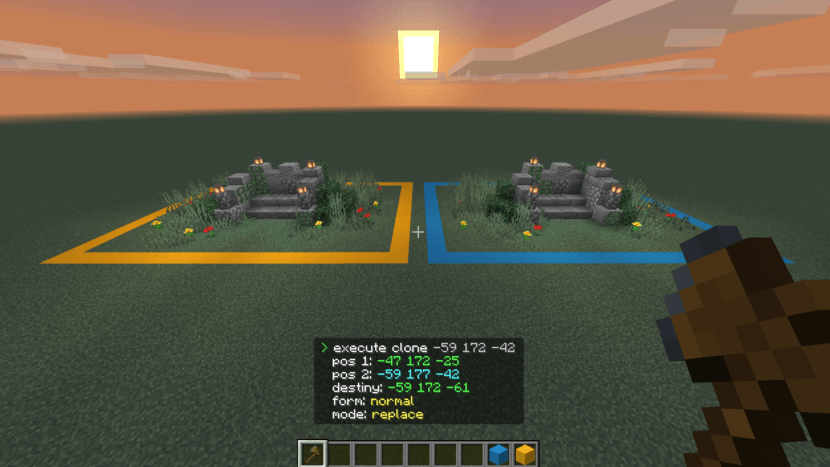
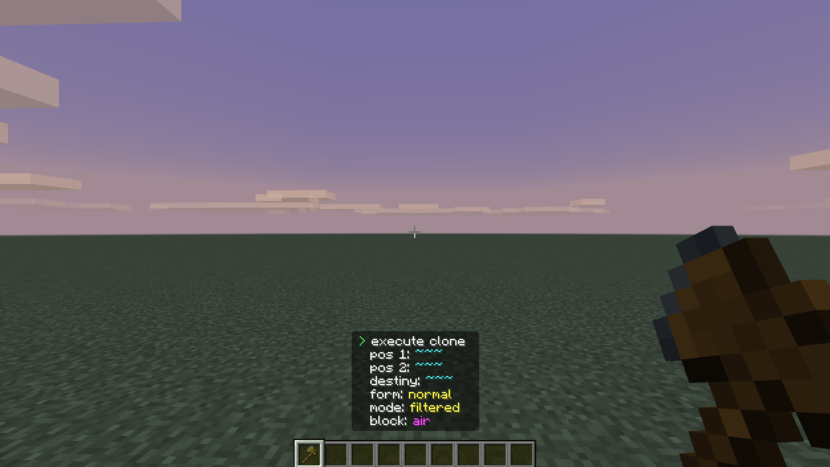
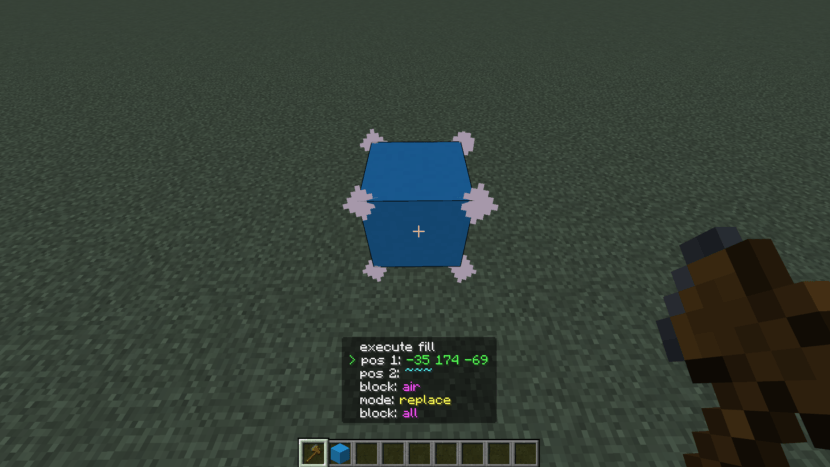
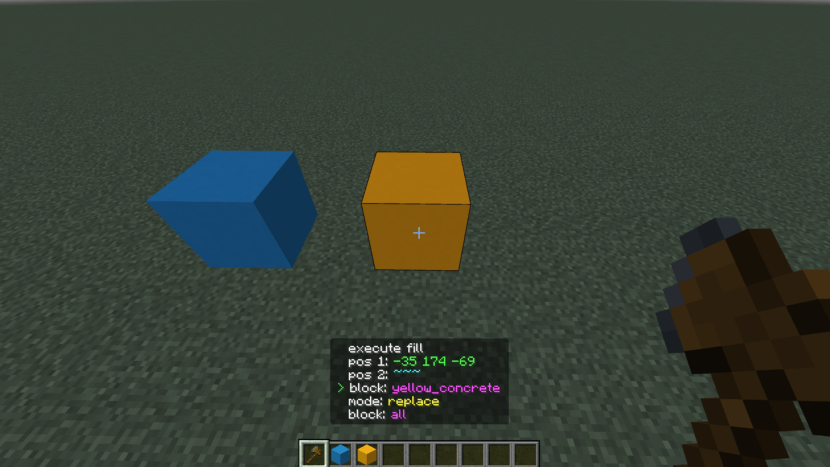
This addon adds a special item that opens an interactive on-screen interface, allowing you to configure and execute building commands like /fill and /clone quickly and easily, without typing them manually.
How to Use
Hold the item in your hand and right-click to open the interface.
On mobile, just hold your finger on the screen.
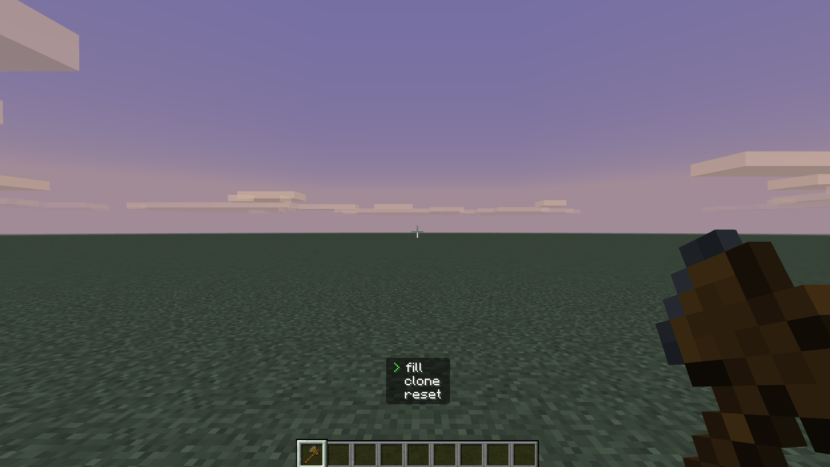
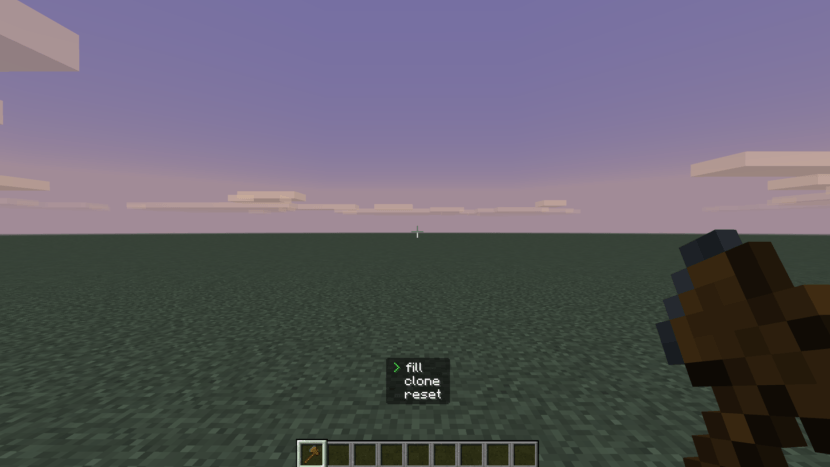
Once the interface opens, you will see 3 options:
- Fill
- Clone
- Reset
How to Interact
Keyboard:
- W → Move up
- S → Move down
- D → Select
- A → Back
Mobile:
- Up → Move up
- Down → Move down
- Right → Select
- Left → Back
Tip: Using the arrow keys (D-Pad) is easier than a joystick.
Select an Option to Open a New Page
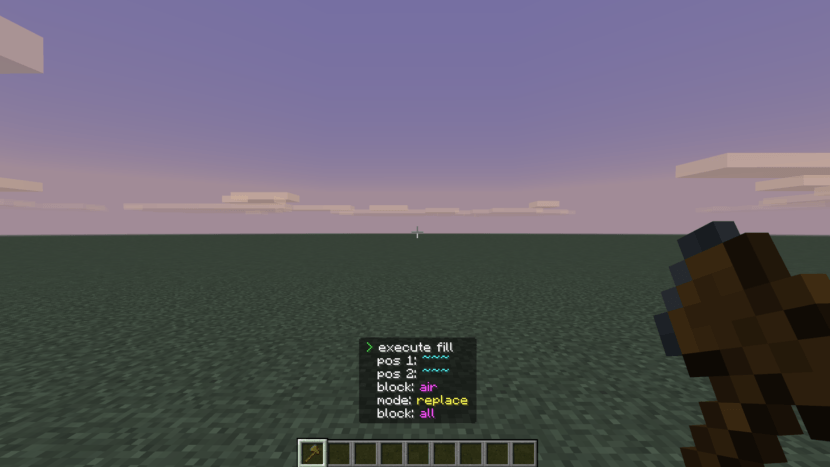
Fill Page:
Position 1 Position 2 Block Mode (replace, keep, destroy, outline, hollow) Block (only in replace mode)
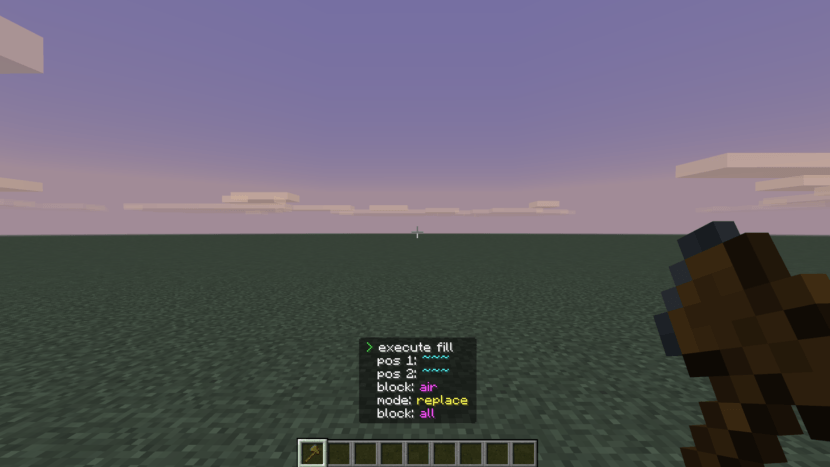
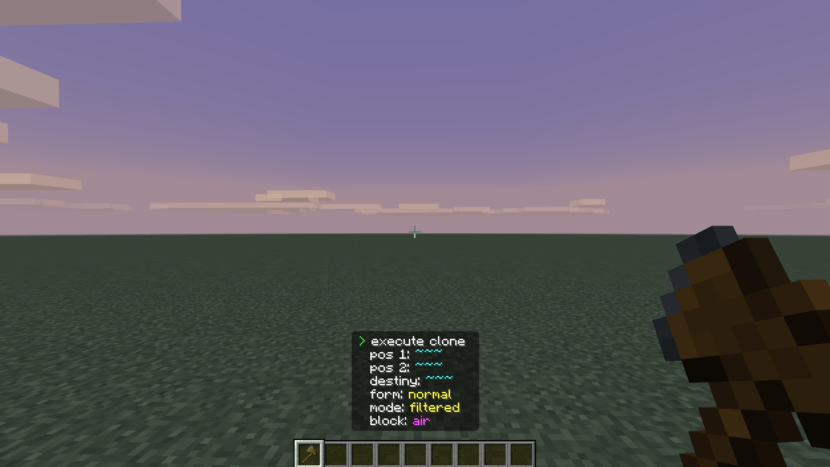
Clone Page:
Position 1 Position 2 Destination Form (normal, force, move) Mode (replace, masked, filtered) Block (only in filtered mode)
Option Selection
Position:
Returns the coordinate of the block you are looking at.
If not looking at a block, it uses the player's current position.
Block:
Returns the ID of the block you are targeting.
If no block is targeted, it selects air.
Modes and Forms:
Cycle through options by selecting them.
Reset
The Reset option clears all settings from the menus.
Summary
- Simple and fast interface
- No need to type commands
- Works on PC, controller, and mobile
- Perfect for quick building
For more information, check out my YouTube channel.
There’s also a tutorial on how to use the BuilderX addon.
Thank you for your support ❤️
- Edition: Minecraft Bedrock
- File type: .mcpack or .mcaddon
- Minecraft versions listed: 1.21, 26.0, 26.3
- How to install: Download the .mcpack or .mcaddon file. → Open it — Minecraft imports it. → In your world: Behavior Packs → Available → Activate, then the same under Resource Packs.
- Where to get it: Opens on CurseForge — not every file is mirrored on our own servers.
Install steps are the general flow for this file type — How to install Minecraft Bedrock addons & mods walks through it step by step.
- Pack type: .mcaddon — behaviour and resource pack in one file
- Manifest requires Minecraft 1.21.111 or newer
- Complete pack — everything it depends on is inside the file
- Download size: 9 KB
- Download link checked 16 Sept 2026 — working
These come from our own check of the pack file, not from the source page.